167 comments found.

Here’s my purchase code b82c8168-ab9a-476a-b46a-0dd2431e1d25 – 28 Jun 2018 REGULAR LICENSE
I just bought your theme and installed it I see no options for the nice review system, page layouts, etc. What am i missing?
I installed ApemagVersion: 1.0.12 (I did not install the child theme folder).
I’m really lost. Mike
Well, i found the Theme Panel at the bottom, but how do i get the nice Review System like you have shown on http://reviewcobra.com/wp-content/uploads/2018/06/review-system.png?
For the review system we used a free plugin called WP Review, you can find more information on how to use it here https://mythemeshop.com/plugins/wp-review/
This plugin is not created or maintained by us in any way so our help using the plugin will be limited (they offer free support via wordpress.org forums) other than the correct integration with our theme.
Regards, Luis.
Hi, could you please advice how to move widget bar from right side to left side on Shop page? http://joxi.ru/LmG3eKbce3qxbm
Thank youHi, it is not possible to move the sidebar for woocommerce at this point but we are working on a solution. Will probably be included in the next update.
Regards, Luis.
Confirmed, will be fixed on the next release. Cheers.
Hi, would you please advice how to display short description under menu items? Please see here: http://joxi.ru/n2YzaMlso3VjbA
Thank you
Appearance -> Menus, then https://cl.ly/09403s250M42
Would you please add Telegram Icon to Social Icon list? Thanks
I’ll add it for the next release of STKit.
Would you please advice how to enable Breadcrumbs?
In page properties I could see the option that Hide Breadcrumbs, but it’s not active and I still do not see Breadcrumbs on the website.
Breadcrumbs are shown at the bottom of the page, did you see them? https://cl.ly/3C24452K3L0V
Hi, bought your theme a second one. Having a problem when activating a child theme on a fresh and latest WP install. I just installed WP and uploaded Apemag + child theme. When I activated parent theme there seems to be no problem, but as soon as I activate child theme this shows up:
Warning: include(/home/wp-content/themes/Apemag_child/options.php): failed to open stream: No such file or directory in /home/wp-content/themes/Apemag/functions.php on line 26
Warning: include(): Failed opening ’/home/wp-content/themes/Apemag_child/options.php’ for inclusion (include_path=’.:/opt/php56/lib/php’) in /home/wp-content/themes/Apemag/functions.php on line 26
Warning: Invalid argument supplied for foreach() in /home/wp-content/themes/Apemag/framework/functions/global.php on line 103
Warning: Cannot modify header information – headers already sent by (output started at /home/wp-content/themes/Apemag/functions.php:26) in /home/wp-admin/includes/misc.php on line 1114
Warning: Cannot modify header information – headers already sent by (output started at /home/wp-content/themes/Apemag/functions.php:26) in /home/wp-includes/option.php on line 919
Warning: Cannot modify header information – headers already sent by (output started at /home/wp-content/themes/Apemag/functions.php:26) in /home/wp-includes/option.php on line 920
Hi, Igor! Any news on a subject?
Any news?
Hi, we sorted it out, will be included in the next release, in the mean time no worries at all.
Regards, Luis.
Hi. Pre-sale question: Is there support for custom post types?
What do you mean? CPT are natively supported by wordpress and apemag should not have any problems rendering your posts, but remember that you may need to create your own template file if you want to customize the way it’s presented.
Regards, Luis.
nvm fixed
Ok 
Hi, I downloaded and tried to install the theme – APE MAG Wordpress theme,
but i received this message, the installation is failed:
=====================================================
Unpacking the package…
Installing the theme…
The package could not be installed. The theme is missing the style.css stylesheet.
Theme installation failed.
=======================================================
Hi, did you check this help article? https://help.market.envato.com/hc/en-us/articles/202821510
This is a very common error.
Regards, Luis.
I am having some trouble with featured images appearing twice in an RSS feed. One a “webfeedsFeaturedVisual” and the other “attachment-post-image”. This is causing the same image to be duplicated in my RSS emails. Is there a way to hide one of these image instances from the feed?
http://www.intellectualmoviereviews.com/reviews/feed/Hi, I don’t see any image duplication. Can you please post a screenshot?
Regards, Luis.
It actually looks like this was being caused by a plugin. I tried disabling plugins until I found the one causing it.
I do have a couple other questions that came up, though:
1. Is it possible to change the size of the images being used for the post-sticky-yes-thumb and post-thumb images? My images there are currently getting stretched. https://prnt.sc/hgu6fz
2. My sticky posts are currently being listed at the top of my blog page, but I would prefer that page be in order by date (regardless of whether a post is sticky), and that sticky posts are only used for the slider on the home page. Is it possible to change the ordering rules on the blog page but keep the slider filter?
http://www.intellectualmoviereviews.com/Hi,
1. They are not being stretched, they are resized proportionally until all the edges are covered with the image.
2. I don’t understand your question, they are already ordered by date, both, the slider and the blogroll.
P.S.: by the way, I’m sorry to inform you that your support period has expired but you can extend it by following the link on top of this page to keep getting assistance. (http://take.ms/Tr5gu)
Regards, Luis.
Is it possible to limit the character length of the post content on the blog page? I know this is typically done through Wordpress Reading settings with “display summary”, but that does not work in this theme – I assume because the custom excerpts are being used in the image grid on hover.
Is there a workaround then to cut off content with ”...” after so many characters on the blog page?
Nevermind, I got this figured out!
Glad you sorted it out
Hi, I’ve already bought your theme. Just a question: what about adding a banner in home page? I cannot find a right widget for that.
Thank you in advance.
Luca
Hi Luca, this https://cl.ly/020b2W2H2w1o is how we did this one https://cl.ly/1j0R313F0O1r
If you are looking for the google ads you’ll need to enable adsense from theme panel https://cl.ly/0c1X2P2y3B1N and then a new ST AdSense widget will appear to add to your sidebars.
Regards, Luis.
Hello
if i want to create 2 post type like 1) City 2) Airport
A) is it possible post type City have a categories for review different from post type Airport ? like City will have 3 categories rating : Safety, Clean, Public Transportation and Airport will have : Lounge, Customer Service, Luxury ?
 is it possible for users to create a different review for each categories i put on City / Airport post type ?
like, if City have topic TOKYO, user who visit Tokyo page, will able to add different story and add different rating for categories Safety, Clean, Public Transportation ?
is it possible for users to create a different review for each categories i put on City / Airport post type ?
like, if City have topic TOKYO, user who visit Tokyo page, will able to add different story and add different rating for categories Safety, Clean, Public Transportation ?
C) If i have Topic/post call TOKYO on post type City, is it possible in that TOKYO page, i put lot of information and show all summary rating from categories i set (Safety, Clean, Public Transportation), and when i try to access one of categories like Safety it will go to page that show all rating and review for Safety in Tokyo ?
Thanks, i hope it clear enough
There seems to be a bug on the WooCommerce checkout page. The State/Province dropdown field is missing. This is a theme issue as the field is present and functional when switching to the default WP theme. Is there a fix available? Thanks.
Hi, we just fixed the problem and pushed an update for the theme, allow at least 12 hours for the update to be populated.
Regards, Luis.
Hello Luis, Although I’ve updated to the latest version, I still do not work user ratings on the stars. Do you know what to do? I also wanted to ask if there is any way to extract the extract in the highlighted publications (when you mouse over) or if it is possible to change their measures to make them a little closer …
Thank you very much!
Please have a look on to the developer site for the plugin https://mythemeshop.com/plugins/wp-review/ you may find some answers there.
As per the excerpts, it looks like you are asking for some customization that can be accomplished via CSS. Even though I’m not quite sure what you mean when you say “a little closer”. Explain it the best as you can and I’ll try to send the code for you.
Regards, Luis.
Hello Luis,
I have finally been able to contact the developer of the WP Review plugin. This week they will tell me something about it.
As for the outstanding images of the home, my question is whether they can be resized. I would like it to be a little less wide so that when you load the page you can see more things apart from the featured images …
Otherwise, I’ve signed up for google adsense and I already have the code. I put it in the head of the page. But, do you know how I have to do to make the advertising appear in the same measures and sites as in your template?
Thank you very much again!!
Hi, here you have how to set up adsense http://strictthemes.com/manuals/how-to-add-responsive-adsense-to-wordpress-site-based-on-theme-created-by-strictthemes/
Are you speaking about this area https://cl.ly/253k1d0V2s30 ? Because that will depend of the screen resolution. You can also opt by using the boxed layout that looks like https://cl.ly/04041I333N27 and is set from theme panel https://cl.ly/0Y2a442z2c3s
By the way, I tried to see your site but is not showing anything.
Regards, Luis.
Hello Luis,
These days I’ve downloaded web server. I have passed all the files and everything seems to work fine. The only thing I see strange is about the extracts. Earlier I did them all by hand and they looked good in the home. When you passed the cursor over the photo in the home It showed you up to 4 lines of the extract and now it eat the last … You know what can be happening?
Thank you!
Hi, can you please double check the excerpt that you think is not behaving as it should? Because for some of them it’s showing even more than four lines. As far as I see everything is working as expected with the excerpts.
https://cl.ly/310j0N1C3H2LRegards, Luis.
Hello again Luis, I just saw that on one of the pages I had the zoom 100% and on the other 90%. That was the mistake. Interestingly where you read most of the extract is with 90% zoom. But I have tried it on another computer and with 100% it also looks good. So it must be my PC thing.
Thank you!
No problem glad you sort it out.
Hi there,
I’m using Apemag 109 with Wordpress 4.8.
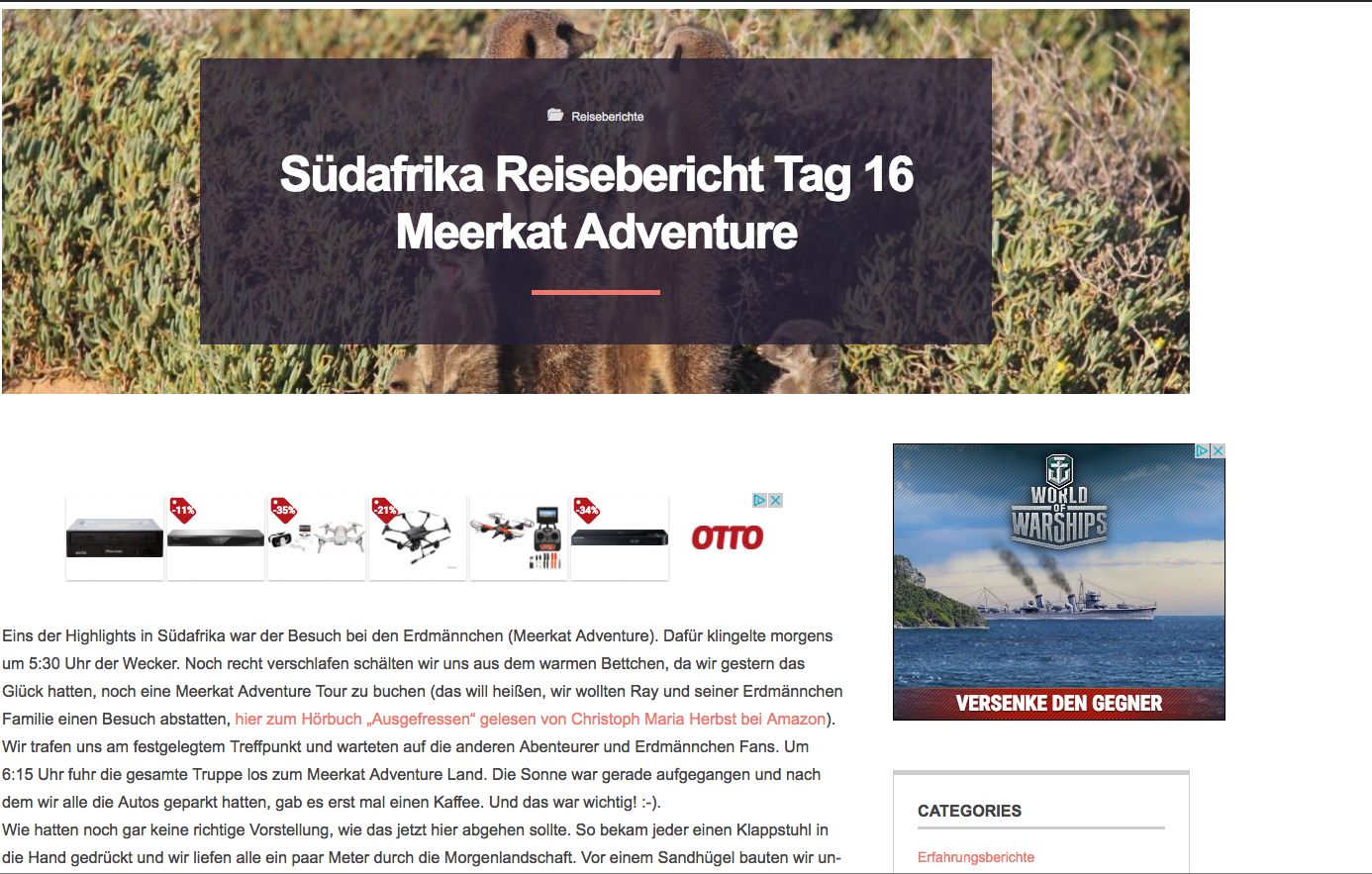
I changed the page to https with Let’s encrypt certificate. Now, the galleries in my posts will not displayed and not shown anymore.
Any suggestion how to fix this?
For example: https://www.wolfgangwilbois.de/suedafrika-reisebericht-tag-16-meerkat-adventure/
Best wishes from Muenster Wolfgang
Hi Wolfgang, I can see the galleries, no problem at all. https://cl.ly/421w021K1X3A
The only warning I can see is this: https://cl.ly/1V3u1R2m0q0o
Regards, Luis.
Dear Luis, I changed this mixed content, so now this should be fine.
I checked again with different browsers and I can confirm that with Safari, iPad, iPhone the galleries are in place.
I’m using macOS SIerra (version 10.12.5) and Google Chrome 59.0.3071.115 and I cannot see the galleries: https://www.wolfgangwilbois.de/wp-content/uploads/2017/07/Screenshot.jpgAny suggestion?
Best wishes from Muenster Wolfgang
Can’t really tell you.. I’m on “El Capitan” and Chrome 59
https://cl.ly/1F41331D2Y2z https://cl.ly/3X2a0P0Y2P3w https://cl.ly/0o3E0M0d2738Note: I’m still getting the mixed content warning. Have you purged the cached content from WPFC?
Regards, Luis.
Good Morning,
I have doubts regarding two points:
1) In the articles I’m only interested in readers’ ratings (not mine) but some people have already voted and in the stars of the post photograph, the punctuation is not reflected.
2) I tried to put a photo in footer 2, such as it is in the demo design of your template. I think it looks great, but in my case the image is misleading … (www.dejensalir.es).
Thank you very much,
Hi,
1. There is a little bug that we fixed in version 1.0.9 and you are still using 1.0.8. Update the theme and should be good to go.
2. Our image size is +- 400×130px and the we applied class=”aligncenter”. Another tip is to use a Text widget instead of Image widget. Your code should look like:
<img width="400" src="http://dejensalir.es/wp-content/uploads/2017/06/PIN-150x150.png" class="aligncenter" alt="" />
Regards, Luis
Hello,
even after having set a few articles as sticky posts, the area in the front page is still empty. I have read the documentation but I am not able to find any explanation for this issue.
Could you please explain to me all the steps to be taken in order to verify if I have made any mistakes?
Hi, just go to Theme Panel and check this http://take.ms/SUfpH then set a minimum number of sticky posts of what you set on Theme Panel. If that doesn’t work send me an email to support@strictthemes.com providing your site url and wp login credentials so I can have a look.
Regards, Luis.
Good afternoon,
These days I have been working with my project and I have been raised 3 new doubts regarding the staff:
1) In the home (dejensalir.es) I have uploaded an image of a black cat for one of the highlighted posts, but it appears in a format different from the others (gray borders appear above and below the image). I have tried to activate the zoom option within the post, but it continues to look the same. How do i have to do it?
2) Once I enter a post, just below the photo (and before starting the article) appears the text of the extract and below a strange link. How can I eliminate both?
3) In the original template, in the home a banner appears underneath the highlighted posts. How do I find this option?
Many thanks again and apologies for the inconvenience
Hi,
1. This is because of the proportions of the image, it has to be at least 574×410px, yours is smaller hence can’t fill those gaps. Just upload an image with proper size/proportions.
2. That link can be customized or deactivated from theme panel https://cl.ly/2B452X2H0m3o The same goes for the excerpt https://cl.ly/1K0M0f0b0908
3. Go to Appearance->Widgets and look for this sidebar https://cl.ly/1w0P3Y1H1U1N , that’s the one you need to edit.
Regards, Luis.
Hi,
I have tried to change the secondary colour from “theme panel – style – secondary colour – save changes” but it don’t do nothing in the home page… can you help me?
Other question that I have: I want to position the homepage with the keyword “relatos cortos” on SEO. Where is the h1 and h2 in this page?
Very thanks ☺
Hi, I just checked the Style panel and it works correctly on my side, no errors at all. Try changing the color again and see if it’s reflected on the front end. https://cl.ly/1a0d1Z3o1L2G https://cl.ly/3l3O2244363y https://cl.ly/2b2J3v1p3917
About the H1 and H2.. there is no h1 on the front page, the logo is wrapped with an h2 and all the post titles are h3. Inside pages and posts the title is wrapped with h1.
Regards, Luis.
Good morning,
After minutes I had refreshed again the page and the colors were changed. Thanks for the answer. Now have another question, I have done the first post in the page (www.dejensalir.es) “Espejos ocultos”. On the box in the home the summary of the post done change and appears the dummy text yet. In addition, when you put the mouse over the post image, the summary appears like cut (don’t have a clean view cause the 4th line appears like cut letters).
Another question that I have is that in my page don’t appears the ad banner below the featured posts boxes. Can you help me?
Very thanks
Please, if you dont understand my question, give me an email and i try to explain it with some images. thanks.
Hi, now that you provided the url I checked the site and:
1. The colors are modified https://cl.ly/1Q1k2I3n2O3i so I guess you found the problem. If you still see the default colors you may want to purge your cache.
2. The dummy text https://cl.ly/3P2D2P353502 is probably coming from the excerpt box. As you can see it is also injected here. You can see that box by going to “Screen options” on the top of the post edit page https://cl.ly/3Z0h0k2T2h1f and activate this box https://cl.ly/0Y3u2O0X3N0v . After that you will see a new box appearing below the text editor like this https://cl.ly/41202l230Z25 . That’s the the text that is used here https://cl.ly/3P2D2P353502 if it exists. If it does not exist then part of the text of the actual post is used to fill that space as you can see here https://cl.ly/1g432c1m2T0F
3. Adapt the excerpt text to fit within the box if you don’t want it to be cut.
Hope this helps.
Regards, Luis.
I’ve just installed the theme with no issues, until I installed the child theme, then I get these errors at the top of the wp-admin panel.
Warning: include(/home/success/public_html/media1/wp-content/themes/Apemag_child/options.php): failed to open stream: No such file or directory in /home/success/public_html/media1/wp-content/themes/Apemag/functions.php on line 26
Warning: include(): Failed opening ’/home/success/public_html/media1/wp-content/themes/Apemag_child/options.php’ for inclusion (include_path=’.:/opt/php54/lib/php’) in /home/success/public_html/media1/wp-content/themes/Apemag/functions.php on line 26
Warning: Invalid argument supplied for foreach() in /home/success/public_html/media1/wp-content/themes/Apemag/framework/functions/global.php on line 103
Warning: Cannot modify header information – headers already sent by (output started at /home/success/public_html/media1/wp-content/themes/Apemag/functions.php:26) in /home/success/public_html/media1/wp-includes/option.php on line 828
Warning: Cannot modify header information – headers already sent by (output started at /home/success/public_html/media1/wp-content/themes/Apemag/functions.php:26) in /home/success/public_html/media1/wp-includes/option.php on line 829
Hi, can you please tell me if in your parent theme folder you have a file named ‘options.php’? Which files do you have on your child theme folder?
The first error is causing the rest of them.
Regards, Luis.
How can I add a html code (ad) after the fourth post in the FrontPage?
I use Frontpage v2 template. How and where I can modify/add the code?
Hi, you should add it as a widget under Ad Sidebar 3 https://cl.ly/1G0Y0k031K0y
Regards, Luis.
Thanks, but I would like to add ads between posts, not after or before. Only between, like this http://www.agentwp.com/how-to-insert-adsense-code-after-first-second-or-nth-post-in-wordpress
Well, in that case you will need to alter the loop on the php files with something like the link you provided. You can also have a look into the plugins out there, you may find one that adds that functionality without you having to touch a line of code. https://wordpress.org/plugins/search/ads/
If you’d like to do it manually with that tuto the file you need to edit is template-frontpage-2.php lines 151 to 181. Make a backup before start modifying the file so you can always rollback.
Regards, Luis.
But. How I can do? If can share step by step
Hi, I’m sorry to inform you that your support period expired in 29/07/2016, you can extend it by following the link on the top right of this page to keep getting assistance. ( http://take.ms/Tr5gu )
Regards, Luis.