322 comments found.

Hi, when using the collage image element on folio pages, is there a way to force the last row to fill the whole width of the page?
Hi,
We used for the collage shortcode this script: http://miromannino.github.io/Justified-Gallery/getting-started/You can change options in theme root js/scripts.js at JustifiedGrid() function
Regards
Hello, I’m considering buying this wordpress theme, could you please let me know how feasible it would be to implement a woocommerce/shop page to this theme ? Thank you in advance.
You can use woo with our theme, there are no restrictions except that you may have to do some CSS adjustments in shop pages to match the look-and-feel of the theme. Thanks
Im having the same problem as @antoinemougenot , website url is www.f4brika.com
Hi, We are working on a fix for smooth scroll, hopefully the update will be released in a couple of days. Thanks
Hi !!! Thanks for this theme  I have a “smooth scroll” problem on my portfolio item pages
I tested it on different browsers and computers, the scroll is very fast and not smooth as on your demo even if the option is enabled.
When I disable the smooth option the scroll seems to be broken.
Can you help me ? I can send you the URL and admin access If you need.
Thanks
Antoine
I have a “smooth scroll” problem on my portfolio item pages
I tested it on different browsers and computers, the scroll is very fast and not smooth as on your demo even if the option is enabled.
When I disable the smooth option the scroll seems to be broken.
Can you help me ? I can send you the URL and admin access If you need.
Thanks
Antoine
Hey Antoine, can you send here the url first? Thanks
Hi Antoine, We are working on a fix for smooth scroll, hopefully the update will be released in a couple of days. Thanks
Hi, well done for this amazing theme, pre-sale question, how do i remove the pointer ? Thanks !
Hello, you mean the mouse ball cursor?
hello:) is it possible to change backround to white and all fonts to black?:) (in single portfolio and at home page and about us and contact us)
Hello, for every page, blog post or single portfolio page you can specify the background type: black or white with the inverted fonts color. Thanks
great! thank you! iam going to get the theme! its beautifull, and whats the name of font u used for grenada and aruba logo?:)
The font we used for logos is Montserrat, but we edit some letters
thank you:) i got a problem here i made a white backround and the hero image is like 90percent transparent and blured by white backround, why?
and if i set white backround at home page it made a white space under the menu
What’s the page url plz?
Just bought, but not sure how to load a pre-made template. Can someone please advise as to how I go about this? Thanks.
Not a problem. Just create a private ticket on clapat.ticksy.com and provide wp adminn access and we will import the demo data for you. This will create a replica of our live demo and you can start customising from there. Thanks
Great! Just created a ticket.
Responded and imported the demo content.
Hello. Is it possible to have other portfolio pages with all the projects, lazy loader, infinite scroll or filters? You did something similar on clapat website. The design itself is awesome, but no room for portfolio, at all, only showcase.
Hi, what you suggest is a animated masonry grid portfolio however Grenada is a showcase oriented theme. We do have another theme coming up soon that will have the showcase slider and masonry portfolio among other features. Follow us to see when it’s released. Thanks
Thanks for reply. Grenada’s showcase simply perfect. I would like to have same showcase on main page as grenada and also masonry with same cool ajax. Also, grenada’s blog is what I needed for a loooong time. But, there is no masonry portfolio for portfolio page where I can put hundreds of projects…please say, will masonry be implemented or if not, will new template will be same or even better and in same style (blog, pages)?
Hello! When to expect new design?
Good news! we have decided to include portfolio masonry grid in Grenada. So this feature will be included in early January – after our next update coming the following days.
Oh wow, thanks! Masonry portfolio will support videos, right? Since we do videos)) And we still want to see your next template to choose between them, or next template will have different features now since you add masonry in Grenada?

Is it possible to only show some items on the homepage portfolio slider? I’d like to have a second page with showcase slider, showing different content.
Thanks!
$grenada_args = array(
                                                'post_type' => 'grenada_portfolio',
                                                'paged' => $grenada_paged,
                                                'posts_per_page' => 1000,
                                                 );
here is more info
https://codex.wordpress.org/Class_Reference/WP_Query#Post_.26_Page_Parameters
check ‘post__in’ parameter.
you can condition the showcase items by checking the page name or page id
https://developer.wordpress.org/reference/functions/get_the_title/
Fantastic, thank you.
I’m really liking the WPBakery Collage element. Is it possible to make the thumbails smaller, to fit more images into the same space?
and the justified gallery is initialised in /js/scripts.js line 1022 (function JustifiedGrid() )
Thanks
Great! I’ll take a look
Hi, I’ve switched Ajax Off and On again but a problem still occurs. When I clink on one of the menu items in my navbar, the elements of the navbar disappear for a very short moment before reapparing, like if the page was loaded without Ajax.
When I click on a portfolio item however, this “fade out” effect on the navbar doesn’t happen. The logo never fades out aswell, even if I click on a navbar item.
I may have 3 ideas of why this problem occurs : - not all my pages on my site have the same background - bad configuration on my menu that makes only the navbar fade out - a problem with cache
What do you think ?
I don’t know if it’s related, but I can’t remove the default ‘portfolio’ slug. Maybe it’s the cause ? Anyway, how can I remove any slug for my portfolio items like in the demo ?
Hi, can you provide the page url where this is happening?
You can go to theme options -> portfolio options and change the default portfolio slug. Just enter your own and after saving the changes go to Settings -> Permalinks and press ‘Save’ to refresh them.
Thanks
Hi, here is my site : https://benoit-texier.com/
I changed the slug to ‘project’, but ideally I would like to have a clean URL, like benoit-texier.com/project_name instead of /project/project_name. Anyway, it doesn’t matter that much.
I’d like to have some help about the first problem I talked about. Can you see the menu fading out at every click too ?
Hello, if it’s possible to open a private ticket on clapat.ticksy.com and specify the changes you made, if any. Also, it’s good if you can provide wp admin access so we can have check the plugins you have installed. Thanks
Hello, Is it possible to add more elements to the home page, under the main slider? So that the page has scroll.
Hey, the fullscreen showcase slider displays just the slides. Thanks
do you have a light version to look at?
I will set up for you a light background page asap to look at it. Regards
thank you!
Here is a quick example. You can have set for each page you want white or black background.
https://goo.gl/PJmcMtHello ClaPat, awesome theme and great work! But im having trouble customize the content area with wpbakery. it seems like it is not well integrated and small changes like margin or column gaps effect the layout creating bugs/errors.
The portfolio pages are also different when i go through the split slider view. after reloading the page the layout changes. Deactivating the Ajax is not an option because that was the main reason i bought this theme.
Are you planing to fix this? if yes when can we count on an update?
Thanks
UPDATE
I figured out that changes within wpbakery for example margin/border/padding break the layout but classes with separate css work fine. maybe you can have a look into that.
Hey, what is the url of the page in question?
i just send you the url via support.
What’s the ticket ID, have you used clapat.ticksy.com? Thanks
You’ll send a Visual Page Builder update when you update the theme, Correct?
That’s correct. When we update the theme we ship also the latest version of WPBakery.
Hi! Can you tell me if elementor page builder will work for pages? (it’s free, just install and see what happens?!)
If you disable Ajax loading any plugin should work as it would in a normal page.
Ah so may affect form builders etc?
Some elements are not compatible with AJAX loading. Our live demo has AJAX loading on. You can turn it off in theme options. Let us know if you have any other questions.
Hi Clapat,
Does this theme automatically shrink images based on device? I cannot see recommended resolutions in the documentation. If not, is there a particular image shrink plugin you recommend? I’d love to be able to upload retina ready images, but not load them on lower res screens.
Thanks!
Let me re-write this question.
Does this theme responsively display the smallest acceptable image size depending on the device being used? If I upload high resolution images (say, 2500px wide), does Grenada automatically generate multiple versions and responsively display the right one?
If not, do you have a particular plugin you recommend to handle responsive images for this theme? I’ve heard that ‘ShortPixel’ is great for compressing images, but i’m unsure what pixel dimensions you recommend for this theme.
Thank you for the help!
We recommend for hero images full HD image max width 1920 pixels.
Thanks
Great! Shortpixel worked really well.
Hi clapat,
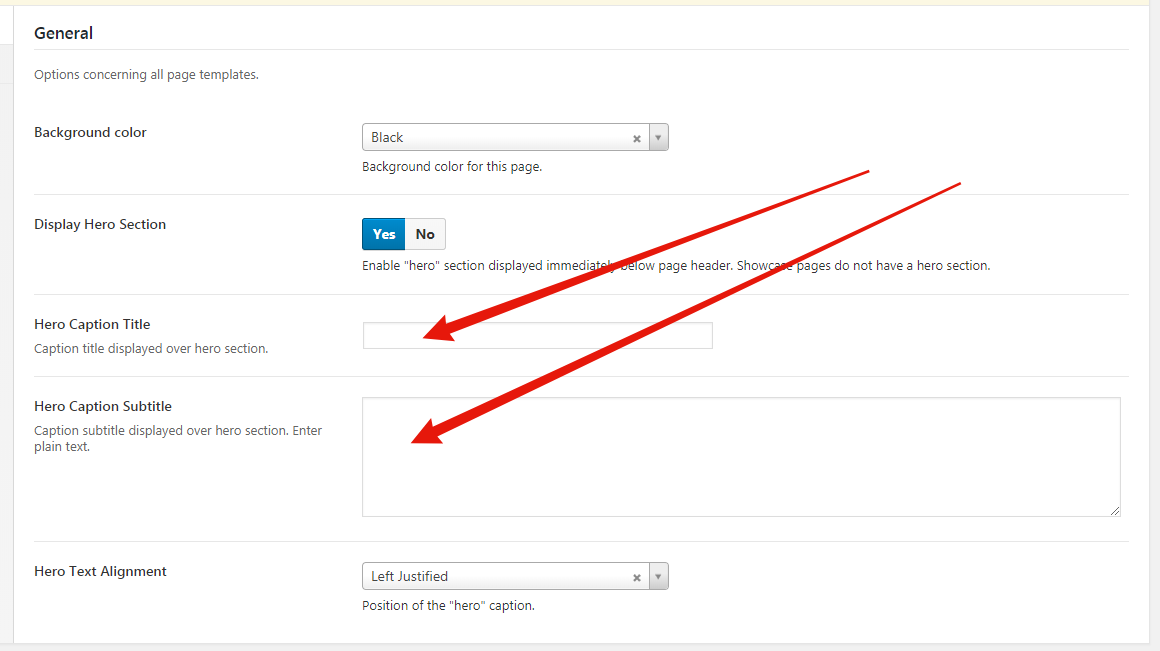
In main page options (split slider) i found this feature, but its doesnt work https://i.gyazo.com/f91a56f0d6ef4d93d0ae0c6ad825b299.pngHi, the showcase slider page templates don’t have a hero section. Thanks
Thanks! this theme is exactly what I’ve been looking for. Simple, fast, classy.
I’m hoping you can help me with something on the home screen. Currently, if you hover over a title the image shows up, and if you click a title, it launches straight into the project.
Would it be a simple change to instead set it so that clicking a title shows the image and scrolls the title to the left side (on split slider), and now that it’s active, if you click the title again it will load the portfolio page.
This would make it easier for viewers to see the hero image for folio items before choosing to load one, especially on mobile. On mobile, it’s a bit difficult to scroll through portfolio items without loading them.
Also, I’ve seen you previous comment about how to reduce the font size, but is there a way to have portfolio item names show over multiple lines? the
function doesn’t seem to work on the homescreen, but it does when you load the portfolio page.
Thank you again!