443 comments found.

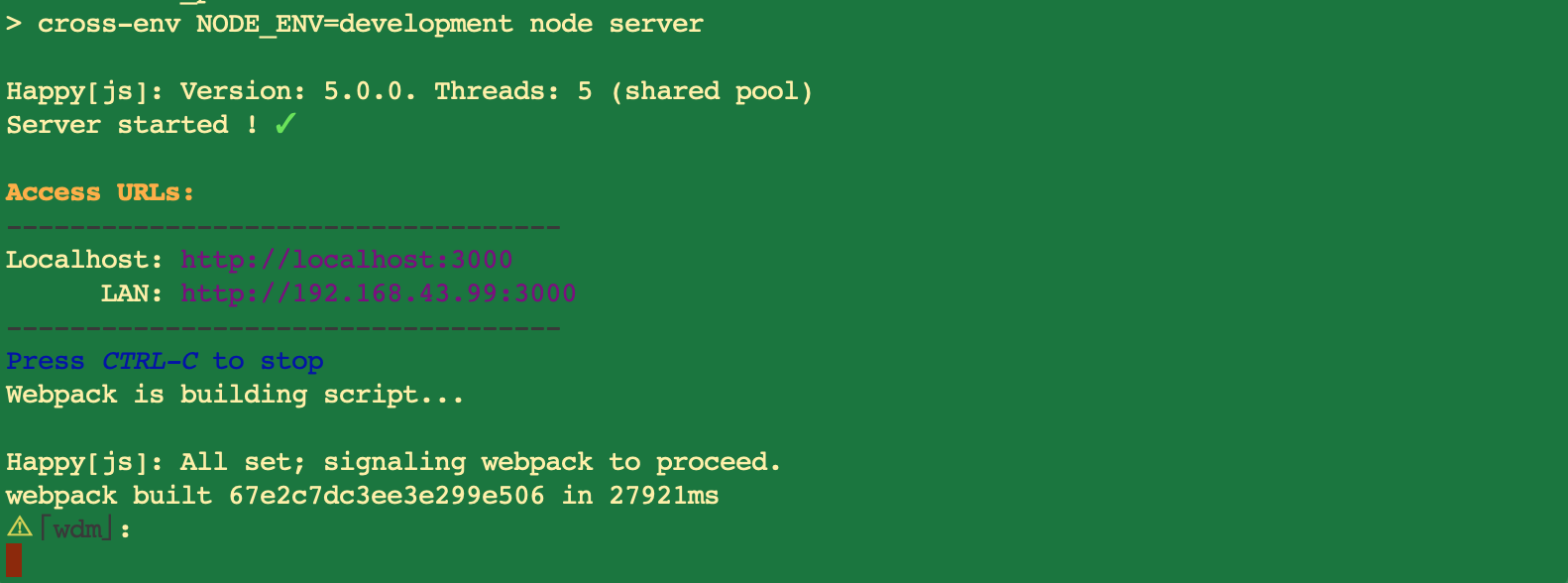
when i run npm start, it will take more time 415867ms,
and save the file it takes more than 5 minutes and sometimes I have an error.
webpack building…
<—Last few GCs -->
[3420:0000027CAF672DC0] 5245968 ms: Mark-sweep 1394.7 (1470.0) -> 1394.6 (1470.5) MB, 984.3 / 0.1 ms allocation failure GC in old space requested [3420:0000027CAF672DC0] 5246637 ms: Mark-sweep 1394.6 (1470.5) -> 1394.6 (1439.5) MB, 668.7 / 0.1 ms last resort GC in old space requested [3420:0000027CAF672DC0] 5247383 ms: Mark-sweep 1394.6 (1439.5) -> 1394.6 (1439.5) MB, 746.1 / 0.1 ms last resort GC in old space requested
<—JS stacktrace -->
Hi anil441,
Thanks for purchasing.
Regarding the message “Mark-sweep 1394.6 (1470.5) -> 1394.6 (1439.5) MB” It seems the memory is bellow 2GB. We suggest to increase the memory at least 4GB. And another thing, you can disable eslint to reduce starting time https://ilhammeidi.github.io/dandelion-docs/#eslint
The another alternative way, is by use starter-project. Because it’s lighter and less feature. Then use dandelion-pro as reference.
And here’s the estimation start time for memory 8GB and using SSD is about 30 sec https://ilhammeidi.github.io/dandelion-docs/images/cmd1.png and for 4GB memory with HardDrive will take a minute. The auto-update changes should be take 1-3 seconds.
Hope this can help. Feel free if you have any further queries.
Regards.
Thanks for the response. My system memory size is 8GB and SSD. Project Setup time it’s working fine but implement my functionality no of files increases it will take much time. how to solve this one.
Hi anil441,
Your system is very good to run this template. But we’re not sure why the error memory happen and about changes you have made.
Mostly performance issue so far such as implemented SSR, nodejs version (we recommend to use v10-12) or another background process/service uses node js. So please make sure about this.
If you prefer, we can discusss privately by message us through our profile https://themeforest.net/user/ilhammeidi then we will repply via email.
Kind regards.
Not able to work on this template. Complete source files are also not available even after i have purchased it. Kindly guide me to get the template files in HTML as well.
Hi rancorinfotech,
Thanks for reaching us.
If you didn’t get the source, maybe it’s a damage package, so please re-dowoad again.
But if you need HTML version, we don’t have it. We have put in product description “NOTE: This is a React.js template. It’s built on Material-UI library. It will not work the Wordpress/PHP nor will it work as a static HTML template”
So then we will guide you through the tehcnical support to learn react.js. And this is a basic guide for react.js https://www.w3schools.com/react/
Feel free if you have any further queries.
Regards.
Hello I bought thinking it was HTML version and it is not. Is it possible to reverse? I need a html ready layout.
Hi cginet,
Thanks for reaching us.
Unfortunately we cannot accept the return. Because regarding envato refund policy https://themeforest.net/page/customer_refund_policy
So then we will guide you through the tehcnical support to learn react.js. And this is a basic guide for react.js https://www.w3schools.com/react/
Feel free if you have any further queries.
Regards.
Hello, I use starter-project and I want to integrate my APIs to the project.
1- Where should be API layer? Which layer is correct for APIs. (Please share example code with us) 2- How can I change redux state with dispatch? For example when I click some button, I want LOADING should be true in redux state than call API response than replace redux state with API response and LOADING should be false. (Please share example code with us)
Thanks for response
Regards
Hi prolisans3,
Thanks for purchasing.
1. To make new API configuration is in server: /server/index.js
app.use('/api/newapi', (req, res) => {
  res.json({
    records: [
      { source: rawdocs(req.query) }
    ]
  });
});
If you have API from another sysyem or platform, you can skip the step above. Then you can fetch the data from API in components or container
fetchUsers() {
  // Where we're fetching data from
  fetch(`yourapi-url/data`)
    // We get the API response and receive data in JSON format...
    .then(response => response.json())
    // ...then we update the users state
    .then(data =>
      this.setState({
        data,
        isLoading: false,
      })
    )
    // Catch any errors we hit and update the app
    .catch(error => this.setState({ error, isLoading: false }));
}
2. For redux you can create new action and reducer state.
The state reducer:
export const ReducerState = {
  loading: false,
  error: false,
  currentUser: false,
  data: null
};
The action reducer:
case FETCH_DATA:
     return {
        loading: true,
        data: null
      };

case FETCH_DATA_SUCCESS:
      return {
        ...state,
        loading: false,
        data: action.data
      };
Action:
fetchData = data => ({
  type: types.FETCH_DATA,
});

fetchDataSuccess = data => ({
  type: types.FETCH_DATA_SUCCESS,
  repos,
  username,
});
Call the action in button component
<Button onClick={() => onSubmitForm()}>
            Fetch Data
          </Button>

// Dispatch the action
export function mapDispatchToProps(dispatch) {
  return {
    onSubmitForm: evt => {
      if (evt !== undefined && evt.preventDefault) evt.preventDefault();
      dispatch(fetchData());
    },
  };
}
Here’s the sample project fetch data from github api. https://github.com/react-boilerplate/react-boilerplate/blob/master/app/containers/RepoListItem/index.js That is from react-boilerplate which is Dandelion project-base.
Hope this can help. Feel free if you have any further queries.
Regards.
Hi,
Does the Dandelion Pro Theme have an Authentication infrastructure?
Depending on the result of all the AJAX requests I will use on the pages, I want to redirect automatically to the “Login” page when the user logs off.
To do this, can I do this check in one place, instead of routing it separately in response to all requests sent from an AJAX client such as Axios or Fetch?
Thanks
Hi pttemas,
Thanks for purchasing.
You can use redux saga, and put the state in reducer, you can check our another project Enlite Prime. Here’s the starter version https://github.com/ilhammeidi/enlite-starter/blob/master/app/redux/modules/authReducer.js
Then use the state in containers
const reducer = 'authReducer';
const mapStateToProps = (state) => ({
    isAuthenticated: state.get(reducer).loggedIn,
  });
Hope this can help. Feel free if you have any further queries.
Kind regards.
Hi I used starter-project for a demo. Im trying to deploy to AWS ElasticBeanstalk and in Logs there is a error:
> cross-env NODE_ENV=development node server
internal/modules/cjs/loader.js:638 throw err; ^
Error: Cannot find module ‘webpack’ at Function.Module._resolveFilename (internal/modules/cjs/loader.js:636:15) at Function.Module._load (internal/modules/cjs/loader.js:562:25) at Module.require (internal/modules/cjs/loader.js:692:17) at require (internal/modules/cjs/helpers.js:25:18) at Object.<anonymous> (/var/app/current/internals/webpack/webpack.dev.babel.js:8:17) at Module._compile (internal/modules/cjs/loader.js:778:30) at Object.Module._extensions..js (internal/modules/cjs/loader.js:789:10) at Module.load (internal/modules/cjs/loader.js:653:32) at tryModuleLoad (internal/modules/cjs/loader.js:593:12) at Function.Module._load (internal/modules/cjs/loader.js:585:3) npm ERR! code ELIFECYCLE npm ERR! errno 1 npm ERR! dandelion_pro@1.5.0 start: `cross-env NODE_ENV=development node server` npm ERR! Exit status 1 npm ERR! npm ERR! Failed at the dandelion_pro@1.5.0 start script.
Any idea??
Kind regards
Hi perquku,
Thanks for purchasing, and sorry for the slow response.
In production server (AWS) please try to remove node_modules first, then run npm install again. After that since it in production we suggest to use production environment.
First you need to build the app npm run build, it will take a moment, once finish then run the appnpm run start:prod
Hope this can help.
Feel free if you have further queries.
Best regards.
Hi there what is the best suitable date range picker with the theme, though we have added a custom build but it need lot of css work. we have used this : https://github.com/airbnb/react-dates
Hi inder1l
For datepicker range, please try this one https://www.npmjs.com/package/material-ui-datetime-range-picker.
Hope this can help. Feel free if you have any further queries.
Regards
thank you
Hi there we receive this error while configure the NPM module
https://we.tl/t-FO9Z724pQCany idea how to fix it
thank you
also is it possible to have a private conversation as I do not wish to post all our project details here thank you
Hi inder1l,
That error seems the date-range library not support for the lates material-ui version. Because import getMuiTheme from 'material-ui/styles/getMuiTheme' must be deprecated.
Our suggestion is to make own custom component by modify the library. So please try to copy the DateRangePicker.js from node_modules Here’s the file https://github.com/jkslyby/material-ui-datetime-range-picker/blob/master/src/DatePicker/DateRangePicker.js Then paste to your own component folder. Save with i.e DateRangePickerCustom.js
Remove the problematic code import getMuiTheme from 'material-ui/styles/getMuiTheme'; and the variable getMuiTheme. Then the rest, just adjust the imported module path. After that call the DateRangePickerCustom from components folder.
Hope this can help.
regards.
Hi inder1l,
Sure, you can send us a private message from our profile https://themeforest.net/user/ilhammeidi The messages will be forwarded to our private mail, so we can talk privately.
Regards.
Testimonials do not play at the lending page.
Hi amatiash,
For testimonials in landing page is just images slider, and the play button just a static component.
Regards.
Hello! Tell me please, are customized components require Redux? I use MobX and I don’t need extra dependencies. Which parts can be used without importing Redux?
Hi amatiash,
Thanks for reaching us.
This template is using redux to manage the states. Including sample applications for data manipulation, UI Template and routing. But for the rest components attributes you can use local state or other state manager.
Kind regards.
Going through the Doc, I see that you have a good few documentation related to the application, but I do not see anything based on implementing your own Redux with what you already have included.
Can you provide information on how to add our own stores,actions,reducers to work with this template?
Thanks.
Hi TonCoder,
Thanks for purchasing and the appreciation.
For redux structure you can see in documentation https://ilhammeidi.github.io/dandelion-docs/#code_basic > Template Architecture Diagram > Slide 3. Following summary:
- The containers: app\containers - Action: app\actions - Reducers: app\redux\reducers.js - Store: app\redux\configureStore.js
Feel free if you have any further queries.
Kind regards.
Hello, I recently purchased the template. I would like to add menu levels in the “Top Navigation” layout. I keep trying to do so as the same one that appears in the Left Sidebar layout, but it does not seem to work. How can I solve this ?
Hi Yahya,
Thanks for purchasing.
For the top menu navigation only support for 2 level menu. If you want to add more level you can use Collapse component like this https://material-ui.com/components/lists/#nested-list.
app/api/ui/menu.js to be 3 levels
{
    key: 'menu_levels',
    name: 'Menu Levels',
    multilevel: true,
    icon: 'ios-menu-outline',
    child: [
      {
        key: 'level_1',
        name: 'Level 1',
        link: '/#'
      },
      {
        key: 'level_2',
        keyParent: 'menu_levels',
        name: 'Level 2',
        child: [
          {
            key: 'sub_menu_1',
            name: 'Sub Menu 1',
            link: '/#'
          },
          {
            key: 'sub_menu_2',
            name: 'Sub Menu 2',
            link: '/#'
          },
        ]
      },
    ]
  }
Hope this can help. Feel free if you have any further queries.
Kind regards
Hi Ilhammeidi,
We have been working on a project using Dandelion Pro template, We are using firebase as backend for our application. The problem is when we add new feature to our application, we are experiencing some cache issues. user is not getting updates because cache site has stored cache from the previous versions. Initially, we tried to add settings in the firebase config to not allow the firebase to save the cache but unfortunately this didn’t work. Recently, we noticed there’s also some data stored in cache by the service worker, we think that’s the main reason why new updates are not delivered on the website. So can you please help us to remove that service worker from the template? Thanks!
Jenny
Hi Jenny,
Thanks for reaching us.
About caching issue, this template use react boilerplate which is focus on offline-first with caching method. So anyway to disable offline cache please follow this docs https://github.com/react-boilerplate/react-boilerplate/blob/master/docs/general/remove.md
And this for the alternative way by use ServiceWorker configuration, https://github.com/NekR/offline-plugin/blob/master/docs/updates.md
If your website still not deliver the updates, maybe it because every built result has a different hash code which is called in index.html. So you can try to uncache the index.html only. Here’s an article to guide by using nginx https://www.zeolearn.com/magazine/setting-caching-headers-for-a-spa-in-nginx-cache
Hope this can help. Feel free if you have any further queries.
Regards.
Hi, I’m new with ReactJS, so I’ve succeeded in making a new page but i have a question how can i hide the page name, i mean the top bar above the component content, just like the crm-dashboard component ? Really awesome template by the way.
Hi yousfimaliik,
Thanks for purchasing and the appreciation.
About breadcrumb component, you can add some exceptions for pages based on the url target. Please check in app/containers/Templates/Dashboard.js Line:65
const titleException = ['/app', '/app/crm-dashboard', '/app/crypto-dashboard'];
Or if you wan’t remove the breadcrumbs completely, just remove BreadCrumb component
<BreadCrumb separator=" / " theme={bgPosition === 'header' ? 'dark' : 'light'} location={history.location} />
in this template files:
- Left-Sidebar:app/containers/Templates/layouts/LeftSidebarLayout.js
app/containers/Templates/layouts/LeftSidebarBigLayout.js
- And the rest templates in app/containers/Templates/layouts/
Feel free if you have any further queries.
Kind regards.
Hello. I bought this template and I see that the template that I Downloaded is very different than the template that I Saw in the live demo. This template has a lot of option less than the live demo. I would like exactly the same that I tried in the live demo. Why is different?
Kind Regards.
Hi germankuber,
Thanks for purchasing.
Sorry for the inconvenience. This issue maybe incomplete package, you just have dandelion starter-project only.
In this template packages should have 4 main folders: dandelion-pro, documentation, free-bonus and starter-project. So please try to download this item again, and make sure to extract completely.
Feel free if you have any further queries.
Kind regards.
Hello, you will continue to update the product with the latest libraries’ versions and adding new features?
Hi KeanX,
For the next updates we will focus on fixing bug and some libraries version only. And for the feature, we don’t yet have plans for new features. We will push the next updates on the end of November.
Kind regards.
Hi, how redirect to other URL?? I use history.push but not work. The URL change but dashboard no reRender
Hi lucas_ss,
Thanks for purchasing.
About that issue, is there any errors in console? If not, please make sure the targeted page is routed in Dashboard(template), it mean the pages(components) is registered in /app/containers/App/Application.js
The sample usage of history.push, you can check in /app/components/Search/SearchUi.js in function handleSuggestionSelected
Feel free if you have any further queries.
Kind regards.
good evening. I would like to know where the html, css and js files are from all the pages of the site as presented online having the payment. help me please, I am really lost. and I urgently need to use that.
Hi cedricnguemo2,
Good evening too and thanks for purchasing.
For payment and ecommerce pages is in /app/containers/Pages/Ecommerce/ and for the components itself is in app/components/Forms/PaymentForm.js
For HTML and JS is mixed in js file as react components. Then for css this template is using JSS. Mostly as external with suffix -jss (style-jss.js). But in checkout page the styles is mixed inside react component.
Feel free if you have any further queries.
Best regards.
hello please there is no way to have this well structured as a bootstrap template? I wish to modify this template to my own convenience. I would like to have this template in strutured version because I develop manually with HTML5 CSS3, JS and PHP. please help me
it’s really this version that I wanted.
Hi cedricnguemo2
As the product description this template is a react.js template and run with node js server. It will not work the Wordpress/PHP nor will it work as a static HTML template.
If want to use PHP, you can use as API backend and this template as front end. This an article might help you https://medium.com/@davisonpro/an-advanced-guide-on-setting-up-a-react-and-php-web-app-acaedb21ab3a and here’s sample source code https://github.com/Davisonpro/php-react-setup
Feel free if you have any further queries.
Kind regards.
Hi,
Is there a way that I can see login failed error message on demo?
thanks
Hi keepnetlabs,
Thanks for purchasing.
For error message in login is using error form. To see it, you can try to fill the email field with wrong email format. Then the error message will show under the textfield.
Beside that, we also have another messages style http://dandelion.ux-maestro.com/app/ui/snackbar It also possible to implement it as form message.
Feel free if you have further queries.
Kind regards.
Hey.. Great template.. How hard is it to add user roles into the template for the menu structure and pages? This is the only feature I miss in this template / also Boss Ultimate.
additional information: I want to use the template in combination with jHipster.
regards Simon
Hi Simon,
Thanks for purchasing,
To add new pages, first you need create react component, then load it in app/containers/pageListAsync.js. After that, push it to routing in app/containers/App/Application.js In example If you’re using Dashboard template
<Dashboard history={this.props.history} changeMode={changeMode}>
        <Switch>
          <Route exact path="/dashboard/sample-page" component={SamplePage} />
        </Switch>
      </Dashboard>
Then you can access it at http://localhost:3000/dashboard/sample-page
For more detail you can see in the docs. Also here’ the online version https://ilhammeidi.github.io/dandelion-docs/#create_page And there is routing diagram as well inside the docs.
Feel free if you have any further queries.
Regards.
Hi. My Question is maybe written a little bit incomprehensible. Adding new pages is clear. I want add a user roles system, where the users had different user roles like ADMIN, MANAGER, USER, RESTRICTED_USER. Some menu items are only visible for the role ADMIN f.e.. I can Restrict the pages with PrivateRoute, that I already find out, but I need to select which menu item when is visible.
hopefully this description is more explanatory.
regards
Hi Simon,
We got it now  About user type, since this template only handle front part, so user type need to be handled from backend API.
After get user type from API, you can put user data as state in reducers. Then create a condition in routing app/containers/App/index.js
<Route path="/app/pages/authenticated-page" component={withAuthorizationRouter(AuthenticatedPage)} />
Here’s the sample reducers https://gist.github.com/ilhammeidi/200f6f1a3d74d4db461108eb3af105e9 You can use side effect like redux-saga or useEffect to handle API.
And here’s thewithAuthorizationRouter component
https://gist.github.com/ilhammeidi/08ce99fe89d7fbdd7f6fa7606122bdee
This component is an example for authenticated user. If have multiple user type, you can adjust the isAuthenticated data type to object.
Hope this can help. Feel free if you have any further queries.
Kind regards.
Hello, I try to make new page like your example on https://ilhammeidi.github.io/dandelion-docs/ but I got error 403, I think the problem is on the route.
<Route exact path=”/sample-page” component={SamplePage} />
Hi mela6689,
Thanks for purchasing.
If you create a page in dashboard(main app) template, please add
<Route path="/app/sample-page" component={SamplePage} />
Then try to open http://localhost:3000/app/sample-page
We will review again this docs and update it soon.
Feel free if you have any further queries.
Kind regards.