99 comments found.

Hello, Can we choose the locations using google?
in addition we need something like this. Is it possible for this theme?
For example: Pick me up from the airport on 01-01-2020 and drop me off at this hotel Pick up where you left off on 05-01-2020 and take it to the airport.
Is there such a feature?
Hello,
Sorry, missed that comment.
Unfortunately there is no such feature: choose location via Google.
Our theme is compatible with this Car Rental System (Native Rental System) plug-in for car rental options and payments.
But is not included into the theme’s package. It is for demonstration purposes only. In order to use this plug-in you need to purchase it first.
Please view the links below for more information on plug-in’s functionality:
https://1.envato.market/c/1262870/275988/4415?subId1=ancora&u=codecanyon.net%2Fitem%2Fcar-rental-system-native-wordpress-plugin%2F11758680 https://nativerental.com/crs-docs/ https://nativerental.com/crs-docs/ Thanks.Pre-order question: Is it possible to customize the “Enter Customer Details” with custom field ? ie. driver license, customer picture.
sir i installed car rental System Plugin but it lacks some payment Gateway related Features. Is this theme compatible with RnB Woocommerce Rental Plugin. Can I use RnB Woocommerce Rental Plugin instead of Car rental System Plugin.
Hello,
We cannot guarantee the theme full compatibility with third-party plugins as we have not tested them together.
You may use WooCommerce Easy Booking plugin + Woocommerce, which already included in theme: http://tantum.ancorathemes.com/doc/#plugins_settings_woocommerce_easy_booking
http://tantum.ancorathemes.com/shop/For adding booking option you have to set product as Bookable:
https://easy-booking.me/wp-content/uploads/2016/07/Product.jpg And use payment gateways options that are compatible with WooCommerce: https://woocommerce.com/product-category/woocommerce-extensions/payment-gateways/ Thanks.The ThemeREX Addons is causing my website to continue to load when accessing the website. When I turn that plugin off, the page comes up but displays broken. When I activate it, the page continues to load without displaying anything. Can someone help?
Hello,
ThemeREX Addons plugin is a required plugin and it should be activated. Try to disable all third-party plugins and check if issue with ThemeREX Addons is presented.
If issue is still there, please provide us with your server and WP details to check and assist you.
Thank you in advance.Is there another plugin that works with this theme because the one you all are suggesting DOES NOT. I am NOT the only one with this issue. You should read through the comments on the plugin’s page.
Hello,
We are much concerned about your review as you are using the old plugin version.
Please update Car rental system plugin to the latest version and provide the requested website details in the support ticket at https://support.themerex.net/ticket/15926.
Our Tech Support team will have a closer look at the issue.
Hoping for your cooperation!Hello. I purchased and downloaded the Car Rental System plugin as directed by your theme instructions. However, it will not update properly. The owner of the theme will not help even though I am I have purchased support. Is there another plugin that can be used with this theme? How can I still use it for what the theme intends without this plugin? It just seems like the theme is incomplete without this plugin. Please help. Thanks so much!
Hello,
Please explain in more details what’s wrong with plugin in support ticket at https://themerex.net/support/ – our team check that and assist you.
Thank you in advance.I tried. And now your support is saying that my purchase code is not valid. this getting ridiculous. Can someone please help?
As I was saying in the comments section, I am having issues with the Car Rental System plugin.
The system asked me to update to the 5.0.2 version. I did so but still receive an error message when trying to update it:
Error on blog #1: MySQL query could not be processed in ‘invoices’ table at counter #2! Error on blog #1: MySQL patch error for plugin early structure!
Can someone please help with this FAST?!! I am trying to get this done for a client and I am already passed due. The plugin support will NOT help in any way. I purchased this theme specifically for all its functionality.
Does this have an app version too? I see on your demo, but nothing in the info here.
Hello,
We appreciate your interest in our theme!
There is no mobile app or a mock up. Responsive design is created with css code for each screen size.
You may check how theme looks like from your mobile device: http://tantum.ancorathemes.com Thank you.I am working with a web design client who needs a website that handles primarily rental of one type of item, and then second, sales of a different item.
Can WooCommerce be customized in the backend to handle sales also, on this theme? Or can it only do rental functionality?
If both sales and rental is possible on this theme, we will purchase. Thank you so much in advance!
Hello,
Thank you for your interest in our theme!
Theme uses WooCommerce Easy Booking plugin with Woocommerce: http://tantum.ancorathemes.com/doc/#plugins_settings_woocommerce_easy_booking http://tantum.ancorathemes.com/shop/For adding booking option you have to set product as Bookable:
https://easy-booking.me/wp-content/uploads/2016/07/Product.jpgSo you may simply specify book option only for needed products, while others will be default WooCommerce product with ability to sale.
Thank you.How do you update from version 1.0 to version 1.1? An updater plugin is included but I am unable to get it to load as a plugin.
Hello,
Update using the ThemeREX Updater plug-in is available for theme version 1.1.0 and above only.
Before you go ahead with the update make sure to backup your old theme’s folder. Download it to your computer locally.
So now you can update theme manually using ftp-manager:
1) Log into your ThemeForest account and navigate to Downloads tab. Find the theme and download Installable WordPress file only.
2) Connect to your server using desktop client software (we recommend Filezilla and CyberDuck).
3) Change directory to /wp-content/themes.
4) Remove/rename existing folder with old theme files.
Unpack theme installable files downloaded from ThemeForest and upload them to the themes folder.
5) Update (if necessary!) the included plug-ins, if you see a notification message prompting about a newer version.
Navigate to WP Dashboard > Plugins > Installed Plugins.
Update ThemeREX Addons plug-in. You can click on “Update” button (if available in a particular theme) or deactivate and delete this plug-in. Then follow the prompt to install it again. This will load a new plug-in version on the site. Deactivate and delete the rest plug-in(s) of old version.
Go to Appearance > Install Plugins and install the plug-in(s) like it was described in the Plugins Installation section of this documentation.
Thank you.Hello, just installed your theme and Native Rental System plugin cannot be installed.
Hello,
Our theme is compatible with this plug-in, though it is NOT INCLUDED into the theme’s package. It is for demonstration purposes only. In order to use this plug-in you need to purchase it first.
http://tantum.ancorathemes.com/doc/#installation_plugins_installationThank you for understanding.
Best regardsThanks for your response. Why is not posible edit header on mobile? I have my header edited on PC but not on mobile.
Hello,
Please submit a ticket at https://themerex.net/support/ – our Support team check that and assist you.
Thank you in advance.Is there a NON WordPress version of this theme?
Hello,
We appreciate your interest in our theme!
The theme does not include HTML files. If there is a need, our Customization studio can create the HTML version of the theme. To get a quote, please submit your request under ‘Get a free quote’ tab at https://themerex.net/support/
Thank you.Hi, I’m difficulty editing the colors for theme? I’ve made the changes both in the “Theme Options” and “Appearance—> Customize” and they are not populating the changes?
Also, I can’t make ANY CSS changes. I enter code in the “Additional CSS” section in “Appearance—> Customize” and NO changes populate???
Can this be fixed???? Thanks
Hello,
Please submit a ticket at https://themerex.net/support/ – our Support team check that and assist you.
Thank you in advance.Car Rental Plugin & CSS not Like Demo?! I just purchased + installed theme AND the car rental plugin. But car rental forms and oveall CSS does not match your demo at all? It looks pretty bad – How do I fix this? Can you supply me the CSS code and can I drop it in the “Customize – CSS” area ….Can this be fixed?
Hello,
Please submit a ticket at https://themerex.net/support/ – our Support team check that and assist you.
Thank you in advance.Hello, I bought your theme right now but to be honest, I am dissapointed. I did not know when buying it that the booking system would be not included and that I have to pay for it. Also, it is very limited since not using woocommerce. I bought it maybe 15min ago. May I get a refund please? Thank you
Hello,
We are much concerned about your comment.
Info regarding Car Rental System plugin is specified in theme description here and in theme documentation and is available before purchase.
As the theme authors, we keep to the Envato refund policy ( http://themeforest.net/page/customer_refund_policy ) and can consider only the claims connected with the quality of the theme itself, its functionality and features.
You may use the following link to submit a refund request: https://themeforest.net/refund_requests/new
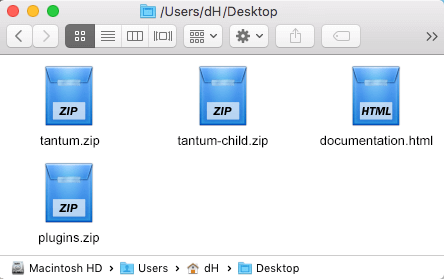
The manager in charge will get back to you.We have downloaded the theme from envato elements. However, although the theme is correctly installed the parent theme cannot be found by the child theme There is some problem there.
Hello,
Before installing the theme, please make sure you unpacked the archive and extracted the theme files:
http://tantum.ancorathemes.com/doc/images/unzipped_theme.png http://tantum.ancorathemes.com/doc/#installationAccording to the Envato Elements policy, items downloaded on Elements are not supported. However, we highly value our customers’ requests and and understand your need for assistance.
To get more details on how to receive support, please submit a ticket to category “Pre-sales Questions” at https://themerex.net/support/
Thank you.As soon as I saw your theme listed on https://medium.com/best-wordpress-themes/top-4-wordpress-themes-for-scooters-and-bike-rentals-a4a35abc0713 I loved it. Great design and lovely colors. Best of luck to all of you.
Hi, are u guys planning a version with WP Bakery?:)
Hello,
We appreciate your interest in our theme.
At this moment, no. But if there is a need, our Customization studio may help you to convert theme to WPBakery Page builder (you may choose only specific pages to re-build with WPBakery Page Builder).
To get started, please use “Get a Free Quote” option in our Help Desk at the following link: https://themerex.net/support
Thank you.Pre-sale question : Does the theme support online payments? If yes is it via Woocommerce or have you got your own system? This is urgent.
Hello,
We appreciate your interest in our theme!
Our theme is compatible with this Car Rental System (Native Rental System) plug-in for car rental options and payments.
But is not included into the theme’s package. It is for demonstration purposes only. In order to use this plug-in you need to purchase it first.
Please view the links below for more information on plug-in’s functionality:
https://1.envato.market/c/1262870/275988/4415?subId1=ancora&u=codecanyon.net%2Fitem%2Fcar-rental-system-native-wordpress-plugin%2F11758680 https://nativerental.com/crs-docs/ Thanks.Hello, we have buyed the Tantum template for a client and import a demo for a scooter rental service. But when the demo is imported, the style / design for the select rental form and for the car slider in the homepage are not imported / not the same.
How can we have the same presentation ? We need to change something in the configuration ?
Thanks for your help.
Hello,
Please submit a ticket at https://themerex.net/support/ – our Support team check that and assist you.
Thank you in advance.Also when i add a new location in Location List i get this “Error: Location with this code already exists! “
Hello,
Please submit a ticket at https://themerex.net/support/ – our Support team look into that.
Thank you in advance.