314 comments found.

Can I install this theme on Wordpress, Drupal or Joomla?
Hello,
Sorry, it’s a phpBB theme only. It doesn’t support Wordpress or any other CMS.
How can I increase the font size?
Hello,
The fonts settings are located inside the css-files (YOUR_STYLE/ theme directory). You need to find the corresponding values and change them to your needs.
Hi,
I am not sure if my emails reach you…
So the detailed list of modifications I do need for now: 1/ top menu that is sticky, with logo on the left, centered search form, background image and login/join, what’s new buttons 2/ elements that are on right sidebar: a/ short forum description with name and simple stats (posts, users) and join community button [i want to be visible on small screen, on the bottom] b/ top forums with exact same stats c/ top contributors (posts/replies this month) d/ recommended communities 3/ i want it to show latest posts on the top of list of forums (here you have last posts only and if you want to get to forums, you have to click the link… i want to have last posts and forums on the same page) 4/ it will be cool to have a popup window “join now or login to comment that is shown in right bottom after few sec” 5/ dark mode
Let’s see how much it may take/cost. Thank you very much.
Hello Pixel Goose, I hope you can help me with items in the sidebar.
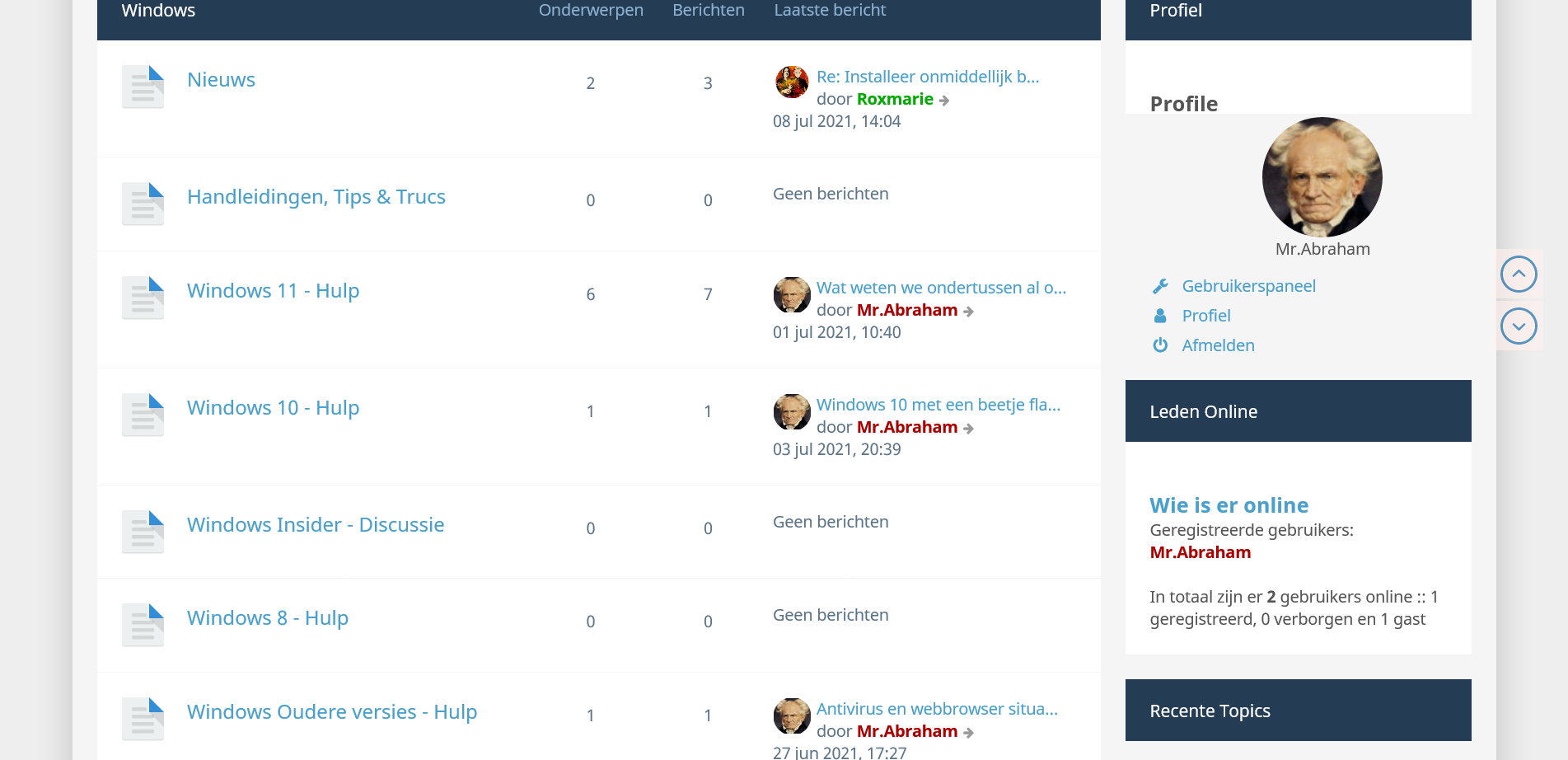
https://www.imgdumper.nl/uploads9/60e704cd78c4c/60e704cd739f3-Screenshot_2021-07-08_at_15-59-11_Forumoverzicht.pngI also want Recent Topics and Recent Messages.
Hoping you wil help me, regards, Abraham
Is the theme Board3 portal ready, i cannot find out how to add the link to the portal home to the top nav..
Hello,
Sure, the theme will work with the Board3. You just need to enable support manually.
1. Go to ext/EXTENSION_AUTHOR/EXTENSION_NAME/styles/ (if you’ve already installed the extension) or to EXTENSION_AUTHOR/EXTENSION_NAME/styles/ (if you want to change the extension before installation)
2. Find the “prosilver” directory, duplicate it and rename the duplicate into your theme name variation. E.g. if you using Quarto Asphalt, rename it to “quarto_asphalt” etc.
3. And don’t forget to purge the system cache after creating a duplicate if you do it directly on the server (via ACP — General tab — Purge the cache — Right now).
gello is there a test user account available for the theme?
Hello,
Please contact us via our profile page – I’ll send you credentials for our demo forum.
Hello
I really liked your Quarto theme and purchased it. However, I would have a question regarding sub-forums. I want to list the sub-forums in columns. Can you explain how I can do this?
Hello,
There’s no default way to do that. But you may want to try this extension – https://github.com/kasimi/List_subforums_in_columns
Hello. I bought and installed a style(quarto_asphalt) but I have a problem. Fatal error pops up after activating the style. Can you help me fix this? php version 7.3.17 site version 3.3
Fatal error: Uncaught Twig\Error\LoaderError: Unable to find template ”@steve_postreactions/reactions.css” (looked into: /autoinstalator/phpbb/ext/steve/postreactions/styles/all/template, /autoinstalator/phpbb/ext/steve/postreactions/styles/all/template) in ”@steve_postreactions/event/overall_header_head_append.html” at line 2. in /autoinstalator/phpbb/vendor/twig/twig/src/Loader/FilesystemLoader.php:250 Stack trace: #0 /autoinstalator/phpbb/phpbb/template/twig/loader.php(135): Twig\Loader\FilesystemLoader->findTemplate(’@steve_postreac…’, true) #1 /autoinstalator/phpbb/vendor/twig/twig/src/Loader/FilesystemLoader.php(150): phpbb\template\twig\loader->findTemplate(’@steve_postreac…’) #2 /autoinstalator/phpbb/phpbb/template/twig/environment.php(328): Twig\Loader\FilesystemLoader->getCacheKey(’@steve_postreac…’) #3 /autoinstalator/phpbb/cache/production/twig/55/5558c50ff12fd48f1283e8a1c7b86d93ee5fc73b449d983102e6b7338dde3bda.php(44): phpbb\template\twig\environment->findTemplate(’@steve_postreac…’) #4 /autoinstalato in /autoinstalator/phpbb/vendor/twig/twig/src/Loader/FilesystemLoader.php on line 250
Hello,
Did you try to purge the system cache via ACP — General tab — Purge the cache — Right now?
Hello!
I just noticed, that in my php error log I have a bunch of these errors: Thu Feb 11 02:42:10.734545 2021 [pid 174708:tid 139965920532224] (36)File name too long: [client xxx.xxx.xx.xxx:xxxxx] AH00127: Cannot map GET /styles/quarto_asphalt/theme/pl/stylesheet.css/stylesheet.css/stylesheet.css/stylesheet.css/stylesheet.css/stylesheet.css/stylesheet.css/stylesheet.css/stylesheet.css/stylesheet.css/stylesheet.css/stylesheet.css/stylesheet.css/stylesheet.css/stylesheet.css/stylesheet.css/stylesheet.css/stylesheet.css/stylesheet.css/stylesheet.css/stylesheet.css/stylesheet.css/stylesheet.css/stylesheet.css/stylesheet.css/stylesheet.css/stylesheet.css/stylesheet.css/stylesheet.css/stylesheet.css/stylesheet.css/stylesheet.css/stylesheet.css/stylesheet.css/stylesheet.css/stylesheet.css/stylesheet.css/stylesheet.css/stylesheet.css/stylesheet.css/stylesheet.css/stylesheet.css/stylesheet.css/stylesheet.css/stylesheet.css/stylesheet.css/stylesheet.css/stylesheet.css/stylesheet.css/stylesheet.css/stylesheet.css/stylesheet.css/stylesheet.css/stylesheet.css/stylesheet.css/stylesheet.css/stylesheet.css/stylesheet.css/stylesheet.css/stylesheet.css/stylesheet.css/stylesheet.css/stylesheet.css/stylesheet.css/stylesheet.css/stylesheet.css/stylesheet.css/stylesheet.css/stylesheet.css/stylesheet.css/stylesheet.css/stylesheet.css/stylesheet.css/stylesheet.css/stylesheet.css/stylesheet.css/stylesheet.css/stylesheet.css/stylesheet.css/stylesheet.css/stylesheet.css/stylesheet.css/stylesheet.css/stylesheet.css/stylesheet.css/stylesheet.css/stylesheet.css/stylesheet.css/stylesheet.css/stylesheet.css/stylesheet.css/stylesheet.css/stylesheet.css/stylesheet.css/stylesheet.css/stylesheet.css/stylesheet.css/stylesheet.css/stylesheet.css/stylesheet.css/stylesheet.css/stylesheet.css/stylesheet.css/stylesheet.css/stylesheet.css/stylesheet.css/stylesheet.css/stylesheet.css/stylesheet.css/stylesheet.css/stylesheet.css/stylesheet.css/stylesheet.css/stylesheet.css/stylesheet.css/stylesheet.css/stylesheet.css/stylesheet.css/stylesheet.css/stylesheet.css/stylesheet.css/stylesheet.css/stylesheet.css/stylesheet.css/stylesheet.css/stylesheet.css/stylesheet.css/stylesheet.css/stylesheet.css/stylesheet.css/stylesheet.css/stylesheet.css/stylesheet.css/stylesheet.css/stylesheet.css/stylesheet.css/stylesheet.css/stylesheet.css/stylesheet.css/stylesheet.css/stylesheet.css/stylesheet.css/stylesheet.css/stylesheet.css/stylesheet.css/stylesheet.css/stylesheet.css/stylesheet.css/stylesheet.css/stylesheet.css/stylesheet.css/stylesheet.css/stylesheet.css/stylesheet.css/stylesheet.css/stylesheet.css/stylesheet.css/stylesheet.css/stylesheet.css/stylesheet.css/stylesheet.css/stylesheet.css/stylesheet.css/stylesheet.css/stylesheet.css/stylesheet.css/stylesheet.css/stylesheet.css/stylesheet.css/stylesheet.css/stylesheet.css/stylesheet.css/stylesheet.css/stylesheet.css/stylesheet.css/stylesheet.css/stylesheet.css/stylesheet.css/stylesheet.css/stylesheet.css/stylesheet.css/stylesheet.css/stylesheet.css/stylesheet.css/stylesheet.css/stylesheet.css/stylesheet.css/stylesheet.css/stylesheet.css/stylesheet.css/stylesheet.css/stylesheet.css/stylesheet.css/stylesheet.css/stylesheet.css/stylesheet.css/stylesheet.css/stylesheet.css/stylesheet.css/stylesheet.css/stylesheet.css/stylesheet.css/stylesheet.css/stylesheet.css/stylesheet.css/stylesheet.css/stylesheet.css/stylesheet.css/stylesheet.css/stylesheet.css/stylesheet.css/stylesheet.css/stylesheet.css/stylesheet.css/stylesheet.css/stylesheet.css/stylesheet.css/stylesheet.css/stylesheet.css/stylesheet.css/stylesheet.css/stylesheet.css/stylesheet.css/stylesheet.css/stylesheet.css/stylesheet.css/stylesheet.css/stylesheet.css/stylesheet.css/stylesheet.css/stylesheet.css/stylesheet.css/stylesheet.css/stylesheet.css/stylesheet.css/stylesheet.css/stylesheet.css/stylesheet.css/stylesheet.css/stylesheet.css/stylesheet.css/stylesheet.css/stylesheet.css/stylesheet.css/stylesheet.css/stylesheet.css/stylesheet.css/stylesheet.css/stylesheet.css/stylesheet.css/stylesheet.css/stylesheet.css/stylesheet.css/stylesheet.css/stylesheet.css/stylesheet.css/stylesheet.css/stylesheet.css/stylesheet.css/stylesheet.css/stylesheet.css/stylesheet.css/stylesheet.css/stylesheet.css/stylesheet.css/stylesheet.css/stylesheet.css/stylesheet.css/stylesheet.css/stylesheet.css/stylesheet.css/stylesheet.css/stylesheet.css/stylesheet.css/stylesheet.css/stylesheet.css/stylesheet.css/stylesheet.css/stylesheet.css/stylesheet.css/stylesheet.css/stylesheet.css/stylesheet.css/stylesheet.css/stylesheet.css/stylesheet.css/stylesheet.css/stylesheet.css/stylesheet.css/stylesheet.css/stylesheet.css/stylesheet.css/stylesheet.css/stylesheet.css/stylesheet.css/stylesheet.css/stylesheet.css/stylesheet.css/stylesheet.css/stylesheet.css/stylesheet.css/stylesheet.css/stylesheet.css/stylesheet.css/stylesheet.css/stylesheet.css/stylesheet.css/stylesheet.css/stylesheet.css/stylesheet.css/stylesheet.css/stylesheet.css/stylesheet.css/stylesheet.css/stylesheet.css/stylesheet.css/stylesheet.css/stylesheet.css/stylesheet.css/stylesheet.css/stylesheet.css/stylesheet.css/stylesheet.css/stylesheet.css/stylesheet.css/stylesheet.css/stylesheet.css/stylesheet.css/stylesheet.css/stylesheet.css/stylesheet.css/stylesheet.css/stylesheet.css/stylesheet.css/stylesheet.css/stylesheet.css/stylesheet.css/stylesheet.css/stylesheet.css/stylesheet.css/stylesheet.css/stylesheet.css/stylesheet.css/stylesheet.css/stylesheet.css/stylesheet.css/stylesheet.css/stylesheet.css/stylesheet.css/stylesheet.css/stylesheet.css/stylesheet.css/stylesheet.css/stylesheet.css/stylesheet.css/stylesheet.css/stylesheet.css/stylesheet.css/stylesheet.css/stylesheet.css/stylesheet.css/stylesheet.css/stylesheet.css/stylesheet.css/stylesheet.css/stylesheet.css/stylesheet.css/stylesheet.css/stylesheet.css/stylesheet.css/stylesheet.css/stylesheet.css/stylesheet.css/stylesheet.css/stylesheet.css/stylesheet.css/stylesheet.css/stylesheet.css/stylesheet.css/stylesheet.css/stylesheet.css/stylesheet.css/stylesheet.css/stylesheet.css/stylesheet.css/stylesheet.css/stylesheet.css/stylesheet.css/stylesheet.css/stylesheet.css/stylesheet.css/stylesheet.css/stylesheet.css/stylesheet.css/stylesheet.css/stylesheet.css/stylesheet.css/stylesheet.css/stylesheet.css/stylesheet.css/stylesheet.css/stylesheet.css/stylesheet.css/stylesheet.css/stylesheet.css/stylesheet.css/stylesheet.css/stylesheet.css/stylesheet.css/stylesheet.css/stylesheet.css/stylesheet.css/stylesheet.css/stylesheet.css/stylesheet.css/stylesheet.css/stylesheet.css/stylesheet.css/stylesheet.css/stylesheet.css/stylesheet.css/stylesheet.css/stylesheet.css/stylesheet.css/stylesheet.css/stylesheet.css/stylesheet.css/stylesheet.css/stylesheet.css/stylesheet.css/stylesheet.css/stylesheet.css/stylesheet.css/stylesheet.css/stylesheet.css/stylesheet.css/stylesheet.css/stylesheet.css/stylesheet.css/stylesheet.css/stylesheet.css/stylesheet.css/stylesheet.css/stylesheet.css/stylesheet.css/stylesheet.css/stylesheet.css/stylesheet.css/stylesheet.css/stylesheet.css/stylesheet.css/stylesheet.css/stylesheet.css/stylesheet.css/stylesheet.css/stylesheet.css/stylesheet.css/stylesheet.css/stylesheet.css/stylesheet.css/stylesheet.css/stylesheet.css/stylesheet.css/stylesheet.css/stylesheet.css/stylesheet.css/stylesheet.css/stylesheet.css/stylesheet.css/stylesheet.css/stylesheet.css/stylesheet.css/stylesheet.css/stylesheet.css/stylesheet.css/stylesheet.css/stylesheet.css/stylesheet.css/stylesheet.css/stylesheet.css/stylesheet.css/stylesheet.css/stylesheet.css/stylesheet.css/stylesheet.css/stylesheet.css/stylesheet.css/stylesheet.css/stylesheet.css/stylesheet.css/stylesheet.css/stylesheet.css/stylesheet.css/stylesheet.css/stylesheet.css/stylesheet.css/stylesheet.css/stylesheet.css/stylesheet.css/stylesheet.css/stylesheet.css/stylesheet.css/stylesheet.css/stylesheet.css/stylesheet.css/stylesheet.css/stylesheet.css/stylesheet.css/stylesheet.css/stylesheet.css/stylesheet.css/stylesheet.css?assets_version=125 HTTP/2.0 to file, referer: xxxxxxxx
there’s also a variation with quarto_amazon. Any idea what might be wrong?
Best regards Slavko
Hello,
As far as I can understand you’re using a Polish language pack. The theme only supports English by default. To fix the issue you need to go to /styles/quarto_asphalt/theme/, duplicate en directory and rename it to pl. It should help you!
Yes, I have a polish localization pack. I’ll do as you suggested, and will get back with the results. Thank you 
Will there be an update for phpBB 3.3.3 soon?
Hello! We have just uploaded the updated version. You’ll get an email notification as soon as the theme is approved by Envato.
Hello PixelGoose, is still am in love with Quarto. But already for a long time I wishe for something, that still is not exiting. Wat I am missing, I miss a sticky header. It will be so much nicer, if the navbar would follow, when scrolling downwards. Is it possible to incorporate?
Hello,
Great idea! I hope we implement the option in one of the future updates!
Hey there!
I just bought this theme, but I don’t have this dropdown menu on the left, where I can choose the background etc. How can I enable it?
Hello,
Well, it’s mainly a demo hardcoded module (background is not set permanently). But if you want we could send you the code. Please contact us via our profile page.
How to change logo? Documentation seem to be out of date…
hello im interested in buy quarto for phpbb3.3.1 theme
i got my site www.svendotutto.net already build in phpbb 3.3.1 and its italian language
after upload theme its keep in italian language or need modify all ?
thanks
Hello ,
I would like to get help from you regarding the sidebar. I added as in the instructions and does not show up on the forum. www.dobrze-inwestujemy.pl sorry for the inconvenience and have a nice day
Hello,
Did you try to purge the system cache?
purchase code: 16dc8ca9-8c73-46b0-923d-d4dbb15dae9b
Hi I have an issue.
I have your script installed here http://thescamlist-uk.co.uk/forum/
when i or anyone clicks on a forum comments all they get is
Fatal error: Uncaught Symfony\Component\DependencyInjection\Exception\ServiceNotFoundException: You have requested a non-existent service “profilefields.type.googleplus”. Did you mean one of these: “profilefields.type.bool”, “profilefields.type.date”, “profilefields.type.dropdown”, “profilefields.type.text”, “profilefields.type.url”, “profilefields.type_collection”? in /home/scamlist/public_html/forum/vendor/symfony/dependency-injection/Container.php:348 Stack trace: #0 /home/scamlist/public_html/forum/phpbb/di/service_collection.php(57): Symfony\Component\DependencyInjection\Container->get(‘profilefields.t…’) #1 /home/scamlist/public_html/forum/phpbb/profilefields/manager.php(452): phpbb\di\service_collection->offsetGet(‘profilefields.t…’) #2 /home/scamlist/public_html/forum/viewtopic.php(1919): phpbb\profilefields\manager->generate_profile_fields_template_data(Array) #3 {main} thrown in /home/scamlist/public_html/forum/vendor/symfony/dependency-injection/Container.php on line 348
Hello,
It seems like you’re using the phpBB 3.3.1 version. We are updating the theme to the version today. Just in a few hours. You’ll need to updated the theme as soon as you get a theme update notification from the Themeforest.
Hello,
The updated theme has just been uploaded for review. As soon as it’s approved, you’ll get email notification. And please let us know if you still get any issues.
Hi I am still getting Fatal error: Uncaught Symfony\Component\DependencyInjection\Exception\ServiceNotFoundException: You have requested a non-existent service “profilefields.type.googleplus”. Did you mean one of these: “profilefields.type.bool”, “profilefields.type.date”, “profilefields.type.dropdown”, “profilefields.type.text”, “profilefields.type.url”, “profilefields.type_collection”? in /home/scamlist/public_html/forum/vendor/symfony/dependency-injection/Container.php:348 Stack trace: #0 /home/scamlist/public_html/forum/phpbb/di/service_collection.php(57): Symfony\Component\DependencyInjection\Container->get(‘profilefields.t…’) #1 /home/scamlist/public_html/forum/phpbb/profilefields/manager.php(452): phpbb\di\service_collection->offsetGet(‘profilefields.t…’) #2 /home/scamlist/public_html/forum/viewtopic.php(1919): phpbb\profilefields\manager->generate_profile_fields_template_data(Array) #3 {main} thrown in /home/scamlist/public_html/forum/vendor/symfony/dependency-injection/Container.php on line 348
I also notice in the ACP ’ Your phpBB installation has not been correctly updated. More information »
A new feature release 3.3.1 is available. Please read the release announcement to learn about what it has to offer, and how to upgrade.’
Yes, it seems like you need to re-update the phpBB itself. You still have some outdated elements (google plus) that should be removed during the update process.
Hi Yes did that and i still get the error after i import my save SQL
Hi, i managed to get on as i found the “profilefields.type.googleplus” in then SQL and removed it, but now when i login as admin at https://thescamlist-uk.co.uk/forum/adm all i get is the main forum and no ACP area to access
Hello,
This “profilefields.type.googleplus” filed is removed during the update process. You shouldn’t remove it manually. Since it was still in the database, the update process went wrong and the best way would be to start the update process again.
i am getting annoyed at this as i installed from Download phpBB 3.3.1 (zip) and now when using then update i get this ’ The update files found are incompatible with your installed version. Your installed version is 3.2.2 and the update file is for updating phpBB 3.3.0 to 3.3.1.’ i never installed version 3.2.2
It’s a very strange issue. Never met anything like that. Well, maybe you should try to update via the automatic package from 3.2.2 to 3.3.1 then? But first backup both the database and all the phpBB files.
so i get as far as ‘Download modified files archive Once downloaded you should unpack the archive. You will find the modified files you need to upload to your phpBB root directory within it. Please upload the files to their respective locations then. After you have uploaded all files, you may continue with the update process.’ i unpack this and upload , but still wont let me proceed any further . i think it is time for me to find a genuine forum software as this is clearly not genuine as i am getting sick of this now, i have spent all day and still no website working.
As a matter of fact phpBB is quite stable software. We have rarely met serious issues with that. If you want, we could help you to reinstall it. But it will be paid work. If you’re OK with it, contact us via our profile page to discuss it.
after the modified files are upload i get this ‘Modified files » View/Hide file list The following files are modified and do not represent the original files from the old version. The updated file will be a merge between your modifications and the new file.’ with a full list of files’ then when i click then update files is says ‘Updating files… 100%’ then the only option i am given is ‘Download modified files archive’ and ‘check files again’ it wont let me continue update process. somewhere an update within then software broke my website and you want me to pay to get it fixed. you can think again.
Hi since I installed Quatro theme in my phpbb 3.3 I have problems with users login, I get the message “Invalid form, try again later”, I’m not sure if this is related 100% to the theme or is a phpbb problem.
Today I noticed than I can update phpbb to 3.3.1, the theme suport that version? becouse probably I can get my problem fixed with the new version.
Hello,
We are planning to release the updated version just in a few hours!
Hello,
The updated theme has just been uploaded for review. As soon as it’s approved, you’ll get email notification. And please let us know if you still get any issues.
Hello, When there are too many posts on a topic there is a visual glitch in the topic pagination on the viewforum_body page.
Screnshot: https://i.imgur.com/0CjcBvU.png
Hello,
What Quarto version are you using? At what resolution do you get the issue?
I’m using the 4.0.0 version and I have a 1920×1080 resolution.
Hello,
Could you please contact us via our profile page and send us a link to your forum? We couldn’t reproduce the issue and need to look at the live code.
hi, I would like to change the forum logo, but following the instructions I can’t.
I open and modify colours.css
.site_logo { /*background-image: url(”./images/site_logo.svg”); */ background-image: url(”./images/logo_stissa.png”); }
but logo is not change: https://stissa.opengenova.org The image is present: https://stissa.opengenova.org/styles/quarto_asphalt/theme/images/logo_stissa.pngCould you help me? Thanks.
any new?
Hello,
You forgot to change the logo block size to match your new logo image. I also notices your logo is quite a big one – 800×800px. You either need to reduce it or use background-size: contain; inside your logo rules.
I reduced the logo to 165×165 px and modified it in common.css but it doesn’t change.
.site_logo { background-repeat: no-repeat; display: inline-block; width: 165px; height: 165px; }
please, could you indicate me exact steps? Thanks
sorry, the logo appeared later. I think I solved it
but, on firefox I still see everything as in the original 
Hello,
Did you try to clear the browser cache via CTRL+F5?
of course I tried
with Safari I see the changes with Firefox I don’t see changes. Could you check it too?
Hello,
Just tested it via Firefox/Chrome/Safari and I can see the logo in all the browsers. Could you try Firefox on any other pc? Do you have the same issue?
A few days ago I bought your Quarto-phpbb3 theme but after activation users lost their login (The user tries to access in with the correct username and password but “The form sent is not valid. Try submitting it again.”). I think it’s a cookie problem, but any attempt to setup on phpbb3 was unsuccessful. The problem occurs ONLY with your theme, with the default theme everything works correctly. The site is this http://stissa.opengenova.org/ Could you help me? Let me know if you need credentials to access the site as an admin. Thanks.
Hello,
Please check your inbox. I’ve replied to your email.
I replied you. Thanks.
I sent new email. Thanks.
Please, my problem is blocking. Thanks
Hello,
Please check your inbox. I’ve replied to your email.
I sent new email. Thanks.