

67 comments found.

Is it possible to get a license like Divi or other Builder Themes with unlimited installations? This would be awesome for me and my clients 
Hi.
No, it is not possible. ThemeForest has only 2 types of licenses. Both for single end product use. https://themeforest.net/licenses/standard
Regards, nK.
Does this theme include a “smart” sticky mobile header/navbar?
Hi.
What do you mean by “smart”? You can see sticky mobile navbar on the theme demo https://wp.nkdev.info/skylith/
Regards, nK.
Hi! I like the design of the theme and your stated emphasis on the theme performance. I checked out your demo site on Google Page Insights and indeed it is ranking pretty well. Question: can you tell me what kind of hosting environment you are hosting your demo sites on, or if I could ask it differently, could anyone with a basic shared hosting account with a decent host such as Hostgator, for example, could hope to get close to this level of performance, or would it require VPS or dedicated hosting to get there? I am asking because of my so far unfortunate experience with a few other themes that claimed high-performance optimizations but turned out resource hogs on regular shared hosting services. The kind of server-side optimizations they require for high performance is typically not allowed by hosts on standard shared hosting services (they require upgrades to VPS or dedicated hosting).
Hi.
We use Digital Ocean. It is enough to use $5 droplet and enabled caching on your WordPress. But if you have a huge number of visits, you will probably need to use a more powerful server.
Regards, nK.
Thank you, nK! That was helpful!
Hi, I have just bought your theme and this maybe a really silly question but where do i find the demos to import?
Hey.
This documentation article should be helpful https://nkdev.info/docs/skylith-wp/installation/demo-content/
Regards, nK.
Brilliant, thank you!
weirdly I am not seeing the skylith dashboard in my WP menu and therefore cn’t upload the nk themes hepler or the demo, any thoughts?
ignore that last message, found the plugin installation prompt but getting the following message on WP:
Download failed. cURL error 35: SSL connect error
Is there anywhere I can upload them from straight to my server?
Hey.
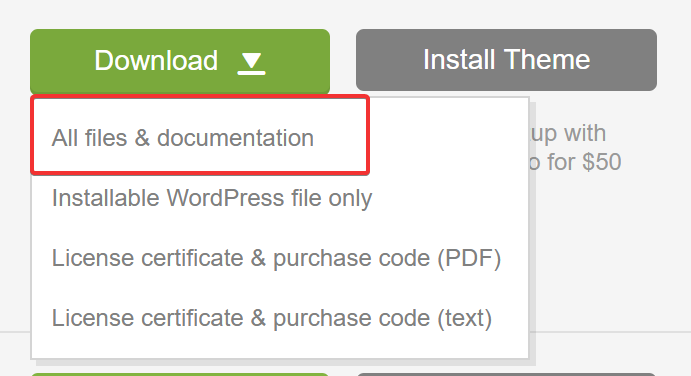
All bundled plugins you can find in full theme package. Download it here – https://themeforest.net/downloads
Regards, nK.
Brilliant, all fixed, thank you for your help!
 – Very good work!
Awesome Work
Thanks
Can you please elaborate about integration of client portal plugins such as SuiteDash or WP-Client, pricing plans, and credit card processing? A great theme design, must say. Thank you.
Hi.
We don’t have experience with these plugins, but I think these plugins will work with all themes.
Regards, nK.
Hello, just purchased your theme. Installed only the required plugins (no woo commerce or contact form 7). I mentioned that the theme isn’t that fast out of the box as advertised (I have a fast ssd server, all requirements good). Tried GT Metrix without demo content. Get a PageSpeed C (76) and Yslow D (63). After installing the demo (creative outline portfolio) it’s more slow (D63) (D63). (on Google pagespeed 27 mobile!!!! / 66 desktop) So, I had the expectation that this theme would be fast because it use Gutenberg instead of an external page builder. I see your theme is cached and you use a cdn. Your (same demo) is giving a B(84) A(96) at GT Metrix. (on Google pagespeed 42 mobile / 80 desktop) For now i’am disappointed about this. And don’t know how to run this faster without caching and/or cdn.
One more thing: as far that I can see now is that there are no pre made single portfolio pages to select. The demo imported only one single portfolio. Do I need to build them myself or can I import more demo’s???
I try to import the full demo for other portfolio lay-outs
Hi.
I’ll check what I can do to make Google PageSpeed values higher, but I don’t promise the result will be 100%. You should enable caching and CDN, the theme itself can’t make the page faster without it.
It doesn’t matter what page builder used, the theme uses vendor scripts and styles, that may affect the points of PageSpeed. Plugins also include their own scripts and styles.
Each demo contains a small number of single portfolio layouts. I can generate an XML file with single portfolios from the main demo, so you can import it.
Regards, nK.
Thanks, that’s an honest answer about the speed.
I imported the full demo so I have all the portfolio layouts.
One question: what makes the logo and hamburger turn white? I see that wen using a ‘advance wordpress background’ it happens. How can I set the parameter so that I have a background under the nav with dark navigation?
one small thing: on mobile withe nave turns dark on scroll but sometimes remains dark when go to top of the page again.
the nav issue is visible on safari (desktop / mobile)
and one more question: I see a template area on dashboard. How can I created a template from a existing page or post?
Logo and hamburger changes to white when enabled dark navigation option in Appearance > Customize > Navigation.
Also, you can change these options on individual pages using GhostKit Customizer extension https://ghostkit.io/extensions/customizer/
You can select all page content (Ctrl (or Command) + A) and copy it (Ctrl (or Command) + C), then you can paste copied content in template (Ctrl (or Command) + V).
p.s. to get support better use our ticketing system https://nk.ticksy.com/
HI,
Lovey theme and all within Wordpress 5 – total stuff. One question about SEO…
Can H1, H2 H4, etc tags be added to the pages?
Thank you, Shaun
Hi Shaun.
Ofc, you can add Heading block in Gutenberg editor. See here more info – https://gogutenberg.com/blocks/heading/
Regards, nK.
Thank you.
Hello, I am considering your theme for my design company, just a couple of questions.
Is it compatible with go portfolio? The portfolio features look amazing, but I want to build it through plugin so I won’t have to start over next time I change my theme.
Does the double S loader appear all the time? If so how will it look like on my website, can I change the image?
Many thanks. Chiara
Hi Chiara.
We use Visual Portfolio plugin and you may continue using it with any other theme. This plugin – https://wordpress.org/plugins/visual-portfolio/ . Not sure about “go portfolio”, have never used it.
You can change the preloader image on your own. Also, you can completely disable the preloader screen if you don’t like it.
Regards, nK.
Hello! Is your theme WPML fully compatible? Thanks
Hi.
We didn’t add configurations for WPML, but as I know, it should work fine.
Regards, nK.
This theme is absolutely brilliant, such a simple and dynamic way of working. Have been looking for something like this for so long. My only feature suggestion would be the ability to specify and upload your own fonts. Apart from that, it’s brilliant, amazing job!
Thank you!
Custom fonts and Adobe Fonts will be added in the future updates of Ghost Kit plugin. Currently we use font options in Appearance > Customize and Kirki plugin.
Regards, nK.
Brilliant, thank you!
Hi – the install and everything seemed to work fine as per the instructions but when I go to the site to view it (staging site url – http://pakmag.180dhost.com/) the little ‘S’ just spins and spins and spins…  – Can you please help?
Hi. Answered in ticket system.
Good theme GLWS
Thank you
How do the hover effects work? I like the effect with the letter but wanted to know if you can use an image or icon there instead.
Hi.
The letter added automatically from the post title. If you mean this one https://wp.nkdev.info/skylith/demo-dark-creative-agency/portfolio/
This is an additional style for Visual Portfolio plugin added by the theme. If you have PHP knowledge, you can create your own layouts and use posts metaboxes to add icons/images.
Further reading on how to extend Visual Portfolio using filters – https://wp.nkdev.info/free-visual-portfolio/documentation/developers/wordpress-filters/
Regards, nK.
Love the theme…but does it work with Visual Composer?
Hi Bill.
If in short – no.
Longer – actually WPBakery Page Builder works with the latest WordPress 5 Gutenberg editor. You will be able to use it and add default blocks in pages content. But we don’t add extra styles on these blocks, they will have default look.
Do you really need this? We have a library of blocks (20+ blocks yet) with a responsive grid system. These blocks use native page builder, so you may use any blocks available on https://wordpress.org with no problems.
Most of the popular plugins already adapted to work with the latest WordPress version. Not so popular plugins will be adapted soon (they don’t have a choice if they want to live with WordPress 5).
What do you want to get from 3rd-party page builders? There is something, that not enough on the Skylith demo pages? https://demo.nkdev.info/#skylith
Regards, nK.
Thank you for the quick reply.
It’s not that the current theme does not have enough – we actually really like the theme.
Our larger clients prefer VC and not Gutenberg (we have had requests to disabled GB on most of our client websites). Not to mention our own agency works specifically in VC as we find GB much more restrictive than VC – not to mention we really dislike the user interface.
Thank you for clarification.
Existing users ask you to disable Gutenberg just because their website is already based on Visual Composer and Gutenberg doesn’t need. It’s like using 1 website and 2 different page builders.
I totally understand these people, who can’t move away from the system, that already in use (VC or any other page builder).
But you need to give Gutenberg a chance, just because this is not a yet another page builder, this is the main editor. It is in active development and many things better than in VC (for me).
Anyway, good luck with your business and if you will have a chance to use Gutenberg, we will be here with Skylith
Regards, nK.
Any intro price like $29 ?
Starter price is $49. Then will be changed to $59.

This item was featured on ThemeForest

Elite Author
Contact the Envato Market Help Team


