1096 comments found.

Great template!!!! Let me know. I bought it. So when you update it I will be able to download the new version? Thanks
Of course, when I update, you will receive a notification email, then you just need to download again and follow instructions in documentation to update to your site.
Hi Tien, i was wondering is there anyway to place an add inside the post?, like with a short code <post_ad> or something?, there are other short codes?, like for sitemap, contact,etc? i would like to buy but i prefer to get clear, i have bought other templates and have failed after sometime specially with the support T.T, hope you support never die, thanks.
Hi. Template support display ads under title and after post content only. Have no short code for ads and site map at this time, but already had contact shortcode. I will add more shortcode in next version and support service is steady.
hi, why this template do not have image gallery?
Hi. I will consider but I DID NOT say and advertise about image gallery for this template anywhere.
hehe.. just asking it .. because normally will have it..so this will be the suggestion in order to improve this template..
Hi. Can you share an example about Blogger post image slider? I will take a look and learn their way. Thank you very much.
i just email it to you the website..
Hi. I don’t received the email. Please make sure you send me through: http://themeforest.net/user/tiennguyenvan#contact
Hi. Your feature you sent to me is available in MagOne.
Hi dear Tien,
I send you message from Themeforest contact form.
Hi. I replied
Thanks for support! =)
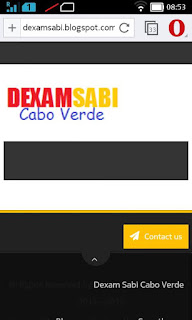
hello, I bought a theme here in this site and the version for mobile phone did not work well. I liked your theme, and I want to know if you have same problems for the mobile version, I want to buy your theme http://dexamsabi.blogspot.com/
the author’s answer is: Your browser doesn’t support javascript! we only support browsers with javascript support.
Hi guy, this is MagOne, not BMag. I am not author of BMag. And you did not purchase MagOne.
I know, I want to buy, but I want to know is will not have the same problem ? https://4.bp.blogspot.com/-WW48CLQ6p6c/VdrCTivkITI/AAAAAAAAFDU/UaE1uJ6fRgc/s320/problem.jpg
Hi. Magazine Blogger Templates need javascript to load json from server. In your case, you are using opera mini which not support javascript so the template not show anything. But with other phones, mobile template will still work properly.
thank you, but I sailed in your site with opera mini, and it worked well, very well; so I do not understand why this happens to my blog, I need to know, to buy your theme
Hi. That’s may be you did not setup mobile template as a right way. MagOne is responsive and use the same template for both mobile and desktop, so that’s why you can see it’s working smoothly.
Hi Is there a way to stop showing author’s name on the home page. I am able to turn it off on post page but it still shows on home page
Hi. Template provided $author parameter as I wrote in documentation so you can hide author or anything you want for article widgets.
How to make it RTL?
Hi. Just access your blog dashboard and choose Settings / Language and formatting, then choose the language you want to set up to.
Thanks! How to add a new section widget below posts?
Also, how to customize post title name and not show the full blog title?
You don’t want to show blog title in post title tag?
Hi tiennguyenvan,
I have a remark for this template. In the FlatMag the POST PAGINATION was different URL every time visitor clicked on the new page of the post, but in MagOne this is not the case.
Why I loved the FlatMag was that the POST PAGINATION bumped my page-views drastically, but with MagOne my page-views are falling once again because every post page has the same URL and this is also recognized by Google Analytics.
Could you implement the FlatMag POST PAGINATION to MagOne template?
You would be doing us ALL a HUGE favour who bought this template.
Regards.
Hi. As I know, all pagination pages are index pages which were disabled for crawling from engine robots (you can see robots.txt for more detail). This mean you page views from those pages are not useful for anything. We say “Organic traffic is money, not page views”
So I decided to stop providing different URL for pagination to make both better experience and convenience for readers and also increase “time on pages” for websites.
Of course, customer opinions are important with me and I will note your request to consider adding an option to switch index pagination type, but this is not the highest priority in next versions.
Thank you for the feedback.
Regards.
Thanks for replying.
hello, how to create this view ? http://magonedemo.blogspot.com/2000/08/layout-working-blocks.html and http://magonedemo.blogspot.com/2000/08/layout-affiliate-marketers.html .. ?
Hi.
Working block: Add $type=three and $type=carousel on Header Wide section. Affiliate: Keep only $type=slider and $type=blogging in Home Only Content section
Good morning friend, if I buy a few domains is the template I can install ?? There are limits ??
Furthermore support level ??
There are manual besides using it ??
License for how long?
There is a part of email NEWSLETTER works ?? or I need something more ??
Like Subscribe Newsletter portion ?? I have to work or to that code’s take ??
Thanks I hope your prompt response to buy the template
Dear sir,
1. One license (1 purchase) from Themeforest will allow for 1 single end product. You can see license detail here: http://themeforest.net/licenses/standard?license=regular
That’s mean you must purchase 1 license for 1 domain, how many domains you use, how many license you must purchase.
2. We have 3 ways to support you: teamviewer desktop remote, email directly, login as administrator.
3. Including documentation for item is basic requirement of themeforest. Lucky, Magone has a very detail and useful documentation (depending on my customer feedback)
4. License is LIFE TIME
5. Newsletter is built-in function of Blogger. You just need to active (with 1 click), the rest will be processed automatically by the template and Blogger.
Regards, Tien Nguyen
Hello I already purchased you template and I was wondering can I use this tool in you site: www.sneeit.com/2015/07/blogger-widget-merger.html to update my old blogs template.
Can I merge two different templates? Will this work?
Dear. Can not merge different templates. Even human can not do that.
Thanks, I just wan to ask how can I reduce the spacing by half?? It’s too wide for me https://4.bp.blogspot.com/-CGPwVJpw1rc/VdaU9gaPeqI/AAAAAAAAFjk/A5rdB6RAIzA/s640/reduce%2Bme.png
Hi. Template provided Advance Editor (Template Designer). Access Template / Customize / Adjust width and change the size of site as you want.
the gap between the elements like widget and header how to decrease that sir?
I want to decrease the gaps between the elements because my CTR has been down since installing the template.
Hi.
I will show you my default css code for the spaces in pixels. Then you can modify those below code and add to advance CSS:
For top space:.wrapper {padding-top: 20px}
For header widget spaces:
#header-wide .widget {margin-top: 30px}
For sidebar widgets:
#primary .widget {margin-top: 30px}
About advance css: http://www.sneeit.com/2014/05/add-custom-css-into-blogger-template.html
Thank you it worked.
My query is this, is there a way to add a widget right before the comments section, that means right under the post where the related content widget is aka RECOMMENDED FOR YOU.
I tried adding it at ALL PAGE CONTENT WIDE BOTTOM widget, but it shows the widget under the comments, I need it to be in the place of RELATED CONTENT.
Dear. I replied your contact.
PS: Sorry when late reply, my time zone is GMT+7 so I can not reply immediately from 10PM to 8AM.
Solved this.
The best theme of all time.
Hi Tien. Your theme very nice and i love it. Thanks you
Thank you.
Great template , like the feature responsive. I sent you mail Inbox Please reply me soon,
Thanks
I replied.
Love this template! Could you please make it more SEO friendly? TIA
Hi. The template is already SEO friendly, you can check with both Google Structure Snippet and Facebook Debug for articles.
Tien I send you a personal mssge please check it out
Tien,
Thanks for your update. Greats…you fixed 2 errors, but currently still one item error, it is about “datepublished” – I hope you can fix it soon. the trouble is: <abbr class=’published’ itemprop=’datePublished’ title=’2015-08-06T20:11:00-07:00’> You may check it one post of my blog at LKIT.CO at “Structured Data Testing Tool”
Regards, Devy
Please edit Blog Spot widget and change date time format with full date. You can see, my demo passed all Google and Facebook Structure Tests
Awesome template bro. Keep it up…
Hi Tien,
I’m a newbie of blogspot platform and interested in your theme. But I have a wonder: when viewing your demo page I saw many posts, but why there are 4 posts each category only?
For example http://magonedemo.blogspot.com/search/label/Business.
This category has 11 posts but it displayed 4 posts only. Why not 10 or 20? Or it’s your default code? Can I config number of posts displaying in categories like what I want after buying this theme?
Thank you. Hope you have a big sale.
You can set parameter to change number of posts you want to show in archive pages. 4 is default value of the parameter, but you can change as you want.
I just set the parameter to 7, you can check http://magonedemo.blogspot.com/search/label/Business
Awesomely crafted theme, Tien!