363 comments found.

hi, I’m really interested by your theme. I would like to know if it’s easily possible to change the strip which appears when you want to select something? Is that possible to avoid this effect? Thank you very much.
Hi, did you mean Animation Loading effect?
I’m talking about the text which is striped when you pass the mouse on it. Do you see what I mean?
Sorry, would you show me a screenshot about it?
I don’t know how I send you a file ? I answer by email?
Ok, send it to cththemes@gmail.com
Hello,
I have 2 presale questions:
1. Is it possible to disable the ajax functionality? 2. Can I change the project detail informations with the icons (e.g. location) and can I add more like “status” or “camera used” with an other icon?
Best regards
Hi, thank you for interested in my work.
1. Did you mean Ajax load more posts feature? – Yes
2. Yes, you can edit the icons and its text.
Hi,
thanks for your quick answer. Maybe I am wrong with the ajax loading. But does the content, when you open a new page, not get loaded via Ajax? Because there is this little spinner when I open up a new page.
If it is not ajax then my second question would be if I can disable the page loader (spinner)?
Best regards
No, it’s not ajax loading. Just preloader script with jQuery .load function. You can easily remove it with single option from theme options panel.
Great thanks! Will buy your theme 
You are welcome. If you have any question just let me know.
Hey,
I have just bought the theme and I saw an important issue:
When you are on a mobile phone and visit the portfolio page (http://demowp.cththemes.net/outdoorv2/portfolio-horizontal/) you are not able to open a single project. This may be caused because of the hover effect you use …
Could you please fix this asap? Maybe you could also just place the project title with a link below each image?
Best regards DB-Dzine
Another question: is it possible to have a background video, that is uploaded in the media library? Because right now I only see youtube video?
Hi, please update theme to latest version 3.1 About hosted background issue we will consider in the next update.
Thanks for the quick reply. I have just tested it on your demo site and it was not working there.
On my fresh installed site it is working. But when you click on a project you will directly go there without seeing the project name. Could this be fixed?
Maybe show the title first on touch, and go to project on second touch. Or just place the title below the image?
Please comment out these lines : http://prntscr.com/bz2mzn
I still can’t create a thread on your support forum, for some reason (?). Would be nice if that was fixed for me. I can only comment on other people’s support threads. My username there is 99.
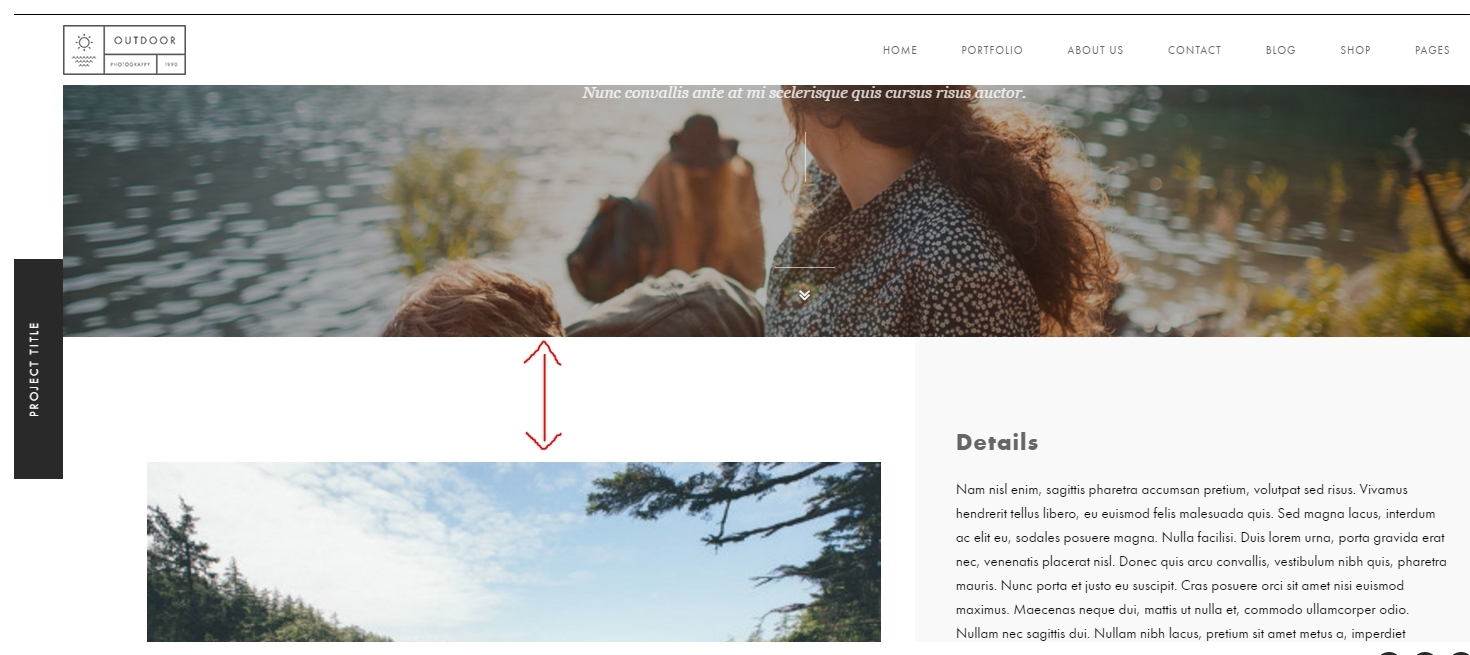
Until it is fixed I’ll just keep using the comment section here. Can you please tell me how to make this gap smaller for a single portfolio item: https://i.gyazo.com/4255b07260a97bcc210d547c137ef49c.jpgI think it ruins the design of my website. It’s too big. Would like the image to at least align with the headline next to it.
Hi, send me your link to check.
Which link ? The question I’m asking regarding the gap is in your theme, for example here: http://preview.themeforest.net/item/outdoor-creative-photographyportfolio-wp-theme/full_screen_preview/13694868
I just need to know how to make this gap smaller.
Regarding how I can post on your support forum, do you need anything else besides my username?
You can add this style to Outdoor Options -> Custom Code tab -> CSS Code – Large Desktop View field:
.outdoor_sec.page_sec { padding-top: 30px; }
And did you try login to the forum: http://support.cththemes.com/?forum=wordpress-theme/outdoor-creative-photographyportfolio-wp-theme ? and create new topic via editor at the bottom the page?
Hi, thanks. But I only need to move the images up, not the description and TITLE which is on the right.
The images need to align with the title.
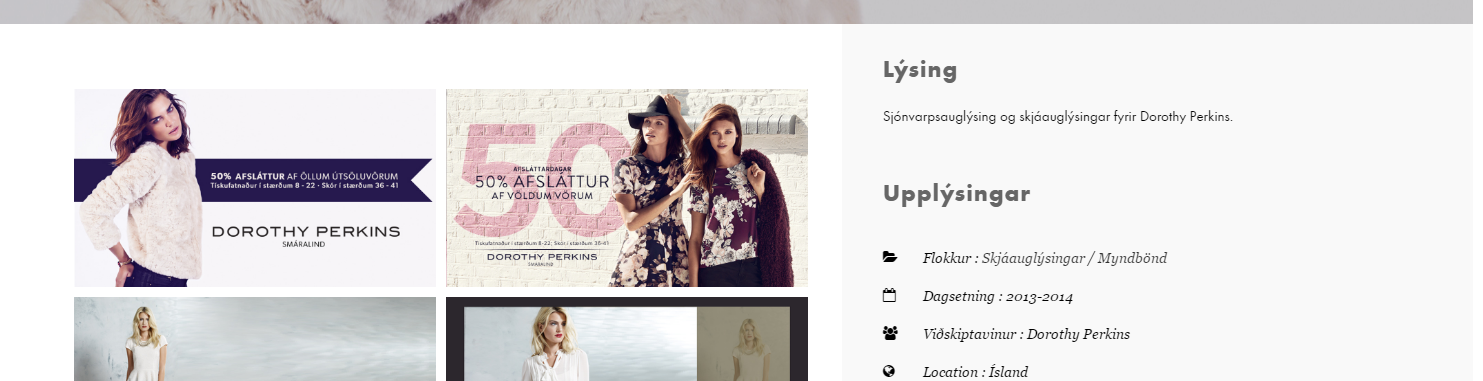
See here what I’m getting with your suggestion: https://i.gyazo.com/6b72e8f3560e5d6af370c302a27d39e7.png
Also, I just logged in to the forum and for the first time for a few months I’m able to post. The editor wasn’t there so I’m assuming you did something?
Actually, the option to post a new thread has disappeared again. And is back to the same bug. Here’s what I’m looking at:
https://gyazo.com/e377110490bdc5bdd76839de299fe85aThis has been happening for months. Haven’t really been able to use the 6 month support I bought until I figured I would just post here.
Any ideas?
(To clarify, I used the support at the beginning but then the new thread editor disappeared and only just appeared after your comment, only to go away again a few minutes later, after I had gotten one post in).
.blog-text {
     float:left;
}
Thanks, that worked perfectly. But what about the other issue? Here’s how your support page looks like on my end (and has looked like for months until I brought it to your attention, then it was fixed until I posted 1 new post. Then this happened again and now, again, I can’t post a new post. See my video screencapture: https://skjaskot.tinytake.com/sf/ODcyOTYwXzM3NTc1MzE
Also, the earlier issue was not addressed , as I said, I needed to minimize the gap above the images, not above the Title which is on the right. The solution you gave me made the gap smaller for both, but I need to control the gap above the images only.
You have to click to a theme forum (on the right sidebar) to create new topic.
Ex: for Outdoor theme – http://support.cththemes.com/?forum=wordpress-theme/outdoor-creative-photographyportfolio-wp-theme
Okay, that works, thank you.
Hello again, for some reason my blog page has decided to stop loading… or rather it just loads forever. Can you please advise on how to resolve this? thanks!
http://www.cliffendsley.com/new/?page_id=6It because you have large featured images ( 3024×4032 px).
Please replace them with smaller. Or use custom thumbnail sizes option from Outdoor Options -> Media tab.
The blog was imported from http://www.cliffendsley.com/blog/ which loads fine. Why should they be any different? Ive tried everything i can think of it seems something is broken somewhere…
The page is only shown when fully loaded including graphics (with Outdoor theme by using preloader script). Please try set Show animation loadder option on Outdoor Options -> General tab to Off
thanks for the info, but unfortunately it did not do the trick :/ What else can it be, or can I do to fix this?
Hi, I’ve submitted the new version which will fix the loading issue. Please wait until it is approved then update your theme.
if in download and install the new version will it get rid of all the work I’ve done?
No, it only override theme files. You can find detailed instructions at http://assets.cththemes.net/themeforest/outdoor/changelog/index.html
When viewing my dashboard it says “your themes are all up to date”. Has this newer version been approved yet?
Please submit a ticket ( with wp login info ) to our support forum then we will help. Thank you.
Great looking theme but as a photography theme it seems odd that I am not able to bulk upload images into a single portfolio – am I missing something or does each individual image have to be added seperatly to each portfolio?
Hi, did you mean portfolio thumbnails ?
What I was hoping for is a single image (the portfolio entry image) leading into a page of thumbnails of all the images within that portfolio (with it being possible to upload multiple images at once into a single portfolio. The way I would expect a photography theme to handle images.
Hi, please use Popup Gallery Masonry element: http://prntscr.com/bxa1xf
I’ve not been able to log into the support system in the past so I’ll just ask here. When I do a CTH pop up gallery on a single portfolio site and am using different image sizez, is there a way to align them properly? They just turn completely wild on me with big white gaps and it seems like a bug? See screenshot: https://i.gyazo.com/760e906a9022cf9a3f2850f87e0bc7ba.png
Thanks
Hi, please use Popup Gallery Masonry element on Outdoor New tab instead.
Thanks, that fixed the problem!
Hey guys, I screwed up and used the wrong portfolio type on half of my portfolios… I’m wondering if I can cut and paste some code so I don\t have to recreate these galleries.
Please see the correct style: http://www.cliffendsley.com/new/?portfolio=surf
and an example of the wrong layout version: http://www.cliffendsley.com/new/?portfolio=sports
Many thanks!
Thanks, but the change you gave was for a slightly different portfolio version than:
http://www.cliffendsley.com/new/?portfolio=surfafter doing what you said it looks like this:
http://www.cliffendsley.com/new/?portfolio=project-title-3The images should have gaps and the option drop down portfolio description.
thanks for your help!
Oh sorry, you can’t change this new portfolio stye ( style 3 ) to correct style (style 2)
thanks for the great themes!  any fix for the outdoor photo theme google maps on contact page?
‘Oops! Something went wrong.
This page didn’t load Google Maps correctly. See the JavaScript console for technical details.’
any fix for the outdoor photo theme google maps on contact page?
‘Oops! Something went wrong.
This page didn’t load Google Maps correctly. See the JavaScript console for technical details.’
Hi,
1) get a Google API key: https://developers.google.com/maps/documentation/javascript/get-api-key
2) Add the key to outdoor_gmap.php file http://prntscr.com/bvmbmd
Hope this help.
thanks, i tried that, it’s still not working http://www.u-r.me/contactoriginal/
Hi, New Google map key option was added on Outdoor Options -> General tab in newest version 3.1. So please update theme then use it.
i updated, and tried the api key, and still no luck.
Submit a ticket (with wp login info) to our support forum then I will help.
I have been having an issue with my pictures width being “squished” when putting into scrolling portfolio. I have a screenshot of it if you want me to send it to an email. Thanks!
Hi, please submit a ticket to our support forum then we will help. Thank you.
Hi, First of all I want to congratulate you guys with the theme, which I own for a while now. After the WP update I noticed Visual composer didn’t got update, so I bought a license and updated visual composer. After the update I don’t find the possibility to uses post as a full-page, without the sidebar. is there an option that has to be activated again, or has it something to do with VC ? regards David my blog is at http://www.davidcappelle.com/
In other words, the post options are not available anymore. Is this an other add-on for VC that has to be installed ? thanks for the reply.
Hi, please try using these options: http://prntscr.com/brzqbt
When I check the screen options under the new “post” layout (which is in Dutch, but of no imprtance), I don’t have the checkboxes, Post format / layout / scrollbar. I must say that I registered Visual composer and updated it as it kept loading in frontend editor. But I wonder if this is related. Visual composer works after the update.
When I check the screen options under the new “Page” layout, i do have the checkbox page-options, below I can then select the full-width page layout.
Hi, please submit a ticket with wp-admin info to our support forum then we will help.
Ok I just mailed you wp-admin info to the support forum e-mail address. thanks in advance.
After reinstalling CMB plugin the problem is solved… thanks 
Ok, if you have any question just let me know.
Hello, I sent you a email with my Website Problem (Website Load). Please help me 
Hi, please check the solution.
Hi, first of all thank you for your ongoing support, it is very much appreciated!!
In order to show the conent in my blog youve suggested the following:
You should edit all theme content files to replace the_excerpt() function with the_content()
http://prntscr.com/bnjab5How/where do I find and edit that code? Thanks!
You can edit them on wordpress admin area directly: http://prntscr.com/bpc0uh
How can I implement this slider portfolio in the website. Apparently there are some elements missing in my Visual Composer… so I cant’s see what is actually in the backend of the site. I can see the pictures – http://sisselsteyaert.be/free-work/ – but I can’t adjust the categories shown on the page. Only Zandbergen needs to be seen on this one. But I can’t find where to change it.
With kind regards! Geert
Hi, please watch this tutorial video for more details: https://www.youtube.com/watch?v=P9_M9OIOiBQ&index=4&list=PL8lnIVh9k3PvoTOb02z55ZXeVr_-ueib2
Thank you for the reply and sorry for my late answer, but those tutorials are not what I was asking for. I was asking if it was possible to filter the portfolios. Because before the update this was possible and now not anymore.
I have created two categories in the past… music and people… and now I wanted to add a third portfolio categorie, but there is no more option to filter the other two categories out of this third one. Which is surely a shame.
Hi, did you mean options panel for the page? Please try this option: http://prntscr.com/bxa333
Those options I can’t see. I was looking for a way to pick some portfolio categories, so they won’t be shown all.
Hi, please submit a ticket with your wp-admin acount to our support forum to check.
Hi, I have some presale questions..
1) Is it possible to have more than 4 columns on the gallery page? Right now there is an option for ‘grid 3’ or ‘grid 4’. Would be nice to have 5, or even 6, 7.. etc.
2) Is it possible to link a gallery image to a portfolio slider? (e.g. portfolio single style 1) So in the gallery you click on one image, and it sends you to that image in the slider. This way you can click back on forth between overview with images (gallery) and the full screen image in the slider.
Thanks!
Hi,
1) It has maximum 5 columns gallery layout only.
2) It’s not possible.
Thank you for interested in our works.
Sorry, I have a problem with change font or add font in theme. Pls, support for me ! i don’t know how to fix it ! Thankyou.
Submit a ticket to our support forum then we will help.
Hey so after following your latest instruction I now can see the posts only you have to click on them to see the post. Is there a way to just display the entire post on the blog posts page? http://www.cliffendsley.com/new/?page_id=6
You should edit all theme content files to replace the_excerpt() function with the_content()
http://prntscr.com/bnjab5Hello is there any way to open videos in a lightbox on mobile devices? Currently it opens a new page to where the video is hosted. Thank you!
Hi, send me your link to check.
Hello! I love this theme, but can you put video in portfolios?
Just purchased actually. Can you tell me how to change/update the images/links in the homepage slider?
Here it is: http://prntscr.com/bkttj4
thanks, it’s strange, the visual composer doesn’t load anything when I try to edit the page – just stays on a loading wheel: https://www.dropbox.com/s/eao5xvg6ms86utc/Screen%20Shot%202016-06-25%20at%208.44.30%20AM.png?dl=0
Hi, please make sure that you have latest version of the plugin installed (v4.12).
does the plugin file come with the package?
figured it all out thanks!
For some reason I am not seeing the entire site after installing and importing demo data. There is no menu and I arrive at “Our Journal” page. Please help! www.cliffendsley.com/new
Hi, I can see it now. Did you get it display?
Thanks for your response. Yes, i did somehow, can’t remember how though haha.
Im working on it now. I would like to have use the portfolio default template of Horizontal two column(default) for each of my portfolio categories. So that when the viewer/user clicks on a category it ideally just filters the applicable images. then if Someone clicks an image from there it would just display large with a slider option or something.
Are you able to give me instruction on how I can achieve this?
Did you mean portfolio page with image clicked like this: http://demowp.cththemes.net/outdoorv2/gallery-grid-3/ ?
I meant like this: http://www.cliffendsley.com/new/?page_id=119
then once making a selection from there going to here: http://www.cliffendsley.com/new/?portfolio=project-title-2
Is there a easy way for me to duplicate the a portfolio so that I can simply replace the images according to my image categorization?
1, use these options for portfolio category page: http://prntscr.com/bjlors
2, just copy its shortcode content to other item then use Visual Composer mode to change images. For more details please watch this tutorial video: https://www.youtube.com/watch?v=P9_M9OIOiBQ&index=4&list=PL8lnIVh9k3PvoTOb02z55ZXeVr_-ueib2
Thanks for your ongoing support! After following the instructions in the video and pasting the shortcode content into a new portfolio page, with visual composer mode it says I have a blank page. How can I fix this, so that I can continue editing? Thank yoU!
Send your wp-admin to cththemes@gmail.com then I will help.
nvm i figured it out.
can you tell me where I can locate the padding issue which is cropping into the “filter” button/background on this page: http://www.cliffendsley.com/new/?page_id=119
I don’t understand your question well.
More importantly I notice that both on my phone and in while Customizing on my computer (The mobile site version) I am unable to select or click on a portfolio (After selecting the portfolio “page” from the main menu) Are you experiencing this as well?
.hoz-ver-cols .portfolio_item .port-desc-holder {display:block;}
Thanks!
Ive moved onto the blog page. I exported the .xml file from my old wordpress site, imported it using the wordpress importer but i don’t see anything on my blog page http://www.cliffendsley.com/new/?page_id=6 just that the posts are there but the page doesnt look like the demo. Please help, thank you!
Just select the page as Posts Page on Settings -> Reading screen: http://prntscr.com/bkhfu0
how can i remove the “portfolio” from permalink?
Submit a ticket to our support forum then I will send you the code.

This item was featured on ThemeForest

Elite Author
Contact the Envato Market Help Team