696 comments found.

rttheme19/woocommerce/single-product/product-image.php version 2.0.14 is out of date. The core version is 2.6.3,
Hello,
You can ignore the notice, the file is compatible with the latest WooCommerce version. Also, there will be an update soon, that includes the updated version of the files.
If you have any further questions regarding this theme, please let us know by opening a support request on our support forum at http://support-rt.com
Thank you for purchasing our themes.
Best Regards
In product showcase page I can add a contact form. How to edit the fields there so customers can request a quote and I can get ship to address and product quantity ??
Hello,
You can use Contact Form 7 plugin for customized contact form https://wordpress.org/plugins/contact-form-7/ RT-19 fully compatible with the plugin and it’ll look like exactly the same with the embedded contact form.
When using the form, you can also use these special tags of the plugin to know which was the product and some other details http://contactform7.com/special-mail-tags/
If you have any further questions regarding this theme, please let us know by opening a support request on our support forum at http://support-rt.com
Thank you for purchasing our themes.
Best Regards
hi! i would like to buy the theme, but i need to put a slider on top of each product category. Is it possible to do that? Thank you!
Hello,
Yes, you can use shortcodes inside the category descriptions.
Please feel free to ask if you have any further questions. Thank you for interesting in our themes.
Best Regards
After WP and Woocommerce latest upgrade, single product layout is broken. Some products don’t use global sidebar options and are shown without it, description text isn’t aligned to the left anymore. I tried everything I could, but with no result.
Hello,
We don’t have the issue on our install! Please make sure that you are using the latest version of the theme or provide us your website by opening a support request on our support forum at http://support-rt.com
Hi,
I am building a website to rent RC models. But I would need the renting system to work this way:
1) On the home page I want to show (over the main picture slider so using a lyered html code) JUST the Pick up and return date. Nothing else.
2) Once the client selects the pick up and the return date they should be redirected to another page where they can see the full list of available models
3) They select the model (in this page also we show prices) and they get redirected to the final page where they can see all the features of the model and the possible add-on options.
Is this possible with this theme?
Thanks!
Fabio
Hi
The revslider included in the theme supports layers and the layers supports html. The woocommerce plugin which is not part of the theme but supported can do the points in 2) and 3)
Note as far as i know the revslider can also pickup woo commerce products.
Please contact the revslider sales page and or documentation to get more info on their layers and their abilities.
http://codecanyon.net/item/slider-revolution-responsive-wordpress-plugin/2751380 http://themepunch.com/codecanyon/revolution_wp/documentation/Best regards, Theme support
Hi, could you tell how to change the colour scheme? thanks, Neo
Hello,
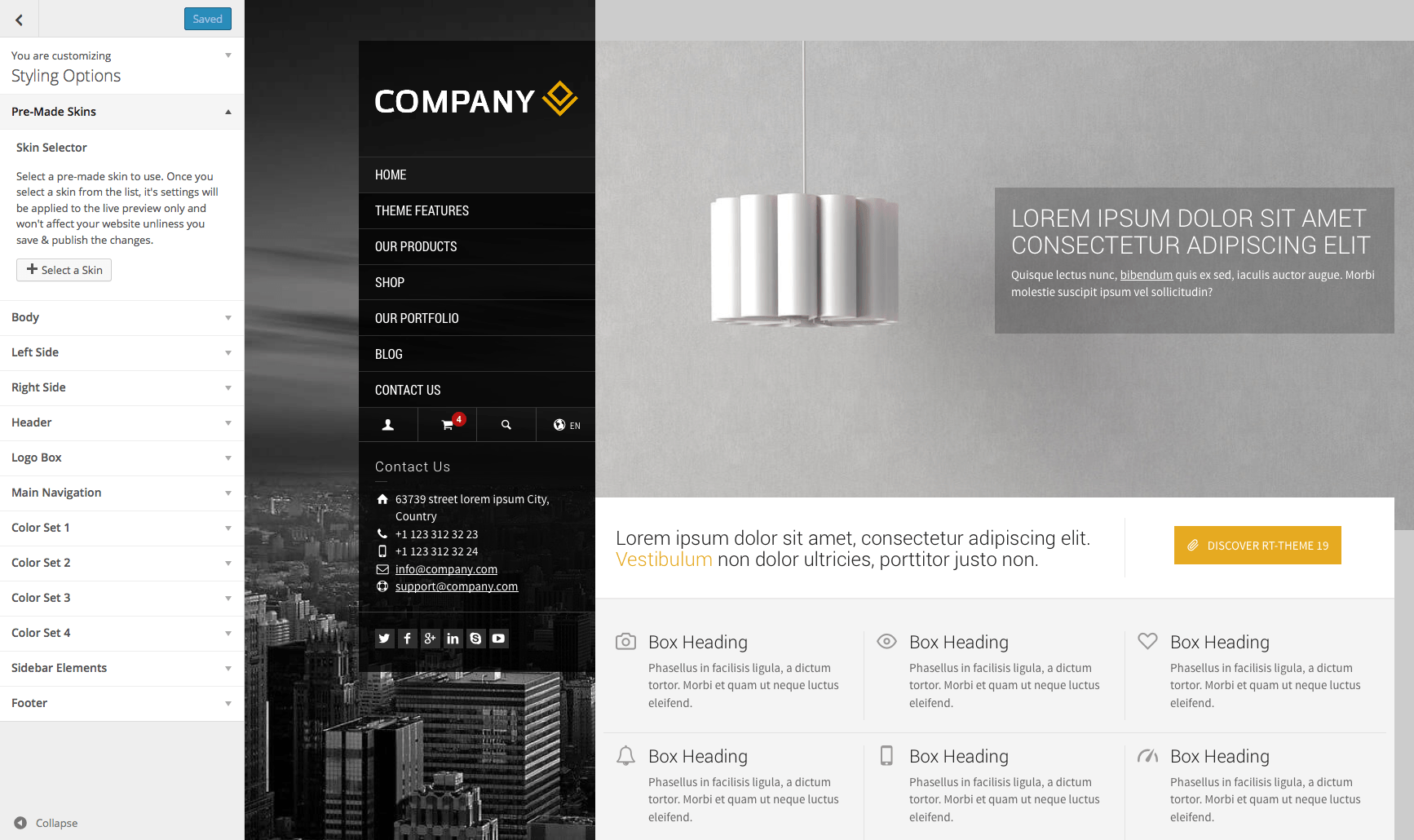
You can change via customizer panel. For pre-made skins go to Customizer > Styling Options > Pre-made skins section http://rttheme19.rtthemes.com/wp-content/uploads/sites/5/2015/03/customizer-premade-skins.png http://rttheme19.rtthemes.com/admin-panel/
If you have any further questions regarding this theme, please let us know by opening a support request on our support forum at http://support-rt.com
Thank you for purchasing our themes.
Best Regards
On RTL version of the template. When I select the logo and menu area to top right with no padding from the right side. I get extra space on the left side of all content
Hi
Please be so kind and post your issue including a url in our forum.
You can create a user account on our forum with your purchase key after which you can post your question(s) / issue(s) in there.
http://support-rt.com/It is easier to support and help you.
Thank you.
Best regards, Theme support
why not add Overlapped Header to rt19,like rt20.
Hi, It will be added with v2.0 of the theme. We are working on it!
Hello. How I can change the color icon menu on the mobile version?
Hello,
It is the same color with the text logo color. So, you can change it via Customizing > Styling Options > Logo Box >> Font Color
If you have any further questions regarding this theme, please let us know by opening a support request on our support forum at http://support-rt.com
Thank you for purchasing our themes.
Best Regards
Hi, Are you working on new themes of the series RT, which is more general for organizations? The latest ones are much more restricted. It is dated for release?
Hello,
We are working for version 2.0 of RT-Theme 19 and new themes at the same time. You can take a look to our RT-18, RT-19, RT-20 or Nixe themes. They are up to date and highly flexible themes and suits for almost all kind of business. https://themeforest.net/user/stmcan/portfolio
Hi
Hi casbah,
Do you have any questions? You can use our support forum at http://support-rt.com
hi! i have generated my api key for google maps and but i have no option in Customize ? General Options ? Google Maps to insert this key. I use RT-Theme 19 version 1.9.3. Can you help me for where i can insert the api key? thank you in advance
Hello,
Please update the theme to v1.9.4.1 then you can find the field inside Customize > General Options > Google Maps
Refer documentation for more info http://docs.rtthemes.com/rt-theme-19-documentation/#section-58
If you have any further questions regarding this theme, please let us know by opening a support request on our support forum at http://support-rt.com
Thank you for purchasing our themes.
Best Regards
Thank you for your help! With the update, maps works correctly.
best regards! 
I’m glad to hear that you have managed to resolve it. Please do not hesitate to ask if you have any further questions.
Hello,
Is it possible to extend theme support beyond the 6-month period? I mean, for up to 12 months
Hello,
Since you are still in the “supported” period, you can only extend for another 6 months. Better explanation can be found on this page https://help.market.envato.com/hc/en-us/articles/205923460?_ga=1.130745225.726128992.1465522581
If you have any further questions regarding this theme, please let us know by opening a support request on our support forum at http://support-rt.com
Thank you for purchasing our themes.
Best Regards
Hi can you please confirm whether it is possibly to have multiple images for one product. we would like to use the product with horizontal tabs layout. And generally we have 4-5 images of the one product. Just wanted to check that the sliding images all do relate to the same product. (hard to tell when the copy is all loren ipsum). Thanks
Hi,
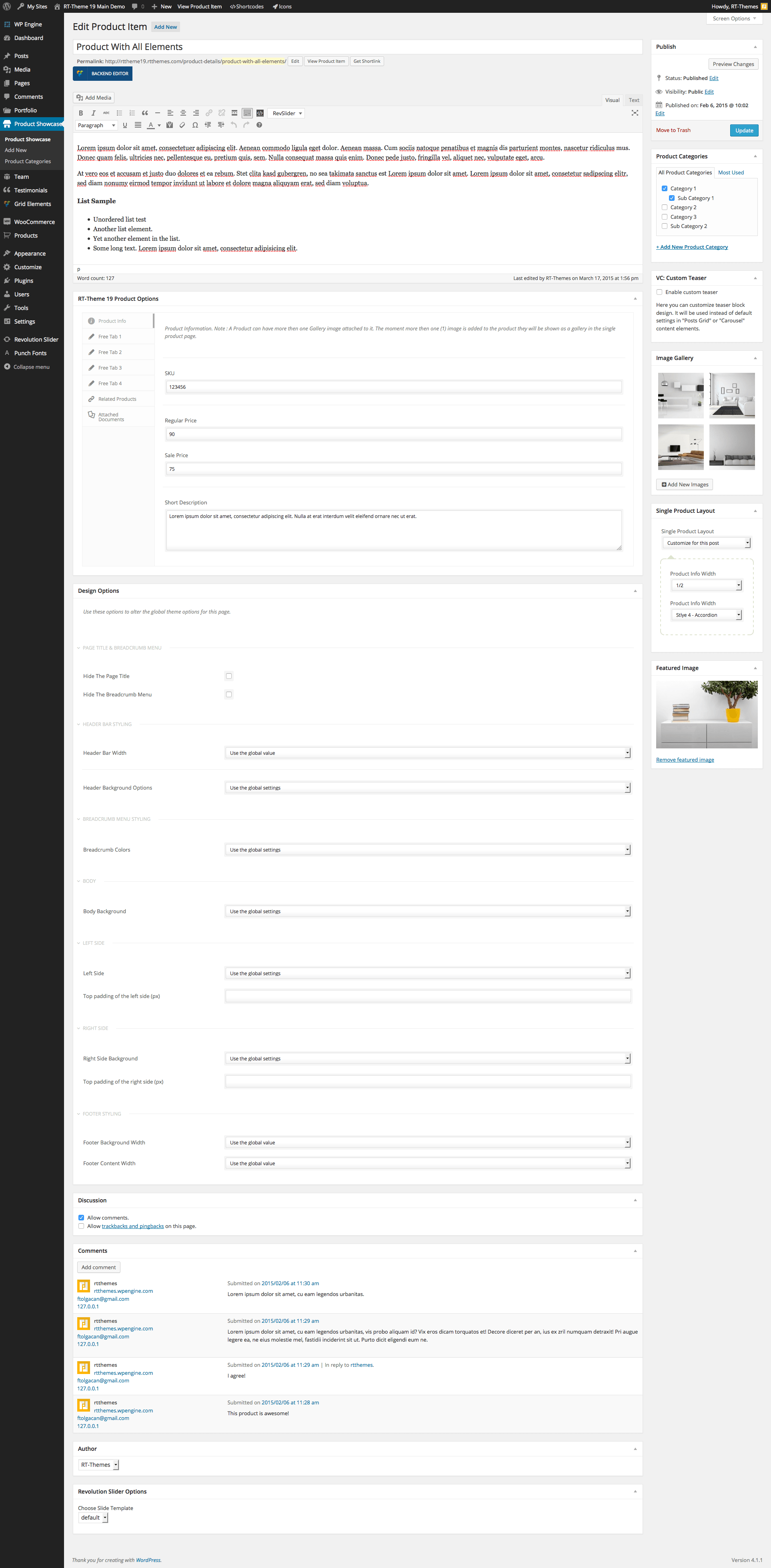
Yes, you can add multiple images for a specific product.
edit screen http://rttheme19.rtthemes.com/wp-content/uploads/sites/5/2015/03/edit_product_showcase.png
the product http://rttheme19.rtthemes.com/product-details/product-with-all-elements/
More from admin panel http://rttheme19.rtthemes.com/admin-panel/
There various styles available for the single products like http://rttheme19.rtthemes.com/product-details/product-with-horizontal-tabs/
Please feel free to ask if you have any further questions. Thank you for interesting in our themes.
Best Regards
Hi,
In the demo 10 bar where is the logo and menu this black. This bar can be changed to white?
Hello,
Yes it is possible, you can change as you wish. See another demo with white header http://rt19-demo8.rtthemes.com/
Please feel free to ask if you have any further questions. Thank you for interesting in our themes.
Best Regards
Is there a way to import the demo to be identical?
Hello,
Yes, we have a demo importer that helps you to install one of the demos with just a click!
I have added the contact template but where can i edit the VC maps shortcode?
Hello,
You can add Google Maps module of the theme into your template. By the way, you may need an API key too http://docs.rtthemes.com/rt-theme-19-documentation/#section-58
Check this section as well http://docs.rtthemes.com/rt-theme-19-documentation/#section-7 to learn how to use the page builder.
If you have any further questions regarding this theme, please let us know by opening a support request on our support forum at http://support-rt.com
Thank you for purchasing our themes.
Best Regards
Same issue as neoinwanles. After uploading RT-theme extension plugin, getting: Fatal error: Can’t use function return value in write context in /.../wp-content/plugins/rt19-extentions/inc/editor/google_maps.php on line 14
Hello,
We’ve just uploaded an update for the issue and it is in the queue at the moment. It will be available to download in max 24 hours. You can contact us through the form on this page to get it sooner http://themeforest.net/user/stmcan
If you have any further questions regarding this theme, please let us know by opening a support request on our support forum at http://support-rt.com
Thank you for purchasing our themes.
Best Regards
The theme has been updated and the latest version is available to download from ThemeForest account / downloads page.
On the rt19-demo7 – are you able to use a video at all in place of the slider that on mobile uses a static image instead?
Hi,
Yes, It is possible with Revolution Slider plugin (included to the theme for free) Please let us know if you need an assist about how to do it.
Please feel free to ask if you have any further questions. Thank you for interesting in our themes.
Best Regards
Fatal error: Can’t use function return value in write context in /.../wp-content/plugins/rt19-extentions/inc/editor/google_maps.php on line 14
We’ve replied your emails! Also, please note that the update will be available to download very soon.
The theme has been updated and the latest version is available to download from ThemeForest account / downloads page.
new update seems having problem. after uploading, it won’t prompt the plugin needs update
Hello, You can update via Appearance > Install Plugins page.