1096 comments found.

Sneeit Spot V1.8 not working i try many times!!!!!!
Hello. So sorry to hear that. Please send your site URL to http://support.sneeit.com and I will inspect it immediately. Thank you.
Hi Tien,
I have new feature proposition, if you could make that in the next version of the template main menu looks like this – http://i64.tinypic.com/apepg8.png or http://i63.tinypic.com/2eakz61.png
So that we have Font Awesome icon above the link text, as it looks more stylish.
Kind Regards.
I think I will consider this in another template. Thank you.
i’m confused with ur doc. Can you help me to make layout like magonedemo.blogspot.co.id/2000/08/layout—dairy-notes.html
I will send you my blogger email and password by private message in email.
Thanks.
email sent.
Hi Tienn,
Proposal of new feature in the next update;
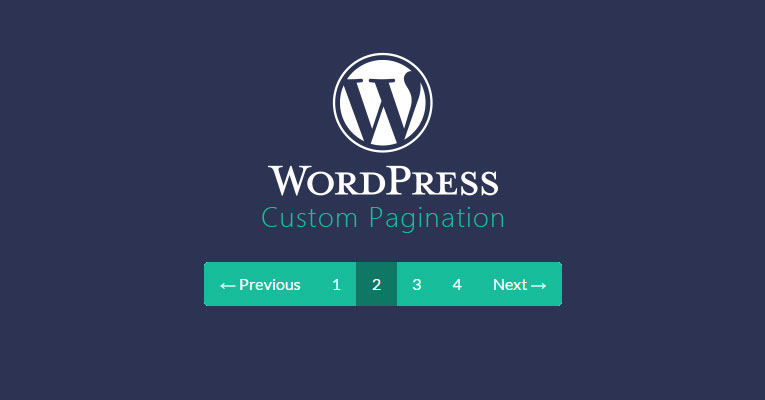
could you add arrows PREVIOUS and NEXT to post pagination?
I’m getting a lot of complains from readers that post pagination is not quite easy to navigate.
If you could make something like this https://brinidesigner.com/wp-content/uploads/2014/12/custom-pagination.jpg
Much appreciated
Also, I found an error in your template, the right arrow ’>’ in post pagination is not working when ‘Reload Post Pagination When Click’ is enabled.
Please share the page you used pagination so I can double check. Thanks.
Here you go http://bit.ly/2el2qr1
I added this in to update list. Thank you.
Just using Sneeit Spot to change sidebar position to right. The sidebar will not auto change from left to right in latest version.
As you leave the background transparent Blog?
I want to make the background transparent Blog.
Just please send detail to http://support.sneeit.com
Hey Tien, Thanks for quick update of theme with bugs fixes i reported to you.  Hope you will update your wordpress version too by following my emails.
But just a one issue/problem i am facing now, on mobile version or small screens i am not getting FontsAwesome icon with menu text. On old versions, FontAwesome icons do display on menu bar. Why you removed it from smaller screen or mobile version?
Here’s an example:
MagOne Latest Version 5.5.0: http://testerdrafter.blogspot.com (FontAwesome Icons Not Display on Mobile Theme)
MagOne Old Version 5.0.4: http://www.techglobex.net/ (FontAwesome Icons Display on Mobile Theme)
If possible, please add back FontAwesome Icons for Mobile Theme version too just like old version 5.0.4. Otherwise Menu Builder is useless.
I latest version, I fixed the center menu option, so please explain more about why Menu Builder is useless, your feedback is so general and I don’t know where to fix.
I also don’t get what is FA Icons for Mobile Theme? Appreciate if you can explain this also.
Hey Tien,
I know my support is end for your theme, but i am just reporting bugs, which is also helpful for other MagOne customers.
1. I said Menu Builder is useless, because when you visit my testing site using MagOne v5.5.0 i.e. http://testerdrafter.blogspot.com OR your own MagOne demo site i.e. http://magonedemo.blogspot.com/ from your Smartphone, and when you check Main Menu options, you won’t get FontAwesome icons before menu text links. See here for example: http://pasteboard.co/dZzegcJBD.jpg
2. Whereas, if you visit my primary site using MagOne v5.0.4 i.e. http://techglobex.net from your Smartphone, and when you check Main Menu options, you will get FontAwesome icons before menu text links. See here for example: http://pasteboard.co/dZvlMjcf4.jpg
So my point is, on latest MagOne version, FontAwesome icons doesn’t appear on Main Menu, when a user visit website from Smartphones, whereas it was appearing on previous MagOne version.
I hope you understood now? Thanks!
It seems you have no answer Tien ? 
I will add in next update. Thanks.
Thank God, you understood what i was trying to say  Great work Tien!
I remember in previous version that we can add buttons inside a post with just a short code or css class I guess, is it still possible now?
How can I have a search box similar to the sneeit site?
Yes of curse, it’s still available. And the template has no search box style like sneeit.
Is it possible to change the search box to something like sneeit or to use Google custom search?
We have no that. You can add search box to sidebar and disable the search button on top of page.
Hello, the blog is in trouble in the images, posting the photo thumbnail does not appear when placed in the face, only the blog logo. Older posts appear, but not new. my blog
When I share a blog post, there is no picture, as it appeared before. This way, you can not select the image you would like to share on Facebook with the post. How can I solve this, please? Thank you!
Send your post URL to http://support.sneeit.com please. Thanks.
Here is my site Url http://www.conexaocumaru.net/
How do I correct the problem. Voulhe do Site Administrator, paw you correct.
I sent you an email, please check.
I looked at the mail, most do not know how to resolve the situation.
TeamViewer
I debugged Facebook Debugger and it showed: og:image could not be downloaded or is too small
share buttons are not appearing regularly, can i switch back to original blogger share buttons?
Just input your own sharebutton code in Sneeit Spot / Settings / Post Content / Sharing button code
sneeit spot not working sir, while i’m trying to update new version
Hello. What is your site URL? Send it to http://support.sneeit.com
Hi Tien,
I’m getting a lot of page-views on mine blog posts that use pagination, according to Blogger dashboard.
Is now every #post-page-number-xy counted as a separate page?
Since Google analytics is not taking this into account, is it possible to shut it down for Blogger as well?
I don’t get your idea! Who will shut what down?
I’m just wondering if you made some change that every #post-page-number-xy in a post that uses pagination is counted as a page-view?
Latest already had that. You can change in Sneeit / Settings / Post Content to force browser reload post pagination when user go to new page.
I have buyed last theme blogger MagOne Version: 5.4.0 one hour ago, and i want now make update and Sneeit Spot V1.6 no work for me update button dont apear in blogger dasboard , i proced like your tutorials video scuze me for my english.. how make update?
Hello,
Please just send your URL to: http://support.sneeit.com
Hi, Tien, 1 i have the same problem of chiranjit_bera when i want to share my blog post via social share title, comes – post title+ my blog name, I want to show post title only ? ho can i do?
2 can u do next in next update, your super template MAGONE, amp compatible?
3 i can i add visit count to editor user in my blogger?
4 can i do “bold” main title of menu mobile?
Hello. 1. I will update in next version.
2. I can not swear at this time when AMP not full support for Blogger, it requires change img tag to amp-img tag before out to browser and Blogger can not do that.
3. Blogger not support show visit count.
4. Please just explain more at http://support.sneeit.com
A great job with this, but above all, highlight the magnificent support that has the theme. Thanks for solving my problem. Surely alguan, this is the best theme for Blogger
I cant change options like a Menu, translate etc. Sneeit Spot 1.6 dont work with Google chrome anymore or firefox… Many icons from “fontawesome” displayed as ”/fa-fa home/” etc in version 5.4.0 (in version 5.1.0 its ok. Can you help me with this prob?
Hello. I will need to ask some private information. Please send ticket to http://support.sneeit.com
Please help a friend, I can not update the blog, I have 3.5.0 and I can not upgrade to version 5 should put a little tutorial on how to do it, because I’ve tried with videos that have current and does not work
I replied your email. Please check.
Hello there,
just a suggestion, Why don’t you add a Paypal store page on MagOne, that way this blog could be more useful to the users and you make more sales.
Thanks
Hello, what is the difference between this $21 MagOne theme and the latest $49 MagOne? After looking at the previews they look the same. Please explain me. Thanks.
Hello, $21 is Blogger version (Google Blog), and $49 is for WordPress.
As complex templates like magazine blogger templates, you can make them pass W3validator. Sorry. This is Blogger.
Hello. This is an responsive template, not an AMP template.