314 comments found.

Hi, what is with the 3.2 Update? I will need it for my Projekt 
Hello,
We are still working on the update and plan to release it in the nearest future!
Hello,
The Quarto for phpBB 3.2 has just been submitted. You are supposed to get the update notification via email. Feel free to contact us if you have any questions on the new version!
Hello support team,
is it possible to add a Meta Tag or description to the board. it will be enough if it just for the index page. And yes.. google ignores it but i like to have a good look in the search results of google. Or may exist there an working seo meta ext. for your theme and 3.1.10 ?
with best regards M.
Hello,
I think this may help you – https://github.com/phpBBSEO/meta
since this theme isnt ready for v3.2 … is there any workaround for me to make it usable for that latest version?
Hello,
As far as I know it mainly works with phpBB 3.2. You can install it and use. Anyway we are planning to release an update early next week.
how set correct forum perssiomns pls?
i see without login user can add post why??
Hello,
Here’s the official tutorial on permissions – https://www.phpbb.com/support/docs/en/3.0/ug/quickstart/permissions/
How to change quarto logo on header of the forum?
Hello,
You just need to read the theme documentation. It’s fully described there
Is it possible to set the area around “The team | Delete all board cookies” at the bottom of the page into a table to give the background an different color, it is not good to read example : http://forum.der-rum-club.de/ have a look at the bottom!
Hello,
Sure, you can add a background with a css-rule like
#page-footer-links {
   background-color: #000000;
}
But I think it would look better if you play with the link color and add some text shadows. Play with a rule like that -
#page-footer-links a {
    color: #000000;
    text-shadow: 1px 1px 1px white;
}
i used the version with the shadow and add font-size for bigger font. works great!
Please check Email
good day!
After update PHPbb to 3.2 version – mobile menu don’t work ((( please help me
I found a temporary solution – use file core.js from a previous version (3.1) PHPbb.
Hello,
At the moment Quarto doesn’t support phpBB 3.2. But we are working on the update and planning to release it in a couple of weeks!
Hello,
The Quarto for phpBB 3.2 has just been submitted. You are supposed to get the update notification via email. Feel free to contact us if you have any questions on the new version!
I installed a “impressum” for our bord. after i activated quarto it was not possible to crate a link to it. normaly the impressung will be viewed after adding “app.php/aboutus”
But if i do this, i recieve this error :
Unable to find template “aboutus.html” (looked into: ./styles/quarto_amazon_light/template, ./styles/quarto_amazon_light/theme).
Hello,
Did you add the “aboutus.html” template into the above theme folders?
And could you please post a link to the mod?
Thank you, i copied the folder.. The Mod is : https://github.com/Crizz0/phpbb3-about-us
So you managed to fix the issue or still need assistance?
yes, thank you for support!
Hello!
ive got the following problem that not all pages of my rum-Forum got the new quarto style. the first pages are great but if i go deeper in some areas the style is the old “latte” style..
is there may a simple error ?
forum : forum.der-rum-club.de
thanks for your support
Hello,
Check your forum settings! It seems you set the old style for each subforum to override the default style. Or you can just disable the old style.
Hello, when will the update for phpbb 3.2 come?
Hello,
We are working on it now. I can’t set any ETA at the moment but hope it will be ready early next month.
5 months later…. any ETA for the update to phpbb 3.2?
Hello,
The Quarto for phpBB 3.2 has just been submitted. You are supposed to get the update notification via email. Feel free to contact us if you have any questions on the new version!
Hello, I bought this theme (Quatro – phpBB3) and first I would say it’s great…
It’s first time i’m trying to use phpBB in my work. So I got a question.
In the live preview the menu consists of “Home | Faq | About”, and when installed on my site it makes home to “Quick Links” beside this we ofc godt the Faq too… But I would like to know how I change the icon and so on, so I in the navbar will get the possibilty of having a home linke in the preview. (I can’t find the right right instruction to this in the documentation.)
Thanks in advance, for a overall great theme…
And another question…
In the documentation you show us, how to add a sidebar but, how can I even make the sidebar to be usefull? I want recent topics and recent replies to appear, but preferably without using thirdparty plugins..
Thanks again
Hello,
In the live preview the menu consists of “Home | Faq | About”, and when installed on my site it makes home to “Quick Links” beside this we ofc godt the Faq too… But I would like to know how I change the icon and so on, so I in the navbar will get the possibilty of having a home linke in the preview. (I can’t find the right right instruction to this in the documentation.)
Please contact us via our profile page! I’ll explain where to find it
In the documentation you show us, how to add a sidebar but, how can I even make the sidebar to be usefull? I want recent topics and recent replies to appear, but preferably without using thirdparty plugins..
Unfortunately phpBB doesn’t provide such feature ‘out of box’. To get it you need to install third-party extensions.
Okay, i’ll do that
I see, but the problem will then be it makes to sidebars next to eachother… And I need it to show up in the same sidebar as activated in the livepreview. The problem is when using thirdparty… it makes another sidebar beside the other sidebar. And this sidebar dosn’t look as good! + I only need one sidebar with all informations.
it makes another sidebar beside the other sidebar. And this sidebar dosn’t look as good! + I only need one sidebar with all informations.
As a matter of fact you can install separate ‘recent topic’ and ‘recent replies’ extension and just implement them into our sidebar. But it needs some custom working.
Hi PixelGoose, the style works great, but on Mobile Screen Sizes we need all text areas 100% width, without any table/border like on prosilver. What i need to change in the responsive.css ?
remove
Hi PixelGoose, the style works great, but on Mobile Screen Sizes we need all text areas 100% width, without any table/border like on prosilver. What i need to change in the responsive.css ?
Hello,
Do you need to reduce paddings inside topics areas or everywhere?
Everywhere. How to do that? Thank you
No idea?
Hello,
Please contact us via our profile page, I’ll send you some instructions.
Do you mean the e-mail option on your profile?
Hello,
That’s right! Please check your inbox, I’ve send you the instructions.
Hello, is it possible to toggle the sidebar on the forum?
Hello,
You need custom modification, I think. It’s not a default feature.
Hello, Thankyou for the amazing theme, it is a really awesome design. I was wondering if possible to make forums expand and collapse, would appreciate very much if you could point me in the right direction on how i might achieve this. I feel that should be a standard feature in any bulletin board since it makes content more easily accessible according to preference. Thankyou again for the amazing work!
Hello,
Thank you for your kind words!
Here’s an extension for that – https://www.phpbb.com/customise/db/extension/collapsible_forum_categories/
Hi, I checked on the comments regarding adjusting the sidebar. I have set the sidebar size to 320px, but unable to find #page-body-inner.sidebar in any of the css files. Please advise. Edit: Managed to fixed this. had to change .page-body-inner-with-sidebar width: -moz-calc(100% – 340px); Just let me know if this is the right way to do it.
Hello,
Yes, this fix should work fine!
Hello PixelGoose, I am still happy with Quarto.
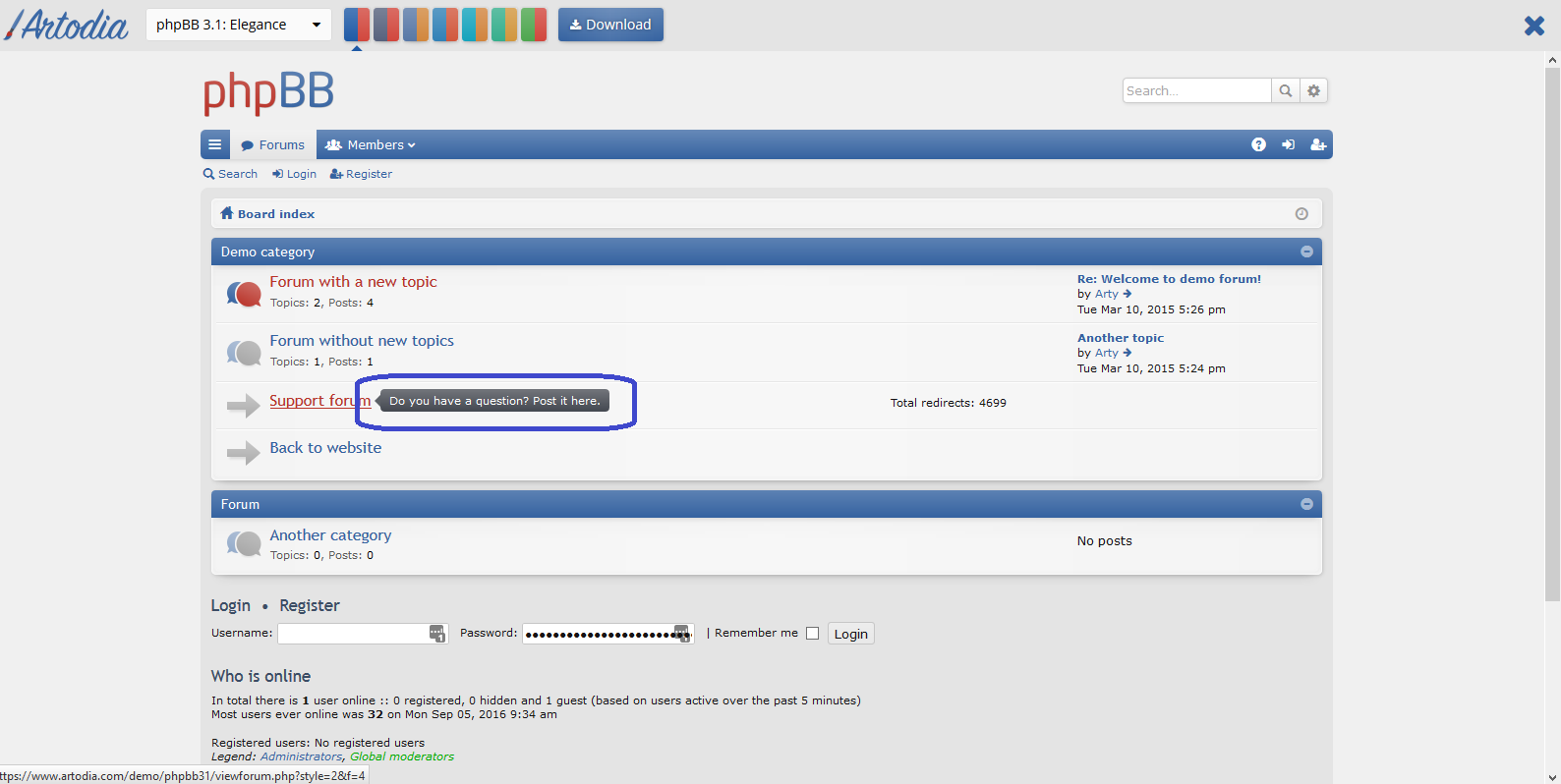
Is possible to incorporate a new feature that Arty (Artodia) has in his phpBB 3.1 themes. The description of each forum is not displayed but pops up in a message when you mouse over.
This feature makes it possible to let your forum look compacter.
http://www.imgdumper.nl/uploads9/580a136bc53c7/580a136bb752c-Arty_Elegance.pngHello,
Thank you for your kind words! Yes, the feature can be implemented in Quarto theme as a custom modification. If you need our assistance you can contact us directly via our profile page.
Hi – I dont mind renewing as this is an AWESOME theme! however question… It seems that the BOARD RULES extension does not work with this theme. I did a check and the author of the Board Rules an official extension supported by PHPBB has to say this….
[Help] It Works In Prosilver, But Not My Custom Style Issue 1: The extension does not appear when using a custom 3rd party Style. However, when you view your board using Prosilver, the extension appears.
This is the result of a problem with the 3rd party style and you must notify the author of the style about such problems. Typically, this will happen because the style author failed to include the proper template events used by extensions. It may also happen if they neglected to set Prosilver (or subsilver2) as their style’s parent style. So the style’s author must update and correct their style.
—so can you fix this please? or let me know the ETA for the fix.
Many thanks and once again I LOVE this theme. Great work!!
Hello,
There’s a quick fix for it.
1. Find the directory named
allinside
/boardannouncements/styles2. Duplicate it and rename into
quarto_asphalt(or any other Quarto variation you’re using). 3. Purge the system cache via ACP – General tab – Purge the cache – Right now
The extension should work for you now!
Hi – sorry this did not work. i did it step by step. firstly you are talking about a extension called boardannouncements when i am having issue with boardrules extension. Still i did it with both (what you ay above) but no luck … the board rules never show up on top or while new registration. can you help?
Hello,
Sorry for the delay. I made a mistake. You need to duplicate
prosilverdirectory and then rename it into
quarto_asphaltor any other of your style name. In addition I had to purge the cache. After that I got the extension working with Quarto – http://i.imgur.com/Ir4neFc.png
And sure you may want to edit the icon to match the style.
wow! thanks man. this worked like a charm :))) can you tell me how to add custom icon in this theme? specifically near the new link of RULES that appears on top menu bar? thanks again!!
Hello,
Please contact us via our profile page, I’ll send you instructions