737 comments found.

Hi,
Any plans for adding more header styles, like center logo and menu in the bottom, stuff like that? For me this is the best theme and is the only thing really missing.
Hi there,
Thanks for the kind words. We are working on the final touches of our new theme that will have several different header presets that you may find interesting. Stand by for updates! 
I noticed the update version 1.90, but the changelog hasn’t been updatet yet on http://blueowlcreative.com/docs/fortuna/#extra3 Can you please take care of that, so I can update the theme on the websites of my cients?
Sure thing, check it out now!
Are you planning update? Last update in January. :/
Hi there,
Sure we are, pretty soon too!
Hi! How could we remove the character ”%” in the Circle Counter? Thank you so much!
Hi there,
Try this:
.counter_percent_sign.shown, .counter_percent_sign {
    display: none!important;
}Is there any way to remove the “all” category from the portfolio? Thanks.
Hi there,
Are you speaking of the portfolio grid element or the portfolio template with the drop down filter?
Good day the data import is not bringing the pages services etc please help me as fast as possible
And it is not my server that has little space ok the file that is in the folder is from 2016 different than di in the documentation …
Solved I already managed
Ok great!
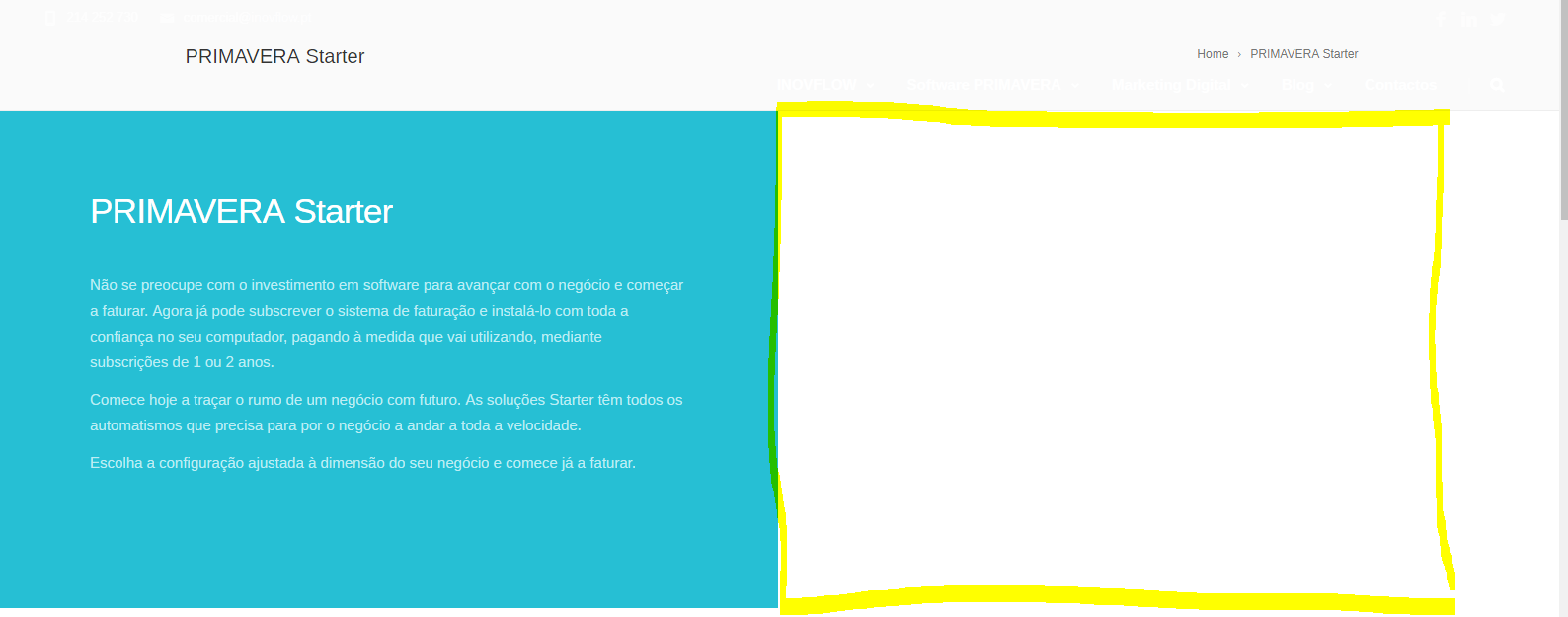
Hi there, i want to put a video that fits all the 2 column as i show you. How can i do that? I dont want any padding and i don’t want to put the video as a background of the row. https://www.inovflow.pt/site/wp-content/uploads/2017/08/video.png
How about you set it as a background of the column??
I’ve already do that and it appears all white
Hi again,
We’ll need URL + user/pass to test things out. Please write to us with those using our profile page contact form.
Hi, Do you have a date to release new version? Both Slider Revolution and Visual Composer are out of date and it is a bit slow. Thanks.
Hi there,
You can download both at our support forum: http://blueowlcreative.com/support_wp/forums/topic/theme-updates-updating-your-theme-to-the-latest-version/page/2/Hello Author theme is consuming too many resources on the shared godaddy linux hosting which i am using any solutions for the same ? I am assuming this is because of all the processes which are running continuously on theme .Any way to manage it.
Hi there,
Sure, you could optimize your website as shown here to : http://blueowlcreative.com/docs/fortuna/#extra2Why is “Visual Composer” & “Parallax & Video Backgrounds for Visual Composer” not getting updated automatically? This has to get updated automatically as they are customized to work with your theme. Please update this on priority and release the udpated version of the theme.
Th default templates created by Grid Builder in Visual Composer is not showing in the Post Grid component while your theme is activated, why is it broken?
Ref: https://www.design33.net/blog/how-to-visual-composers-grid-custom-query
Hi there,
It’s not broken, just hidden. To show the VC core Post Grid component comment out this line in your \fortuna\includes\shortcodes\vc_shortcodes.php file:
vc_remove_element(‘vc_posts_grid’);
I have commented it out, and still shows only your Post Grid.
Actually I wanted to add adsense Ads between every 3 blog grids. If to use your blog grid element, in which file and after what code should I place this adsense code?
See the screenshot below: http://i.imgur.com/5GgP7Qa.jpg
Hi again,
Can’t access your link. You could then try to comment out any of these:
vc_remove_element(‘vc_basic_grid’); vc_remove_element(‘vc_media_grid’); vc_remove_element(‘vc_masonry_grid’);
As for what you are trying to achieve, not really sure, it’s a customization that will require some coding to show the adsense at every 3 elements so it’s a feature that is beyond our theme support. The file to modify is \fortuna\includes\shortcodes\vc\boc_post_grid.php
Your suggestion still did not work. Sending link again: http://imgur.com/a/irKOU
I updatet to VC 5.2 and now I got an Error 500…
Shouldn’t be the case really… maybe it didn’t update all the way or something? The theme was tested with it and no issues were found so far.
Is it possible to import only pages without change theme settings? I removed some pages I want them back
You could import the whole demo on a localhost then manually import only some of the pages (by copy/pasting the content).
Hello – I’ve been having an issue with a child theme. Getting the following message 50% of the time when I click on a link in the dashboard.: Notice: Trying to get property of non-object in /home/yourmortgageftp/yourapprovedmortgage.ca/wp-content/themes/fortuna/includes/boc_framework.php on line 222 . Hopefully this is an easy fix.
Hi there,
First off this is a notice, not an error and you should have your notices switched off on your production server as you don’t want any warnings or notices to show in the front end.
Does this happen only when using a child theme? Have you also modified your \fortuna\includes\boc_framework.php file in any way? What is it that you have on that line?
I moved a copy of the file to an includes folder to match the main parent theme. Notice went away. I’d get the notice on a 404 page. Maybe my child theme is not setup correctly.
ok great!
Hi,
how can I change font color and social icons color for the subheader only? I’d like to switch from the default white to black.
Hi there,
It’s white where? On a transparent header page? May I see your URL please?
Page design is almost impossible. Visual composer is running very slowly. And no frontend editor, unfortunately
Hi there,
You can switch on your Front end editor easily, simply remove or comment our this line in your functions.php:
vc_disable_frontend();
As for the speed of Visual composer, you could try a different computer or maybe hosting provider if you want to improve it. It’s an external plugin and we cannot really do much about its functionality. If you are using the Parallax and Video backgrounds plugin you can try to disable that too as it’s a bit heavy.
And I forfot, I want to disable the scroll effect. I think this is the reason why I can’t zoom/dezoom with control + mouse wheel on chrome Can you explain when I have to change that please?
Hi there, you mean the smooth scroll?
There’s an option for it in your theme options!
My bad, I didn’t see! Thanks
Do you know if it’s possible to get a pagination or infinite scroll for the blog default template? Url: https://goo.gl/3ZRWXR
Hi again,
No such feature out of the box is available.
It could be a very good feature cause the page template is great
Hello, I need to activate Slider Revolution and Visual Composer. Where can I get the licence key?
Hi there,
As they are part of theme you don’t get individual licenses for them, you can fully use them without one though as you are under the extended license of the theme.
But when I want update one of this plugins, I need to link to themeforest (api), and it said “No licence found” and I can’t update boths…
You get the updates from our support forum! 
But I can’t update and I can’t get the premium templates: http://i.imgur.com/7a6JEeD.png
If you want to use the extended features of the plugin like downloading the premium templates you would have to purchase a single license for the plugin… Unfortunately they limited them like that.
I bought this template cause it was written : “Slider Revolution Premium WordPress Slider Plugin Included ($19 Value)” ( http://i.imgur.com/nPdX40t.png ) But it’s only a free version without licence?
Hi there,
Sure, the way this works is as follows – we as a theme author buy an extended license for the plugin that way all users of the theme can freely use the plugin along with it. It’s the same with all themes out there, no one can provide you with a single license just for you as a theme author. This is the way the Envato licensing works, it’s not something that we as theme authors decide. We would appreciate if you revised your rating, please.
Idk how to add another star I’m still disapointed cause I can’t use templates, but i’m ok to add another star. Your theme is great, but you should include templates for the visual editor
Hi again,
You surely can use the default VC templates functionality!
You can save existing pages as templates or separate rows as templates as well so you can reuse your content easily!
The templates icon is next to the big PLUS icon that is used for adding elements to a page. You also have the option of saving a row as a template when editing a row in the top right corner!
You can update your rating by clicking on the stars again in your downloads section, cheers!
Ok thanks
It’s done
Do you know why editing a page is very slow with visual composer? When I save something, I can’t click for 5-6 seconds
My computer is good, and my wifi too
Hi again,
VC can generally be slow at times… you can deactivate the Parallax and video backgrounds plugin if you are not using it as it’s adding up to the clutter with its code. What hosting provider are you using?
I use OVH as shared server
Do you have a way to get the filter nav from the portfolio, working the same way on the post grid (with post categories as the filters)? http://blueowlcreative.com/wp/fortuna/portfolio-grid/
Hi,
No, not out of the box.
Pagination on post grid was requested 2 years ago. this is a much needed feature for blog layouts
I can create custom post types no problem. but how would i go about creating a new custom post type that still has access to the visual composer?
Hi there,
You would register your new custom post type the way you normally do, then simply add your custom post type to the list of post types VC should be user for here in your functions.php:
vc_set_default_editor_post_types(array('page', 'portfolio'));
thanks, there is also an option for this in visual composer settings i forgot about
Ah, yes, you are right!
Hello,
i get 2 js errors when i add these external scripts to the footer
<!- Ontraport Form Scripts ->
<script type=”text/javascript” src=”https://forms.ontraport.com/v2.4/include/formEditor/genjs-v3.php?html=false&uid=p2c1914f202”></script>
<script type=”text/javascript ” src=”https://forms.ontraport.com/v2.4/include/formEditor/genjs-v3.php?html=false&uid=p2c1914f256 ”></script>
<script type=”text/javascript ” src=”https://forms.ontraport.com/v2.4/include/formEditor/genjs-v3.php?html=false&uid=p2c1914f236 ”></script>
<script type=”text/javascript ” src=”https://forms.ontraport.com/v2.4/include/formEditor/genjs-v3.php?html=false&uid=p2c1914f258 ”></script>
i get 2 errors for Uncaught TypeError: jQuery(...).boc_doesExist is not a function
first error is on line 707 which is if(jQuery(’#footer .section’).boc_doesExist()){ and also
and the second error is on line 1129 which is if(jQuery(’#particles_animation’).boc_doesExist()) {
cheers
Hi there,
Must be a conflict of some sort with another script… May I see your URL please?
yes it conflicts with the scripts above. can you please try them on a test version of fortuna? copy them into the footer. my site is still in a local dev.
What are those scripts and why would I want to include them?
the scripts are for external webforms, and you want to include them as to test the conflict, it will save me from uploading my site to a test server.
i uploaded it. heres the url http://preparetolaunch.com.au/avic/ as soon as i add these scripts to the footer i get the confiict errors….Uncaught TypeError: jQuery(...).boc_doesExist is not a function at common.js?ver=4.8:700 at o (libs.min.js?ver=4.8:5) (anonymous) @ common.js?ver=4.8:700 o @ libs.min.js?ver=4.8:5 common.js?ver=4.8:1008 Uncaught TypeError: jQuery(...).boc_doesExist is not a function at pushHeaderAdminBar (common.js?ver=4.8:1008) at common.js?ver=4.8:915 at o (libs.min.js?ver=4.8:5) pushHeaderAdminBar @ common.js?ver=4.8:1008 (anonymous) @ common.js?ver=4.8:915 o @ libs.min.js?ver=4.8:5 common.js?ver=4.8:1008 Uncaught TypeError: jQuery(...).boc_doesExist is not a function at pushHeaderAdminBar (common.js?ver=4.8:1008) at common.js?ver=4.8:993 at dispatch (jquery.js?ver=1.12.4:3) at r.handle (jquery.js?ver=1.12.4:3) pushHeaderAdminBar @ common.js?ver=4.8:1008 (anonymous) @ common.js?ver=4.8:993 dispatch @ jquery.js?ver=1.12.4:3 r.handle @ jquery.js?ver=1.12.4:3 common.js?ver=4.8:948 Uncaught TypeError: $(...).parents(...).boc_doesExist is not a function at HTMLDivElement.<anonymous> (common.js?ver=4.8:948) at Function.each (jquery.min.js:2) at init.each (jquery.min.js:2) at HTMLDocument.<anonymous> (common.js?ver=4.8:945) at k (jquery.min.js:2) at Object.fireWith [as resolveWith] (jquery.min.js:2) at ready (jquery.min.js:2)
Hi again,
I would start from the top errors you get. Failed to load resource: net::ERR_BLOCKED_BY_CLIENT ad_status.js Failed to load resource: net::ERR_BLOCKED_BY_CLIENT livereload.js Failed to load resource: net::ERR_CONNECTION_REFUSED
Eliminate them one by one to find which one is causing it. It’s obviously one of your scripts that’s causing the page to break and the boc_doesExist function error is just a result of that…
thanks