978 comments found.

URGENT, I JUST BOUGHT THIS THEME, AND WHEN I WANT TO INSTAL IT, IT SAY MY LINK HAS EXPIRED, WHAT TO DO?
and, 1)may i ask, is this theme compatible with buddypress? 2)how can i create account for customer, means they need to login first then they can view the website.
Hi, Please check problem with Max time out in your host.
1: We don’t check Buddypress never
2: You can use extra plugin for this. Thank you!
Hi please help,
1)My map it say his map cannot load map correctly, but the latitude and longitude is correct , and it also has like watermark, ” for development purpose only” ,
2) on the theme forest it says this theme compatible with plugin Elementor,but when i install it, it cannot function correctly,
3) How to change logo hexagon to my logo, i have change it on general setting but nothing happen
4) how to make the header sticky on the top when i scroll up , currently by default it disappear
5) is there demo for gallery, or how to make media gallery, it will show collection of event picture.
Tq
Hi,
1: Please insert Map key in Theme Options.
2: Please send your wordpress admin account. I will check help you.
3: Please note you have to you choose Logo option with Image
4: Please check in Theme Option.
5: You can use extra plugin for this
Thank you!
1.There are default map key , do i need to create new one and replace it, 2)how to send the admin to you? 3) how to change background colour , by default its like light grey colour,?
thank you
Hi, 1: You have to register Map key with google and use it.
2: Please send to email: jakjim@gmail.com
3: You can change in Row settings >> Design Option tabs
Thank you!
Hi, is the theme compatible with PHP 7.2?
Thank you for your answer.
Best regards, developics
Hi, It is working with PHP 7.1. We will check with PHP 7.2 soon. Thank you!
Thanks. When approximately can we expect about the update for PHP 7.2?
Yes. Our demo is working in PHP 7.2.3
Thank you!
How can I take a backup of my site?Is there a free plugin available?
Hi, You can use Duplicator Plugin. Thank you!
Hi again, I have a problem with comment section.
1. The problem is when you type something the color is WHITE. So you can`t see anything! If you change the color of the text with CSS, it also changes the color of the button “SUBMIT”
I used this code: .comment-form input, .comment-form textarea { color: black; } How to fix this ?
2. I can`t translate the button “SUMBIT” from comment section. I tried everything with my knowledge with WPML plugin. Any help will be welcome? I found another way, but I do not know how right it is. I deleted this line: ‘label_submit’ => ‘Submit’, from comment.php and then the translation appeared. Ofcource I translated all other strings “SUBMIT” in WPML. Is it Ok or there is another solution?
3. When I Submit a Comment, I can see there is a new comment in WORDPRESS dashboard, but I can`t see and manage the text or approve, delete. Check the image: https://ibb.co/hPwb5A
I figured out why this is going in question № 3. So, I am waitng for answers № 1 and 2
Тhank you!
Hi, 1: You can use CSS for Submit button like
input.form-button-submit{ background: #000; color: #fff; }
2: You can change code from
‘label_submit’ => ‘Submit’,
to
‘label_submit’ => __( ‘Submit’, TEXT_DOMAIN ). Then you can use WPML to translate it. We will update this in next version.
Thank you!
Hi, Thank you for your help. For the 1st question your code didn`t work. I found the solution. I used this: .comment-form textarea, .comment-form input {color: black;}
.comment-form input[type=”submit”]{color: white;}
This is useful for other customer. Thank you so much!
Hello. The code .banner-wrap ,goto-register-new{ display: none; }. is still not working. It removes the entire banner from the main page. www.pacis2020.org for your reference.
answered on email
My site is taking too long to load. What can I do?
Please use some cache plugin, optimize images and it should improve speed
I want to change the rollover color from white to something else when the mouse is rolled over speaker name. Please send me the css code. http://www.pacis2020.org/program-committee-2/ for your reference
Please use following CSS
.speakers-name a:hover {color:#xxxxxx !important;}
You can add color code
How can I change the font color of the speaker title and institute on this page http://www.pacis2020.org/program-committee-2/
.speakers-name > a{
color: #000!important;
}
.speakers-name .designation{
color: #000!important;
}
Thank you!
Thanks for the reply. Can I change it specifically for a page without effecting the main page?
. speaker_specials .speakers-name > a{
color: #000!important;
}
. speaker_specials .speakers-name .designation{
color: #000!important;
}
Thank you!
Thanks for the reply. Kindly tell me where I can add the class for Row setting?
Hi, Please check here: http://prntscr.com/lh6ozk Thank you!
Hello. Can I have different menu for mobile and desktop version?
No it isn’t. Thank you!
Hi, How to translate Days, Hours, Minutes, Seconds in CountDown and Custom Text in Footer with WPML Plugin? Thank you!
Hi, You can translate Countdown Settings in Redux with WPML. Thank you!
Hi, First I didn`t find the strings in String Translation. I tried several times. So I asked this question. Аfterthat I found them in WPML » String Translation » Translate texts in admin screens » theme options. To the others who have this problem: You have to choose the strings from WPML » String Translation » Translate texts in admin screens » theme options that you want to translate and click Apply. Then you will be able to translate them through String Translations. Another useful thing is that you can also choose the body, slider and heading font strings from themе options and use other fonts by changing them in String Translations for another language
Thank you!
Hello. I want to remove the Register button from the main page banner. Can anyone guide me on how to do it. I am unable to find any option from the settings of the banner.
Hi, Please empty Button and Button text field in backend Slideshow. Thank you!
Hello How can I do the following: 1- Remove Register button from the banner 2 -Add another tagline to the banner 3- Change the background to plain white on the homepage 4- Increase the menu font size please help
Hi: 1,2,3: You can read in the documentation: http://demo.ovathemes.com/documentation/imevent/#slideshow
4: You can add bellow css to style.css file
.sf-menu.nav > li > a, .sf-menu a{ font-size: 15px; }
Thank you!
Hi, I have a problem with tweet button on thumbnail image. Check this page https://seemfcongress.com/first-international-medical-congress/ first image. Thank you!
Hi, This is problem css because you make slideshow with low height so you can add bellow css to style.css file
#main-slider.owl-theme .owl-controls .owl-nav [class*=owl-]{
margin-top: 0;
}
Thank you!
Hi, Thanks for this, but i mean when you click on the image (created with thumbnail in WPBakery Page Builder), there are two buttons tweet and like, but the “tweet” button is not the same as “like” button. Click on any of these images on this page https://seemfcongress.com/general-information/#governing. . Check this image what i mean: https://ibb.co/mWUzJA
Hi, Please check surely you choosed popup image in setting. Thank you!
It does not matter if I have chosen a popup image or not. First link was with popup image. However i choosed a popup image on the first image. Any ideas?
You have to choose both: Thumbnail, Popup Image to display image when click thumbnail. Thank you!
I got this, but the problem is with the TWEET BUTTON. The TWEET BUTTON doesn`t look like fb button. Check this image: https://ibb.co/i6LNtA.
Here you can see the TWEET button of your demo how it should look https://ibb.co/i6R1mV
Hi, Do you install any plugin related to twitter ? because your code is not the same my code. Thank you!
Hi, I install some addons for wpbakery, but nothing related to twitter and they are unistalled now. Any ideas how to fix?
I am also getting message from Chrome – this page trying to load scripts from unauthenticated sources. Can you check this errors: https://imgur.com/Uy0iDGB I test a backup of the website on local computer and everything works well. So is it possible the problem comming with HTTPS?
I fixed the issue. You need to fix any “http” request on the next update! Here is what I do:
Remove the “http” from newhome.css on this two lines @import url(http://fonts.googleapis.com/css?family=Open+Sans:400,700,400italic); @import url(http://fonts.googleapis.com/css?family=Montserrat:400,700);
Lines looks like that @import url(//fonts.googleapis.com/css?family=Open+Sans:400,700,400italic); @import url(//fonts.googleapis.com/css?family=Montserrat:400,700);
Remove the “http” from jquery.prettyPhoto.js on this line http://platform.twitter.com/widgets.js -> //platform.twitter.com/widgets.js
Hi, Thank for your information. We will update this in next version. Thank you!
Hello, the schedule settings is not in theme options if i instal version 3.1.9. Where can i find it??
Hi, You can find it in Schedule Visual Composer Settings. Thank you!
Hi, how can I link the social network icons to my own social network?
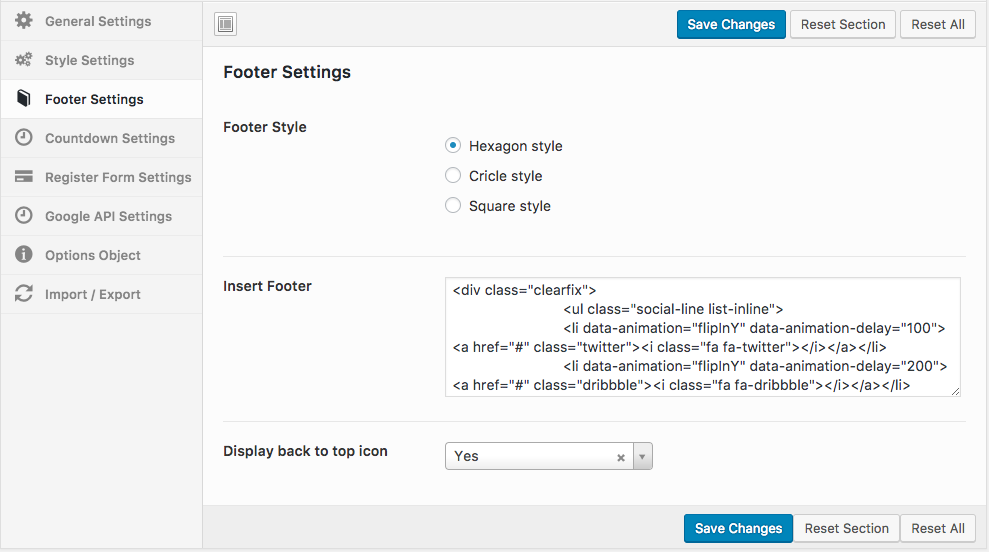
Hi, You can change link in Footer section: http://demo.ovathemes.com/documentation/imevent/assets/images/image_30.png
Thank you!
Is it for a single event or can manage multiple events?
Imevent is made for single event, If you are looking for a theme which can handle multiple events thn please check this
https://themeforest.net/item/event-management-wordpress-theme/13011506?s_rank=10Mmmm… but it does’nt have PayPal integration…
It’s using Woocommerce plugin and PayPal integration comes with it
Hi, How to slide latestblog news on homepage like EVENT SPONSORS?
Hi, The latest blog isn’t slide. Thank you!
Thank you for you responding! I have more questions for you: 1. When i open any speaker page or post, the header is hidding information from the speaker page or post. Check here: https://seemfcongress.com/speaker/dr-andrey-kehayov/ Any ideas how to fix this? 2. Is it possible to link to custom created page when you click on speaker picture? 3. Is it possible to rename “speaker” or hide from the link 4. Is it possible to add slideshow on posts and speaker pages before any information like this page – https://seemfcongress.com/general-information/ Thank you!
Hi, 1: You can make margin top in Row setting of Visual Composer or add bellow css to style.css file of child theme
.page-section.with-sidebar {
padding-top: 270px;
}
2: No It isn’t
3: No It isn’t
4: Currently the theme doesn’t support this. We will consider to update it
Thank you!
Hi, I have two problems. Please help 1. I need to update WPBakery Page Builder “You have version 5.4.7 installed. Update to 5.5.4.”
2. Speaker section does not align evenly on homepage. Homepage speaker section show three speaker correctly, than shows other speakers to be fragments horizontally. It seems to be fragmented after inputting three speakers to the speaker section. I tried to adjust speaker settings ( style, column and order).Please help
Hi,
1: You can send a message to email: jakjim@gmail.com we will send plugin for you or wait we update
2: Please surely you don’t insert html tag in editor. You can send your wordpress admin account. we will check help you. Thank you!
The company I am working for purchased this theme and asked me to use it. I’ve set up event groups, but the event groups seem to only support a single group at a time, and don’t look to have any filters that can be set. Am I missing this altogether, or can the events actually be filtered by event groups? Seems as an event manager that would be a pretty standard and necessary feature.
Hi, I don’t really understand you mean. The theme build for Single Event. We are use Shortcode to make page content. Support Schedule Post Type. You can read more here: http://demo.ovathemes.com/documentation/imevent/
Thank you!
Hi, Purchased, but it is not possible to make live preview or activate, showing error 500, and if you activate theme webpage stucked – error 500.
Any ideas what it could be? Wordpress 4.9.8
HI, Please send your wordpress admin account to email: jakjim@gmail.com, we will check help you. Thank you!