97 comments found.

Hi, the WP-bakery plugin on my site just wont update by clicking the update plugin button in wordpress, is there a manual workaround?
Hi, Yes, it should be manually updated.
When you need to update the bundled plugins to the latest version, you just need to Deactivate and Delete the existing plugin and then in your wp-admin panel you will see a notification to install the plugin which you recently removed/deleted. Install and activate that, you are done. The plugin is updated to it’s latest version.
Thanks, Fluent-Themes
This doesn’t work. It still re-installs the old version. And when I try to do this by validating my theme to obtain the latest version, that doesn’t install either. It says the destination folder already exists. This is after I have deactivated and deleted WPBakery
I have just successfully installed the theme but it immediately sent my website into crisis. My site is said to be experiencing technical difficulties. This is immediately after activating the updated plugin.
Hi, Thanks for your replies.
The latest version of WPBakery plugin does not have any issue as far as we know, because we are using the latest version of that popular plugin and it is working absolutely fine.
To know exactly what went wrong there in your site, our support team needs your site’s credentials. Please renew your support license (your 6 months support period expired already) and contact the Support Team with your site’s credentials.
Regards, Fluent-Themes
How can recurring donations be setup? Please don’t tell me that my support is expired. The issue of “Causes category post showing all other category” got fixed 6 months since I first reported it (in March update)
Hi, Thanks for your comment.
We are not sure what you are pointing to by this “The issue of “Causes category post showing all other category” got fixed 6 months since I first reported it”.
However, please contact the Support Team with your item purchase code and site url; and they will get back to you within 24-48 hours.
Thank you, Fluent-Themes
Is recurring donation feature implemented in the theme? My site hosted in my local machine at he moment
In the footer of my theme I am getting a “Activate Your Theme” on the bottom left part of my footer, how do I get rid of it?
Hi, Please contact the support team with your item purchase code, and they will help you within 24 hours.
Regards, Fluent-Themes
I added WooCommerce and a simple product. How do I get the product page to work with Attributes? e.g. Size: Medium, Larger, or X-Large. Adding them to the product and selecting “Visible on the product page” does not work.
Hi, Thanks for your comment.
The product variations work well with Denorious theme, as you can see in our Live Preview. It will work for you as well, if you know how to add product variations in WooCommerce. There are lots of WooCommerce documentation article available in google. If you still fail, please contact the Support Team and they will get back to you within 24-48 hours.
Regards, Fluent-Themes
I know how to add product variations in WooCommerce, but the layout is not showing my product correctly. I have contacted you support team please advise.
Hi,
We think you got the required support you needed from the Support Team and all the issues you mentioned are solved  If you still have any questions, please do not hesitate to contact the Support Team again.
Thank you, Fluent-Themes
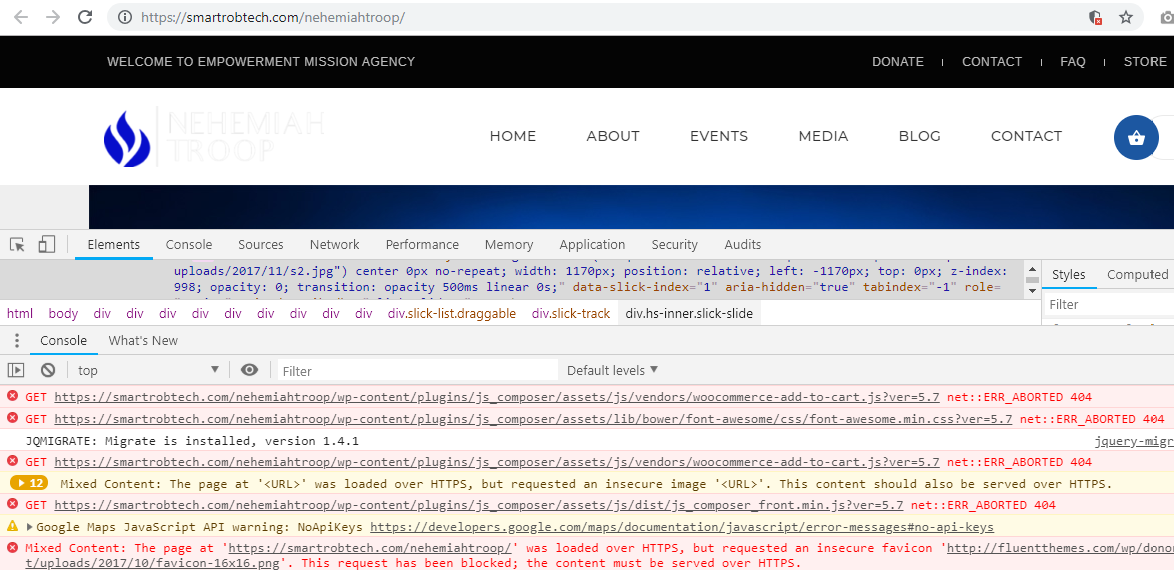
Hi. Your theme keeps reverting to box layout(https://smartrobtech.com/nehemiahtroop/). I have tried all the wpbakery row stretch sttings,but still the same. I think the problem is from the thme itself. Please help me look into it ASAP
Hi, Thanks for contacting the support team. The support team got your email and they will check and get back to you within 24 hours. In the mean time please make sure you have activated unedited/untouched WPBakery plugin in your WordPress. Now, it looks like your server is missing quite a few files of WPBakery (js_composer) plugin. Here you can see the screenshot of the missing files notice.
Regards, Fluent-Themes
hello how do i install demo content, i am trying to install the xml for politics in demo data folder and it is giving me a failed to import page
Hi, Thanks for your comments.
Looks like you haven’t installed and activated the required plugins yet. The Denorious Extensions plugin is one of the required plugins which needs to be installed.
Please contact the Support Team and provide your item purchase code to them, and they will help you on how to install and activate required plugins.
Regards, Fluent-Themes
how do i edit the master slider?
Hi, Please read the Documentation given with the theme purchase files. If still needs help, please contact the Support Team and provide your item purchase code to them, and they will provide you your required information.
Regards, Fluent-Themes
the theme is installed step by step according the documentation, successfully. the theme is on, but control panel doesn’t work. it took half a hour to upload a very small logo (some kilo byte) on C-Panel hosting… the rest doesn’t work.
Hi, Please contact the Support Team with your item purchase code and site url; and they will get back to you within 24-48 hours.
Thank you, Fluent-Themes
Hello
We would like to create a website which people can come, create a group for example to join a group of 8 people for a team on a bicycle race, send them the invitation, them this people can join the group, donate and join the event. Everything using Paypal. Is that possible with this theme / layout ? Thanks!
Hi, Please contact the Support Team, and they will get back to you within 24-48 hours.
Thank you, Fluent-Themes
Support team we need to buy before the template, no? Cant just answer this pre-sale question here? Thanks
Hi, No, you do not need to buy before contacting the Support Team. Your question is a technical one, and the support team knows best about the technical things of the theme. They are the experts. If you contact them, they will get back to you with answers within 24-48 hours.
Regards, Fluent-Themes
Where do I find documentation for this theme?
Hi, Thanks for contacting us.
We have put a ‘Documentation’ folder in your purchased file (Denorious – Nonprofit WP Theme.zip file). Extract the zip file and you will find ‘Documentation’ folder there. Open the ‘Documentation’ folder and you will find index.html file. Open that index.html file in a browser.
If you still facing problem finding the Documentation, please contact the Support Team with your item purchase code and they will get back to you within 24-48 hours.
Thank you, Fluent-Themes
How can I change the slug of custom post type causes ?
Hi, Please contact the Support Team with your item purchase code and they will get back to you within 24-48 hours.
Thank you, Fluent-Themes
how I choose the blog style ?
Hi, Thanks for reaching us.
You can choose Blog Templates from your Page Editor of your WordPress. In the right sidebar of the page editor, you should find “Page Attributes” drop-down. From there you can choose your Blog Templates. If you need more help to find this, please contact the support team, and they will provide you required screenshots to make things easier for you.
If you have any other questions, please contact the Support Team with your item purchase code.
Thank you, Fluent-Themes
I would like to use square for the donation part of this theme, however, I do not see where I can do that. I see that woocommerce uses it but the site isn’t setup to use woocommerce with the cause section. How can I get this to work?
Hi, You can use “Square” instead of “PayPal” for accepting payment with WooCommerce products, but the default Donation Form with Denorious theme is built for “PayPal” payment only. We mentioned about PayPal payment in the theme details page and also in our Live Preview you can see that the Donation Form is built for PayPal payment only.
If you have any other questions, please contact the Support Team with your item purchase code.
Thank you, Fluent-Themes
Thanks for the support perfect very helpful love the theme, glad we bought it happy new year !!
Hi,
No problem at all . This is our duty to help you.
We are glad to know you love the theme. Your positive comments will encourage us to do more good works.
Wishing you a very happy new year!
Best Regards,
Fluent-Themes
Hello, i just update the theme and I’m trying to update the plug-in, but the url lads me to an 404 site, I nee some help.
Hi, We checked the download link just now and the link is working perfectly. Would you please try changing the browser?
Regards, Fluent-Themes
Hi, i have tried installing the demo data 5 times now. every time the upload hangs and i get a black screen then i try uploading. some of the content is duplicated and some is missing. i have increased the pnp sizes and after 3 hours of trying to work it out im prepared to give you my cp login and wp login to see what you think the problem is ? i have 3 days to get this site up and running would appreciate a quick response thank you www.vafrica.org
Hi there,
Thanks for reaching us.
Generally it happens when your hosting server’s php.ini configuration is not setup correctly. Recommended PHP configuration:
max_execution_time: 120
memory_limit: 128M
post_max_size: 32M
upload_max_filesize: 32M
If you are still facing the issue, please contact the Support Team with your item purchase code.
Thank you,
Fluent-Themes
thank you for the fast response, will change and try again
no still did not work.. will raise a ticket
Hi, how can I change the font ?
Hi there, Different sections/pages/posts use different fonts in Denorious theme. If you contact the support team and inform them exactly which section’s font you want to change, they will be able to help you. Please contact the Support Team with your item purchase code.
Thank you, Fluent-Themes
Hi my theme home page show as boxed template. no any updated from your side . How to be solved link is http://savegodchildren.org
Hi there, Thanks for reaching us.
The sections/rows of your homepage is built with drag and drop WPBakery page builder, and the sections are not stretched to Full-Width. Here you can see how to make your sections/rows full width.
If you have any other questions, please contact the Support Team with your item purchase code.
Thank you, Fluent-Themes
updated your theme as was requested in Admin and it screwed up the FT Feature Box section. Please answer my support email asap. Thanks.
Hi there, Thanks for reaching us.
The support team got your email and replied you already. Please check your inbox. And, please inform us if you are still facing any issues. We are more than happy to help you.
Regards, Fluent-Themes
The issue has been rectified. Thank you.
PRESEALE?
If I purchase this theme, develop it on my server for later transfer to the site the theme will actually be on, do I first put the license code in on my server, develop it, then to transfer do I deactivate the theme on my server FIRST before transferring it, or would I deactivate theme on my server AFTER performing the transfer?
I saw a similar question above but was confused as to the steps required to develop on one site and then transfer to another. I understand the concept and have no problem keeping site license’s to a singular purchase, I simply need to understand the proper steps. If I need to deactivate a license before transferring the license / theme to a new server, will the work, plugins etc remain intact? In other words, once the theme is deactivated, will I lose any work and it will transfer properly? Or do I keep it activated while transferring and then deactivate it?See what I’m asking?
BTW, loves this theme, great work
Hi, Thanks for your interest in Denorious theme.
We understand what you are asking. You can keep it activated while transferring and once the transfer is done then deactivate it from your test server.
Regards, Fluent-Themes
PERFECT !!! I will be buying it tomorrow after my friend approves, but is sure she’ll tell me to get it
One more thing, she wants know can the site logo be bigger
I bought it anyway, I love it, if she doesn’t like it, I’ll use it on one of my sites. Looks very customizable, doesn’t even need to be used for a Charity of one has other ideas.
Hi, Thanks for being with us.
If you face any issue, please do not hesitate to contact the Support Team, they will help you within 24 hours. Cheers
Regards, Fluent-Themes
Sent you a support message about homepages 6 and 4
After further review, none of the imported home pages in my wordpress match any of the homepage demos on your site and also not sure exactly which footer widgets you are using as they do not import either. I am not complaining, I am simply confused. I am going to clone page 5 in my wordpress (which is the one I like on your site but does not look anything like my imported HomePage5) and attempt to reproduce it to look like the one on your demo page I guess. Other than this, so far so good. Meh, just realized it is not your Demo Page 5 I like, it’s the one I actually have after importing named Homepage 5. LOL Told ya I was confused, I’ll see if I can add the footer widgets like the demos.
Hi there, Thanks for reaching us again.
Looks like you did not install the required plugins before importing the demo. Please make sure “The Denorious Extensions” plugin and the “WPBakery” plugin is installed and activated in your WordPress.
Since you contacted the support team, so the support team will get back to you within 24 hours with more details.
Regards, Fluent-Themes
Yes, I did install them first. I read the documentation first and followed all the instructions. But we all know things do not always go as supposed to with Wordpress, so I’ll start it all a new and see what happens. Thanks. One more quick thing while I have you on the phone so to speak, it’s just a quick question, can I add a video to the homepage slider. I only saw a place to add an image url in the FT Master Slider. I did indeed fix the footer manually, it was a snap.
I had already used the license key to download the updated plugins, register the theme, install and activate the plugins and import the demo data as instructed in the documentation. Things apparently did not go as they were supposed to on an existing wordpress. So I am going to attempt a fresh database with a fresh wordpress install and re-install the theme to see if things work as they are supposed to. Where does one remove a license key? I installed the theme on an existing database and wants to -re install it on a fresh database, but does not want to lose the work on the old data base for the previous theme was used there. Would I just uninstall the theme?
Hi there, Thanks for your comments.
We think there are some 3rd party plugins in your WordPress which may create issues, OR you missed one or more steps written in the Documentation. We are thinking this way, because the other users of Denorious theme are not having the similar issues. To know exactly what went wrong there, we need your site url and wp-admin login details.
Please reply to the email the support team sent you. The support team will be able to help you to solve all sorts of issues you are having. Kindly send your site url and the wp-admin login credentials to the support team, and they will find out what went wrong there.
Best regards, Fluent-Themes
ok I will
Hi there,
We hope your questions are answered by the support team and the issues you were facing are solved. We love to hear what you think of our support team’s service. How would you rate the support you received from the support team?
Please do not hesitate to contact the support team again if you have any question or if you face any kind of issues with the theme.
Best Regards,
Fluent-Themes Team
Where and how can I change this post-type? denorious-programs
Hi there, Thanks for reaching us again.
As I informed you before, please contact the Support Team, and they will get back to you with the solution of your issues within 24-48 hours. Denorious theme is supported by the Support Team only (it is mentioned in the support page).
Best regards, Fluent-Themes