679 comments found.

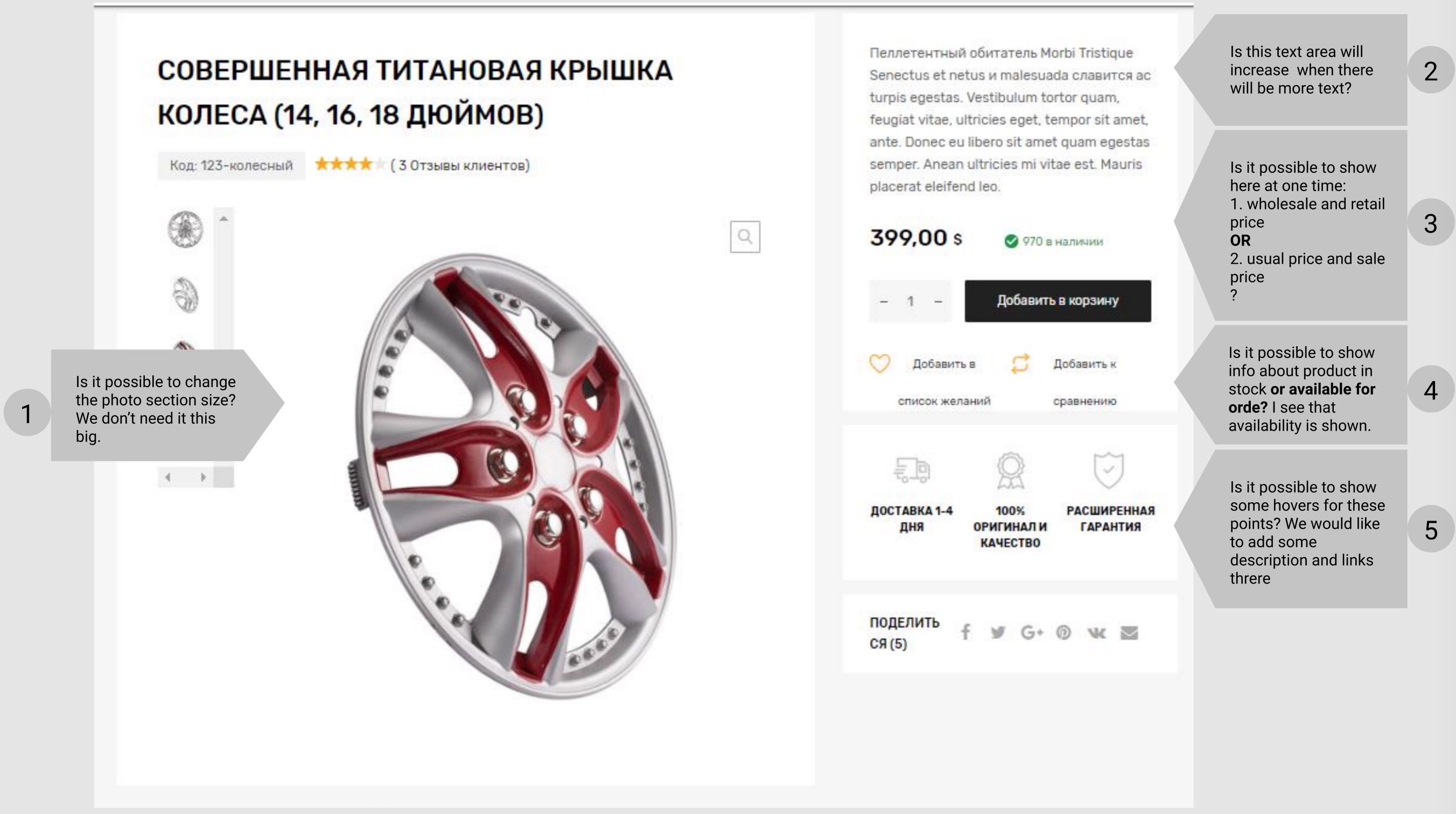
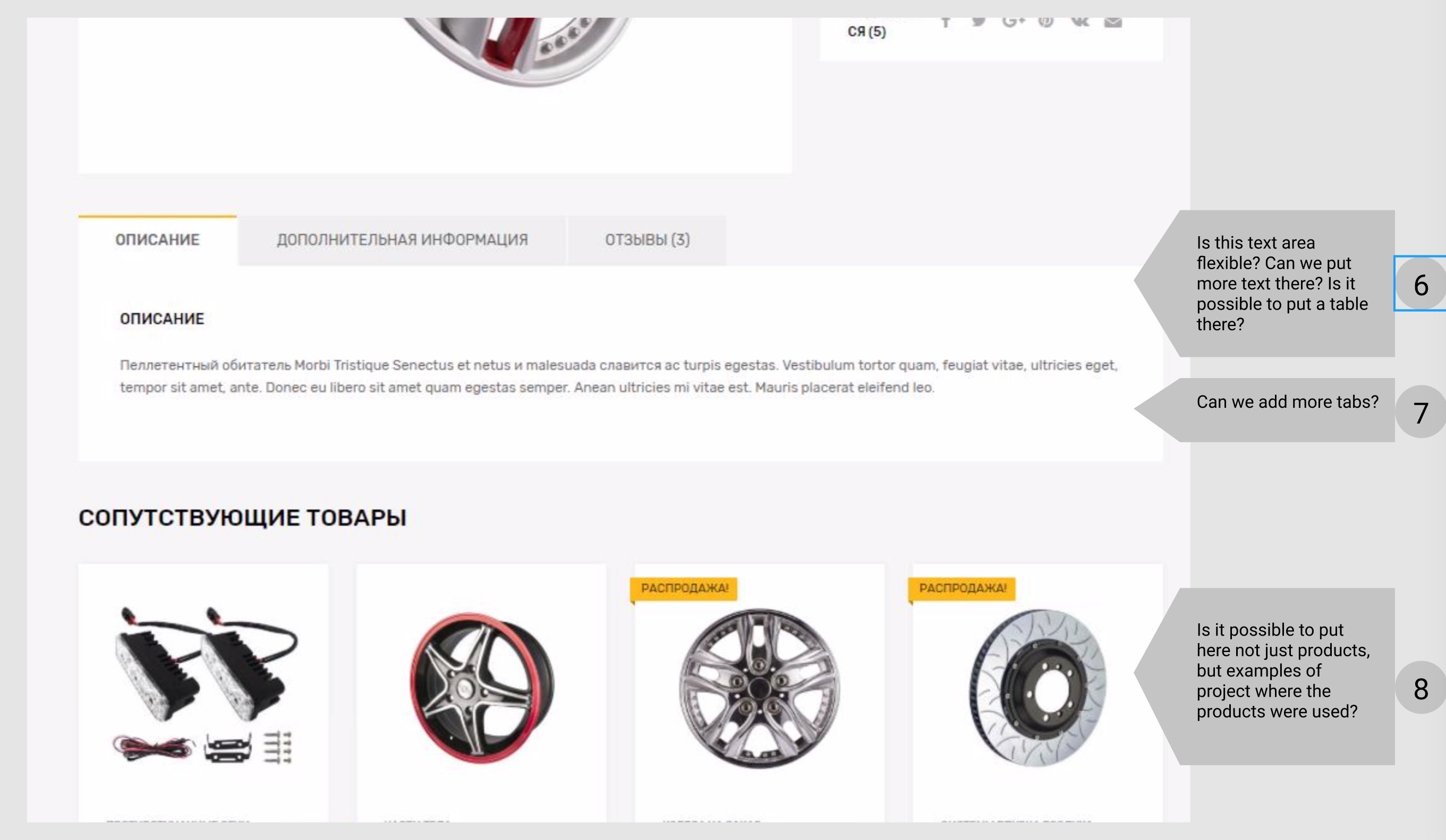
Hi! I want to buy the theme, but I need to understand some things about the product page. I put all my questions on these two screenshot: 1. https://i.gyazo.com/87d8b35cc92e0bd718f9c9eab4a635a4.jpg 2. https://i.gyazo.com/42d1a26f1e4da65f1df3a7aae293639f.jpg
Could you please help me? Thanks in advance
Hi! Please create a ticket at https://themeszone.freshdesk.com and provide your Envato purchase code in the ticket – I will be glad to answer your questions.
Hi Stephen, as I mentioned above: “I want to buy the theme”. This means that I haven’t bought it yet.
Does your message mean that you do not explain to me any details before I buy the theme?
Hi! Screenshots look like you are already using the theme, that’s why I thought you may have already purchased it. Please clarify this.
I will be glad to answer your questions: 1. Yes, it is possible to change the image thumbnails size 2. Yes, the text area will increase 3. There is no such function by default. You will need to find a plugin for this 4. Yes, you can show how many products are left in stock 5. No, there is no such options by default. But in theory it’s possible, of course. 6. Yes, it’s possible to put more text there. And yes, you can easily throw in an html table in there. 7. Yes, it’s possible to add more tabs by adding them in code or with a help of a plugin. 8. That is not possible by default. A custom solution could be created for that.
Please let me know if you have any additional questions, I’ll be glad to answer!
Hi Stephen.
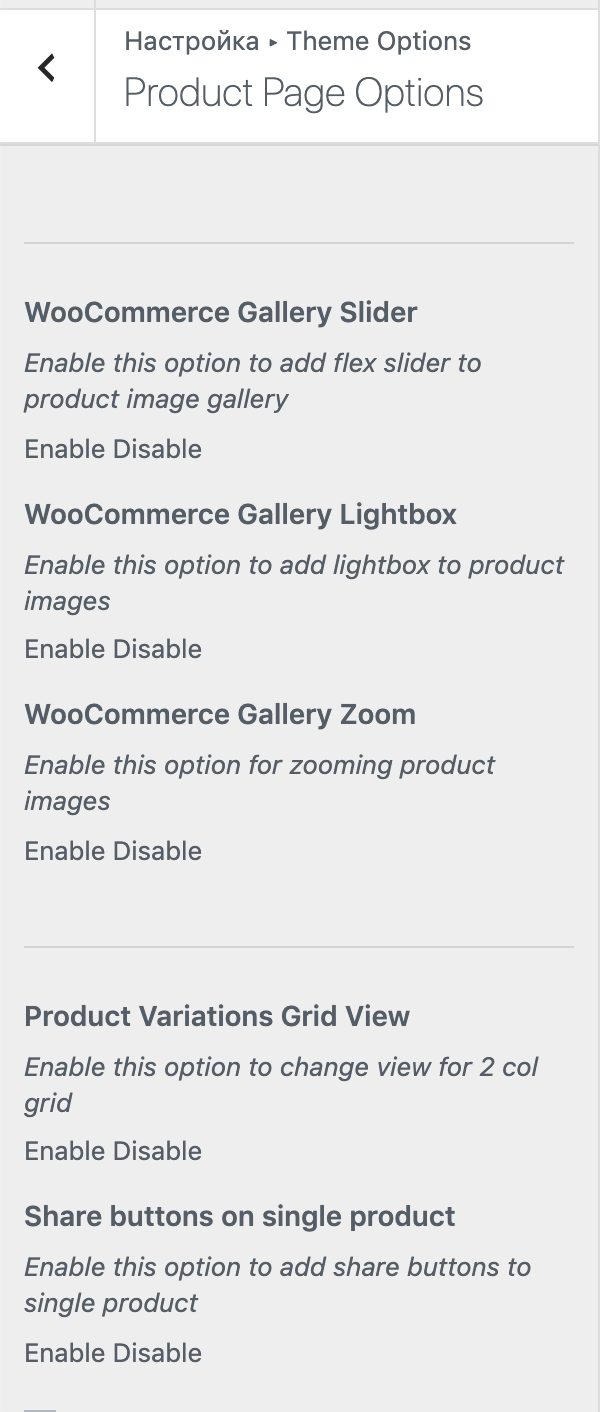
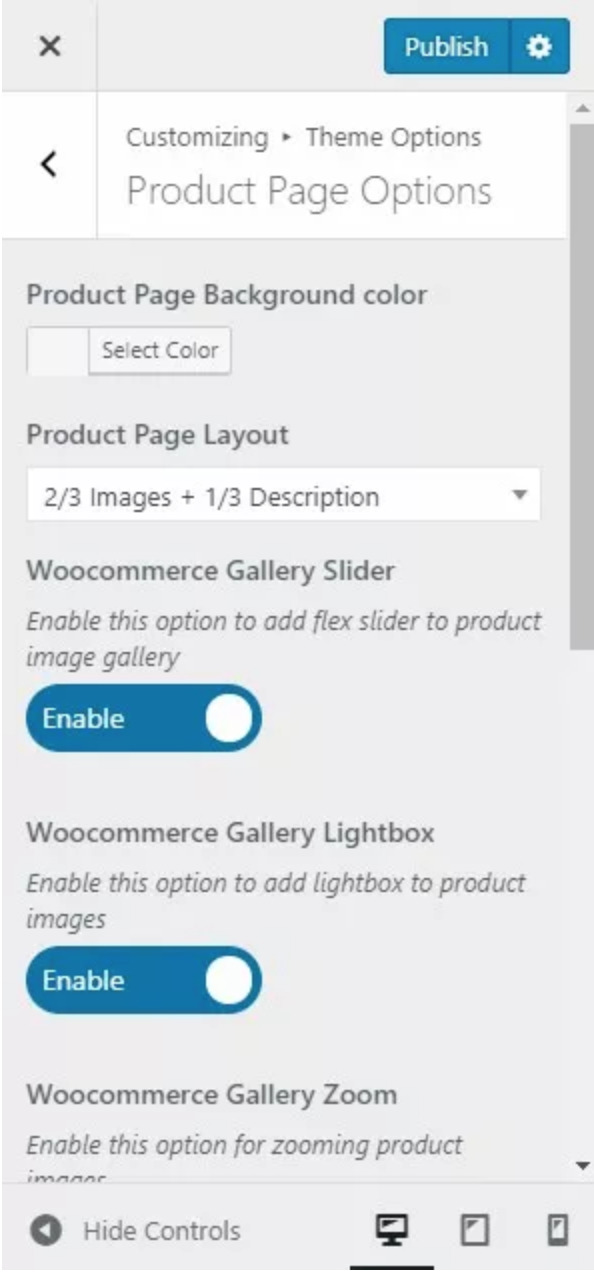
We bought the theme and we have some difficulties. The product gallery on the product page is not dynamic, the images are without hover-zooming effect.
Also, the settings in the actual wordpress build look like this: https://i.gyazo.com/6ba94befbd0a764095324e0bb6c76eed.png Meanwhile the settings in your theme manual look like this: https://i.gyazo.com/eb59b171382e241abd5539ae09c6f647.pngI guess this is the place where we need to set up the hover zoom effect but it doesn’t work for some reason.
Thanks in advance
Hi! Please create a ticket at https://themeszone.freshdesk.com and provide temporary wp-admin and FTP access to your site – I will investigate the problem for you. It looks like options are not fully loaded on your site for some reason.
Hi Guys, sent over a support ticket but no one came back, also be good if you can spell the tyres with a y instead of an i tires because I have to go looking and changing everywhere this word, it’s on all the demo data and search functions.
Hi! I apologize for making you wait. Usually we don’t work on Saturdays and Sundays. I’m traveling at the moment, so my ability to answer requests is limited. I’ll do my best to answer your ticket tomorrow, on Sunday, though. Please let me know the ticket #! Also, both tires and tyres is correct spelling as far as I know. I personally prefer the “Tires” spelling, since I used to live in the US and that’s how they spell it. But thank you for pointing out the problem. Let me know what I can help you with, I will do everything I can!
In your support documentation URL below, is there information on the search function widget, if it is not in here can you send me info on this thanks http://docs.themes.zone/chromium/doc.html
Ok, so I gather I contact you guys via support? to get the download link? WooCommerce Products Filter (WOOF)?
For the filter to work 2 plugins are necessary: the free WCK Custom Fields and Custom Post Types plugin and the paid WooCommerce Products Filter (WOOF) plugin, which you get for free in a bundle with the theme, and which should be downloaded separately.
After you contact our support and get a download link, you will download a zip archive which you need to unzip.
Yes, please create a ticket at https://themeszone.freshdesk.com to get the download link
Hello, I believe i am missing the WOOF Filter Plugin for the vehicle selection as it failed to correctly import demo 4 and the vehicle selector does not work.
Hi! Please create a ticket at https://themeszone.freshdesk.com – we’ll gladly send you the plugin
with the search filter can I add a 4th variable or its just set up with 3 filter search options? keen to buy so if you can clarify great!
Hi! Yes, you can add more levels of hierarchy there.
I’ve never used Elementor before. I am a Divi user. If I get this theme (my client liked this theme) is it easy to setup?
Hi! Yes, the theme is pretty easy to setup. We’ll also be glad to assist you in case of such need.
Hi! I responded to your ticket, please check your e-mail!
Thanks!
What the heck? I just tried to change colors on my menu bar using elementor, and now, after saving it. The premade template are mostly missing from your demo! Testimonials are missing, product categories and so on! This is very frustrating! What is going on with your theme?
I have updated my ticket there.
Hi! Thank you for creating a ticket, I’m investigating!
Hello,
Why I do not see any options to edit the header and footer? Unlike Avada, I can be able to manipulate or add things on header and footer? For example, I want to add a new column footer, or create new layout for the header.
Themedotzone, I’m looking for someone here that has experience with installing and setting up this theme. DM me any recommendations. If anyone is reading this DM me a price and link to your existing Chromium setup.
Hello, please contact our support at https://themeszone.freshdesk.com we will help you install it.
Install Filter Demo Data for Chromium Manually imported demo data #4 and discovered that there is no working filter on the front page help me please We have opened a support ticket #14692 But there is no response
Hi! Sorry for the delay in response, I’m a bit overwhelmed with tickets at the moment. I responded to your ticket, please check your e-mail.
what version is this?
are this theme compatible with woocommerce dynamic product pricing?
Hi! The latest version of the theme at the moment is 1.3. We haven’t done tests, but the theme should be compatible with plugins like dynamic pricing ones. I can provide you with a testing ground if you need.
Hello, guys. 10 days ago I requested the WOOF product filter plugin. I have it now (thanks again, guys), still couldn’t figure out how to achieve the filters you have in your demo CAR PORTAL.
Also, couldn’t find an example, or something to install to replicate what you have, since, after all what I need is a car filter like you have in your example.
Can you please point me what to do to replicate it (I know the documentation, but still, I would prefer a template or some copy-paste code for it).
Thank you!
HEB
Hi!
There isn’t really a copy-paste code. These are the two articles that contain all the necessary instructions.
This article is for automatic installation from scratch: https://themes.zone/docs/how-to-install-filter-demo-data-for-chromium/
And this one is for when you already installed the demo and see the shortcode instead of the filter on your home page: https://themes.zone/docs/how-to-install-filter-demo-data-for-chromium-manually/
Let me know if you have any difficulties with this, I’ll be glad to explain everything in as much detail as possible.
This is exactly what I was looking for. Once more, awesome, fast and accurate support! Thanks a million.
and do you have GTMetrix on the theme thanks
We don’t have GTMetrix on the theme, but you can analyze our demos if you’d like.
can the theme be in catalog mode without having to buy additional functions as I may just want the payment options not there
Yes, the theme has built in catalog mode
Hi, how much of the theme can I edit with Elementor?
Hi! In our theme page content is built with Elementor. Elementor pro will give you additional options, like using Elementor templates for single product page. By default, with Elementor free, you will be able to edit pages like home, contacts, about us etc.
Thanks can the header and footer be edited with Elementor? as this gives great control on mobile and tablet
No. We are releasing the new demo – tire shop, that should have Elementor-editable header and footer. Other demos don’t have Elementor-editable headers and footers.
can the theme header get replaced with an Elementor header template? In other words can Elementor over ride the theme header that would do.
Yeah, we are adding this feature in the next update
that’s encouraging
There is no one click demo import for http://chromium.themes.zone/tires/ ?
Hi! The demo import is going to be added in the upcoming update in a day or two.
hello, the basket on the mobile is on the menu. the basket needs to be on the left and the menu on the righ
Hi, I am working now to improve mobile usability of the theme will fix this as well, I am also adding header footer builder so you will be able to configure the header yourself
In Header, I want the logo of shopping cart to have a link in order to be clicked. How can I do it? It’s even possible? Do I need to use shortcodes? If yes, which one it is?
???
I’ve tried inside a HTML and TEXT widget the follow shortcodes, none of the worked: [tz-woo-cart], [tz-woo-cart-1],[tz_woo_cart], [tz_woo_cart_1], [tz-shopping-cart], [tz_shopping_cart]
Hi!
To be honest, I don’t know if this can be easily achieved. And that’s definitely beyond the scope of our support, since it’s modifying the theme beyond given functionality and tailoring the theme according to one’s needs.
But hey, create a ticket at https://themeszone.freshdesk.com – I’ll try to figure something out for you. And let me know more about what you are trying to achieve, because currently the mini-cart widget shows the contents on hover… and you want it to work differently?
I do want to have the hover effect, but for Click on Icon to go to the Cart. No need to wait for Hover.
I’ll see what I can do for free, and if I fail you can always escalate this to a paid customization so that our dev team could make a custom solution for you. Please create a ticket at https://themeszone.freshdesk.com to keep in touch.
Hello, I’ve just bought this theme and installed everything. Tried to import the “Car Portal” theme, however, it looks like WOOF plugin didn’t install. What I need to do ? This plugin is very important for our project.
Hi! That is absolutely correct. WOOF and Revolution Slider are not included in the theme package, you can request them by creating a ticket at https://themeszone.freshdesk.com and providing your Envato purchase code
Thank you for the fast response!  Already requested them, now waiting for them!
I already responded to your ticket with a download link.
Just received them! Thanks for the AWESOME SUPPORT!