7806 comments found.

How do Timezones work? I saw you’ve added a field for the Add Listing From, and it stores the timezone, but where does it show up? What does it change?
It mainly affects “Open Now/Closed” tag
As much as I love this theme, that’s a major shortcoming. People always get confused with timezones, having the do the math themselves asks for disaster. I’ve also noticed that time-slots can be booked even if they’re in the past (on the same day)... Please find a solution for this, it’s pretty vital functionality!
Not sure what you mean, this is if you have some kind of global directory, where for example one listing is in Sydney, another in New York. If you don’t find use for it then remove that field, then the default timezone set in your WordPress Settings will be used.
Yes it will be a global directory. Say the customer lives in LA and wants to book a time-slot in Paris. That’s 9 hours difference, most people won’t be able to figure this out unless the available time-slots are shown in / translated to the customers local time
So you book a time slot for example for 20th May for 12:00 in Paris, so you say this should show for user in LA that the time slots is at 03:00 at night? Unless it’s for some online services, it doesn’t make sense. And if it’s for online services, then I’m afraid we do not have such functionality and no option to add it.
Yes it’s for an online service. I think options are plenty. You’re already using moment.js, they have a timezone plugin. Just a matter of integrating it into the booking widget
Hello, Quick question: Why I can’t have different names on ‘listing titles’ for different listing types? For example: listing title for Services Type – Title1; listing title for Events Type – Title2 and so on.
Hi
to be honest I don’t understand what you are asking about. Can you clarify please?
Hi there! Just purchased the theme- very excited to use it!
I’m already running into an issue with the demo import. I have run the set up wizard (twice in fact) and the demo data is not importing.
I believe that the listings got imported, but quite frankly other than that I’m not sure that any of the demo import actually worked (widgets, pages, settings).
How can I get the demo to import?
If it makes a difference, there was an “ajax” error when the demo import was installing wpbakery. Is that something I should be concerned about? I would like this theme to work fully 
Please contact me via Support Tab with access to your wp-admin, I’ll verify if everything is set correctly. Regarding WPBakery the ajax error can be ignored, it’s because this plugin tries to force redirection to it’s own “welcome page”
Great, contacting you right now through that tab!
Hi,
As your guide i purchase Woocommerce Subscriptions for Recurring paymnet. We are using stripe paymnet gateway.
As Woocommerce document guide i see need to write some function for Recurring paymnet.
Q1) We need to write any function for Recurring paymnet.
Thanks!
Hi
There’s no need to write any function, all you need is to create a new product and set it’s type as Listing Package Subscription
is it possible on the taxonomy grid to have 10 items listed and then a load more? https://ontarioforus.ca
No we don’t have such feature
Thank you for the quick reply, possible to change the background just for this row? when doing it in page builder it is just for the container not full width, thank you in advance
You can always set background for any row in Page Builder?
A few questions:
I read in a recent comment that you are working on an update with fields editor for profile, registration form and booking form. When do you think this update will be released?
Is there a rewards plugin that you can recommend that works well with theme. One that rewards owners with points when the get bookings?
Also, whats the best way to update a theme that has been installed on my website when you have new updates on your end?
Hi
that’s strictly correlated with the amount of support request we receive 
I’m not aware of any reward plugin that would work with Listeo, haven’t tried any
http://www.docs.purethemes.net/listeo/knowledge-base/how-to-update-theme-and-plugins/Hi, is there an option to label the listing types on listing thumbnails? Much like a ‘featured listing’ label that highlight the type of listings – service, rental, bookings.
Thank you.
Hi
no, we don’t have such option
Thank you.
Changelog for 1.3.3?
just a hotfix for Owner widget and time slots issue
Amazing thank you Another quick question if possible. How can I remove some sort by options from the sort by dropdown menu. I have tried via CSS however they do not use unique classes that I can hide. I am wanting to disable as these are not used on my site. Screenshot attached showing what I do not need. https://imgur.com/a/j1Xkfuy Thank you.
Edit for that wp-content/plugins/listeo-core/templates/archive/top-buttons.php
How to change the width of the sign in pop in the child theme?
I’m trying to edit the sign in pop up width in the child theme, by editing the child theme style.css
I put in
#sign-in-dialog {
    max-width: 380px;
}
inside the style.css file.
However, this is not working. What can I do?
.sign-in-form .button {
    min-width: 280px;
}
but it doesn’t work.
Looks like Cloudflare was caching my .css file. I disabled Cloudflare and the styles updated correctly.
Ok, thanks for explaining. For future support related questions please use Support Tab
Child theme not working
I copied wp-content/plugins/listeo-core/templates/account/login-form.php and put it inside the child theme at wp-content/themes/listeo-child/account/login-form.php and then made some changes inside the file inside the child theme, but the changes are not being applied.
If I edit the file directly at wp-content/plugins/listeo-core/templates/account/login-form.php, the changes are applied.
How can I make the change work from the child theme?
I figured it out. I had to put the customized file in wp-content/themes/listeo-child/listeo-core/account/login-form.php
That’s explained here http://www.docs.purethemes.net/listeo/knowledge-base/customizing-templates/
For future support related questions please use Support Tab
Hi, what to do to display days that are not scheduled? Saturday and Sunday don’t show up.
https://prnt.sc/sinem7I believe it was fixed in latest 1.3.2
I updated my site more yet in mine it continues without the days that it does not have activities in the company. Any secondary way for me to resolve this?
Have you updated plugins? (Appearance -> Install plugins)
yes
Any way for me to edit a file to solve this? my current version is v.1.3.3
Contact me via Support Tab for this any any further support request please
Hi, i have problem with change text or translate first and second step in Add listing form. Third step can be translated in – listeo editor – add listing form. But first when you choose your package and second step choose your listing type i dont know edit text or translate? Where can i find it? These forms are editable or just for translate..and can i cancel first step in add listing ( i mean choose pacakage) if it possible or no..if yes just say the way where..thak you
Hi
those texts need to be translated here http://www.docs.purethemes.net/listeo/knowledge-base/theme-translation/
if you don’t want to use paid listings, go to Listeo Core -> Submit Listing -> and uncheck Paid Listings
Thank you..is it possible to reducuce choose listing type to only service and two others (rent, event) hide ? thank you
Yes, there’s option for that in Listeo Core -> Submit Listing
hi, is it possible to choose three different types of users on the registration page? And always on registration page, can i add custom field like “vat number”? thank you
We have two user roles currently, adding more would require simple modification. We’re working on update with field editor in registration / profile /booking form so you will be able to add custom fields soon
2. can admin create customer fields for guests to create a better profile with more information for the booked owner to view.
It would be great if the booked owner could view details about the guest who has booked the owner. (custom fields industry specific)
the guest could then save these details to his profile and these details could be used for future bookings.
basically a profile for guests with custom fields
can admin change the user type label
Hi
we’re working on an update with fields editor for profile, registration form and booking form, so this will be available to make it that way
the guests need profile page as well. where the owner can view information about the guest. it required for service bookings.
Would this guest/customer profile page with Custom fields be something you would consider adding to this theme.
It’s nice idea and we’ll consider it but our plate if full currently so not something that would be added anytime soon
Can We not sponsor the above mentioned development features which can be added to the theme for everyone’s benefit? There is no other theme that is offering functionality and design for Service bookings. I would strongly recommend focusing on service booking related functionality. A lot of the the demo listings users are creating are service related. Just a thought.
good day a few more questions and feature requests if not available yet.
Im still playing with the demo
1. can a user create a listing per month with min/max limit. i tried on the dem, but couldn’t figure it out.
min max limit of what?
to the amount of months that can be booked
like sunny apartment listing can be booked for more than one day. i tried creating a similar listing, but cant find the setting for multiple day booking?
so im asking if a listing can be booked for a month to month basis or up to two or three months for long term bookings.
can the admin hide the calendar and time slots on the booking form?
Can the admin use a different field (select field or text field) to create an option for the booking. eg. 1month 40$ 2months 80$ in the place of the calendar.
can adamin create multiple service, event and rental type booking. each service booking may may need different fields as not all services will be the same. the same for rentals. you may have day visitors, weekly, monthly or yearly for example. so can the rental option have multi booking field options.
sorry for all the question. ive been researching many booking themes and listeo is very close to offering what may other user have been looking for.
basically checking if there is an option to add multiple listing types?
There are 3 types of listings, date range picker is available on Rental types, you can set the range for couple months if you need but it’s generally for shorter periods
basically checking if there is an option to add multiple listing types?
Good day. I’m still waiting for a few responses to above questions.
Not without custom modification
Is this something you would consider implementing. This functionality would make you stand out from the other booking themes as know other theme is offering this functionality.
Not anytime soon, our TODO list is already for couple months work
Hi, when will you have this update for these features?
https://prnt.sc/sidc85Hi
iCal is already available, others will come but I can’t give you exact date
When will the full Elementor integration come? I’ll buy your theme right away.
We don’t have deadline for that, sorry.
A month, a year, no we haven’t even started… Can you be more specific?
“no we haven’t even started”
Hi, your theme is great! I would like to set the recent reviews on the top page, but I could only find the order by “Comment count” in Listing Carousel. How can I set the recent reviews on the top page?
Hi
thank you. We don’t have such option, it would require custom modification
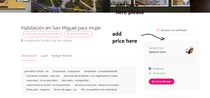
Hello, I would like to know if there is a way to show the reservation price in the widget of a listing, how can I do it? please help me (see image example) —-> http://imgfz.com/i/mFqGV4Y.png
Hi
there’s no easy way to to add it now because generally the booking price may vary by day, number of guests, extra services etc etc. But as it was requested recently we’ll add the price from price range settings somewhere in single listing in next update
On the Home Search Box, how can i change the text on the search button from “search” to something else like “Book Now”
Hi
check this method please http://www.docs.purethemes.net/listeo/knowledge-base/how-to-change-some-texts-words/