615 comments found.

how can I remove the animation (blank page) that is created once I press a button?
Hi,
Can I kindly ask to renew the support? Unfortunately it’s expired and you need to renew it get support.
Thank you!
Hello,
I have installed this theme and noticed there are some pages missing.
The Single Projects Pages are not on the theme package: Project Single 1 Project Single 2 Project Single 3
How do I get these?
Hi, they are under different name, you will find them into Admin > Portfolio  Thank you!
Hello, I found the projects page but I can’t edit or add features. I was wanting to have a collapse feature at the bottom with multiple options. It is not letting me add anything.
Hi, edit the template from Lists > Portfolio. To edit the single project click the LOCKER icon on right of Edit page, under the Composer area. Thank you!
Hi, there is still a API error, please check the console: https://schiocco.com/shared/2020-08-19_084322.jpg
We can not help you more about that but you can also insert the embed code of a standard Google map into the component CODE BLOCK.
Thank you!
Hi! 1. How can I reduce product title, it’s too big – http://baier.md/shop/алмазная-сверлильная-установка-baier-bdb-825-bst-200/ 2. How can I remove sidebar from single product page. I don’t need sidebar area. Thanks
Hi!
1. please use this CSS (you can insert it into the skin.css file into the theme folder, or go to Appearance > Theme option > Customizations > CSS, or go to Edit page > CSS on top right for apply it only on the single page).
h1.product_title.entry-title {font-size: 28px;}
2. On Edit item, on bottom right, set the sidebar to : None
Thank you!
thanks!
Hey, really love that theme! Great work! I´m just wondering where to get the settings or css for the slider transition effect in advanced image box section on the “home-industry” Page.
https://www.loom.com/share/5efd88b1ddd146f39fb626b1e0a6839cLooking forward for help
Kind regards yakob
Hi, Thank you! That slider settings are hard coded in lightwire\wp-content\plugins\hybrid-composer\custom\custom.js
You need to edit that file. You need to clear the browser cache to make the changes works.
Thank you!
Hi, how to activate main menu link on mobile menu? when I added sub menu, the main menu didn’t redirect to the said page, it only expand the sub menu. How to fix this? Thank you
Hi,
You can not maintain the link on parent menu items of subitems on mobile or the dropdown menu will never open. This is logically impossible. I advice you to remove the links on parent items or leave it and add it again into the dropdown menu as well. (almost all websites, including Envato, do the same).
Thank you!
I just purchased your theme and I’ve tried repeatedly to install it but I get errors every time. The support staff at GoDaddy says the file is corrupted. I’ve re-downloaded but still can’t get it installed.
You’re not able to install the theme, or the demo?
Hello, we trying to translate our page with Polylang Pro, but I am not sure is this template compatible with this template? We noticed that some features not working when we trying to translate it.
HI, I’m sorry but only WPML is fully compatible. Regards
We are loving the theme and everything is working great. I do have an odd question though the animation on the lightbox here http://preview.themeforest.net/item/lightwire-construction-and-industry/full_screen_preview/22836186?_ga=2.117901376.816878724.1596821356-80478803.1569361928 what are the settings?
Hi, Thank you! I think the link you shared it wrong, can you check? Thank you!
send it from here: http://themes.framework-y.com/lightwire/
Ok. The settings are part of the settings of the component that use it: Media Box, Image box, Slider. You will see the lightbox animation option there. Thank you!
I get all that how do you get the yellow border animation?
It is a CSS animation, you need to know the CSS language to use it. There is not a setting for that 
Hello Ive just set up the first website with your theme. I really like it but since this afternoon the implemented Social Media Button Icons are not loaded anymore. Do you know why ?
See in the footer: https://www.bss.net/neu/ and on all pages https://www.bss.net/neu/projects/kompaktbagger-sany-sy135c/ under the Contact / Ansprechpartner https://www.bss.net/neu/kontakt/Hi, the plugin Float Menu is in conflict (https://www.bss.net/neu/wp-content/plugins/float-menu/assets/vendors/fontawesome/css/fontawesome-all.min.css?ver=5.11.2)
Please use this CSS (you can insert it into the skin.css file into the theme folder, or go to Appearance > Theme option > Customizations > CSS, or go to Edit page > CSS on top right for apply it only on the single page).
.social-group i.fa-facebook:before {
    content: "\63" !important;
}
.social-group i.fa-twitter:before {
    content: "\64" !important;
}
.social-group i.fa-youtube:before {
    content: "\69" !important;
}
.social-group i.fa-linkedin:before {
    content: "\6d" !important;
}
Thank you!
Hi Thank you. it worked … but The Facebook Button has still the same problem. ...
Strange, please check, the code is correct:
.social-group i.fa-facebook:before { content: ”\63” !important; }
Remove < pre> and < /pre>
oh of course… sorry  It worked. Solved ! thanks
Great!
Hi We have recently taken over a Lightwire Theme and have a problem with the mobile settings only. Above the header there is a message class=”home page-template-default page page-id-158”>
I have looked through the php, css available to me on the website, but can’t see anything that relates to this message. The site is loaded with Hybrid Composer which I assume works in tandem with the Theme. The website is www.solarart.co.nz, and you can only see the error on mobile phones. I would appreciate you pointing me me in the right direction to fix this error. Many thanks in advance.
Hi, please write us via the comments area of the product and use the Envato account of the purchase, or send the purchase code to support@schiocco.com to receive support. Thank you!
Hi,
The preview image for social media is not working. Please advice, this is the URL of my website https://dreamhousenimayang.com/projects/victor-residence/
Hi, it is working for me: https://schiocco.com/shared/2020-08-02_171518.jpg
Thank you!
Hi,
Can you try to check in fb page of the image i showing?
Hi, it is showed: https://schiocco.com/shared/2020-08-02_171518.jpg
I can not help you more with that sorry because it is something not related to the theme. Anyway it is showed
Hi, 1. when you visit the page https://dreamhousenimayang.com/projects/victor-residence/ and click the share FB button, you can see the preview photo. 2. but if you go to facebook.com and check the page that you shared, the photo won’t display. please refer to this screenshot https://dreamhousenimayang.com/2020-08-04_2255.png
I’m sorry but again. I can not help you more with that sorry because it is something not related to the theme.
I’ve added products to woocommerce and don’t see it in shop page. Where is the problem? Also where I can edit header and description of shop page (Shop’s items list)? http://baier.md/shop/ Thanks!
Hi, Shop page is like a standard page with this theme. please check the docs at http://wordpress.framework-y.com/documentation/woocommerce/ for more details
Thank you!
This setting give you the freedom to customize the shop page as you want
Are you sure this is done: On Woocommerce settings page leave empty the shop archive setting. ?
I think in your Woocommerce settings you have the shop page setted
All is right – https://prnt.sc/tr9u7g In category page there is products, but shop page is empty.
Ok the problem is this: https://prnt.sc/tr9u7g
You must DELETE it. NO shops page must be setted in the settings. Click the X icon and save
Now is ok, but header and sidebar disappeared – http://baier.md/shop/
Hi, please send WP accesses (login link, user, password) with administrator privileges to support@schiocco.com and I will check. On the message add also a reference to you(Envato username or comment text/link). Thank you
check your inbox, thanks!
Is there a way to add custom fonts
You can use CSS or an external plugin there is not a dedicated setting in the theme for that.
Hi! In my topbar I have one active link, but it is not vertically aligned. How can I move it up? Thanks! https://prnt.sc/tpym2u
Hi, please send the page link with the problem to support@schiocco.com and I check the issue. Thank you!
please check your email, thanks
Hello,
I have several pages that are seen correctly, but when I change any of the image type components, they suddenly stop interpreting the code and appear written on the screen. Also when I return to the editing window I no longer have the composer or it appears empty.
Page normal without image https://prnt.sc/tnc7d4 page after add image component https://prnt.sc/tnc7re
Hi, please send WP accesses (login link, user, password) with administrator privileges to support@schiocco.com and I will check. On the message add also a reference to you(Envato username or comment text/link). Thank you
automatic import did not work. Can you send the demo.zip file?
Your hosting may have some incompatibility, PHP Version (max 7.2), some of the causes can be: insufficient resources, folder permission limitation, modules not installed like the zip one. Please insert the demo.zip at http://themes.framework-y.com/demo-import/lightwire/demo.zip as from instructions of Theme options > Demo import > Problems?
If still don’t work below the manual installation instructions. If still don’t work I can install it for you with also the original demo images for 15USD, the final result will be exactly like the preview.
MANUAL INSTALLATION
DEMO IMPORT
1) Activate the theme.
2) Go to Tools > Import > Wordpress.
3) Install the Wordpress importer and launch it.
4) Select the files demo-all-contents.xml ( 1-2 … 8 ), in the correct order and click Upload file and import for each one.
5) Will appear the “Assign Authors” form, select “assign posts to an existing user: admin” (or your main user).
6) Select “Download and import file attachments”.
7) Wait up to 5 minutes, when importing complete you will receive a success message.
LISTS – POST-TYPES
1) Select the file demo-list-name.xml(ex.demo-list-1.xml) and click Upload file and import.
2) Will appear the “Assign Authors” form, select “assign posts to an existing user: admin” (or your main user).
3) Select “Download and import file attachments”.
4) Wait up to 5 minutes, when importing complete you will receive a success message.
THEME SETTINGS
1) Go to Apparence > Theme options > Customizations.
2) Open the file export.json with a text editor, copy all text and paste it into
“Apparence > Theme options > customizations > Import settings” area and click “Import now”.
REVOLUTION SLIDER
1) Install and activate the Slider Revolution plugin.
2) Go to Slider Revolution page and click Import.
3) Select the revolution slider demos you want to use and import it.
ASSIGN THE MENU
1) Go to Appearence > Menu.
2) Click on top tab “Manage locations” and assign the following menus: Header
Menu: main menu, Footer menu: footer menu, Top mini menu: top menu. Note that footer and top menus can not be inserted in every demo.
3) If you not see CSS Classes field go to top right button SCREEN OPTIONS and select it.
4) For icons menu you must select the icon manually.
5) For fullpage menu you must reset all the links.
Thank you!
Hi,
Can I kindly ask to renew the support? Unfortunately it’s expired and you need to renew it get support.
Thank you!
I paid $60 for this theme and it has a bug, you can’t help resolve a bug with your own theme? Not sure why I would need to pay another $40, just for you to resolve a bug on a product I already paid for…
Support should be if I needed help with something that doesn’t correlate to an issue with your theme. This is clearly an issue on your end, not mine. Please explain why I need to pay $40 for you to resolve this issue.
I seen the video now. You just need to reload the page after the resize to see the images correctly.
Hi,
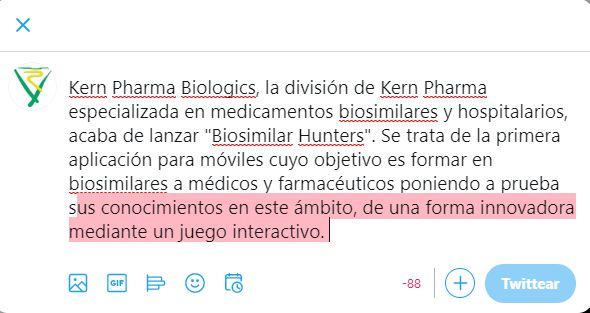
The Twitter sharing button does not work properly. If I clic on it from http://94.23.80.242/~biosimdef/kern-pharma-lanza-biosimilar-hunters-la-primera-app-sobre-biosimilares/ I can see this in Twitter: http://www.sistemas-integrados.com/soporte/wrong.jpg. It takes the Excerpt instead of the title, it doesn’t display the link and the name of the site who is sending the tweet.
The correct way to share in Twitter is this way:
http://www.sistemas-integrados.com/soporte/GOOD.jpgIn this example I’ve shared this: https://www.farmaindustria.es/web/prensa/notas-de-prensa/2020/06/29/la-industria-farmaceutica-sigue-liderando-la-id-espanola-invierte-uno-de-cada-cinco-euros-que-dedica-toda-la-industria/
On your demo site, it doesn’t work either.
Thanks and regards,
José A.
Hi, thanks for the feedback. The included share buttons are really basic, if you need more control the solution is to use of of the many available plugins Thank you!
I’ve tried a lot of them and I have always the same problem! It’s seems to be a theme code problem. Can’t you help me please?
You need to set the correct social meta tags, you can use SEO Yoast for that
I did it with all in one SEO but the problem is not solved.
Checked. The share is correct, it take the contents of the meta tags: https://schiocco.com/shared/2020-07-10_181224.jpg
If you don’t want these contents, update the meta tags
Thank you!
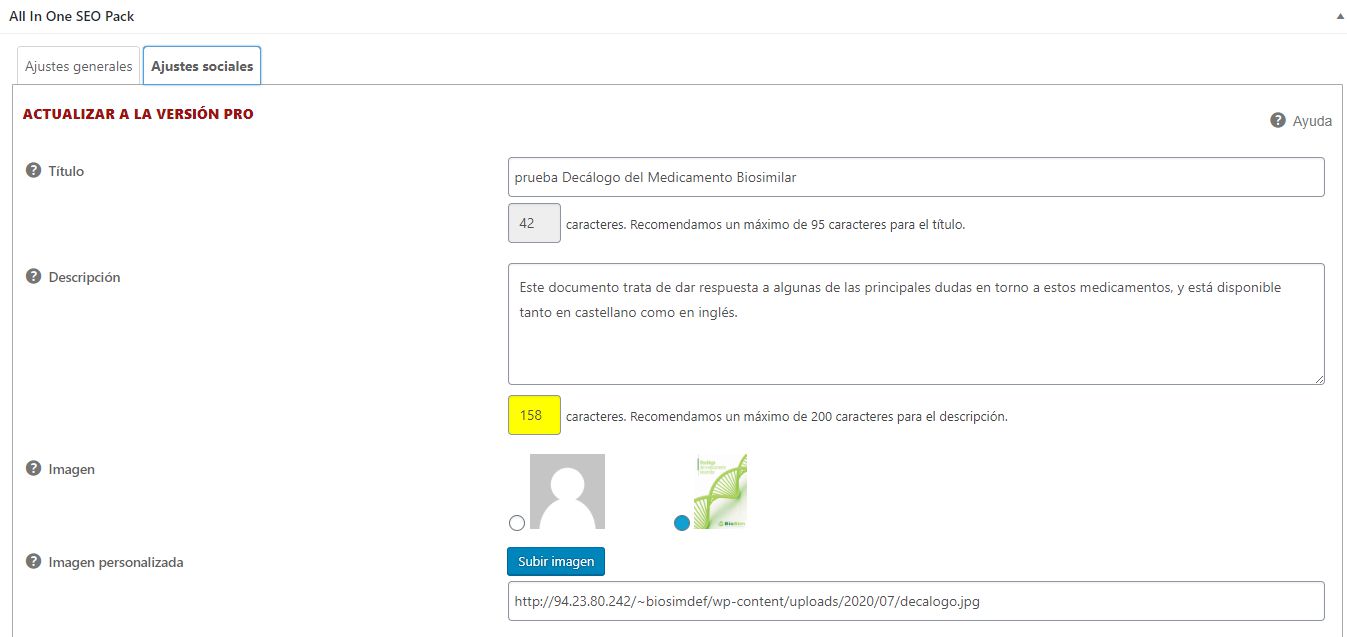
image and title are defined in All in One SEO but When I share it display aonly the description and not the title and not the image.
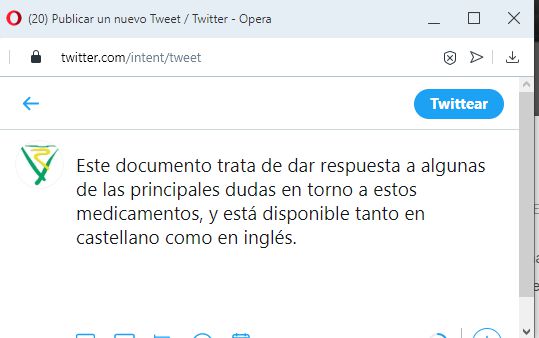
http://www.sistemas-integrados.com/soporte/all-in-one-seo.jpg http://www.sistemas-integrados.com/soporte/twitterBAD.jpg http://94.23.80.242/~biosimdef/prueba-decalogo-del-medicamento-biosimilar/Twitter should display title, description, image and URL and it only display the description
I think it is the Twitter cache, wait some hour or add a parameter like ?refresh=true to the URL.
I can not help you more about this due it’s not something related to the theme. Thank you!
Hi, how to active ‘support chat’ on the themes? big thanks
Please download again the theme and you will find the new docs file. You need to use the shortcode [sb type=”chat”]. Thank you!
Thank you so much.
Can you help me, why my Google maps can’t load in my Contact Page? The error message is “This page can’t load Google Maps correctly.”
Hi, you need to insert the Google Maps API KEY into Appearance > Theme options > Customization and API. Please see the docs for more details: http://wordpress.framework-y.com/prv-components/google-map/
Thank you! Regards