67 comments found.

Hi there,
Do you have a demo for RTL ?
thanks
Guys, I got the theme, but it looks horroble on a brand new wordpress install. I did not expected to have a large amount of work to get it working like the live preview. Is there a way to easily get the live preview structure?
Can user generated content be broken out into sections? Also, can articles be written by any user? What are the limits here?
Hello. I need an intranet that allows users to only view files, does not allow them to download files. I also need the intranet to allow a user to upload documents through a simple interface, not through code. Can that be in your theme?
Are you able to insert things like your forum list into a custom page design within Elementor?
You can use bbPress shortcodes for that; https://codex.bbpress.org/features/shortcodes/
Is there a way to at the tessera_login to a custom menu such as an Elementor top nav?
Hi, unfortunately no.
Thanks for coming back so quickly
Currently I’m creating post and pagination doesn’t appear. Where can I set for pagination, please.
Could you guys please help.
Hi,
I don’t see any purchase data on your profile. If you bought the theme, you should use the contact form for your support queries and add your purchase code to your message;
https://themeforest.net/item/tessera-knowledge-base-support-forum-wordpress-theme/23527937/support http://help.wp4life.com/2013/11/14/how-to-find-your-themeforest-item-purchase-code/I didn’t see the option for users to create an account.
You must be logged in to create new topics.
Hello Team! First of all thumbs up on the design quality of work done!! I was just wondering if there’s a way to remove those 2 elements on the home page section: https://www.screencast.com/t/Ut6neg7qWhX Thank you 
Hi,
Sorry but I don’t see any purchase data on your profile. If you bought the theme from Themeforest, you should contact us via contact form and add your purchase code to your message;
https://themeforest.net/item/tessera-knowledge-base-support-forum-wordpress-theme/23527937/supportHello, who said I bought it? it’s a pre-sale question. I need to know before making a purchase if it’s possible or not. All I see in your demo is the top is a search or search bar. I would like to create a page without those but still have the top menu so for me a full page elementor is not useful, i need the top menu and the bottom that I can customize without a search section.
Hi,
There isn’t a setting for that but you can add a CSS code to the theme settings to hide the title and the search box;
https://pasteboard.co/Jq5VyY0.pngYou can change the background image, overlay color, height of the section etc. from theme settings.
Hi,
Awesome thanks and the search part can be turned off as well? https://www.screencast.com/t/4ACrQI2q ?
No more questions. Thanks!
Yes, sure. If you contact us after purchasing the theme, we can send you the codes and the instructions.
Hi, are the KB articles SEO friendly?
Hi, yes sure.
Hi, I don’t see any shortcodes in the documentation. I don’t understand if the header can be changed and if the search bar can be moved easily.
The home page header and the menu can be changed with elementor? I see elementor widgets, but among them I don’t see the search bar
Hi,
No, it can not be changed with Elementor. It is a page template.
hi, i can make everything private? restricted for users registered or admin?
Hi,
1) You should search for a plugin. For example;
http://help.wp4life.com/2019/01/31/make-site-private/2) If you have any other question, please use the contact form at the item support page;
https://themeforest.net/item/tessera-knowledge-base-support-forum-wordpress-theme/23527937/supportHi there, I have 2 questions:
1) Can users upload screenshots when they reply to the forum? 2) And are they notified via email when I reply to their questions?
Thanks
Hi,
1) Yes, they can.
2) Yes, there is a check box for that on the reply form;
https://pasteboard.co/JfGggLh.pngHey, Thanks for the great theme first off! So just a couple questions, is there a way to move the article sidebar to the left side? and also add a Table of Contents to the right? I tried to go through the documentation and did a lot of research but seems to be difficult to find some help with this theme. Thank you ahead of time!
Hi,
1) You can copy&paste the following code to Appearance -> Customize -> Additional CSS field to move the sidebar to the left side;
#tessera-main-wrapper > .container > .row {
flex-direction:row-reverse;
}
2) You can edit the article with Elementor and add a table of contents widget to anywhere you want. There is no table of contents widget in the theme. You should search for a plugin. If you have Elementor Pro;
https://elementor.com/blog/table-of-contents/3) If you have any other question, please use the contact form;
https://themeforest.net/item/tessera-knowledge-base-support-forum-wordpress-theme/23527937/supportThank you that CSS worked perfectly! as for the second item, Yes I’m aware of the elementor TOC elements but I cant seem to edit the knowledge base articles with elementor. Seems like articles don’t allow elementor editing. Only options are edit header or footer once I’m on the page. any suggestions on that?
Hi,
Yes, “Page – Articles” page template cannot edited with Elementor. Alternatively, you can select “Page – Knowledgebase Sidebar” template and add the articles to that page with an Elementor post listing widget. For example;
https://docs.elementor.com/article/101-postsAwesome thank you I will take a look at this.
Are you saying to use pages as the articles? VS using Knowledge Base Article? The Link you provided show me how to do a blog post grid. I just want to be able to have a table of contents on my knowledge base articles. Does that make sense?
If you select “Page – Knowledgebase Sidebar”, you can edit that page with Elementor. This means you can add “Table of Contents” widget or any other Elementor widget to that page. Post grid widget which is included in Elementor PRO, can used to display any custom post type like “knowledge base articles”, not only blog posts. Query -> Source;
https://d33v4339jhl8k0.cloudfront.net/docs/assets/573acfa69033602af6969ed2/images/5cf53bd12c7d3a3837130836/file-nKAAFo8bFj.jpgWe where able to get a TOC on our article post, Thanks for all your help!
How to change background color header https://imgur.com/1tneZKF
Hi,
1) You can change it from theme settings. Please look at the help documentation ( http://www.wp4life.com/online/tessera/index.html ) ;
Appearance->Customize->Theme Settings->Header
Appearance->Customize->Theme Settings->Homepage
2) If you have any other question, please use the contact form at the item support page;
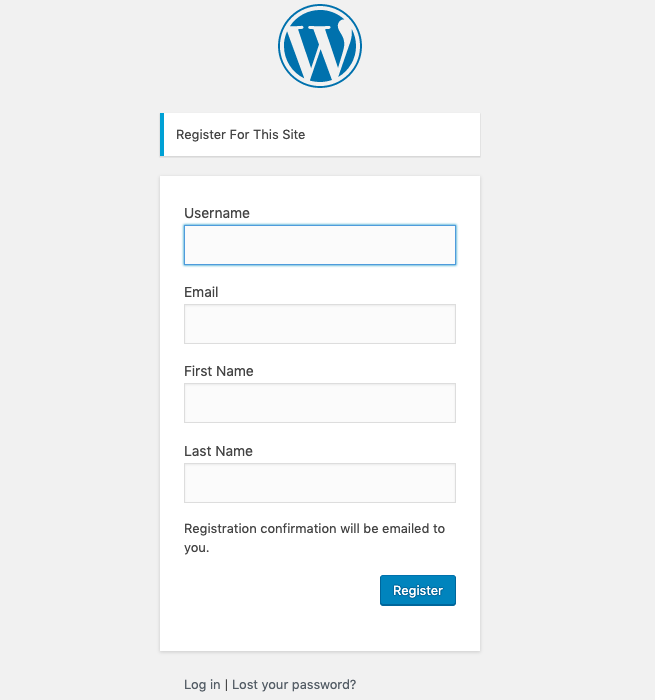
https://themeforest.net/item/tessera-knowledge-base-support-forum-wordpress-theme/23527937/supportHow do we get to see the back-end for the admin and users? How does one go about registration?
It is the default WordPress dashboard and registration page.
https://thebengalboy.com/wp-content/uploads/2019/06/Adding-first-name-last-name-in-the-wordpress-registration-form.pngI ask for a refund, three days now, and no response, if you ask for support very sorry for you, definitely not recommend, I will contact my credit card company.
Under page attributes you can select template. Can you please tell me where I can find the “Page – Main Sidebar” template. in which folder and its name please.
Hi,
It is in the main folder of the theme; page_template_1.php