115 comments found.

Hello, I tried to replace the top nav bar user with the one I got from redux but after login it doesnt load it. I have to do a full page reload to get the data there.
This is my code (extracts)
NavProfile.js
export const NavProfile = ({ signOut, auth }) => {
<Avatar style={{ backgroundColor: "#1890ff" }}>
  {auth.user.img || auth.user.name?.slice(0, 1)?.toUpperCase()}
</Avatar>
const mapStateToProps = ({ auth }) => { return { auth }; };
export default connect(mapStateToProps, { signOut })(NavProfile);
If I do console.log on auth it prints the user so not sure on whats going on. Thanks
I tried to send it as a props from the father component but I have the inverse problem, works but if I do a page reload then the data dissapears. Thanks
Hi, you can use localStorage or Cookies to store your data, if you wan to maintain your data out from the session.
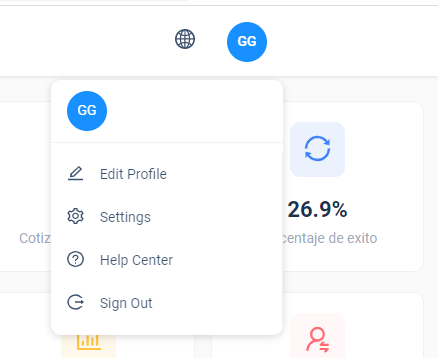
Nate, I’m using the redux store you already provide (Auth) to handle the component you already provide but something is not working. Can you check it please? https://i.gyazo.com/6e570f08d9064c5e73f0315719c30418.png GG was hardcoded there, should be using data that is in the redux store.
We suggest you install redux devtool to your browser to to check on the state details, https://chrome.google.com/webstore/detail/redux-devtools/lmhkpmbekcpmknklioeibfkpmmfibljd also please make sure store data was called in NavProfile component.
the state is assigning OK but for some reason not assign on component first mount. Again, this is a good oportunity to document it because you are already providing the store to put the user data there
Hi, we will update & improve our documentation. Do you mind to share your source code via our email? we may help to figure out the issue.
No problem. Do you have an email address to attach the files?
Hi, you can send to this mail jiasheng_93@hotmail.com
Sent. Thanks
Hello, I found a bug setting input placeholder with locales.
This placeholder={<IntlMessage id=”product.form.field.category” />}
shows [Object, Object] as value, but I can use the same to set label and work. Can you check it please?
Thanks
<IntlMessage id="sidenav.dashboard">
   {(msg) => (<Input placeholder={msg} />)}
</IntlMessage>
Awesome, thanks!
what about translating error mensages when validating forms? tried with both methods with no sucess
message.error("Please enter all required field");
{
message: <IntlMessage id="sidenav.dashboard">{(msg) => msg}</IntlMessage>
}
sorry just tested this but I’m not sure I understood :
message.error({
    message: (
      <IntlMessage id="missing_fields">{(msg) => msg}</IntlMessage>
    ),
});thats not working
message should be under rules object property, e.g
<Form.Item
        label="Password"
        name="password"
        rules={[
          {
            required: true,
            message: <IntlMessage id="sidenav.dashboard">{(msg) => msg}</IntlMessage>
          },
        ]}
      >
I can make the rules work with the IntlMessage component. But I’m talking about the antd notification.error messages. Like message.error(“error here”) that is called before returning in the components
<IntlMessage id="sidenav.dashboard">
        {(msg) => (
          <Button onClick={() => openNotificationWithIcon(msg)}><IntlMessage id="sidenav.dashboard"></IntlMessage></Button>
        )}
      </IntlMessage>

const openNotificationWithIcon = msg => {
  notification.error({
    message: msg[0],
    description:
      "This is the content of the notification. This is the content of the notification. This is the content of the notification."
  });
};
Hello, I sent an email with no response, did you receive it ? Thanks
Hi, we did not receive your email.
My question was how to protect the routes to only logged users to see the menu, and if not logged see the login screen. I’m using a custom backend (nodejs) and I’m able to comunicate with it from the ui
Hi, we have checked at our, this mail has been replied yesterday.
Did not receive the reply, can you send it again?
Hi, we have resend this email just now, please check your inbox.
Nothing. Very weird
Oh, was on SPAM. I checked the docs but no part explains about authorizing routes. I solved the JWT service with no problems but I can see the menu if the localstorage is empty
If you were using boilerplate as starter, you may need to add route interceptor manually, you can refer further example from demo or firebase starter.
Yes. Added it manually but additional docs would be helpful, and some docs about how to add redux for different CRUDs than auth. Great job with the template overall by the way. Only downside is how do you organize components in the “fresh” template, is not fresh at all, but your styling is the best of all envato for ant design.
Hi, thanks for your feedback & appreciated, we will go on enhance this theme in future.
Changing the API_ENDPOINT_URL to the authentication is currently making the application to rerender. is there any trick here that currently making the application refresh?
Do you expect the API call to be done in redux or inline?
Do you have a more detailed example of how the API call should be done?
But it does not redirect correctly and whenever the API changes it cause a complete rerender
How can i reach you by email? i have few concerns please
Hi, you can send us a mail via our themeforest profile page.
Will we have a TypeScript + Redux version ?
Hi, we have the plan to make a TS version for this theme, but we will not implement in the recent future, since our development resource is limited until the next 2 quarters.
You mentioned in a previous post that “Yes, dark mode feature will be add on future update”. Do you have any rough time estimate for this?
Hi, estimate release date will be mid of February.
Thanks for the dark theme from the latest release, looks good. However, I believe the primary blue color is a bit too dark and it fatigues the eyesight. I tried to add in src/assets/less/styles/themes/dark.less this line of code ”@primary-color: @geekblue-base;” But for some reason glup does’t update public/css/dark-theme.css file.
Is there any way I can change that color, only on dark mode, in all the theme components?
Hi, you need to run npm run dev on development, in this mode, it will watch the less change & compile it into css.
One more thing: while using nested tables, I noticed they do not display properly when the dark theme is enabled (the area surrounding of sub-table remains white, and it does not look good). Maybe this can be fixed in future updates. Thank you!
Thanks for your report we will add this to our bug list.
Any quick workaround / fix I can do until a new update will be released?
tr.ant-table-expanded-row:hover>td,
tr.ant-table-expanded-row>td {
    background: @component-background;
}
Hi, the temporary fix you mentioned above didn’t worked for me. When will you plan to have a new release with this fixed?
Hi, did you compile it to css by running npm run dev ? our next release estimated between the end of March to mid of April.
Hi. We have purchased a standard license and are looking upgrade to an extended license however we have some questions:
1) Do you have a publicly visible roadmap of planned features/updates?
2) The template contains component/code written in JavaScript. All of our existing codebase is TypeScript and we have a requirement that all development is to be only done in TypeScript to improve the quality of our front-end code.
Do you have any plans to write/release the type definitions for this template? If so, could you give an estimated timeline for when this could be expected. I have had a look at some automated tools to convert the template to .ts/.tsx files – but it still requires a fair bit of manual clean up.
Given that antd is already written in TypeScript – how difficult/costly would it be to release a TypeScript version of this template?
Thanks.
Hi, we have the plan to make a TS version for this theme, but we will not implement in the recent future, since our development resource is limited until the next 2 quarters.
Also sir can you make the documentation in a bit more depth ?
Hi, may we know which part of the documentation makes you feel unclear?
Hi I just bought Emilus and had a query is there any way to replace the default name of Charlie Howard from header profile with user data who logged in as I am unable to figure out how to fetch data of logged in user
Hi, just replied via email.
Hello, loved the design! great job. are you using react hooks?
Yes, we use react hook in most of our components.
Transfer CSS Scroll Bug https://emilus.themenate.net/app/components/data-entry/transfer
Hi, thanks for pointing out the issue, we will fix this on next update.
It would’ve been good if you can add a single event for multiple days. Right now you can just add a single event for a single day
Your logic of rotating layouts is very problematic. There are many strategies. You could do it easily. I seeing some design issues. why did you choose a very hard and unnecessary way?
Hi, thanks for your feedback, we will review and make optimize on the issue you mentioned above.
how to deploy this theme to laravel 8 framework. Is it possible to use it as a private github repositories?
Hi, you might have to integrate react with your laravel project to make the application work. You can use it for a single end product for a regular license.
ts or js?
Hi, currently only js version available.
will dark mode come?
Yes, dark mode feature will be add on future update.
Awesome template! Thanks.
Is it possible to update the template to the latest Ant Design verison?
Yes, we will constantly update our dependency version.
can this template integrated with perfex crm which is in codeigniter
Unfortunately, we cant provide an accurate answer, since we are not familiar with the software above.
Would be great to know, which files had changed in the new update.
- /src/configs/AppConfig.js
- /src/configs/NavigationConfig.js
- /src/layouts/app-layout/index.js
- /src/views/app-views/apps/project/index.js
- /src/views/app-views/apps/project/scrumboard/Board.js
- /src/views/app-views/apps/project/scrumboard/ModalForm.js
- /src/views/app-views/apps/project/scrumboard/index.js
- /src/views/app-views/docs/components/Changelog.js
- /src/views/app-views/index.js
- /src/views/auth-views/index.js
- /src/views/index.js
We also suggest you host an original copy on a repository, then you can create a branch for your working project base on the repo. For every update, commit the latest version to the original branch. After this, you can flow all the updates content to your project by merging 2 of these branches, this will make the update process easier.
How can I change the DatePicker input placeholder color? The color is a light gray, and it is barely visible – it seems inactive.
Hi, you can can change the $input-color-placeholder scss variable value in this file \src\assets\scss\variables\variables.scss