2026 comments found.

Does this theme come in as boxed layout? Or is there an option to make it into a boxed layout?
Hi,
I am sorry, but there is no such option.
Lubos
Hello, thank you for a great plugin. Our people have an extension to their phone number, and when we add it to the People plugin (such as 555-555-5555, Ext. 007), the clickable telephone number doesn’t really filter out anything other than spaces so that the clickable link on a phone is “555-555-5555,Ext.007”.
Is it possible to filter out everything except the comma and the numbers 0-9 so that the clickable link would be “tel:5555555555,007”? An example would be to replace it with a regex replace function like: $phone_link = preg_replace(’/[^0-9]/’, ’’, $c‘_lsvr_person_phone’);
This would allow a proper href link so that someone dialing into a system with a PBX or automated interactive voice response system would dial the original phone number first, then pause (due to the comma), and then dial the extension.
Shoot, the regex expression should have been:
$phone_link = preg_replace(’/[^0-9\,]/’, ’’, $c‘_lsvr_person_phone’);
Hi,
just use “Custom Contact” fields instead. You can do whatever format you like that way since you can add your own HTML like this one for example:
<a href="tel:555-555-555,007">555-555-5555,Ext.007</a>
Lubos
We can do that. I was just hoping to save someone else the time if they ran across the same issue. Thanks for the quick reply.
Hi Lubos, I understand that it is necessary to rebuild the site from scratch when updating from v1. I am missing all notices and documents, although I still have them in my DB. Is it possible to somehow recover them from there by changing something in the DB? Re-adding all notices seems very exhausting (approx 3 years of official notices is a lot :-o). Thanks for letting me know.
Also, is it possible to set default sidebars for pages in one go (like with Standard posts and other post types) or do I have to do it one by one?
Hi,
you can use a plugin like this to convert old post types to new ones. However, you need to have the old Toolkit plugin activated (you need to see those old posts in your admin) when doing this and it will convert only titles and content, not meta data (like document attachments for example).
There is unfortunately no option to change the sidebar for all pages at once.
Please note that your support has expired. Please renew it (under your account / Downloads) if you need any further assistance. Thank you!
Lubos
Hi Lubos, thanks a lot for your ultra quick reply. The plugin worked like a charm.
Nevermind…I figured out why and fixed it 
Hi,
glad you’ve sorted it out!
Lubos
On my homepage, why is my gallery ‘Featured Image’ so small? All of my gallery images are sized 600×360.
Thanks!
Thanks and regards,
Hi,
the theme does not come with a slider plugin. Slider you can see on the demo site is to display standard posts only, but it can be set to slide automatically.
Lubos
Hi,
I have bought license for townpress theme. It is really very nice theme. While customizing the theme as per my need, I came up with a requirement to modify the way people’s info is being displayed in of the any people card.
Could you please let me know how can I customize it, particularly the person setting options. I want to add some more info over under person setting and also want to re-arrange it.
Looking forward to your response.
Thanks
Hi,
you can find all the options under Appearance / Customize / People. If you need to do changes beyond that, it will require code customization which is not included in the theme support.
But to give you at least few hints: the archive page code can be found in template-parts/lsvr_person/archive-layout-default.php file, the detail page in single-lsvr_person.php file in theme’s root. Just copy any of them to your child theme (preserve the relative path) and make your changes there. IMPORTANT: never change theme files directly in the parent theme! You will lose the ability to update the theme. ALWAYS use child theme for any code-related customization. Read this as well: http://docs.lsvr.sk/townpress.wp/#code-customization
Lubos
I have bought license for your townpress theme and I am facing issue in installation of this theme. I am trying to upload and install it through Wordpress Admin>appearance>theme option. But it is giving this error meassage ” Stylesheet is missing.
Then, I tried adding and activating this theme using cPanel. But this time I got the same error message on Admin>appearance>theme. ” Broken Themes The following themes are installed but incomplete.
Name Description townpress Stylesheet is missing. Delete “
Please let me know how to fix this issue as I am not able to use the theme due to this issue. Looking forward to your response.
Thanks & Regards,
Hi,
you are uploading a wrong file, please follow the documentation: http://docs.lsvr.sk/townpress.wp/#installation-and-setup
Lubos
Hi.
Do you have a documentation about maps how connect Google Maps? I have a problem and not sure if there is a problem with TownPress or do not know which API have to be activated?
Hi,
you just need to add the API key under Appearance / Map Settings. Then when you are on the front page, you can check out the browser’s developer console in the Object Inspector for any error messages which should tell you if there is a problem with your API.
Or just use a different map provider altogether. It can also be set under Appearnce / Map Settings.
Please note that your support has expired. Please renew it under Downloads if you need any further assistance. Thank you.
Lubos
Hello, we would like to split the page into several subpages. (Municipality with pages for clubs and society) For this, a different logo should be displayed on each sub-page. Is this possible, for example with a CSS editor (like YellowPencil)? Many thanks in advance and best regards.
Hi,
do you mean the header logo? If so, then I am sorry but that won’t be possible without some code customization.
Basically, you will first have to hide the default logo. Doing it properly would require removing it in the code in template-parts/header/branding.php (just the IMG tag) via a child theme. If you want to hide it only for certain pages, you need to nest it in some sort of IF statement.
Then you can use some CSS to target the header-logo__link element and add a logo image as its background (and set the width height as well). Each page should be identified by its unique class which can be found in the body element upon examining the page’s source code, so you can do something like this for each section:
.postid-114 .header-logo__link { display: block; width: 100px; height: 450px; background: url( 'your-logo-url.png' ) no-repeat contain center center; }
The code customization is not included in the theme support, so that’s all hints I can give you.
Lubos
Thank you for the tips and suggestions! I will try my hand at it and hire a freelancer if necessary. Can you recommend one? (with experience in customization with this theme)
Can’t recommend anybody specific, but you can hire someone at studio.envato.com
Hi,
for some reason the people widget displays the person´s picture oval now. On other posts it is round. Didn´t change anything… Any tipps?
Hi,
add this to you Custom CSS:
.lsvr_person-list-widget__item-thumb img { border-radius: 0; }
Please note that your support is expired. Please renew it under your Downloads if you need any further assistance. Thank you.
Lubos
Hi Lubos, thanks for getting back. Well this changes the border itself, but my question was, why are older posts still have the round picture and my new added are oval now and even the distance between each person is too close?
Please share your URL where I can see it.
You need to upload those photos in square aspect ratio (same with and same height).
Pictures are also NOT squared and it works fine… The issue occured just recently, so probably something to do with the updates?
Seems I figured it out: Uploaded picture must at least have a certain size and it will be cropped automatically in square by the person plugin…
Glad you’ve figured it out. Again, please renew your support for any future assistance. Thank you!
Hi, my site bbid.org is broken and prompts an auto-download TXT file with the following code… do you have any idea if this is a theme issue??
<?php /* * Front to the WordPress application. This file doesn’t do anything, but loads * wp-blog-header.php which does and tells WordPress to load the theme. * * @package WordPress */
/* * Tells WordPress to load the WordPress theme and output it. * * @var bool / define( ‘WP_USE_THEMES’, true );
/* Loads the WordPress Environment and Template */ require DIR . ’/wp-blog-header.php’;
Hi,
none of this has anything to do with the theme. Also, your site (at least frontend) work fine on my end.
Lubos
Hello,
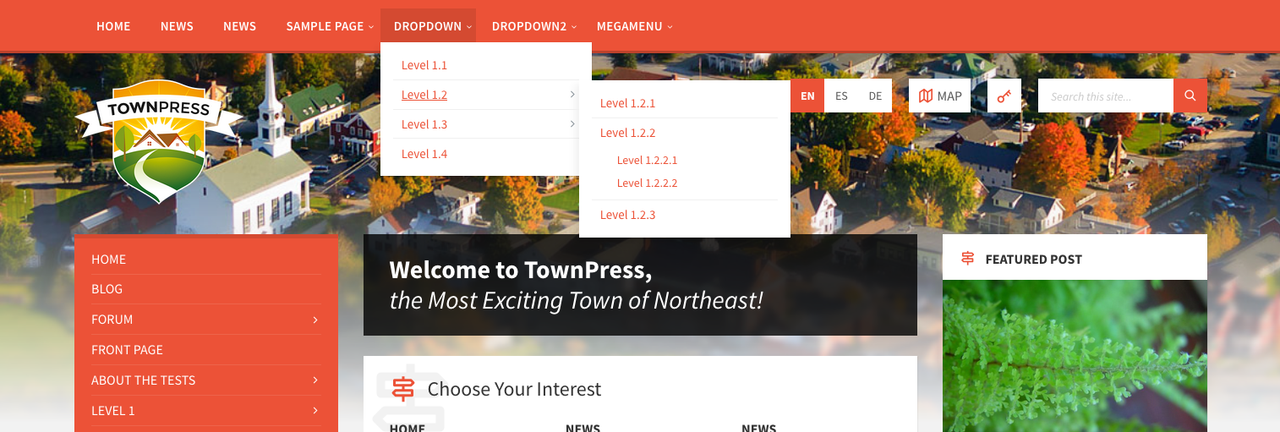
As I found in comments , it is possible to put side menu as header menu, but all screenshots links attached in comments are not working,
Could you please give me a working link for horizontal header menu screenshot or demo website ?
Thanks in advance Regards,
Hi,
here you go. However, it is not “side menu as header menu”, they are both separate menus, you can use both or just one of them (or even none of them if you want).
Lubos
I have created a link to show all past events, however I would like them to be displayed newest to oldest. Currently they are oldest to newest and users have to click through all past events to see the most recent. Is this possible?
Hi,
try this URL:
yoursite.com/events/?period=past&order=desc
Lubos
That worked, thanks!
Hello ! Weather widget does not work as expected https://prnt.sc/vu7bg6 . Temperature is not displayed. https://ciuciulea.eu/
Can we translate those strings ?
Even though we added an api key it still doesn show the temperature .
Hi,
try to test it with some generic location, like “new york, us”. Make sure your location can be found at https://openweathermap.org
Here is the tutorial how to translate the theme and plugins (the Weather widget is part of the LSVR TownPress Toolkit plugin): http://docs.lsvr.sk/townpress.wp/#translation
Lubos
I purchased TownPress 3.6.1. I am seeing a bug in the LSVR Events Calendar widget. The dates are not correctly aligned to the day of the week. I cannot attach a screenshot so I will type out what I’m seeing. (You might need to copy/paste this to a text editor with fixed-width font to see it correctly):
What I am seeing on my Events Calendar widget (this is wrong):
< NOVEMBER 2020 > SUN MON TUE WED THU FRI SAT 31 1 2 3 4 5 6 7 8 9 10 11 12 13 ...
It should be: < NOVEMBER 2020 > SUN MON TUE WED THU FRI SAT 1 2 3 4 5 6 7 8 9 10 11 12 13 14 ...
Can you help me fix this? Thanks, Jake
Oops, that didn’t paste the way I intended. Basically it lists November 1 in the Monday column, which November 1 should be under Sunday. All the other days are wrong in the same way. I hope this helps explain it.
Hi,
I will look into it and will release an update soon.
Lubos
Just noticed, but is the slider disabled on mobile view? It shows up blank on my iphone.
Hi,
you mean the TownPress Posts Slider? It should work on mobile, you can test it on the demo page https://preview.lsvr.sk/townpress/magazine-home/
Lubos
I wanted to follow up on a message I sent. I was able to resolve the issue with Events and Notices by changing the permalinks from “Events” to “Event”. This change updated the dashboard menu and caused event and notice links to work as expected. Thank you! Kory
Hi,
glad you’ve solved it!
Lubos
Recently updated from version 2.x to 3.6.1. I updated all the pages to work with the new version and love the new features. I have a problem, though-there are now 2 links for Events and Notices are on the Dashboard menu. I could work around this-it’s easy to ID the new links based on the added feature-except any events or notices created under the new links do not work. As an example, I created an event that is set for 11/27/2020. The event shows correctly in the Event widget that is added to the left sidebar. However, the link does not work-it results in a 404. Likewise, the More Events link shows the old events, not the new ones. This same problem happens with Notices. Any guidance for resolving this issue? Thank you, Kory
Hi,
are you sure you’ve updated form 2.x and not 1.x? Anyway, it sounds like you are using some old plugins. To fix this, deactivate and remove all LSVR plugins, then you will be prompted to install them again, follow the prompt and then activate them.
Lubos
Hi, can we use LOGO FROM YOUR PREVIEW SITE on our site please?
Hi,
I personally don’t mind, but it was created using some stock graphic templates so I guess you will be breaking a copyright of those.
Lubos