16331 comments found.

Dear Journal 3 team, is it possible on Journal 3 to get hte Flyout menu in right column rather than left. When i place the module on the right column the menu goes off-scren?
Hi, this is actually working fine on our end, Flyout Menu will expand to the left on RTL layouts: https://cln.sh/v0SYcb
Best Regards.
Im opencart developer for like 10 years, im with journal since 1x version beginning. I hope theese guys will update their perfect template for 10 next years, i already sent many of my friends to buy this theme. Guys please dont stop updating it , its the best in compare other themes on the market, stopped using other ecommerce cms because of the journal, it has all in one features, i can copy almost any design using journal. Just one thing in my wishlist – please make very nice form builder with custom thank you messages columns etc.. now it looks very old style fields + thank you message popup is too old , other then that is super perfect for me in many ways. Also once again thanks for adding ’’hide content layout’’ feature which i asked recently. Again thanks for your hard work, i will support you guys for years!!!!!............ Regards.
Hi, thank you for your feedback, we appreciate it! We’ll consider adding a more stylish alert message for various elements on frontend instead of the default browser alert box.
Best Regards.
Hello, does the theme support page loader ? On the website first opening
Hi, that’s more suitable for javascript based applications, not normal websites or stores so we’re not using such a feature at this time.
Best Regards.
can i put the company logo when the header is sticky ? on the left side of the main menu.
Hi,
1. That was not possible before but there have been recent developments in CSS that permit it, however not all browsers may support it, but we consider it and it may come in a future update, however I don’t have a timeline now.
2. Default product listing sorting can be controlled from Journal > Skins > Edit > Product Listing > ...
Best Regards.
Hi, when you will plan publish new themes. Because currents are common
Hi, we are planning some major updates in the following months including a few new demos, but I don’t have an exact timeline at this time.
Best Regards.
Hello, can you please tell us how can we translate the heading titles on checkout page? i can’t found them in any file.
Hi, those are in the Journal admin, look in Journal > Skins > Edit > Checkout > Journal > ... all checkout sections are there.
Best Regards.
I can’t find some translations (grammatically incorrect or misleading) ... for example: on checkout page. postal address 1 and 2, billing company, TOS and privacy acceptance text … Please help  Thanks (Journal3)
Hi, please file a ticket on our support page and consult with our developers.
Best Regards.
Fatal error: Uncaught Twig\Error\SyntaxError: Unexpected character ”\” in “journal3/template/product/product.twig” at line 170. in /home/xx/storage/vendor/twig/twig/src/Lexer.php:363 Stack trace: #0 /home/xx/storage/vendor/twig/twig/src/Lexer.php(279): Twig\Lexer->lexExpression() #1 /home/XX/storage/vendor/twig/twig/src/Lexer.php(180): Twig\Lexer->lexBlock() #2 /home/XX/storage/vendor/twig/twig/src/Environment.php(460): Twig\Lexer->tokenize(Object(Twig\Source)) #3 /home/XX/storage/vendor/twig/twig/src/Environment.php(507): Twig\Environment->tokenize(Object(Twig\Source)) #4 /home/XX/storage/vendor/twig/twig/src/Environment.php(348): Twig\Environment->compileSource(Object(Twig\Source)) #5 /home/XX/storage/vendor/twig/twig/src/Environment.php(309): Twig\Environment->loadTemplate(‘_TwigTemplate...’, ‘journal3/templa…’) #6 /home/XX/storage/vendor/twig/twig/src/Environment.php(277): Twig\Environment->load(‘journal3/templa…’) #7 /home/XX/storage/modification/system/libr in /home/XX/storage/vendor/twig/twig/src/Lexer.php on line 363
THIS IS THE ERROR WHEN YOU CLICK ON A PRODUCT
Hi, this error may be related to one of your installed extensions, but try to reupload all the theme files to your server, then refresh Opencart modifications and clear clear Opencart template cache from the blue right button in Opencart admin dashboard and see if that solves your issue. If not, please file a ticket on our support page so we can take a closer look at this.
Best Regards.
product extra>product label cannot show in edge browser or mobile browser. Do you have any idea to fix this?
Hi, please file a ticket on our support page with some screenshots and consult with our developers.
Best Regards.
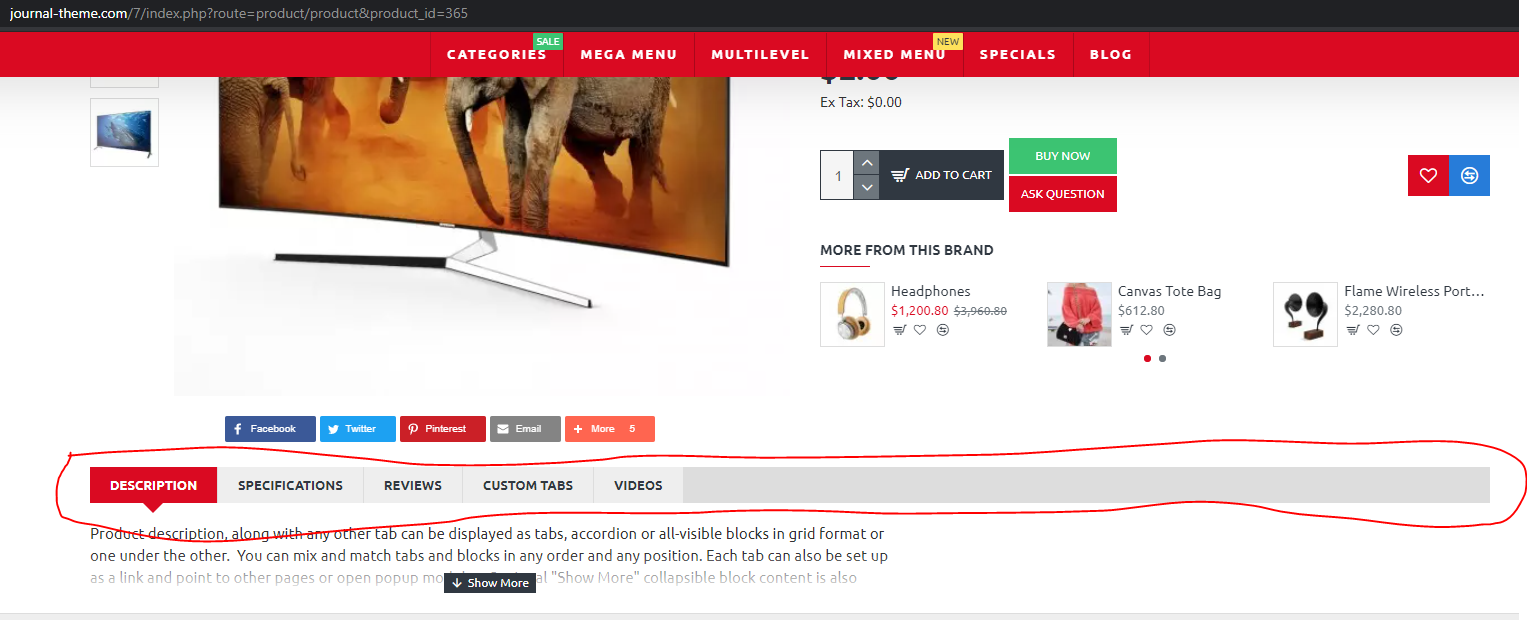
demo 7 detail page – description – feature -videos
demo 9 detail page
Can we do the same as shown in the picture
example – can we adapt the red headlines to the demo 9 page
https://i.hizliresim.com/ySvpyy.pngHi, sure that’s just how the tabs are displayed and position, from Journal > Product Extras > Product Tabs… The styles is created in Journal > Styles > Tabs > ... and applied in Journal > Styles > Product Page > [Active Style] > Product Tabs > ...
Best Regards.
i am already using Journal3 theme on my old website, but for a new project I want to make sure that is possible to achieve this : minimum qty customer can buy is for example 2pcs /easy part/ but when + increase button/stepper pressed I need to add 2pcs not just 1pc, always when + increase button/stepper is pressed minimum qty must be added – 2,4,6,8 etc , or if 3pcs is minimum qty 3,6,9,12 …. is this possible?
Hi, Opencart has minimum quantity for products but stepper will increment/decrement quantity by 1, but you can edit a theme file if you want to change that behaviour (such customisations are not covered by our support but you can easily do it if you’re familiar with Opencart development in general).
Best Regards.
Hi.
I already have two licenses. In Ticket [#UXH-HTL-XP54] I reported two issues in Journal 3.1.4 (Image Attribute Icon + Missing Lazyload in Blog Posts)
In Version 3.1.5 the Image Attribute Icon got fixed, lazyload did not.
We are currently in version 3.1.7 and still the missing lazy load feature in blog posts.
This has still not been addressed.
Missing lazyload in blog posts is bad and is a very important issue for me and other journal customers has it affect site performance and google insights.
Can this be added please?
Thanks.
Hi, if you are referring to infinite scroll for blog posts, indeed there is no such feature at this point, but we’ll consider adding it in one of our next updates.
Best Regards.
I’m referring to Lazy Load for Images in blog posts. Not infinite scrolling.
Any images I add in blog content don’t lazy load and they should.
This is what I reported back in journal version 3.1.4 already.
That is on our list too.
Hi, That is great news.
I really hope its included soon. It will make a big difference.
Is there a ETA for that release?
Unfortunately I don’t have an exact timeline at this time.
That’s too bad. I’ll keep alert to new updates.
Thanks!
Purchase Code Not working Goal_infocom
Hi, we’re not exactly sure what you are referring to, but if you are trying to use the code for demo export make sure you input it in the proper field (and it’s not added in the Themeforest user). If you are trying to file a ticket you need to renew support since that appears to be expired.
Best Regards.
I m adding Proper Field ….. My purchase Code showing invalid please look into this
But it’s not clear where you are trying to use the code, please share more details.
i m trying to download sql file from demo of your side journal and it is showing invalid code ? is it that hard to understand ? We need purchase code for demo download only i think
Well, you need the code to also file tickets. In any case, the demo export works fine with your credentials in our testing, https://cln.sh/s28ZdW
Please make sure you don’t have any empty spaces in your code, and double-check it’s in the correct field.
Hello,
I detected a huge bug.
When I duplicate Row or Column, the changes I made in the copy change the other.
Can you fix this big bug urgently?
I’m using Journal 3.1.7, by the way. OpenCart 3.0.3.6 version is installed.
Hi, if you’re referring to the module from the new row, that’s perfectly normal since it’s the same module loaded. What you need to do is choose a different module, or duplicate the module as well and choose the new one in the new row.
Best Regards.
Hi. Is it possible to modify the filter to have sliders like the price list of your choice for any attribute value? Price?
Hi, unfortunately that is not possible at this stage with the Filter module.
Best Regards.
Hi there! Amazing theme! I just have one question before I order. Do you use some kind of accelerator for the demos? They open really fast and I am curious whether my site will open that fast when I order the theme.
Thank you in advance!
Hi, we don’t use any specific accelerators, demos run on a VPS with 4 vCPU and 8 GB RAM using PHP 7 with opcache.
As long as you have a decent host (VPS recommended), your store should load pretty much the same.
Best Regards.
Installed 3.1.7 and it still says 3.1.5.
OC 2.3.0.2
Hi, please clear your cache, for more info please file a ticket on our support page.
Best Regards.
Hi, why quickview buttons not show in Safari browser?
Hi, that actually works fine in our testing, https://cln.sh/3WhXAe
What version of OS and Safari are you using?
Thanks.
In tablet we using safari 14
Demo 1 is show, but in Demo 8 not
Also in all products demo 1 not show quickview
and in iphone safari not work
It could just be disabled in that demo, from Journal > Skins > Edit > Catalog Mode…
so do we need to disable it?
It’s an option, so it’s up to you if you want to disabled it or not.
Some options are enabled or disabled in our demos to indicate that they simply exist.
Hello. I want to show FAQs on categories pages. Like different FAQs for different categories. Is it possible?
Hi, you’d have to create custom layouts for your categories and then assign custom Blocks modules with different Faqs on each layout. https://docs.journal-theme.com/docs/layouts/custom-layouts/
Best Regards.
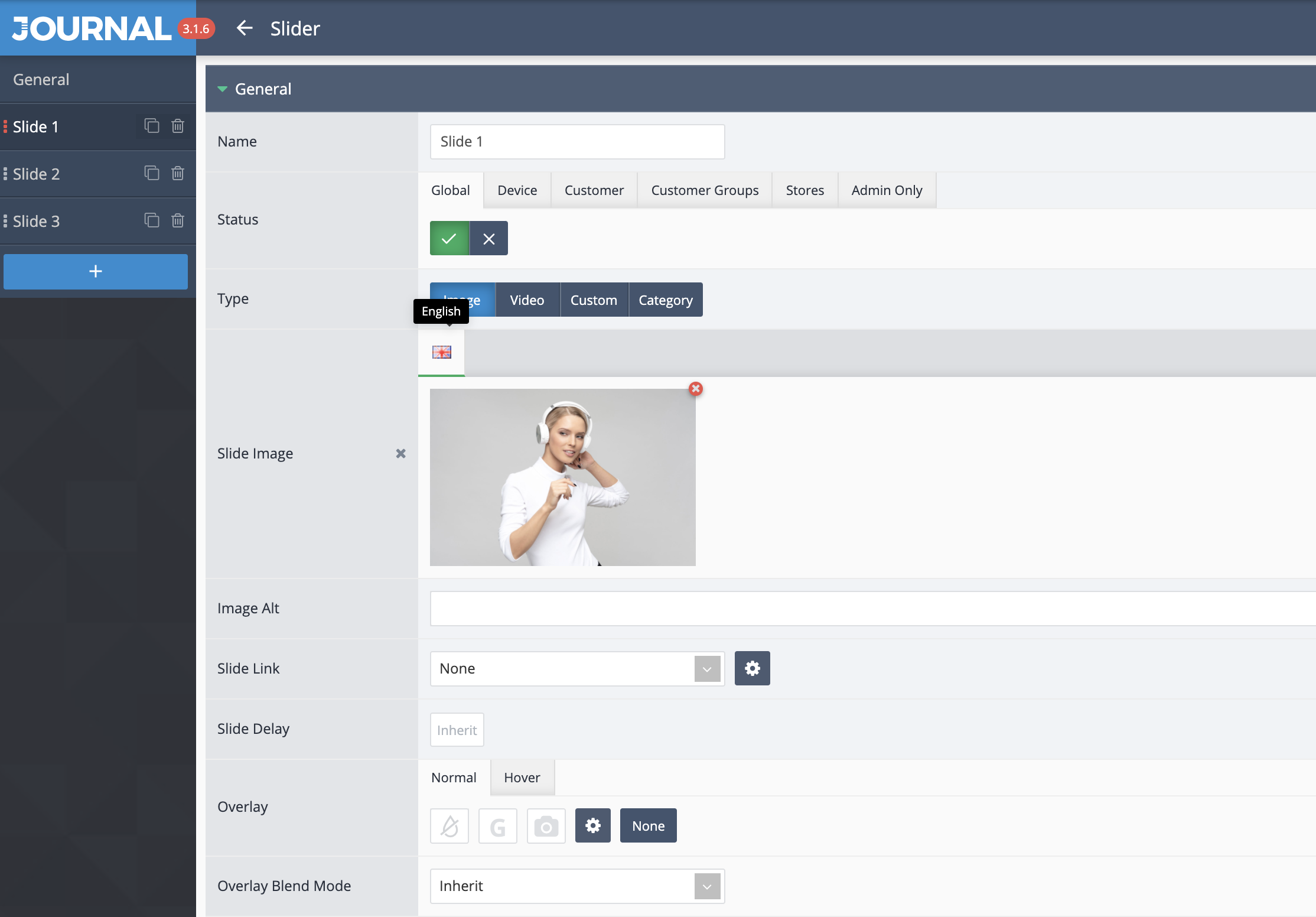
Hi, Slider and some other modules are only available in English. I want to add Turkish here. How can I do it? Opencart Turkish Language pack has been installed.
Demo – 4 https://i.hizliresim.com/YjVYcn.pngHi, text added in the custom Journal modules will need to be translated in those modules where you write it. In your image, there doesn’t appear to be any additional languages installed.
For more info please file a ticket on our support page and consult with our developers.
Best Regards.

This item was featured on ThemeForest

Power Elite Author
Contact the Envato Market Help Team