866 comments found.

When I download the new 2.0, the folders are empty. Please help!
Hi there,
Please download ‘All files and documentation’. Extract the zip file and the theme zip file is in the folder ‘Theme files’.
The v2.0 has a different structure and options from v1. Please check this note https://envirra.github.io/wordpress-neue/index.html#/troubleshooting/README?id=migrate-to-version-2x Or you can continue using v1 since it’s still supported.
The problem i posted about 2 weeks ago is essentially the same problem as spaquette1200. The resource from (website URL) was blocked due to a MIME type (“text/html”) mismatch (x-content-type-options; nosniff. If you found a solution for him can you please share it so i can pass it to my host to make the fix for me?
Hi there,
I can’t reproduce the problem but i’ve update the internal library for fixing this issue in v1.9.8. You can download the latest version from ThemeForest download page.
I already bought this theme a few years ago and it never gave me a problem, but now I can’t change the colors of the created categories anymore and I also can’t create new categories with thumbnails and custom colors.
I can only make some of these changes through CSS. What could be happening?
Hi there, I’m back.
Please disable all plugins (except theme’s plugin) and check again.
If the problem still persists, Please send me an admin account and login url by using contact form on my profile page. I will have a look into it. Thanks.
I’m receiving errors in the admin for ACF, it looks like the path is all messed up…
https://domain.com/wp-content/plugins/home/domain/public_html/wp-content/themes/neue/framework/advanced-custom-fields-pro/assets/js/acf-input.min.js?ver=5.7.7 I replace my domain name with domain…look at the the path…it’s pulling the server path…any idea?Hi,
Please send me an admin account, login url and url of the page that has the error. (you can use contact form on my profile page).
I will have a look into it. Thanks.
Im receiving errors in the admin for ACF, it looks like the path is all messed up…
https://domain.com/wp-content/plugins/home/domain/public_html/wp-content/themes/neue/framework/advanced-custom-fields-pro/assets/js/acf-input.min.js?ver=5.7.7I replace my domain name with domain…look at the the path…it’s pulling the server path…any idea?
When i go to create a new page or edit an existing page there is an empty paragraph at the very top of the screen that is blocking the page. I can’t see the H1 or the top part of the menu on the right side. i can write in this paragraph and change it to an H. But I can’t delete it. I also can’t access the preview or publish buttons behind it so I can’t see where this paragraph is winding up on the front end. The only thing new is that I recently upgraded to WP 5.6.2. I tried turning off my plug-ins and the problem was still there so WP help said it was probably a bug/conflict with the theme. it’s back end so i can’t provide a link and i can’t include a screen shot.
any feedback on this?
Hi there, i’m back.
This theme is not yet support Gutenberg Editor. Please install this plugin to turn on Classic Editor https://wordpress.org/plugins/classic-editor/
Wordpress is Gutenberg now. there’s too much functionality to give it up if I move back to classic editor. Will you adapt it to Gutenberg? If not I’ll have to find a new theme, which is unfortuate. I like this theme’s versatility.
Hi,
Gutenberg is currently not supported. I’ve a plan to reinvent this theme to fully support Gutenberg and all new features of wordpress but not soon (i’m currently develop on another theme and will apply to this theme).
Hey
I have an issue with this theme on my website. A black screen appears when visitors click anywhere on the website.
Could you please help?
My website is k3af.com
Hi there, I’m back.
This issue is already fixed in the latest version (v1.9.7). Please update theme by download a new theme file from ThemeForest download page.
CAN NOT EDIT MY NEUE THEME, NOT SURE WHATS WRONG, ASKED FOR A REFUND WEEKS AGO, NO WORD. I JUST WANT IT TO WORK, CAN YOU PLEASE HELP?
Hi there,
Could you please explain what is the problem?
You can try this plugin https://wordpress.org/plugins/classic-editor/ or deactivate plugins one by one to see which one is responsible for this error.
Good morning, you said that Neue is compatible with php7.3 but since i tried to update it and to active SSL i’m having a lot of problems i cant understand.. https://www.tele2000.eu/ can you tell me what i have to do now? thank you
Hi,
Please install this plugin https://wordpress.org/plugins/redux-framework/ and check again (Don’t forget to clear all wordpress cache before testing).
thank you so much, you are great, the first thing is solved, but i still can’t fix the navigation, if i click on the news, this doesn’t work 
Hi,
This problem was fixed. Please update theme by download the latest version (v1.9.7) from themeforest download page.
it works. thanks, many thanks. you are great.
Is this compatible with the 7.3 PHP version? Thank you
Hi,
Yes.
Hi. For some reason, the theme is not saving any changes made to the “theme options” section. Do you know why? This is the error I get anytime I try: https://www.dropbox.com/s/37bjwsw3y5vrl2e/Screen%20Shot%202021-01-13%20at%203.39.11%20PM.png?dl=0
Hi there,
Please try to deactivate plugins one by one (except theme’s plugins) to see which one is responsible for this error.
i recently started full width feature images with the headline overlaid on them (like here: https://www.familiesgotravel.com/2019/02/review-ncl-harvest-caye-belize/). I need those headlines to be white, not black, to be readable over the images. But how do i make those white without making them white and thus invisible across the rest of the website (like here: https://www.familiesgotravel.com/category/take/). The theme options only let you choose one headline color, so is there CSS i can use to customize further?
Tinkering a bit more, what I really need is for the H1s to be white (the headlines at the top of the posts and the archives. While all the other headlines, H2-6, remain black.
Hi,
Here is the css
.vw-page-title-box .vw-page-title {
color: #fff !important;
}
Thank you. worked perfectly.
There is a issue with the theme. I have used it for years without any problem, but now, when I click on anything on the site, a black screen opens. What could be happening? https://eleganteonline.com.br
The problem seems to be with the Wordpress version (5.6) and the NEUE theme. I downgraded to Wordpress version 5.5 and the error was gone. For those who are experiencing the same problems, I suggest downgrading using the WP Downgrade plugin.
Hi there,
Thanks for reporting us. I’ve just submit a new version (v1.9.7) to fix the black screen issue. Please wait for an email notification from ThemeForest when it’s available.
After updated, Please clear all wordpress cache and browser cache to make sure all resources would be the latest version.
It worked. Thanks! ^^
Hi there,
Thanks for reporting us. I’ve just submit a new version (v1.9.7) to fix the black screen issue. Please wait for an email notification from ThemeForest when it’s available.
After updated, Please clear all wordpress cache and browser cache to make sure all resources would be the latest version.
Thanks. After download and upgrating its working fine. Nice, tks a lot!
New question: I added a cover photo with a Search box overlaid on it on my home page: https://www.familiesgotravel.com. The placeholder text in the box is black but when the user types a search term the text is white and you can’t see it. This doesn’t happen with the search box i have on the sidebar on other pages; just the one on the homepage. is there a fix? Thanks?
Hi,
Please copy a custom css from the below
.wp-block-search .wp-block-search__input {
color: #333 !important;
}
Then navigate to ‘Theme Options > Custom CSS/JS’ and paste into ‘Custom CSS’ option.
worked perfectly. thanks!
I’ve been having an issue over the last few weeks where the logo at the top of the page is appearing in duplicate, one stacked on top of the other. I deleted and re-added the logo image but that didn’t help. do you know why this is happening and what to do about it? there is a screen shot here, if it comes through.
/Users/epgunn1/Desktop/Screen Shot 2020-09-03 at 12.02.57 PM.png
Hi there,
Please try to disable all plugins (except theme’s plugin) and check again (don’t forget to clear all wp cache before checking).
If the problem still persists, Please send me a url of the page. I will have a look into it.
the problem was a conflict with Autoptimize so I am reaching out to them for a fix. Thanks.
not quite finished. I added the logo to the lazy load exception on Autoptimize, which fixed the double logo. But now the image is broken on the mobile site (not desktop). The Auto-optimize support person wrote: that seems to also happen when AO is off familiesgo (this is true but was okay a few days ago). The “retina” code at the end of wp-content/themes/neue/style.css seems to be reponsible for this, maybe check with the theme developer?
any ideas?
Thanks.
Hi,
Could you please send me a url of the page? I wan to check it on live site. Thanks.
Www.familiesgotravel.com. On mobile
Hi ,
Please copy a custom css from the below
.vw-site-logo {
display: block !important;
}

.vw-site-logo-2x {
display: none !important;
}
Then navigate to ‘Theme Options > Custom CSS/JS’ and paste into ‘Custom CSS’ option.
That worked. TY
Heads up: I’ve downloaded the new version of Neue, and what’s happening is after you make the choice for the homepage, using the VW Composer, and you save it, the homepage works but then the back end removes the options you makes. It’s basically, you have to set it up over and over again.
Hi there,
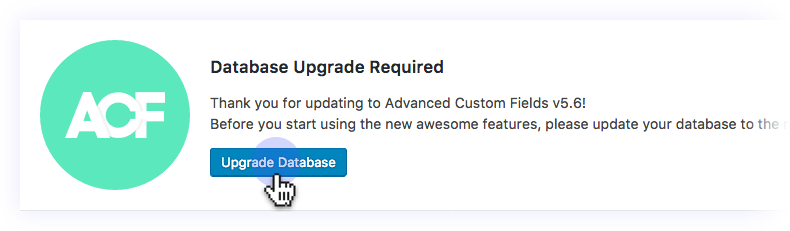
If you see the message for updating database like this, Please click the update button.
OK I’ve found the cause of the problem.
Please wait for new update notification (v1.9.6)
Hi,
the Theme (newset version) doesn’t work with Wordpress 5.5. After the Update the Visual Composer (newest version) doesn’t work anymore. You can no longer switch to the Visual Composer in the editor.
Hi there,
I just release the new theme version v1.9.5. Please redownload a new theme file from ThemeForest download page.
Hey Envirra. Will this theme be updated soon?
Hi there, May not soon. I’m working on a new major version which fully support gutenberg.
Awesome! Do you know when it will be ready?
I have no plan but it’s in progress.
Dear,
I have using this theme, and I have a question: How can I remove the “Site web” field from comments pluging?
Thanks in advance
Hi,
Please try this plugin https://wordpress.org/plugins/remove-comment-websiteurl-box/
Dear,
I already tried this plugin and it did not work, also I tried to put the CSS code and it did not work either:
.comment-form-url{ display:none; }
My website is: practicarunning.com
Please help.
Tanks in advance
Hi,
Please try this css code
#respond-inputs input[name=url] {
display: none !important;
}