12895 comments found.
Hello! When I set a background color for a menu on mobile, that background color is displayed on my computer as well. I would like the style settings to be separate for the phone and for the computer.
Also, when I set the menu to be sticky, this setting is set for the phone and computer. It would be nice if the sticky title could be set for the phone and the computer separately.
Hello,
Yes, the header row is the same for both mobile and desktop devices. That is why all row settings like color and sticky are applied globally. The only way to change this is to write some custom CSS code to change it for mobile devices for example.
Kind Regards
Make at least a separate sticky header for computer and mobile phone.
Thank you for the suggestion. We will consider this for our future updates. Currently, it is not possible to make different header rows sticky on different devices.

Hello,
I have a simple question. I see I can set an order from the list for products grid/carousel block, but my question is:
Is there a way to set a custom order for products in the carousel? Like decide which is the first product, the second and so on? because I could change date or menu item, but this reflects in other carousels also. It would be great to set a custom order for each block, is there such an option or way to do it?
Thanks!
Hello,
Yes, you can do this by passing all products manually to the “Include only” field. Check the screenshots
https://gyazo.com/1a6bfb34939ac302575bf57da498f662 https://gyazo.com/85b9745be534d8e4a1ed17a821b45d3bKind Regards
In version 6.0, will we have the templates sections gallery for elementor?
Hello,
Yes, we will add our templates library for Elementor in our next theme update too. (v.6.0)
Kind Regards
Great! Thanks!
is simialr layout possible with your theme ?https://www.urbanladder.com/
Hello,
Thank you for your question.
Yes, it is possible to build a similar layout with our theme. Obviously, it will not look exactly the same, but in general, it is possible.
Kind Regards
ok, can i make your theme whitelable in backend dashboard ?
Currently, there is no such ability in our theme. But we are going to add this option in our Theme Settings in the next theme update.
when can i expect your next update sir ? and before that i can use a translate plugin to rename woodmart name in dashboard ?
No, you cannot rename it now. But we will release our next version in 2-3 weeks.
And may I know your image size used in demo for slider and products please? And what is your refund policy? If I don’t like can I apply for a refund ?
Hello,
You can find our recommended images size in our documentation here https://xtemos.com/docs/woodmart/faq-guides/image-size-content-alignment-product-grid/ As for the slider, please, specify which one are you interested in. Send us a link or some screenshot. We have 14-days money guarantee period so if you are not satisfied with our theme, we will return your money back.
Hi, I have already a e-shop with WooCommerce so the products its uploaded already. I will have problems if I install your theme ? what should Ι watch out for ?
Thanks.
Hello,
Thank you for contacting us and purchasing our theme.
We recommend you create a new website where you can install our theme and import the dummy content. After this, move your products from your current website using WooCommerce export/import functionality. But if you don’t need our dummy content you can feely install the theme on your e-shop.
Kind Regards
Revolution slider stopped working after your new theme updates. please resolve it immediately.
Hello,
Could you please disable all plugins that are not related to our theme and provide us your website link so we can check it?
Thank you in advance
In WordPress version 5.7, all pages of the site are frozen and the pages are not scrolled. This problem occurred after the WordPress update
Hi,
Please, create a topic on our support forum and provide us all the necessary details about the request with some screenshots and including your admin access so we can help you https://xtemos.com/forums/forum/woodmart-premium-template/ If your support is already expired then you need to extend it on ThemeForest first.
Regards
Hi, my support has expired and i have just one problem : column are not sticky when i check sticky column in elementor… do you have any idea or solution for this problem ?
Hi,
Could you please send us a link to your website where we can see this issue?
Kind Regards
Try to add the following code snippet to the Custom CSS area in Theme Settings to fix this issue.
.wd-elementor-sticky-column .elementor-widget-wrap {
    align-self: flex-start;
}
work but inner content is moving to the right (same url)
Ok find the solution removing margin from column and change padding of column from % to px. Thanks
We are glad that you sorted it out. We will fix this in our next theme update as well.
Kind Regards
Hello, is the theme compatible with the new version of woocommerce 5.1 ? Thank you.
Hello,
Sure, our theme is fully compatible with WooCommerce 5.1 version.
Kind Regards
Hello I want to buy,
Is it possible to create a One Product Landing Page that includes Variation Swatches and Variations from product?
I am looking for a theme where I can put WooCommerce Product on my landing page so customers can choose and buy directly
Can this be done?
Thank you
Hello,
Thank you for your question. You can do this on a single product page base. Using our extra content HTML Block, you can create any kind of content on your single product page, and standard elements like variations will be shown as well. Like this example https://woodmart.xtemos.com/shop/lighting/senectus-tincidunt/
Kind Regards
Hello,
When it will be the next update ?
Also please confirm if this plugin is 100% compatibile – https://translatepress.com/
Hello,
We are planning to release a new update by the end of this month. Sorry, but we haven’t tested our theme with this plugin. If you face any problems, create a topic on our support forum and we will do our best to help you.
Kind Regards
Hello! Please add a style setting for the search form. https://pastenow.ru/BUBR6
It would be nice if these settings could be set in the header constructor. https://pastenow.ru/BUBV5
Hello,
Thank you very much for your feature request. We will consider this for our future updates.
Kind Regards
Hi,
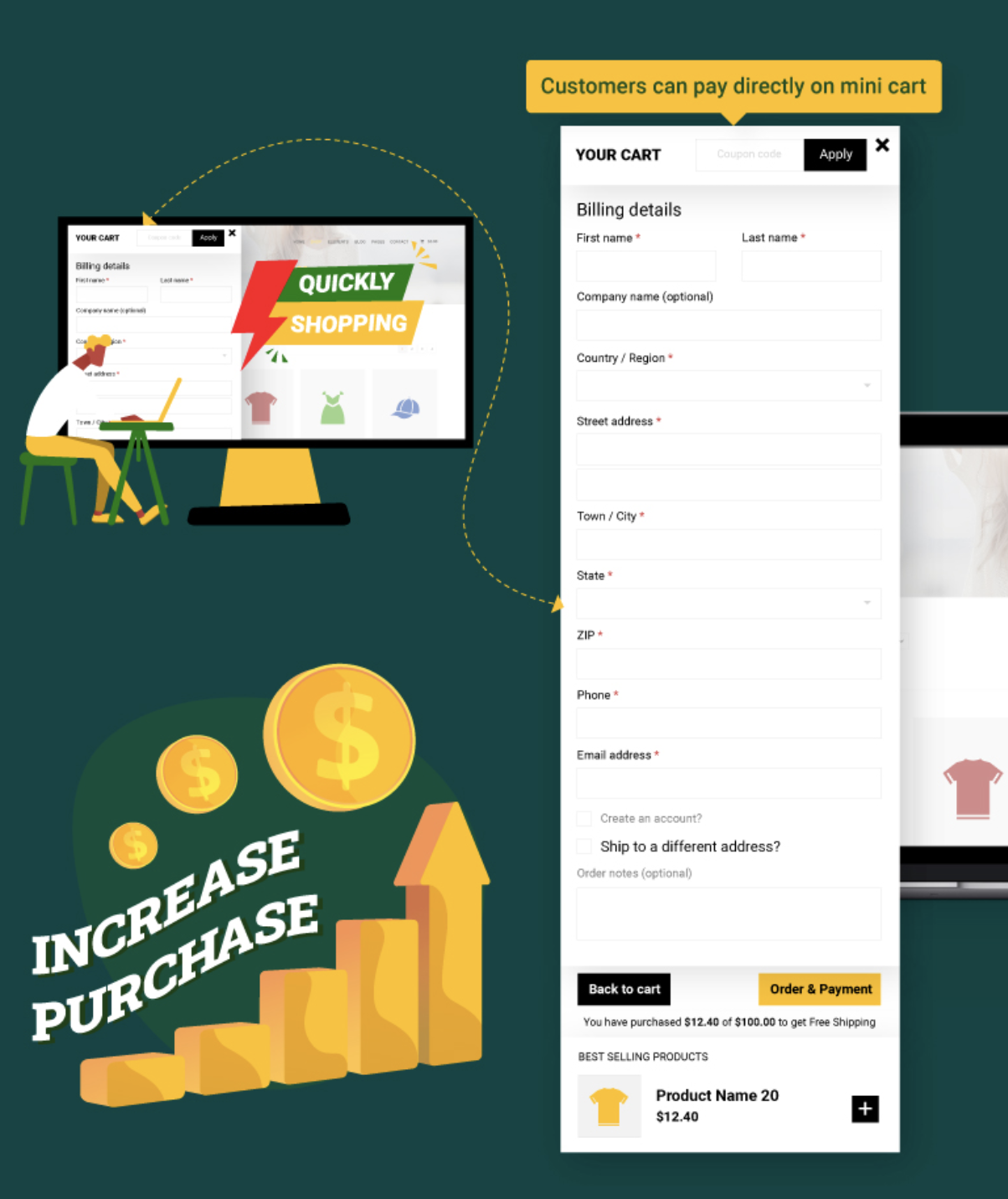
Just a suggestion, Having the ability to check out directly on the popout mini cart on your theme would be a game changer. Like this https://i.gyazo.com/f7a02d18692b19ad6a50cca207cac2a6.png
Regards
Hello,
Thank you very much for your feature request. We will consider this for our future updates.
Kind Regards
Can the same license of Woodmart be used on more than one website?
Hello,
One project or website requires one regular license. So if you are going to use it for multiple websites/clients, you have to purchase one license per project.
Kind Regards
is woodmart compatible with woocommerce 5 version?
Hello,
Yes, of course. If you face any compatibility issues, contact us and we will help you asap.
Kind Regards
Great theme using it a long time now, but wouldn’t it be great if there was a optional quotation button/option next to the price. Maybe i future updates? Thx
Hello,
Thank you very much for the comment. We will consider this in our future updates.
Kind Regards
Under Wordpress 5.7 Woodmaert triggers following PHP notice:
WP_Scripts::localize was called incorrectly. The $l10n parameter must be an array. To pass arbitrary data to scripts, use the wp_add_inline_script() function instead. Please see Debugging in WordPress for more information. (This message was added in version 5.7.0.)
Hello,
Thank you for the report. We will fix this issue in our next theme update.
Kind Regards
How I can remove these tabs, and showing only the menu https://prnt.sc/10inyru
Hello,
You need to edit your mobile menu element in Dashboard -> WoodMart -> Header builder. From there, you can disable the categories menu. The tabs will be hidden and then you can fill your mobile menu with necessary items via Appearance -> Menus.
Kind Regards
Hi, i have installed woocommerce plugin. There are a lot of warnings about products showing on google search console. The errors are mentioned below 1) Missing field “aggregateRating” (optional) 2) Missing field “review” (optional) 3) Missing field “brand” (optional) 4) No global identifier provided (e.g., gtin, mpn, isbn) (optional)
Please guide me how to resolve them.
Hello,
We have answered your questions on our support forum. So we can continue the conversation there.
Kind Regards
How I can remve these brands from the bottom https://prnt.sc/10il7o2
Hello,
You can find and customize or remove them in Theme Settings -> Footer -> “HTML before footer”.
Kind Regards