12893 comments found.

Hi Xtemos,
I seem to encounter the exact same issue again from my website. I made a thread about this from support months ago and it was ok until now it reverted back to an old navigation alignment.
Hi, I’m trying to arrange my mobile nav bar to
1. Homepage 2. Shop Page 3. Cart 4. Compare 5. Off Canvas Sidebar
But it always automatically arrange itself in default as 1. Shop Page 2. Off Canvas Sidebar 3. Cart 4. Homepage 5. Compare
Hi,
Could you please send us a link to your website where we can see this issue?
Kind Regards
Solved
Sorry guys, I found the problem in “Forms style” page.
Hello,
We are glad that you sorted it out. Let us know if you have any questions.
Kind Regards
Hi! The mega menu for horizontal menu not working true on RTL mode.
Hi,
Please, create a topic on our support forum and provide us all the necessary details about the request with some screenshots and including your admin access so we can help you https://xtemos.com/forums/forum/woodmart-premium-template/
Regards
hi after my latest update, there seemed to be an issue with the header during the initial loading of the website, it will show the header with white background, only till i make a move with my mouse cursor, then the header will appear correctly with transparent background.
please view the gif here https://www.inhabitants.life/wp-content/uploads/2021/04/S1.gif
you can visit my site here https://www.inhabitants.life/
Hello,
It seems to be caused by your custom CSS code https://prnt.sc/11ae655 Try to remove it and check how it works.
Kind Regards
If i remove, it will have a gap for the navigation header due to the padding set in the theme. i will need the navigation to overlay with the main slider.
Hi,
Try to enable our “Header overlap” option for this purpose instead of custom CSS https://xtemos.com/docs/woodmart/header-builder/enable-header-overlap/
Kind Regards
oh thanks its working perfectly now!
Great, you are welcome.
In “Enable custom slider” I see “You will be able to create sliders with WPBakery Page Builder”. Is there any plan to make it compatible with Elementor?
Hello,
Yes, you can create the slide with the Elementor plugin as well.
Kind Regards
Hello, do the theme compatible with “Photo Reviews for WooCommerce Plugin” (https://wordpress.org/plugins/woo-photo-reviews/)?
Hello,
We haven’t tested our theme with this plugin yet but it should work without any problems. If you face any compatibility issues, contact us and we will do our best to help you or return your money back.
Kind Regards
ver 6.0.1 header is not load logo, text…why?
Hi,
Please, create a topic on our support forum and provide us all the necessary details about the request with some screenshots and including your admin access so we can help you https://xtemos.com/forums/forum/woodmart-premium-template/
Regards
i can’t register on xtemos forum. your web show: Purchase code is ready in use.
But “Purchase code” very new. I just bought Your theme
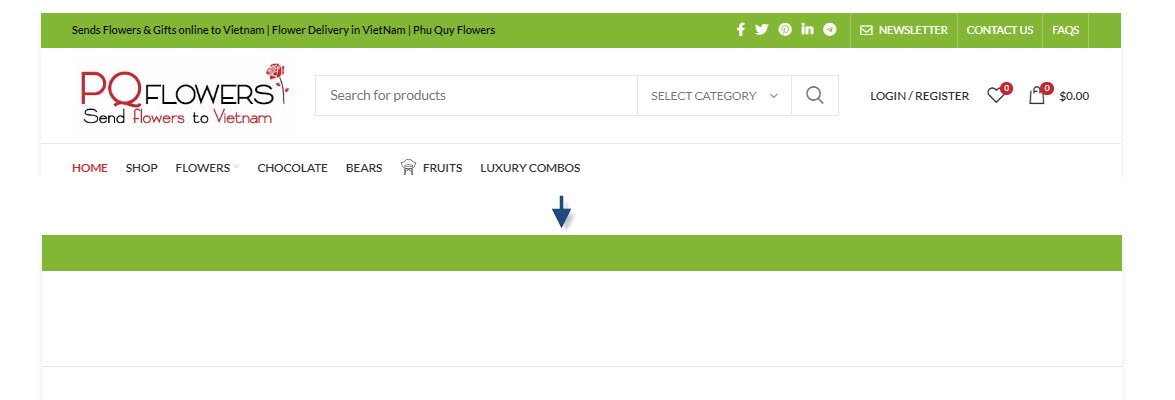
problem: lose the header during the initial loading of the website please view photo: https://pqflowers.com/wp-content/uploads/2021/04/4-11-2021-9-10-44-PM.jpg
Hi,
Could you please send us a link to your website where we can see this issue?
Kind Regards
let’s check : https://pqflowers.com/
We don’t see any problems with the header during your website loading https://gyazo.com/508f3a8f9d0487be740548da4865b31c Please, clarify your question.
Kind Regards
I removed “Mobile Theme Settings preset” and delete cache on “autoptimze plugin”. then, i also don’t see any problems. maybe , it is a reason.
OK, we are glad that you sorted it out. Could you please send us your purchase code using the contact form on our profile page so we can check what is wrong with your account on the forum?
Hi! FB login disappeared after 6.0 update but active in theme settings olivoo.be
Hi,
Please, create a topic on our support forum and provide us all the necessary details about the request with some screenshots and including your admin access so we can help you https://xtemos.com/forums/forum/woodmart-premium-template/
Regards
Congratulations to you and us for the new update You are the best template to be handled Thank you for the distinguished technical support
Hello,
Thank you very much for your comment. We are glad that you like our new update 
Kind Regards
i have Purchased woodmart theme but its not installing, its showing Faild, CSS missing
Hello,
Thank you for purchasing our theme.
It looks like you are trying to upload the wrong archive file. Please, read the following article https://help.market.envato.com/hc/en-us/articles/202821510-Theme-is-missing-the-style-css-stylesheet-error
Kind Regards
Hi, After update to latest version, portfolio category shows no portfolio items. even permalinks are updated. We had to rollback to prevision version of the theme temporarily due to this. Kindly let us know possible solution to this problem so that we can move to the latest version of the theme. Thank you.
Hello,
Make sure that you update our WoodMart core plugin to the latest version as well. It should solve the problem.
Kind Regards
Hi, I update woodmart core plugin as suggested by you. And everything is working fine now Thank you so much for the prompt response. TC.
Great, you are welcome!
After latest update, the html element of the icon of each menu item has “fa fa-” added to the class automatically. It means we can’t use FontAwesome 5 because it all starts with “fas”.
Hi,
Please, create a topic on our support forum and provide us all the necessary details about the request with some screenshots and including your admin access so we can help you https://xtemos.com/forums/forum/woodmart-premium-template/
Regards
Bonjour, je veux acheter votre thème pour la 2ème fois, est ce que je peux utiliser les deux langues arabe et français sans problème. Merci Best Regards
Hello,
Thank you for your question. Yes, you can use WPML and create a multilanguage website with RTL without any issues.
Kind Regards
In 6.0 you added an option to let us preload the woodmart-fonts. Please add an option to let us preload the custom fonts that we upload.
We uploaded 3 custom fonts in “Custom Fonts” section of the theme, and although we use a plugin (assets cleanup) to manually preload the custom local fonts, but still gtmetrix shows they are not preloaded. (a theme built-in feature to preload the custom fonts would be the best)
Thanks
Hello,
Thank you for the recommendation. We will consider adding this in our future updates as well.
Kind Regards
I need help removing a space at the bottom of the front page, between the end of all the content and the beginning of the footer. I cannot find where to delete that space.
Hello,
Check our documentation tutorial about that. It should help you https://xtemos.com/docs/woodmart/faq-guides/top-bottom-paddings/
Kind regards
Thanks for your reply. This doesn’t seem to work with Elementor. (by the way why can’t I choose to use bakery? If I do everything on the change changes)
You should be able to do the same with Elementor too. Could you please send us a link to the page where you have this problem?
What’s the difference between setting a separate html block for mobile devices and using elementor to define what should be displayed on mobile devices? (by hiding blocks from desktop/mobile)
Hello,
By hidings blocks, you don’t stop their HTML from being loaded on the page. So creating a separate HTML Block is more effective. But if you don’t hide a lot of heavy blocks and just want to do this with some simple text or image then it is not necessary to create a separate HTML block for this.
Kind Regards
Hello,
After updated from 5.3.x to 6.0.1 , at the bottom of my created page, cart page, checkout page, there is a following php warning:
Warning: in_array() expects parameter 2 to be array, string given in /home/admin/web/runrunhen.com/public_html/wp-content/themes/woodmart/inc/integrations/woocommerce/template-tags.php on line 1405
Do you have idea what is this.
Thanks a lot
Sorry that how could I update from 6.0.1 to 6.0.2, I cannot find the update option in the Theme, thanks
I’ve just update to 6.0.2, but the above mentioned problem still exists.
Hello, it’s okay now,
I just found out that the above warning will exists because
General -> Mobile bottom navbar -> Select buttons become empty after update.
But the warning still exist in desktop browser :_(
Hello,
Yes, you need to select something there. Strange, but it shouldn’t become empty after the update. We will check this on our side…
Kind regards
Thanks for reply.
I have added some items into the Mobile bottom navbar, now the warning has been disappeared in the mobile version, but the desktop browser still have such warning.
Thanks a lot
Could you please send us your admin access via the contact form on our profile page so we can check the error?
I set the Navigation Menu to be opened wit AJAX (as we have 6 dropw downs and each has so many links and icons, it was casuing slow site load. So, we had to switch to Ajax). But now, whenever we open any of the dropdowns in the navbar, we get this error in console: https://ibb.co/02S2HS6
Hi,
Please, create a topic on our support forum and provide us all the necessary details about the request with some screenshots and including your admin access so we can help you https://xtemos.com/forums/forum/woodmart-premium-template/
Regards
After updating my responsive text block in WP Bakery is gone??? I have only one Theme element in wpbakery: Wishlist – all the others are gone.
Oh Woddmart Core was deactivated after updating. Sorry, everything works fine
Hello,
We are glad that you sorted it out. Let us know if you have any further questions.
Kind Regards