143 comments found.

Please, help! I cannot edit with WP Bakery, I have done everything you asked me to do and I have also done the updates but there is no success still. Please, help!
Your support ticket has been updated. Please find the solution at https://support.themerex.net/ticket/39056
Regards.
Please, help! I cannot edit the pages of this theme. I have updated my WPBakery and done other updates.
Hello,
Thank you for contacting us!
Please update all bundled plugins using our Themerex Updater as requested above – http://holy-church.ancorathemes.com/doc/#theme_update_plugin
Regards.
This theme has got to be the most frustrating to use for me. I cannot even edit elements using wp bakery. I really wish I could get responses to my issues
I cannot remove header logo image and change to my own logo. This is not cool at all
To edit elements with WPBakery please ensure that WPBakery, Essential Grid and all the bundled plugins are updated to the latest version using Themerex Updater plugin included in the package. Feel free to follow these instructions: http://holy-church.ancorathemes.com/doc/#theme_update_plugin
Also, please disable Gutenberg Editor in WPBakery > General Settings – https://prnt.sc/vzmntr
The logo uploaded in the Customizer can be overwritten by the logo image selected in the Header layout. This allows you to upload a different logo image for each page.
-Check what header style is selected in the Appearance > Customize > Header > Header style. (You can choose a different header style for a particular page in its Theme Options.)
-Navigate to the Layouts > All Layouts and open this header layout.
-Locate the Layouts: Logo shortcode/widget and click on the Edit button.
-Upload a new logo in the Layouts: Logo Settings section and save the changes.
In case you still have any difficulties, please let us know in the support ticket https://support.themerex.net/ticket/38973
Regards.
I bought The Holy Church theme and I have been having real issues working with it. I cannot change the logo to my own logo. It’s really frustrating.
I chose the Home style 4 but I cannot change the logo and I cannot even manipulate the logo size.
Please, look into it. I’m really frustrated. Thank you!
Please, I cannot do any edit to my chosen style. I chose the home style 4 and I cannot do edit with it in the customize tab. The editing keeps reflecting on the other style. Please, help!
Hello,
Thank you for submitting support tickets!
To investigate your issue additional information is required. Please provide your website details in the support ticket at https://support.themerex.net/ticket/38973 Our team will assist you with the issue.
Thank you!
Hello, we have bought this theme for a customer and somehow this theme seems not be really compatible with the latest version.
We are running latest wp version on apache with php7.4 and only the recommended Plugins of this themerex installer + democontent.
The whole wpbakery builder is bugged. We had disabled gutenberg via the general settings of wp-bakery and also tried to disable it completely with the functions.php.
No matter what we try, we are getting in the browser console always a dozen of this errors: Uncaught TypeError: this._addClass is not a function
Frontend editing opens but there is nothing editable due to this error. No wp bakery popup loads anything, and also the ui is weirdly displaced on many elements.
Whats the fix for that?, theme is unusable without this wpbakery builder. And please dont recommend us to open a support ticket. We dont want to register on a every of the thirdparty support pages. There is no need for that!
regards
Hello,
Thank you for contacting us!
The theme is compatible with WordPress 5.6. Please ensure that WPBakery, Essential Grid, and all the bundled plugins are updated to the latest version using Themerex Updater plugin included in the package. Feel free to follow these instructions: http://holy-church.ancorathemes.com/doc/#theme_update_plugin
I would love to help you, but the Themeforest comments section is meant only for presale and general questions. We are not able to provide detailed support here. In case the issue persists, could you please create a support ticket at https://themerex.net/support/? Our support team will gladly assist and guide you.
Regards.
Everything is up to date and its a fresh install, all server requirements are more then just fulfilled.
These Instructions are not offering anything new to us. Our procedere on creating this kind of websites for such lowbudget clients are always the same. Couldnt find any different approach that we was taking here. Its the same as on all of our other pages of this type, that are also with wpbakery builder, but they havent this problem. So its theme related.
And as i can tell from the comments the WP Bakery integration seems not be problematic only for us.
Sorry but i dont want to register myself or any of our company mail adresses to such thirdparty support plattforms again, to get this kind of basic problems solved.
https://themeforest.net/page/customer_refund_policy -> Item is “not as described” or the item doesn’t work the way it should.If you cant help us with this, its also ok. In this case please initate a refund, thank you!
We have tested WPbakery Visual page builder (both backend and frontend editor) with the theme – it works fine: https://prnt.sc/wnf2fi
The issue you describe can be caused only by outdated Essential grid plugin. Please make sure that it has the latest version 3.0.11 or at least 3.0.10 Otherwise, there is a javascript conflict on Wordpres 5.6. If all the plugins are up-to-date, please disable all the 3rd-party plugins.
Our Tech support team can have a closer look at your website to check what caused the issue on your end. Please provide your website details in the support ticket at https://themerex.net/support or in the refund request (on the Themeforest website without sharing your email) at https://themeforest.net/refund_requests/new.
Hoping for your cooperation!
essential grid does not work with updated WP.
Hello,
Thank you for contacting us!
To avoid any issues, bundled plugins should be updated to the latest version using Themerex Updater plugin included in the package. Please review the detailed instructions: http://holy-church.ancorathemes.com/doc/#getting_started (please see ‘Update Option 1. Update using the ThemeREX Updater plugin’ section)
We recommend making a full backup of your website before any updates.
Your support ticket has been updated. Please find the solution at https://support.themerex.net/ticket/27468
Regards.
Also, please disable Gutenberg Editor in WPBakery > General Settings – https://prnt.sc/vzmntr
Regards.
Hello,
I’m trying to add a
in the title displayed using the title shortcode in visual composer but every filter I tried didn’t work. Even if i do a [br] shortcode in the_title it doesn’t show up, it just disappears.
Thank you for all your work!
Hello,
Thank you for contacting us!
To avoid any issues, bundled plugins should be updated to the latest version using Themerex Updater plugin included in the package. Please review the detailed instructions: http://holy-church.ancorathemes.com/doc/#getting_started (please see ‘Update Option 1. Update using the ThemeREX Updater plugin’ section)
We recommend making a full backup of your website before any updates.
Regards.
Hey, after the latest update everything works fine, except colours and defined fonts are different from my settings. If I open the customizer everything is set up right but still for example buttons and titles are blue-grey instead of yellow. What could be the problem?
Hello,
Most likely this is cache problem.
In case the changes of the color schemes are not applied, please enable Debug mode (in Appearance > ThemeREX Addons > General tab) and save ThemeREX Addons settings.
Clear browser’s memory cache and check your website.
After that disable Debug mode.
ThanksI Still don’t know the new version 1.4 is messing things up even after updating plugins. The Events Calendar no longer works.
How can I purchase a service for updating this theme to the latest? I believe I am still on the first version.
Hello,
Sure. Please check your email y*g@gmail.com for more details.
Thank you.Hello, whenever I want to edit layouts using WP Bakery the page redirects me to homepage and thus I’m unable to edit the layouts. Kindly assist
Hello,
Please submit your request to category “Pre-sales Questions” at https://themerex.net/support/ – our Support team look into that.
This doesn’t require support renewal.
Thank you in advance.Team member featured photos are cut off. How can we size them accordingly?
The new version 1.4 (1 August 2020) just messed everything up. Can’t access my front end and back end. You might need to fix whatever bugs causing this.
Hello,
Have you updated ThemeREX addons plugin after theme update?
If not, please update it. You can click on “Update” button (if available in a particular theme) or deactivate and delete this plugin. Then follow the prompt to install it again. This will load a new plug-in version on the site.
If you still have issues after plugin update, please submit your request to category “Pre-sales Questions” at https://themerex.net/support/ – our Support team look into that.
This doesn’t require support renewal.
Thank you in advance.did a plugin update and wp bakery stopped coming up on the backend. It shows on the front end. so i did a theme update and updated wp bakery. it still doesn’t show. wordpress 5.5 theme 1.4.1 wp bakery 6.2
Hello,
WPBakery Page builder, Ess. Grid and Slider revolution plugins should be updated to latest version for full compatibility with WordPress 5.5.
Please submit your request to category “Pre-sales Questions” at https://themerex.net/support/ – our Support team provide you with latest versions.
This doesn’t require support renewal.
Thank you in advance.Has there been an update to WP Bakery to 6.2?
Hello,
Yes.
Please submit a ticket under ‘Pre-sale questions’ tab at https://themerex.net/support/ – we’ll provide you with latest version of plugin.
This doesn’t require support renewal.
Thank you in advance.WP Bakery is so fickle lol … everytime a new version comes, you can’t edit until it’s updated.
Any idea when the update will come out so we can edit with WP Bakery again?
Hello,
Please note that the theme includes Themerex Updater plugin allowing you to update all bundled plugins directly in the Dashboard. Please review the detailed instructions: http://holy-church.ancorathemes.com/doc/#getting_started (please see ‘Update Option 1. Update using the ThemeREX Updater plugin’ section)
We recommend making a full backup of your website before any updates.
Also, please disable Gutenberg Editor in WPBakery > General Settings – https://prnt.sc/vzmntr for full compatibility with WordPress 5.6.
Regards.
Oh sweet I didn’t know that. THanks
How do I get rid of the media player button hover effect? I have html media player code but the button hover overwrites it and puts the button hover effect over the media player so I can only hear audio and not see any video because it is showing the button mouseover hover and won’t get rid of it. How do I stop the button hover effect for media players?
Hello,
Thanks for reaching out to us!
Our Tech support team will be glad to assist you with any questions you have. Please submit a support ticket at https://themerex.net/support/.
Thank you!
The Events Calendar/Module no longer works.
Hi,
https://www.screencast.com/t/IzkvSOdAD9 - Can one or both of these be disabled?I’m getting an issue with WPBakery Page Builder: “Plugin not activated. A higher version of WPBakery Page Builder is needed for this theme.”
Also getting an error for the Contact Form 7 Datepicker: “Something went wrong with the plugin API.”
Can you please let me know how to get the latest plugin version, and help fix the plugin API version.
Hello,
Please submit a ticket at https://themerex.net/support/ – our Support team provide you with latest version of WPBakery and assist you with Datepicker question.
Thank you in advance.
Hey, I purchased this theme and when I tried installing it this is the message I got
Unpacking the package…
Installing the theme…
The package could not be installed. The theme is missing the style.css stylesheet.
Theme installation failed. Kindly help
Hello,
Thank you for choosing our theme!
If you try to install the wrong files, you will get missing styles.css file error. This is the most common error that means you are trying to install an incorrect package.
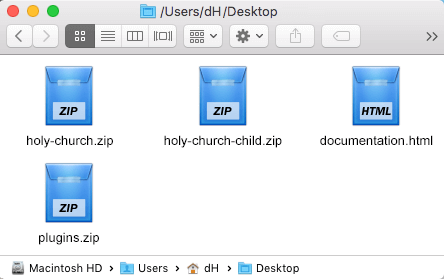
Before installing the theme, please make sure you unpacked the archive and extracted theme files:
http://holy-church.ancorathemes.com/doc/images/unzipped_theme.png http://holy-church.ancorathemes.com/doc/#getting_startedIf you have further question or issues, please submit a ticket at https://themerex.net/support/ – our Support team will be happy to assist you.
Thank you in advance.Hello, the visual composer is not working anymore, or the plugin is outdated. How do I get an updated plugin to edit the back end of my website?
Hello,
Please submit a ticket under ‘Pre-sale questions’ tab at https://themerex.net/support/ – we’ll provide you with latest version of plugin.
This doesn’t require support renewal.
Thank you in advance.