145 comments found.

hey whats up i need something like a pdf ebook that i can install on my devices and fill out the same ready made 3 fillable forms over and over again i want it to work offline/online so that when the devices comes back on since my employees often work in remote areas. via the perfex crm zapier modus this is installed and ready to go.. currently im using jotforms and id like to self host my situation thru iframing my 3/9 forms packaged in an ebook that will push my data to perfex via zapier once the internet connects if my agents are in a remote location can you finish this by monday morning its urgent heres a sample of my fillable forms 1 https://acrobat.adobe.com/id/urn:aaid:sc:us:417ee33e-e18c-4505-a40a-afa9148822a9 2. https://form.jotform.com/243041985881060 get back to me asap thanks create fillable pdf form interactive pdf ebook and workbooks, planners
my questions for you are
1. are you familliar with perfex crm, zappier and which do you prefer signnow or pandadoc? 2. im interviewing 9 more people and whoever gives me the sweetest deal ofcourse im going with whatever makes more $ense .. 3. i am building a backend in perfex for this so once this is done ill need your continuous support in improving the platform build once write many I was told without net signable form doesent work
So the only other option I know is to make an offline/online ebook
Or a pwa progressive web app with the forms embedded connected to the api from zapper, docusign, or jotgorm or panda doc
THIS is the theme builder for the pwa hey id like to buy this but my main objective is to upload my fillable form into this platform because from what i understand is that its availe offline .. so that my nurses can fill out the forms and when the internet is connected id use zappier to action sending my data to my either wordpress or perfex crm. thats it nothing more nothing less .. i intend to use this like an ebook kiosk with 4 menu buttons … patient intake patient follow up and patient discharge .. each form filled out and signed will be sent out to my email address and to my crm database for review nothing more nothing less.. i dont even need any of the actual app features for now just need to fill the forms out weather online or offline PLEASE TELL ME THIS WORKS LIKE ALL THE PWA that i have installed on my phone
p.s. what is the back end database and crm for this mysql and …. cms? to preview all the inputed data? thanks
Here’s their answer https://preview.themeforest.net/item/nectar-mobile-web-app-kit/full_screen_preview/20466093? Nectar does not come with any Backend or CMS. It is a Frontend solution only. However, if you already have a Backend or CMS and if it has a REST API, then you can use that REST API to develop a Frontend Client using Nectar. That’s what Nectar is used for. We have provided a basic WordPress REST API integration in Nectar. You can use this as a reference for integrating your own REST API with Nectar.
how much to customize this skype me direct please lets skip email majimaj1 thanks
Hello!
Is there a demo or Android app that works with “cordova-plugins”?
I saw the comment below, but the url is not accessible.
pmsgz Author
almost 7 years ago Flag Hello, Thank you for your interest in this template. This template is fully compatible with Cordova/Phonegap. You can test it on your mobile phone by navigating to this link. http://nectar.theprogrammers.website
Hello,
Please ping me at praveen.mujawdiya@gmail.com so that I can share the demo APK with you.
You can then install the APK on your Android device and test the cordova plugins.
Thank You
Regards, Praveen Mujawdiya
Dear Sir/ I have try add cordova and follow this For Cordova, set <base href=”.” /> in index.html file. it working but it show page not found using platform browser and when build it app , it show blank screen after splash screen, How to solve this, note, i run in local server using mamp server
Hello,
It seems you have followed the right steps. Also you can use any web server of your choice.
But did you uncomment the ”<!-<script src=”cordova.js”></script>->” element in the index.html. This is located in the body right after “ ” It is mandatory to have cordova.js included when developing for any Cordova app. Please do this, test again and let me know if it works.
If this does not work, please share the error displaying in your browser console.
Thank You
I have also added this to the docs. You can check here: https://pmsgz.gitbook.io/nectar/publishing/cordova-app#adding-reference-to-cordova.js
Dear Sir, Thanks it is working now, for all plateform, just android abit problem with alert message “gap:[null,”NetworkStatus”,”getConnectionInfo”,”NetworkStatus117596489”]” and other message and after that show page not response along time to make page un response , i test this by browser platform and for build ios on real device is working now and not test build android on real device yet. anyway thanks
Hello,
Glad to know that it is working now.
Regarding android, may I know what version of android are you testing on emulator?
Also are you referring to the alert message present in index.html related to the outdated WebView version or something else?
FYI, you will need to at least have a WebView/Chrome version 71 or above for the working of the app. If this is not present on the device (emulator or real), the alert message is shown. So that the user can download the latest version of WebView/Chrome from play store and then can use the app.
Thank You
Also let me know if this error is displayed on the real device as well.
Ok, Now build on read device of android is also ok, Accept can not test to check error using browser platform on android platform only, beside this ok all
please what is the change log for the recent update on 3 June 2024
Hello,
This update is related to Cordova. The only file affected is config.xml
A. Updated Cordova to the latest version so that it supports Android 14.
1. Added ’<engine>’ tags inside config.xml which refers to the versions of Cordova SDK used in Android, iOS & Electron.
2. Set ’<preference>’ android-minSdkVersion, android-maxSdkVersion and android-targetSdkVersion
B. Updated all the plugins defined in config.xml to their latest versions.
1. Check <plugin> tags, their spec attribute has been set to their latest versions.
C. Added support for monochrome launch icons for Android.
1. Added ‘monochrome’ attribute to ’<icon>’ tag in android.
2. Icons have been added to res/android/launch-icons folder ending with the name -monochrome and xml value set in res/android/resource-files/adaptive-icon.xml
D. Added hook to remove extra ‘WRITE_EXTERNAL_STORAGE’ permissions from AndroidManifest.xml and keep only one, which are added during different cordova plugins installation. As this creates conflict and compile error, this hook is necessary.
Besides this, no changes have been made.
Thank You
Thank you
Will I be able to integrate MYSQL callbacks using this app, and the forms will I be able to load them to MYSQL Tables
Hello,
Thank you for purchasing Nectar.
Certainly! You can use Nectar for interacting with MySQL databases using any server-side technology of your choice.
Here’s how you can achieve it:
Server-side Technology: You’ll need a backend written in any server-side language such as Node.js, PHP, Python or any language of your choice to handle interactions with the MySQL database.
Rest API: Set up API endpoints on your backend that will handle requests from Nectar app and perform required CRUD operations on your database.
AJAX: In Nectar, you will need to use AJAX to communicate with these API endpoints. When a form is submitted or when you need to fetch data from the database, you’ll make AJAX requests to the corresponding API endpoint on your server.
That’s how it will work.
Let me know if you have any questions.
Thank You
Regards, Praveen Mujawdiya
does this uses vue3 ?
Hello,
Framework7 comes in 4 variants — Core (JavaScript), React, Svelte, and Vue.
But Nectar is built using Core variant only, which has all the modern features such as State Management, Reactivity, Templating Engine, Custom Reusable Components.
If you are interested in looking at the source code and how it is structured, please let me know. I will share the screenshots with you.
Thank You
Regards, Praveen Mujawdiya
Oh, that would be nice. Please send me some screens, also, I want to know how state is managed? (in vue, I use Pinia)
Hello,
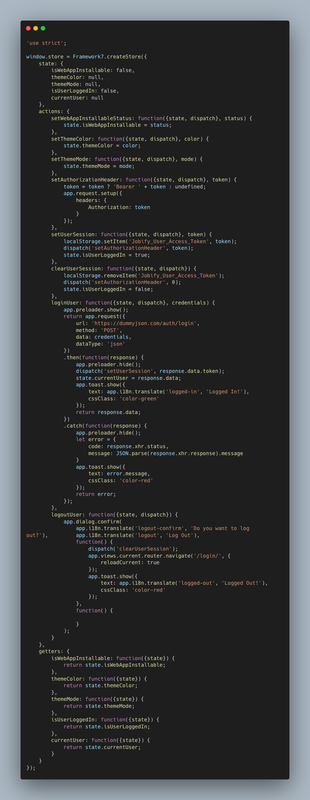
Nectar uses Framework7’s in-built state management library. Please check here https://v7.framework7.io/docs/store
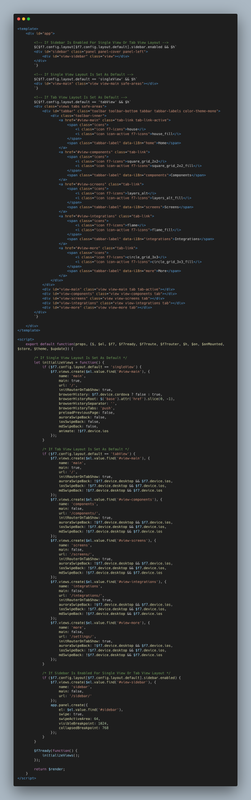
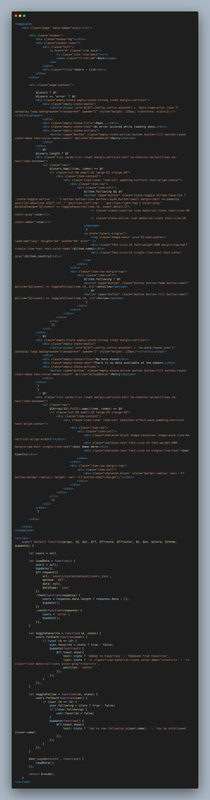
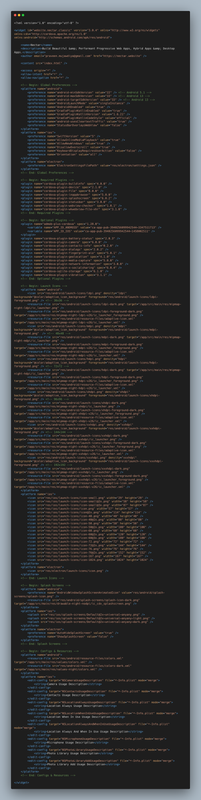
Please check the code screenshots here:
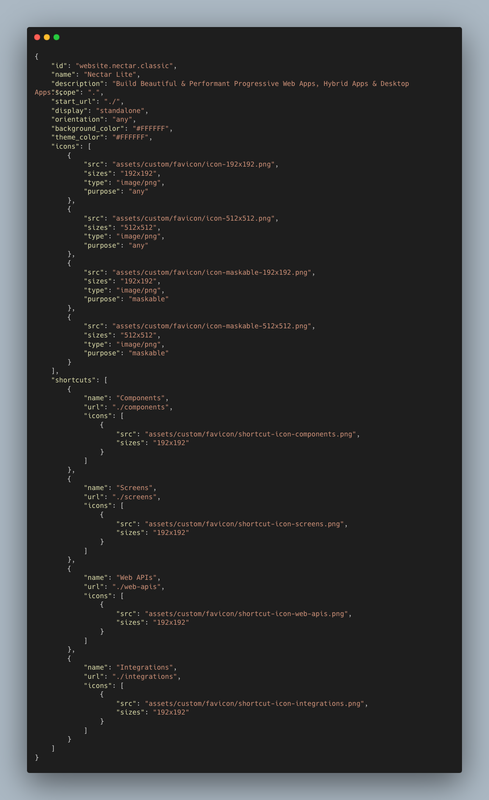
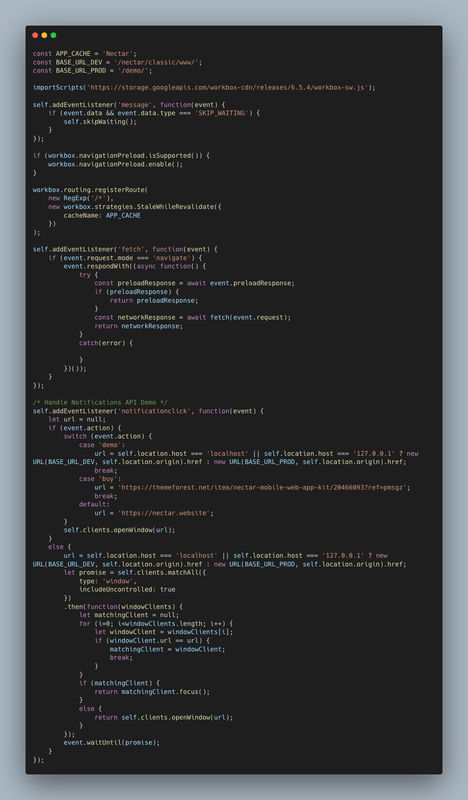
index.html (Main entry point of the app) https://i.postimg.cc/15GX9ps3/index-html.png app.html (Root component of the app) https://i.postimg.cc/ZY1vYbNV/app-html.png Router Component (https://v7.framework7.io/docs/router-component) https://i.postimg.cc/7PTbWFR7/users-list-html.png config.js (All the app config variables) https://i.postimg.cc/vT9BxnnX/config-js.png store.js (App Store Management) https://i.postimg.cc/Px0JqyCP/store-js.png config.xml (configuration file for Cordova) https://i.postimg.cc/NfqLqNhn/config-xml.png Manifest & Service Worker file for PWA https://i.postimg.cc/N0f5C5hf/manifest-json.png https://i.postimg.cc/9f8z6CVP/service-worker-js.pngIf you have any other questions, please let me know.
Thank You
Hello, is this a typescript or vanilla JS?
Hello,
Framework7 Core does come with TypeScript Typings, but Nectar is written in JavaScript only.
upon installation, it is saying app.init is not a function
by the way update is just awesome
Hello,
app.init() is not a function error will mainly occur only when Framework7 library is not referenced properly in index.html file or not initialized properly in init.js, because .init() is a method of Framework7.
If you downloaded the zip and did a fresh upload on your local server, then it should not be a problem.
Can you please share the complete screenshot of JS console along with the errors or it would be better if you upload your project on a server and share the link so that I can check on my browser.
Thank You
Glad to know that you like the update 
Please check this link:
https://pmsgz.gitbook.io/nectar/getting-started/installation#setting-project-base-hrefHello, my website is just a basic PHP, can I use this?
Hello,
By default, the structure of Nectar is Single-Page Application (SPA), which is most suitable for websites (PHP, Node, Python, or any other language) having REST APIs, or when you want to create apps for Android, iOS, Desktop using Cordova and Electron.
By your question, I’m assuming you want to mix <?php ?> PHP Tags within the HTML content itself. If this is the case, then Nectar is not suitable for you.
If you have the REST APIs available, then Nectar will work best for you.
However, I’m working on a Multi-Page Application based on Framework7, where you can make web apps similar to traditional websites, can use any server-side language or framework and mix the server code within the HTML itself even if you don’t have any REST APIs.
If you have any questions, let me know.
Thank You
Regards, Praveen Mujawdiya
are we still expecting an update, or the project is dead
Hello,
We have updated Nectar to Framework7 v7.1.5
Please check the demo at https://nectar.website/demo
Thank You
@pmsgz, is the project dead?
Hello,
No, this project is not dead at all. I have not abandoned it. I’m still working on it.
I have already been working on a major update for Nectar since last year (2020-2021). But recently, due to some health issues I could not concentrate on my work and had to postpone the release.
Just 1-2 months ago I have again started working on Nectar.
As Nectar is based on Framework7 v3 and the current version of Framework7 is v7, a lot of backward incompatible changes have been made since then. Therefore I am re-writing almost every part of Nectar from scratch along with many new features. So hopefully by the end of the year, the update will be available.
I’m really sorry for the delay in update. But it will be worth the wait. It’s a promise.
Thank you for being an awesome customer.
Regards, Praveen
@pmsgz, very good to hear this news.
Looking forward to the new update.
And I hope you are in better health.
All the best!
Thank you very much
Hello,
We have updated Nectar to Framework7 v7.1.5
Please check the demo at https://nectar.website/demo
Thank You
Hey!
The update was awesome! Now I can start tinkering with the update for my project too!
I hope your updates remain as regular as ever, you have an amazing project and always come up with a lot of cool integrations!
Hello,
I’m glad to know that you like the update. If you get any issues while updating your project, let me know.
I’m now able to actively work on Nectar and will update it on regular basis.
Thank you for being an awesome customer.
Regards, Praveen Mujawdiya
Hello,
I want to buy your Nectar template but the last version/push seems old. Your project is amazing and i would to try it but only on new version to have the support with this new version.
May I know when you will be able to update it on the latest framework 7 module?
Regards,
Hello,
We have updated Nectar to Framework7 v7.1.5
Please check the demo at https://nectar.website/demo
Thank You
Hi, any news to share with us about the new version?
Don’t let this project die, it’s great!
you never do anymore update  i want renew support but need new version
Hello,
I’m already working on a new update. Once it is released, you can renew the support.
Thank You
Regards, Praveen Mujawdiya
Hello,
We have updated Nectar to Framework7 v7.1.5
Please check the demo at https://nectar.website/demo
Thank You
if I have a woocomerce website , can I integrate with Nectar to biuld my own phone app ?
Hello,
Integration of WooCommerce in Nectar is possible by using its REST API. However, Nectar does not provide any ready-made solution for WooCommerce. You will need to write the code for it which might be time-consuming. Therefore, I would suggest you to look for WooCommerce-specific solutions on CodeCanyon readily available for usage.
Thank You
Regards, Praveen Mujawdiya
Hi, do you have any plan to update to framework7 v6 ?
Hello,
Yes, I have plans for updating Nectar to the latest version of Framework7 v6 and I am already working on it. However, I cannot provide you the exact timeline.
Thank You
Hello,
We have updated Nectar to Framework7 v7.1.5
Please check the demo at https://nectar.website/demo
Thank You
Hi, Are you planing to update this kit to latest framwork7 ? Thanks.
Hello,
Yes, I have plans for updating Nectar to the latest Framework7 version. However, I cannot provide you the exact timeline.
Thank You
Hello,
We have updated Nectar to Framework7 v7.1.5
Please check the demo at https://nectar.website/demo
Thank You
We are considering Nectar for our Cordova App, as it seems to be a Really nice – Mobile Web App Kit.
However we do see it unfortunately is pretty dated, as it is based on Framework7 v 3.6.7: https://pmsgz.gitbook.io/nectar/getting-started/dependencies-and-pluginsThe latest Framework7 is now – v 6.0.1 with a ton of updates and changes: https://github.com/framework7io/framework7/blob/master/CHANGELOG.md
Will there be any more maintenance updates on Nectar ?, to being able to use Nectar with Framework7 – v6.0.1 and so on.
What would time-/release schedule be ?
( ps. sorry for double post )
Hello,
Thank you for your questions. I have received your message over email and already sent you the reply there. We can continue our conversation there.
Thank You
Regards, Praveen Mujawdiya
Hello,
We have updated Nectar to Framework7 v7.1.5
Please check the demo at https://nectar.website/demo
Thank You
i was doing some research on. this template, and came across this… https://nullpress.net/free-download-nectar-mobile-web-app-kit/ i am not sure if this is accurate, is it really for free here?
Hello,
Nectar is available for sale at ThemeForest only. All other nulled versions you find at different websites for free are pirated copies.
Thank You
I have an app built in asp.net web api, can I use nectar to build a mobile app?
do you have an example of authentication etc?
Hello,
Nectar is a Single Page Application, which only uses AJAX/FETCH to communicate with the server. So, if you already have a REST API built in ASP.NET, then you can use Nectar to build a mobile app.
Nectar comes with examples of using AJAX to fetch data from REST API in JSON form. If you want, I can provide you an example of authentication using your own API.
I hope this helps. Let me know if you have any questions.
Thank You
Regards, Praveen Mujawdiya
thank you for your reply! yes the app already have api.. can you provide me your examples? looking forward to your reply
Hello,
The examples are available in the demo itself.
1. Go to this link: https://nectar.website/material-hamburger/www in your desktop chrome browser.
2. Open Developer Console (Press Ctrl + Shift + I) and select Network Tab.
2. Now, open the hamburger menu in Nectar homescreen and select ‘Screens’ option.
3. Go to Business Profile screen.
All the data in this screen is populated by fetching the JSON using AJAX, which you can check in the network tab of developer console.
The link to JSON is https://nectar.website/material-hamburger/www/assets/custom/dataset/business.json
In the same way, following screens uses JSON data: Articles – List, Contacts List, Testimonials.
Thank You
Regards, Praveen Mujawdiya