12893 comments found.

I have two problems: 1. The cart icon is missing on the single product display. 2. From Quick view option for variable products. I am not able to add products to shopping cart. Any solution to these issues. Thank you
Hi,
Please, create a topic on our support forum and provide us all the necessary details about the request with some screenshots and including your admin access so we can help you https://xtemos.com/forums/forum/woodmart-premium-template/
Regards
I would like to add an option box to the product comment section, is it feasible? for example I would like a checkbox to be placed with 3 skin type options: clear, oily, dry so that they can select it before commenting https://i.postimg.cc/rwHWB33k/prub-1.png
Hi,
Sorry, but there is no such option in our theme and WooCommerce by default. It may require additional code customization or extra plugin but we don’t have an instruction for this. It is out of our theme support scope.
Regards
Hello. I really like your theme, “woodmart” is excellent. I want to buy it, but I have one question.
1. Tablet in landscape mode: on the product page there are tabs “Description”, “Additional info”, “Reviews”, “About brand” and “Shipping & Delivery” https://www.dropbox.com/s/6n2bz1zvzdi2gd6/38A0B28F-9DC5-47B5-8170-7E9183025838.jpeg 2. Tablet in portrait mode (or mobile phone): these tabs are missing https://www.dropbox.com/s/az7sha8ogpou04y/BE90DB5D-415D-440D-B65B-9FA3769117D8.jpegWhy is that? I need these tabs be visible always. Is it possible?
Thanks.
Hello,
Thank you very much for your comment.
You need to reload the browser if you resize it. Or test with a real device and you will see these tabs on mobile devices.
Kind Regards
Yes, I see these tabs after reload, thanks!
You are welcome! Let me know if you have any further questions.
hi, it seems like that the theme setting “Products per page” wont work on attribute taxononmy pages like pa_color or something else.
Hi,
Could you please send us a link to your website where we can see this issue?
Kind Regards
Yes, its a staging but no problem. Example:
Archive of an attribute: https://2021.moebelstoffparadies.de/stoffe/vorhang-stoffe-gardinen-stoffe/
Normal category: https://2021.moebelstoffparadies.de/stoffe/polsterstoffe-moebelstoffe/
Its strange…
As we can see, both pages are categories. And it looks like the first category just has less products then the second one.
Sorry my copy mistake.
thats a color attribute: https://2021.moebelstoffparadies.de/farbe/beige/
Now i see that the theme setting “products per page” is set to 24 but only 12 are visible per page in both sections.
For me, it shows 24 products on both pages. Try to test it with the incognito tab.
Ok, strange. Then it works. really crazy.
hello good night, I have a lot of doubts about the topic of how to change and alter this field put the link to social networks how to put the currency and the country as shown on the demo site
my website:
https://ibb.co/BtqmskJI want to put as this image please and configure the social media link
https://ibb.co/T1F3FzNthanks
Hi,
Please, create a topic on our support forum and provide us all the necessary details about the request with some screenshots and including your admin access so we can help you https://xtemos.com/forums/forum/woodmart-premium-template/
Regards
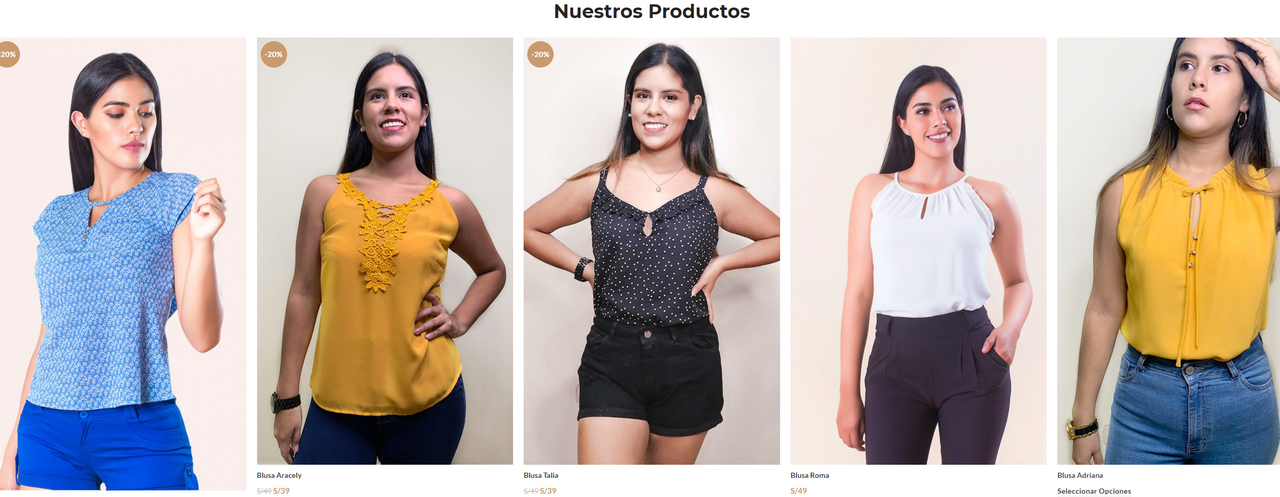
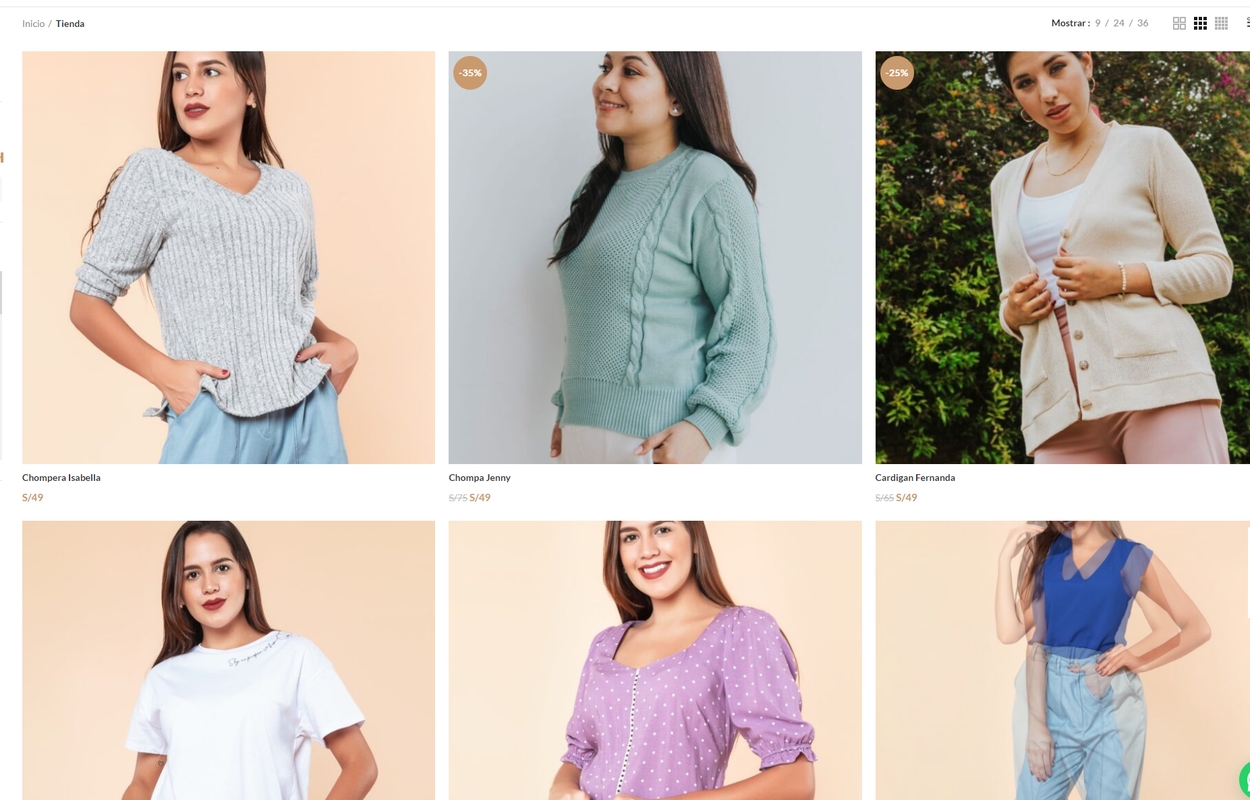
Good afternoon, my store is already looking perfect but currently in my “store” section the products look square. I would like to know how to make my images in the product list look vertical and not square, that is to say more elongated. I would like it to look like in my home like this: https://i.postimg.cc/zf23SFhy/dps.png, but in the store it looks like this: https://i.postimg.cc/CMqdkDxK/normal.png, please help me
Hello,
Please, send us a link to this page so we can check your product images size.
Kind Regards
Hello dears,
After the lastest WooCommerce update the cart doesn’t empty after checkout (only for logged in user). When I change the theme to the default WooCommerce theme there is no issue.
First I tried to disable and enable different plugins and turn off all caches and page optimizations. Then I read somewhere that some kinda of server side cache may cause this so I duplicated the site and made a staging subdomain on a different server – the issue was still there. Only after theme change, the issue was resolved.
Hi,
Could you please send us a link to your website where we can see this issue?
Kind Regards
Please, send us your admin access so we can test how it works with the default WordPress theme.
Kind Regards
Where can I send the admin access?
You can use the contact form on our profile page.
sent
We have just tested this process with the default WordPress theme and the error is the same https://gyazo.com/f760ddcf0e429208847f1cd1bf883c49 It means that it is not caused by our theme but most likely by some of the installed plugins.
after woocommerce update, appeared in pagespeed insights report – /wp-content/plugins/woocommerce/packages/woocommerce-blocks/build/wc-blocks-style.css?ver=5.5.1 display blocking resources?
Hello,
Try to disable Gutenberg styles completely via Theme Settings -> Performance -> CSS.
Kind Regards
thanks, as it turned out everything is simple, now everything is fine
Great, you are welcome!
Hi.
I tried opening a ticket on your support site, but could not find an option create the ticket.
There is one challenge with WoodMart—It does not resize post pictures. For example, when the image’s size is not at least 1000” it will not resize it to fit the featured post image’s area. I think this is not good. Generally when you upload a smaller image for a post in some themes, it automatically resizes to fit the post’s featured image area and makes it look nice.
Any suggestions?
Thank you
Hello,
Post thumbnails sizes are controlled by WordPress and you can configure them via Dashboard -> Settings -> Media. You need to also regenerate all thumbnails to apply changes. Use the following plugin for this https://wordpress.org/plugins/regenerate-thumbnails/
Kind Regards
I would like to return this Theme, please, please return this Theme, giving money.
Hello,
Please, request a refund using an appropriate form and we will return your money back.
Kind Regards
Good evening, I wish I could make a section with 3 boxes as the reference https://www.lamatier.com/ on my page but I would like the first to be a video as the reference page could do it ?, that is, a video that can be on my page or from youtube, then 2 normal images.
Hello,
Yes, you can use the video element and put it to the first column.
Kind Regads
Hi,
I have a couple of questions regarding your slider;
1. I have created a basic image slider on my homepage which includes 8 images. How can I include a progress bar for those images?
2. Is there any way to create buttons outside of the slider that when clicked it will take you to that image? for example button 2 goes to image 3, button 3 goes to image 5, and button 4 takes to you image 7.
Thank you
Hello,
Thank you for contacting us.
1. What kind of progress bar do you mean? Could you please send us a screenshot for a better understanding?
2. There is no such functionality in our theme by default. It might be possible with additional JS customization.
Kind Regards
Hi,
1. A timing progress bar. So if you set the slider time to 6 seconds, you see a timing progress bar spanning across the image, until the next slide?
Sorry, but our theme doesn’t have such feature for the slider, unfortunately.
Hi, i have a long dating bug on your plugin, more than a year now :
In the header builder the html code of html block just wipe itself.
here a video of the issue : https://cloud.brockwayproduction.fr/12uvyv6Q
Hello,
WordPress editor clears empty HTML tag that is why you see this problem. Try to insert no break space code inside the
<i />tag.
Kind Regards
Hi, i tried, and even tried with HTML blocks (wich work fine before an update), and still nothing, i can see the code just fine in the page, but it is not showing the icon. Maybe your theme does not load font awesome anymore ?
Please, send us your admin access using the contact form on our profile page so we can check your configuration.
Thanks done 
You need to enable Font Awesome library to be loaded globally in Theme Settings -> Performance -> Fonts & Icons.
Hi, i have tested, and now adding the html block “Wishlist” in the header (that worked fine before) just make the whole site bug out. Can you check ?
It looks like this block has an unclosed HTML tag and breaks the markup. You need to review this block or create it from scratch.
The wooCommerce categories drop-down on the shop page doesn’t open when viewing it on phone?
Hi,
Please, describe to us your problems in a bit more details. Attach some screenshots and provide us with a list of steps on how to reproduce them on your website.
Thank you in advance.
How can I edit the sliders https://woodmart.xtemos.com/sliders/ and make something similar ? Also how do I view the revslider ?
It was really simple in flatsome but I cant get my head around your slider builders
Im wanting to make a banner with a background image with text and another image layer with text and a button
Hello,
Read our documentation to get familiar with our slider functionality here https://xtemos.com/docs/woodmart/woodmart-slider/how-to-create-a-slider/ Let me know if you have any difficulties creating the slider and I will do my best to help you.
Kind Regards
Hello, I have my website with the template installed, but my site speed is bad, I have a rating of 15 on PageSpeed, and it tells me that the Total Blocking Time is 13,520 ms
https://bit.ly/3y0XU7eHello,
Thank you so much for purchasing our theme and contacting our support center.
We have tested your website and found a few problems that you should fix first to speed up your website.
1. There are some errors loading resources on your website. Probably, they are caused by your hosting server or installed plugins. https://gyazo.com/505cfe4e6b3c688f3a7a4e40bad90ac7
2. Your home page size is 8MB+ which is too much. It may be due to large not optimized images, JS, CSS files, plugins etc. https://gyazo.com/b0bb9322b7e167a63b572ee3f63b66e1
3. Turn off all third-party plugins first and optimize your website. Then, add necessary plugins one by one and check the speed accordingly.
4. Your current server response time is 3-4 seconds and it is very slow. It might be caused by a lot of different factors: slow server, plugins etc. https://gyazo.com/03424bc3ffe2c52ff17e100eb7c3479d
5. Use WP Rocket plugin to optimize your website’s JS, CSS and cache.
6. Use some CDN service like KeyCDN.
7. We recommend you uninstall the Slider revolution plugin since it is too heavy if you want to get a high score in Google page speed. You can replace it with our WoodMart slider instead https://xtemos.com/docs/woodmart/woodmart-slider/
Also, read our tutorial about how to optimize the website properly https://space.xtemos.com/wordpress-performance-optimization-the-ultimate-guide-in-2021
Kind Regards
Hi there, will you release an update soon with some new features?
Hello,
Sure, we are working on our new update and hope to release it in a few months. Sorry, but we can’t tell you an exact date at the moment.
Kind Regards
Hello. Sorting on my website doesn’t work. How can I fix it?
Hi,
Please, create a topic on our support forum and provide us all the necessary details about the request with some screenshots and including your admin access so we can help you https://xtemos.com/forums/forum/woodmart-premium-template/ If your support is already expired then you need to extend it on ThemeForest first.
Regards
Is there a way to Exclude “out of stock” products from the “Ajax Products Tabs” widget? I couldn’t find an option for it on the widget.
We have a few sections in which we use Ajax Products Tabs that only want to show the products that are available for purchase and not display the out-of-stock products.
Thanks
Hello,
There is no such option in our product tabs widgets at the moment. You can hide this kind of product globally using an appropriate option from WooCommerce.
Kind Regard
Bad POST ARCHIVE layouts. Can you add standart post layouts ? Simple small picture on the left 20-30% of row, simple text on the right 70-80% of row ? Now only one Grid template useful. And rich design for post . like Product
Hello,
Thank you for your comment. Could you please send us a screenshot of the layout you would like to achieve?
Thank you in advance.