12892 comments found.
Hello.
I need you help. my team purchase WoodMart theme
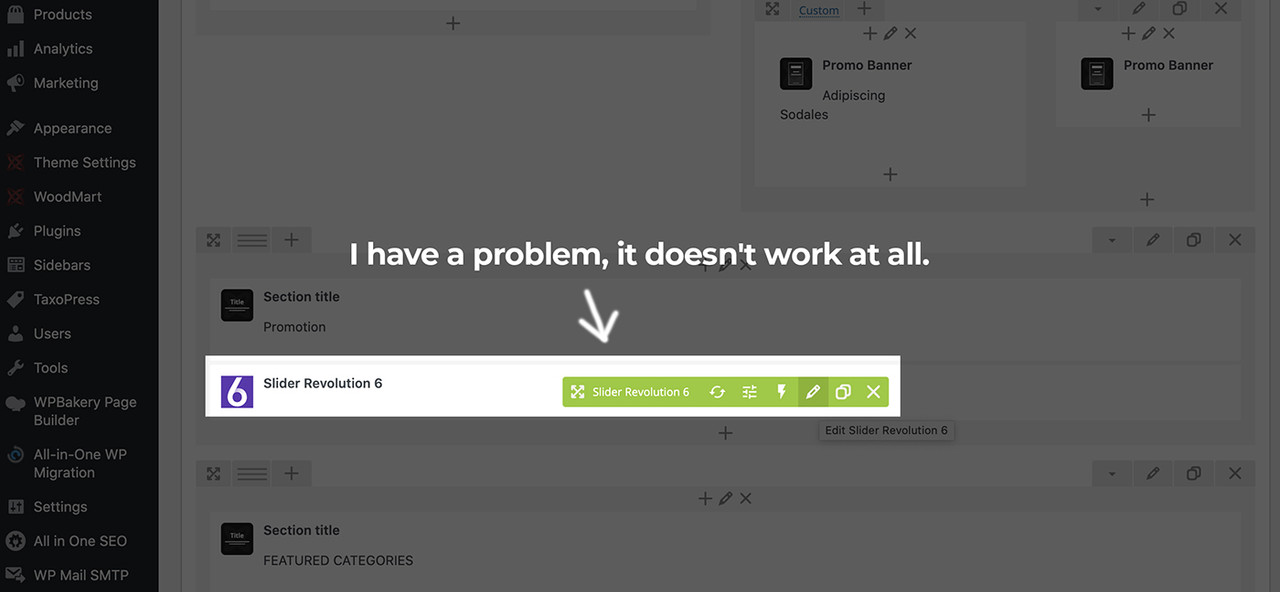
I have problem?, Slider Revolution doesn’t work at all.
https://i.postimg.cc/7hvDY73K/Question.jpg
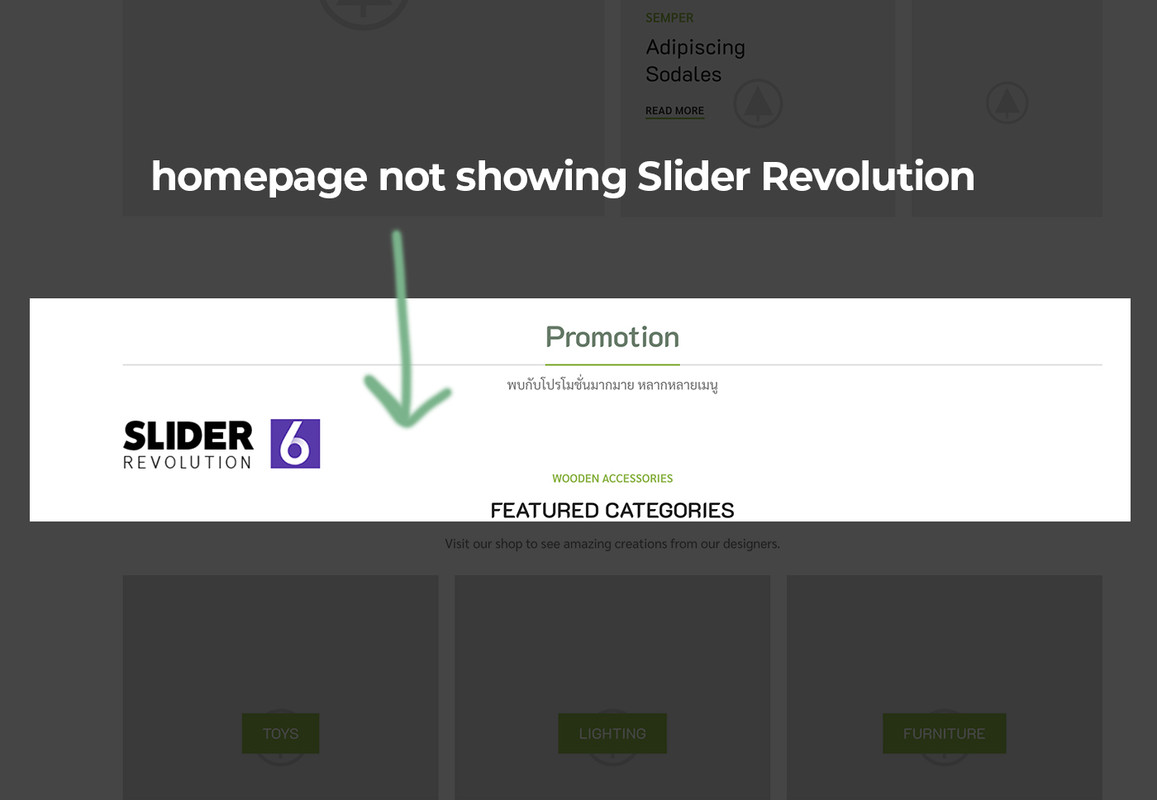
Homepage not showing Slider Revolution
https://i.postimg.cc/FzjvfRGN/slidernotshow.jpg
Please help me.
Hi,
Please, create a topic on our support forum and provide us all the necessary details about the request with some screenshots and including your admin access so we can help you https://xtemos.com/forums/forum/woodmart-premium-template/ If your support is already expired then you need to extend it on ThemeForest first.
Regards

Hi is it possible to hide certain category in the Product Categories filter widget in the Shop Page Widget Area? For example I have a category called “200% Reward Point” which I need to work with a reward point’s rule setting, but I don’t want customer to be able to see nor filter by this category. Thank you.
Hi,
Sorry, but there is no such option in our theme and WooCommerce by default. It may require additional code customization or extra plugin but we don’t have an instruction for this. It is out of our theme support scope.
Regards
HI Team,
How can I add product condition to each and every product as below.
https://i.snipboard.io/jVMkrQ.jpg
Thank you.
BR,
Lsrc
Hi,
Sorry, but there is no such option in our theme and WooCommerce by default. It may require additional code customization or extra plugin but we don’t have an instruction for this. It is out of our theme support scope.
Regards
Hello there,
I know, i don’t have support anymore but wpbakery doesn’t work fine anymore.
I’m stuck at 6.6 release and tell me to ask your theme provider, maybe to unlock the latest version 6.7
1 – Is it possible to get the latest version of wpbakery please ?
Thank you very much,
Best regards
Hello,
You can update the plugin to the latest version available via Appearance -> Install plugins. If you don’t see the update there, try to reinstall the plugins completely from there.
Kind Regards
Thank you so much for your quick reply Xtemos.
The update works via Appearance > Install plugins.
In fact, WPBakery Save Changes Button did not Working, finally there was a conflict between Dokan Pro plugin and the wpbakery editor.
Hope this help 
Best regards
Great, we are glad that you sorted it out. Let me know if you have any questions.
Hello,
I need a quick hook from you for this location: https://ibb.co/86H057Z
I am using this code for a 2nd category description https://www.businessbloomer.com/woocommerce-add-a-second-content-box-product-category-pages/
I just need the hook for that location – nothing else
Hello,
We will add a hook there in our next update. Its name will be “woodmart_page_title_after_title”.
Kind Regards
When will be the next update?
We are going to release our update next month.
Hello,
Can I please have a link with all hooks you have implemented in the theme ? – Like an excel file or some documentation about that ? Thanks !
Currently, we don’t have such list. You can open our theme files using some text editor like Visual Studio Code and search for “do_action(” to find all hooks that belong to our theme.
Are you planning to implement in woodmart a 2-nd description box where the text goes under Product category title ? – for SEO Purpose ?
Yes, we have such plans but can’t guarantee that it will be implemented very soon.
Kind Regards
Hi … I installed the main theme .. and it works perfect Could I install the child theme after I installed the main theme? If I install it and update the theme, is there any changes happened to my website? Thanks
Hello,
Yes, you can install and activate the child theme now. Note that you need to update the parent theme only. The child theme will never be updated.
Kind Regards
Hi,
After the WooCommerce 5.6 update, the shipping phone is supported in the shipping address and then shown in emails. Are the theme template files for all relevant emails updated for these?
Thanks.
Hello,
Could you please check how it works with some default WordPress themes like TwentyTwenty or WooCommerce Storefront to understand is it our theme issue or not?
Regards
Hi,
Unfortunately I can’t do that. The site in question is a live site and the client refuses permission to do so.
I’m checking on comments made on https://wordpress.org/plugins/f4-woocommerce-shipping-phone-and-e-mail/ under first FAQ at the bottom of that page.
This problem seems to be related to the plugin and not to our theme. You would better contact plugin developers for help on this matter.
OK, thanks.
You are welcome!
Hello please all of a sudden my icons disappeared and the color are not showing please what can i do
Noticed it was when i tried editing the footer
Hello,
Check if you have a correct URL set in Dashboard -> Settings -> General. It should start with HTTPS if you are using an SSL certificate on your website. Then go to Theme Settings and resave them. If it doesn’t help, please, provide us your admin access so we can check.
Kind Regards XTemos Studio
Hi, I’m having trouble filtering. https://jmp.sh/thxylLZ As you can see in the video I filtered the shirt size “92” I marked it in stock but the filtered product was no longer in stock size 92 I need to fix it. Thank you
Hello,
Could you please check how it works with some default WordPress themes like TwentyTwenty or WooCommerce Storefront to understand is it our theme issue or not?
Regards
I use your template: https://jmp.sh/IJgcOZI and your filter: https://jmp.sh/fByUnSr I need everything to work when I use your template for which I paid. The description of the template is that it is ready for woocommerce. Please send me an email to which I can send you login details on the web. Than you
Yes, but this functionality is a part of the WooCommerce plugin. Please, test how it works with the default WordPress theme and built-in WooCommerce filter widget. If it doesn’t work with our theme only, we will check what is wrong from our side.
woodmart: https://jmp.sh/thxylLZ
Storefront: https://jmp.sh/r6BqMsP
Twenty Twenty-One: https://jmp.sh/NLzp8L8
As you can see in the videos, if I set in filters -> shirts -> size 92, the product iDO Boy’s Shirt 1401-0113 will filter my products only with your templates.
As we can see, when you switch to the default theme the filter widget is provided by some of the installed plugins. It is not a default WooCommerce filter widget https://gyazo.com/e57063c1167218a7600b7870253d38f9
If you are going to use filter from this plugin you need to remove all our WoodMart filter widgets and use this plugin widgets instead. You can’t combine our theme widgets with these filters.
I only used the basic WooCommerce widget product categories and your widgets and it still filters my shirt size 92 even though size 92 is not in stock.
https://jmp.sh/RqAbhWABut you said that you are using some WooCommerce plugin to imrpove search and filters, right? In this case, to make it work you need to remove all widgets that comes with our theme. Your plugin works with WooCommerce default widgets, not with our theme filter widgets.
In the last reply, I sent you a video of how I use only default WooCommerce widget product categories and your widgets and it still filters my shirt size 92 even though size 92 is not in stock. https://jmp.sh/RqAbhWA
How to remove all widgets that comes with your theme ?
As I can see, now it works correctly on your category page https://gyazo.com/ba35e543c61660e686fc0cde759d4547 Make sure that you don’t have filter widgets that starts with “WoodMart” in Appearance -> Widgets.
Good evening, I would like to know how to use filters so that only the products on sale in the store are displayed
Hello,
You can use our “WOODMART stock status” widget to filter products on sale only https://gyazo.com/7eda656851c4f4724566e61881dcdd52
Kind Regards
Hello,
I had this code in the previous version before 6.0. How can I make the menu color text black on sticky header as the code doesn’t work anymore?
.whb-sticked .whb-row.whb-general-header { background-color: #ffffff; }
.whb-sticked .whb-color-light .navigation-style-underline .item-level-0:hover>a { color: black; }
/sticky main menu color/ body .whb-sticked .woodmart-navigation .item-level-0.current-menu-item>a{ color: black; } body .whb-sticked .woodmart-navigation .item-level-0>a{ color: black; } body .whb-sticked .woodmart-navigation .item-level-0>a{ color: black; } body .whb-sticked .woodmart-navigation .item-level-0>a:hover{ color: black; } body .whb-sticked .woodmart-navigation .item-level-0.menu-item-has-children>a:after{ color: black; } body .whb-sticked .woodmart-navigation .item-level-0.menu-item-has-children:hover >a:after{ color: black; } body .whb-sticked .woodmart-navigation .item-level-0>a .nav-link-text:after { background-color: #103d69; }
/sticky/ body .whb-sticked .woodmart-burger-icon .woodmart-burger { color: black; } /default/ body .woodmart-burger-icon .woodmart-burger { color: white; }
Hello,
Please, send us your website link so we can check this custom CSS live.
Kind Regards
Try to use the following CSS
.website-wrapper .whb-sticked .wd-nav .item-level-0.menu-item-has-children>a:after,
.website-wrapper .whb-sticked .wd-navigation .item-level-0.menu-item-has-children:hover >a:after,
.website-wrapper .whb-sticked .wd-nav .item-level-0>a:hover,
.website-wrapper .whb-sticked .wd-nav .item-level-0>a,
.website-wrapper .whb-sticked .wd-nav .item-level-0.current-menu-item>a
{color: black; }

.website-wrapper .whb-sticked .wd-nav .item-level-0>a .nav-link-text:after
{ background-color: #103d69; }
Thank you this worked. I added a couple lines for the bg and mobile menu icon but it was good.
OK, so do you have any further questions on this matter?
No thank you.
Hello, is there a way I can add the SKU on product grid?
Hello,
Unfortunately, there is no such functionality in our theme by default. It might be possible with the help of additional code customization only.
Kind Regards
Ok thanks.
Hello. How come the links in the footer dont work on MOBILE with the responsive text block. Check the links of the footer here on mobile: https://bit.ly/3A4xYJz.
Hello,
We have checked your website and the links in the footer work correctly https://gyazo.com/02b31fd1e4290d2713dbae97970ae52b
Kind Regards
Hello I mentioned in my message that they don’t work on MOBILE. Please check the mobile version.
Try to set align items option for this row to “Top” and test how it works.
Thanks. This worked.
Great, you are welcome!
Hi!
One information: I see there’s possibility for header search element, for product OR post. I would like to make a global search (product and post, whatever).
Any way to set a global and not specific (product||post) search? thanks
Francesco
Hello,
Yes, you can activate the following option to show blog results along with the products https://monosnap.com/file/GDwdNmLaBThhPFKPjhWq8aNXvSLAzj
Kind Regards
Hello.
I can’t activate theme because get this message:
“You have activated your purchase code more than 3 times. You are allowed to do this for two domain only. Check all your activations on our website in your account section. You are able to deactivate some domains there.”
I use only 1 domain. It’s only fresh installation. But, it’s ok. I go to support website and try register account with my purchase code and get this message:
“Purchase code is already in use”.
Ok, I go to “lost password” and got this message:
“There is no user registered with that email address.”
Please help me
Hello,
Please, send your purchase code using the contact form on our profile page so we can check your account and help you accordingly. https://themeforest.net/user/xtemos
Kind Regards
HI. My support plan has expired and I just need one little help. I need to show off canvas sidebar on mobile (dashboard > general layout > sidebar) but I don’t want it on desktop. Is there any possibility to hide it in desktop without effecting mobile. Disabling it also removes it from mobile ? Please help.
Edit: Got it by adding content width to 100% in css.
Hello,
We are glad that you sorted it out. Feel free to contact us if you have any additional questions.
Kind Regards
Does this theme have in-built single product page builder or is there any plan to add in future update?
Hello,
Currently, our theme doesn’t have such functionality. But we are working on this feature right now and hope to release it in a few months.
Kind Regards
Can we have working demo
Can we work on demo
Hello,
Sorry, but we don’t have a backend demo for our theme yet.
Kind Regards
some new options available in your other theme ex: woocommerce product page builder. are you enable this for woodmart ?
Hello,
Yes, our theme is compatible with the most popular Multi-vendor plugins like Dokan, WC multi vendors, and others. WooCommerce product page builder will be added to our WoodMart theme soon. We are working on it at the moment.
Kind Regards
product page builder is available for any custom text, description, popup, tooltips available ?
It contains main product page elements: images gallery, product title, price, add to cart, tabs etc. Of course, you can use all other standard elements to build your product page.
Good news. when did you release
We don’t have an exact date for this update yet. We hope to release it in 2-3 months.