1265 comments found.

hello does it support rtl
Hello,
Thanks for being interested in the theme, RTL is supported.
Feel free to let me know if you have any questions.
I received a notice to update my stream tube, How do I update?
After activating the theme and all required plugins, you may navigate to Settings > Permalinks and click the Save Changes button to rewrite all custom endpoints of the theme.
I hope that helps.
Hello, I just bought your theme and when installing it I get an error caused by the plugin “streamtube-core”. Please help me to solve it or else I ask for my refund.
How do I remove the Recent Post and Recent Comment from current video pages in Elemenator? https://nimb.ws/blgOmK
You can easily remove those widgets from Appearance > Widgets page, in the Primary sidebar.
Hello, I just bought the template and finished installing and twice I get the following error:
Fatal error: Uncaught Error: Call to a member function get() on bool in /home/customer/www/wmcmf.com/public_html/wp-content/plugins/streamtube-core/includes/class-streamtube-core.php:1204 Stack trace: #0 /home/customer/www/wmcmf.com/public_html/wp-includes/class-wp-hook.php(303): Streamtube_Core->generator(’’) #1 /home/customer/www/wmcmf.com/public_html/wp-includes/class-wp-hook.php(327): WP_Hook->apply_filters(NULL, Array) #2 /home/customer/www/wmcmf.com/public_html/wp-includes/plugin.php(470): WP_Hook->do_action(Array) #3 /home/customer/www/wmcmf.com/public_html/wp-includes/general-template.php(3015): do_action(‘wp_head’) #4 /home/customer/www/wmcmf.com/public_html/wp-content/themes/streamtube/header.php(23): wp_head() #5 /home/customer/www/wmcmf.com/public_html/wp-includes/template.php(770): require_once(’/home/customer/...’) #6 /home/customer/www/wmcmf.com/public_html/wp-includes/template.php(716): load_template(’/home/customer/...’, true, Array) #7 /home/customer/www/wmcmf.com/public_html/wp-includes/general-template in /home/customer/www/wmcmf.com/public_html/wp-content/plugins/streamtube-core/includes/class-streamtube-core.php on line 1204
Please can you help me with this.
The problem is with this plugin when it is active: StreamTube Core
Hello,
My apologies for the inconvenience, I have updated the plugin, could you DELETE the StreamTube Core plugin and install it again? it must work fine now.
If you cannot access your WP backend, you will need to delete this folder wp-content/plugins/streamtube-core using FTP or hosting Cpanel.
If you have verified the purchase, you can install or update the plugin from Appearance > Install Plugins page.
Otherwise, you could re-download the purchase package from Themeforest.
Feel free to let me know if you have any questions.
After activating the theme and all required plugins, you may navigate to Settings > Permalinks and click the Save Changes button to rewrite all custom endpoints of the theme.
I hope that helps.
Hello, thanks for answering, now how can I change the predominant red color to everything, could you help me with the style code.
https://developer.chrome.com/docs/devtools/css/For example, You could paste this CSS snippet to Appearance > Customize > Additional CSS field to change the search button to green in Dark mode.
I hope that makes sense.
Hello, how do I activate the video and post created home visits?
Hello,
1. Could you explain more details? I’m not sure I fully understand this question.how do I activate the video and post created home visits?2. The theme uses this free plugin for making the social share buttons, just activate it.
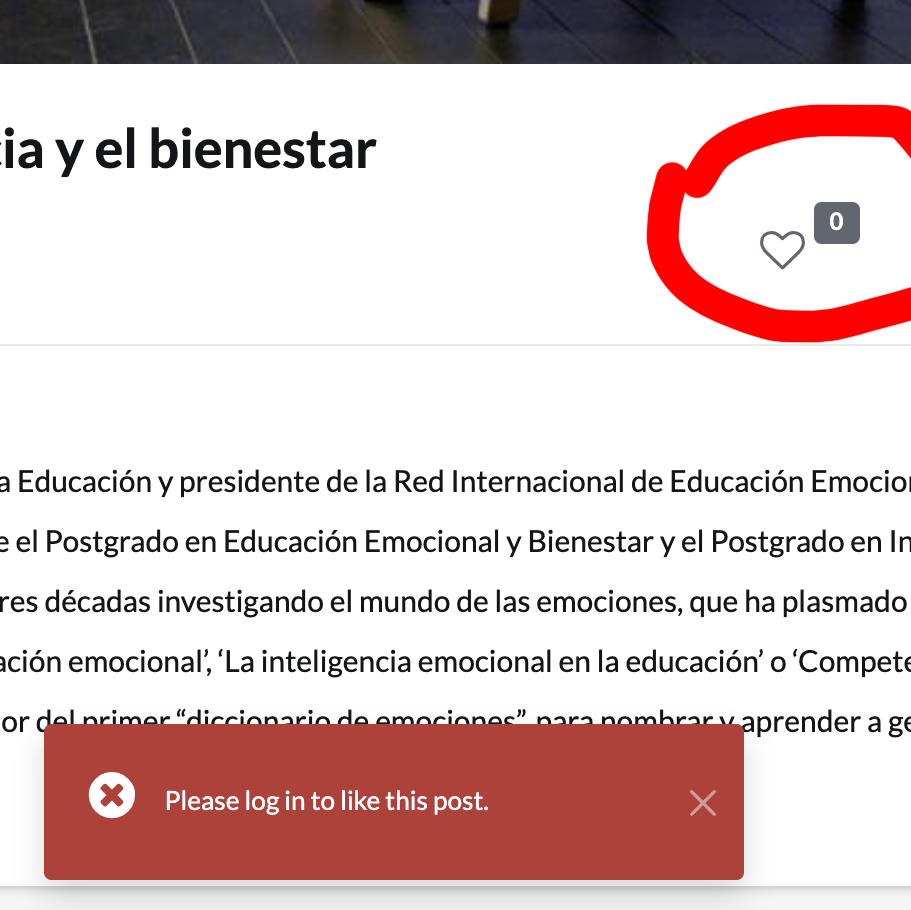
How to activate the share buttons found in the title?3. Unfortunately, the Like button only supports the logged-in users for a number of reasons.
Can you click on the heart without being registered?
4. Firstly, make sure that you have StreamTube 1.0.8.1 and all required plugins are up to date.
You will need to activate the Google Site kit plugin and set up the Google Tag to retrieve page views as well as video views.
Please read the documentation, it has all things you need.
How do I activate the number of views a video has?
I hope that helps.
I’m having another problem here. When I try to view any users profile, then it returns a 404 error. See here: https://imgur.com/a/c80sg3C
Only the administrators profile is viewable. So I tried to give administrator to a user and see if his profile would become viewable, but it didn’t work.
Hello,
You can navigate to Settings > Permalinks and just click the Save Changes button, it will work.
No need to set admin role for the normal users.
I hope that helps.
Sadly this didn’t fix it.
Could you share the website URL and the admin credentials via this form privately? I will have a look into it.
I just updated the StreamTube Core plugin, you can navigate to the Appearance > Install Plugins page to update the plugin.
If you don’t see the plugin there, you will need to navigate to the Appearance > Theme Update and click the “Verified, check for update” button.
After updating the plugin, You will need to navigate to Settings > Permalinks and just click the Save Changes button.
I hope it works, thanks for your patience.
Apart from YouTube and Vimeo, what other video platforms does it support?
Hello,
- StreamTube has been made for streaming your self-hosted video files, if you plan to host your files, StreamTube is here for you, it can encode the file to HLS as well as generating video thumbnail image automatically using FFmpeg software.https://www.ffmpeg.org/- StreamTube also supports embedding Youtube, Vimeo, Dailymotion … and other websites that support oEmbed protocol or embed/iframe code.
Thanks for your interest, feel free to let me know if you have further questions.
There is no auto-update for the theme? I see a new version is out, but I am not receiving any update notification.
Clicking on Verified, Check for Updated button is not showing any updates. I have the child theme activated.
Okay received the update option after updating the plugins. But trying to update the theme gives the following error: An error occurred while updating StreamTube: Update package not available.
Hello, from the backend, could you navigate to the Themes page and update the theme again? it downloads the newest version from the Themeforest server directly.
It is not working. I tried it again now.
It is really strange, however, you always have an alternative solution, you can try the Envato Market plugin instead.
If you still cannot update the theme, I guess something goes wrong in your WordPress, and if so, you will need to update the theme manually.
I hope that helps.
Hi, thanks for replying. I understood what happened. While activating the theme with token, I did not give permission to download it. Now that I have added the permission, it downloaded and updated. Sorry for bothering you with my mistake.
But I have now noticed a new thing. I see that you have added the blog page in the author profile. That’s great. However, it is pulling all blogs instead of just the blogs created by the specific author. This means that even when the author hasn’t published all the blogs, the page is showing not only the author’s blog posts, but also the blog posts by other authors. Shouldn’t the profile page show the posts created only by the author?
Thanks for letting me know, I will fix the issue soon and you will be able to update the StreamTube Core plugin very soon with just one click from the Appearance > Install Plugins page.
Thank you.
Thank you so much for quick reply. You are awesome!
The plugin is updated, have you updated it from the “Install Plugins” page? feel free to let me know if you need further assistance.
Something went wrong. I did update the plugin, but now the blog page is showing 404 error. It is an elementor page with “Page Builder – Fullwidth” template. Am I going wrong somewhere?
In fact, I am getting 404 error for all pages in individual profiles. That is 404 for blog, profile, following, followers, dashboard.
It is strange, you may navigate to Settings > Permalinks and just click the Save Changes button, the page should work as expected.
Okay, resetting permalink worked. However, the blog page (tab) on user profile is showing all posts from all users instead of just the posts from that user. The video page is working fine and shows only the videos uploaded by the person.
What is interesting is that when a user has no posts at all, the blog page (tab) in that user profile is not displaying anything.
That issue has been solved in StreamTube Core 1.0.8.2 plugin, you can update the plugin from the Appearance > Install Plugins page.
If you do not see the plugin there, just navigate to Appearance > Theme Update and click the “Verified, check for update” button.
I hope that helps.
That’s weird. I already have StreamTube Core 1.0.8.2. It is still not working. Will you like to take a quick look into the backend?
It seems you have used caching, if so, you may delete all caches, it should work as expected.
I disabled WP Rocket caching, cleared cloudflare, checked in incognito and a freshly installed browser. Same result. Users having no posts are not showing any posts in the Post tab (that is how it should be, and its great), but users having posts are showing all posts (even the posts from other users) in the Post tab.
https://streamtube.marstheme.com/author/admin/post/
https://streamtube.marstheme.com/author/alden/post/
Hello, If I upload videos by smart phone, it just play around 19 seconds videos. If I uploaded videos by PC, it says prohibitted when video is almost uploaded. Please help. thank you
Hello,
I suggest that you update the theme and all required plugins to the latest version, version 1.0.8 has been released.
After updating the theme, you will need to activate all required plugins at the Appearance > Install Plugins page, if you do not see the plugin list, then, you can navigate to Appearance > Theme Update and click the Verified, check for update button.
Please note that you will need to verify your purchase in order to update all required plugins.
Could you share the error message while uploading file?
I also suggest that you activate this free plugin to support uploading the big files, just activate the plugin, no further settings, the plugin support uploading chunks, works very nice.
I hope that helps.
uploading is no problems. I uploaded videos to server by the theme, and then download it from server to local PC by FTP, the video is complete. But when play videos on the theme, it just play last 19 seconds. You can try by the username and passwords I shared you yesterday on my website. thank you
It seems the encoder is not working as expected, I fixed in the latest version.
I suggest that you navigate to the Appearance > Themes page and update the theme, its current version is 1.0.8, then, navigate to Appearance > Install Plugins page and update all available plugins.
After updating the WP Video Encoder plugin, you can navigate to Appearance > Customize > WP Video Encoder panel and enable the Nice option, then you can try to re-encode the video.
After that, If it does not work, please share with me the encode log content via this form privately, I will have a look into it shortly.
Thanks.
Hello. How can i change the default template for my posts? When i go on a post, i have the option to choose “Single V2” as a template. I want this to be the default.
Hello,
You can set that template at Appearance > Customize > Theme Options > Blog section.
Thanks for your purchase, don’t hesitate to let me know if you have any questions.
Sadly it doesn’t show the template that it shows when I edit a post manually.
- Instead i have only these two options: https://i.imgur.com/fZkwtFv.png
- But when i edit a post manually, i have all these options: https://i.imgur.com/hxVg2wY.png
Is there a way to set one of them as default template? Maybe with custom code?
Hello,
You can set the Template 2 at Appearance > Customize > Theme Options > Blog section as mentioned (screenshot).
The theme will load “Template 2” for all blog posts, have you selected the option?
I hope that helps.
What i actually want is to set “Single V2” as the default template, see here: https://i.imgur.com/hxVg2wY.png but it only shows up when i edit a post. It doesnt show up in Appearance > Customize > Theme Options > Blog section
My apologies but I’m confused 
Did you see the Appearance > Customize > Theme Options panel? if not, you will need to activate the StreamTube Core plugin from the Appearance > Install Plugins page, please check INSTALLING PLUGINS
To be able to install all required plugins, you will need to verify your purchase first, please check VERIFY PURCHASE
After that, you can set the Template 2 as default as mentioned above, just omit the Template dropdown from the edit post screen.
I hope that helps.
No no, I fully understand you. Everything is there and fully activated. We are talking about two different things.
See here: https://i.imgur.com/lDxhEfT.png This is what you are talking about (“Template 2”).
But when I go to my post overview and edit a post, I can also choose templates. And there I have completely different templates it seems like. See here: https://i.imgur.com/sVyXcdf.png One of them being “Single V2”. And I want to choose this one as the default template. Because it is neither “Template 1” or “Template 2”.
The Template 2 and Single V2 are the same, my apologies for the ambiguous text, I will change the text in the next Update.
Just select the Template 2 as mentioned, all blog posts will use the Single V2 template by default, no need to select the template from the “edit post” screen.
I hope that helps.
Hello, I have installed ffmpeg in servier, but “re-encode” still does not work on vides. Log “nice: /whatisotdr/nice: No such file or directory” How can I configure it? Thank you
Hello,
- Make sure that you have provided a correct application path at the Appearance > Customize > WP Video Encoder panel.
- Uncheck the Nice checkbox from the panel (screenshot)
- Click the Re-encoder button again (screenshot)
If it does not work, could you share the log content via this form privately? I will have a look into it.
Thanks for your purchase.
Hi, the problem is I can not know how to set right “correct application path” even though I have installed ffmpeg on server. Thank you
The App Path is the directory where you have installed the FFmpeg.
On the Linux system, you may try these two commands to find the pathwhich ffmpegOR
whereis ffmpeg
If you aren’t sure how to find the path, please ask your server technical, they would help you out.
I hope that helps.
On WP Video Encoder panel: /usr/bin/
Nice Check box: Unchecked
Still does not work.
Could you click the Re-encode button, wait for 10 seconds and share the log content via this form? I will have a look into it.
sh: /usr/bin/nice: No such file or directory
So strange, could you share the WP admin credentials via this form privately? I will have a look into it shortly.
Thanks for your patience.
Good day to you! I have a quick question. In the Primary Widget, I have a [StreamTube] Posts for “Trending”. When I go into the area to customize, I go to the “Order” tab, but I don’t see a choice to “Order by number of views” Where in the system can I add that? That way the videos that are getting the most views in each category can be seen.
Thank you very much!
Byron,
As you have known, the view count is not ready yet and that is why we do not have the “Order by number of views” option.
However, it will come in the next update since I have been working hard to integrate the Google Sitekit Analytics feature.
Hope that makes sense.
Hi there, me again!
I see that the profile page of a user registered on the site will only show the videos uploaded by them. What about the posts they create? Is there a way to display the posts they have written?
Also, is it possible to add the feature of uploading/attaching post & images? This will ensure frontend user submission of blog posts and image instead of just videos.
Yes, I know that the theme is designed for video streaming sites, but since it is WordPress-based, it can also be used for blogging, and user-generated content is one of the best ways for engaging users.
Hello,
These blog posts will appear on the default blog page, you are right, I forgot to add the blog section to the user profile page, it will be included in the next update, the next version may come this week.
Cheers.
Thank you for considering adding that. Is there was you can add the feature of uploading posts and attaching images to the form for video uploader, or perhaps create a different form for that?
Do you mean the “Add Media” (screenshot) button?, if so, it will come in the next update too.
Yes, I meant that. Thank you!
Also, in user profile, why is the dashboard empty? I mean this: https://prnt.sc/26f10bg.
Only when I go to other options – Post, Videos, Comments, etc., I can see something. The main dashboard tab remains empty.
Finally, in the “posts” tab of the user dashboard, the list of posts shows the text “Videos” instead of “Posts.” Check this: https://prnt.sc/26f11br
The dashboard shows nothing by default, the idea is you may add a few widgets such as Latest Posts, Latest Videos, Latest Comments or even a Custom HTML widget, and so, you can navigate to Appearance > Widgets, just drag and drop the widgets onto the Dashboard sidebar
For examplehttps://nimb.ws/TYhs2U https://nimb.ws/gU4C5a
In the next update, it will be filled by Google Sitekit Reports (screenshot)
I will fix the Videos text.
Thanks.
I would like to use the slider feature on default home page. Since the default home page does not have a slider function can home 4 page be set up like the default home page, which has the multiple videos in one frame look.
I would like to use the slider feature on default home page (featured Videos). Since the default home page does not have a (Featured video) auto slider function, can home 4 page be set up like the featured videos on the default home page?
Hello,
You can easily set up your own Post Slider section with Elementor block, please watch this video https://youtu.be/ymdMVJ-oEW0
I hope that helps.
Also How do I replace the Review videos with trending videos?
Hello,
1. Do you want to build this slider? if so, I shared the video, all demo sections use the same widget with different settings.
Otherwise, if possible, please capture a screenshot of what exactly you want to do, I will have a look into it shortly.
2. Firstly, you will need to determine what videos are trending. For demo purposes, I added a “Review” video tag for the “Review Videos”, on the Data Source panel of the Review Posts widget, I just selected the Review tag (screenshot).
You might do the same for the Trending videos.
I hope that makes sense.
Good day to you. I’m still loving this theme! The more I use it the more I like it.
I do have a question about editing videos. First off, there, there’s no issues when uploading a video, it being encoded and then going public. All that works as you have intended it to. But, I’ve had to edit some videos, because I didn’t put them into a newly created video category and also added some #tags in there. But now, the videos are in pending status, requiring me to go into wp and re-encode them in order to make them public.
So my question is, is there a way to have it so that when doing some simple edits, not to the video itself for the system to automatically publish them without having to have the video sitting for review again? The only choices I’m given are, “Pending Review and Private. There’s no Public choice. Like there is when I first upload a video.
Also, when you do do an edit, the theme is removing that video from view, so even though I didn’t do anything to the video itself, I’m not able to see it on the main site. I understand that is probably because it’s in pending status, but couldn’t you have it still viewable until the new update(s) take effect?
Thanks for all you do!
Sorry forgot to add this pic to view.
https://drive.google.com/file/d/1gN1nzt1yZJXYCSGH-gdp-K-oqKrwxt7z/view?usp=sharingByron,
1. If you are logged in as an admin or an editor, you can set the status while editing a video (screenshot), no need to re-encode the video.
Or just click the Approve link (screenshot).
Or from the Videos table page, You can click on the “Quick Edit” link, select “Published” status and click on the Update button (screenshot).
Or If you are on the Edit Video page, simply, you can click the Publish button (screenshot).
2. If you are logged in as an Author and you have edited a video, it will be moved to pending approval.
I hope that helps.
Thanks for getting back to me so quickly.
For No. 1 – I wasn’t editing on the WP side. I was editing on the main website.
Here’s what I’m seeing when I edit the video.
https://drive.google.com/file/d/1SUyAoZixavwvGJv26HSuM8fbMIPXcYo6/view?usp=sharingAnd here I don’t have the choice of Public, like I do when I first upload the video.
https://drive.google.com/file/d/1jz7oQV7qa4YCTRKQY5-tkLeWGdBWyh0E/view?usp=sharingI’m trying to do everything that the user will do. So I don’t do any uploading of videos through the WP Dashboard. I do it directly from the site. Just an FYI.
Thanks for all you are doing!
It looks like you are logged in as an Author, the author role cannot publish video by default as you have known, but I guess this is a minor issue since you have enabled the Auto Publish option from Theme Options > Upload panel.
For a temporary fix, you can override this file to wp-content/plugins/streamtube-core/public/post/edit/details/ directory.
The patched file will be included in the next update, it may come in this week.
Thank you.
Well that worked like a champ! Thank you very much. I can’t wait for the next major update!!!!
Hi there,
Big fan of the theme and have been setting it up and configuring it to my hearts contempt.
1) I’ve been able to setup Ffmpeg on my VPS, where as thumbnails are being processed & generated, yet video’s will not encode. The progress bar remains on 0% on each video. When disabling auto-encode the upload obviously works/plays, but I’d like to have a uniform format for all uploaded videofiles so encodeing is crucial.
2) For the child-theme, when I alter the author.php or comments.php the theme doesn’t change at all. I think its due to the Streamtube-core plugin which highjacks the functionality of both? Not sure how this is configured, but I can’t customize author.php or comments.php through the child-theme. How likely is it something breaks on update of the theme when utilizing the child-theme? Is there a method you’d recommend to prevent breaking?
3) Not really a question but when visiting on mobile the Primary menu seems somewhat ‘unfinished’/unrefined at the top. Not sure if this is on your radar but if it’s not i’ll put some work in it myself
Cheers! Thanks for your theme! Incredibly happy with it and can’t wait to utilize it to its full potential and launch my platform
Hello,
1. Could you share the log content (screenshot) via this form privately? I will have a look into it, it is hard to know why without reading the log.
2. Yes, those files are built by the StreamTube Core plugin for a number of reasons, could you let me know what you want to customize? the plugin supports a lot of action hooks that you can use to customize the theme.
3. I guess you would need to disable the admin bar, the menu will appear fine, no reason to show the admin bar for logged in users 
I’m happy to know that you love StreamTube, the next update will be the next level of the theme, and don’t forget to leave a rating, this would encourage me a lot.
Thank you.
1) I’ve send you credentials and the log
2) I’d like to close-off the /author url so its no longer available. I dont want the profile/followers/following socialmedia-like functionality. I was thinking of throwing a 404 when approached.
2b) i’d also want to customize the behaviour of the dashboard (and its menu). I’m only interested in the ‘Videos’ tab, and would like that to be the only page available (and be the default when approaching dashboard). Any tips on how to approach this?
3) Understood! Thanks
I’ll make sure to leave a review! Many thanks!
Hello,
1. I have updated the Encoder plugin for you, it works now, however, it seems your FFmpeg is old, I suggest that you install the FFmpeg latest version, in the next update, it wouldn’t break the encoder plugin, if you aren’t sure how to install FFmpeg, please ask your server admin technical.
2. I may understand what you want to do but unfortunately, we have no options for disabling the user profile page, it would break the theme, it is possible but it needs a lot of customizations.
If you do not like the Follow and Following features, just deactivate the WP User Follow plugin.
2b. I have been working hard to integrate Google Site Kit Reports into the user dashboard, it is not ready yet but will come soon (screenshot), just leave it as default as it has been designed , this does not mean we cannot customize the dashboard pages, it is possible but I’m afraid you would need to customize the theme manually.
I hope that makes sense.
Thank you.
Hello,
I would like to let you know that the next update will support the options for customizing User Profile and Dashboard menu items.
Thanks.
Hey thanks for your clarification and help. I’ll be waiting in anticipation for the update!
Not sure if here is the right place, I’d be happy to elaborate through another form of communication, but I have some additional questions.
1) Is there a hook for altering the videoupload-submission-form? There are some additional crucial values I need the Author to provide with each upload, and like to optimize the upload-video-form for that. In addition to that I’ll need every upload to be ‘Pending Review’ and am confused as to why this is modifiable by the author here (how can the uploader also be the reviewer?).
2) Is there a hook before/after playing a video? Based on these earlier values I’d like to throw a confirmation-window infront of the player before initiating the video.
3) This one is either the easiest or the most impossible ! I’d like to alter the Custom Post Type-name from ‘videos’ to something that deticated to my platform.. Or at the very least changed naming on the front-end (for the user) and in the routing (url).
4) For me dragging-and-dropping a video-file (to the designated modal) from my explorer throws an error in “File was not found or empty.”.
5) The upload form only provides me to supply 1 tag (instead of multiple like in the video-edit screen).
Many thanks for your previous guidance, and if things answers are at a impossible level, any guidance on how to approach is already very valuable to me!
Cheers and thank you.
Hello,
1. The theme has a lot of hooks, however, I haven’t built any documentation for the developer yet, if you understand WP coding knowledge, you may add more fields to the form using hooks.
The form can be found in /wp-content/plugins/streamtube-core/public/post/edit/details/main.php file.
The author cannot review their videos, you are an admin and you can review any videos.
2. it is unavailable, I guess it is possible, however, it requires a lot of work by catching events of the player, honestly, it is not easy to be done.
3. It is possible, you can change the video slug to any words as you want, you can paste the code to your own plugin or the end of wp-content/themes/streamtube/functions.php or wp-content/themes/streamtube-child/functions.php file if child theme is active and you can change the slug as mentioned in the code.
And navigate to Settings > Permalinks, click the Save Changes button.
4. I suggest that you install this free plugin, it will solve the “File was not found or empty.” error, it also supports uploading big files, just activate the plugin, no further settings.
After activating the plugin, you may set the Chunk Size at Appearance > Customize > Upload panel.
5. The form supports multiple tags, separated by commas, could you try again?
I hope that helps, feel free to let me know if you have any questions, my pleasure.
Thanks.
What font type you use on theme?
Hello there,
We use Google Lato and Poppins fontshttps://fonts.google.com/specimen/Lato https://fonts.google.com/specimen/PoppinsThanks for the purchase, don’t hesitate to let us know if you need assistance.
Thank you
Just a quick question. How can I add reCAptch to the Register/LogIn screen?
I have completed setting up the home page 2 template. How do I replace the videos with my own? How do I set up a rotating video carousel on the home page?
Hello,
1. Simply, you can upload your own videos and remove all sample videos, UPLOAD VIDEOS.
2. To set up the slider posts widget, I suggest that you try the Home 4 template, it is the same as the Home 2 template but we have the slider on the top page instead, if you have imported the demo content, you will see it.
You can edit the page with the Elementor plugin (screenshot) and just edit any widgets as wish, on the Elementor edit page screen, right-click or click on the widget area which you want to edit, its settings panel will appear on the right side (screenshot).
I hope that helps, don’t hesitate to let me know if you need any assistance.
Thanks.
Is there anyway to add the multiple video frame look of default home page to home 4 which uses the slider?
Can the water mark be removed on video player?
Hello,
1. Could you show me what exactly you want to do? I’m not sure I fully understand what you want.Is there anyway to add the multiple video frame look of default home page to home 4 which uses the slider?
2. You can configure the player watermark at Appearance > Customize > Theme Options > Player panel, there you can set your own logo and control bar logo images.
I hope that helps.
Pre-sales question: Can I allow users to upload videos from the frontend? I can see author profiles in the demo, which implies that they should be able to upload videos provided they create an account. Is that functionality available?
Okay, I see that there is frontend posting available. Will users be allowed to post blog posts from the frontend apart from videos?
Hello,
It can, the members can upload their own videos as well as embed videos from other websites such as Youtube, Vimeo from Frontend.
If you own a dedicated server with FFmpeg installed, it can encode the uploaded file to HLS format (m3u8).
And a lot of powerful features, just try it
DemoFullwidth https://streamtube.marstheme.com Boxed https://streamtube.marstheme.com/boxedDemo Users
Editor role: username: andrew, password: 1234
Author role: username: amanda, password: 1234
Subscriber role: username: baron, password: 1234
Thanks for your interest.
As you might see, the member can also submit blog posts, they must be an Author or higher role in other to submit posts and videos.
Thanks.
I can set the default role to author, right?
Sure, as an admin, you have full permissions to do that.
Thanks.
How do I add video categories to the menu?
Changing the permalink structure is returning 404 errors for both video categories and individual videos. There seems to be a big problem with the video categories and their permalinks. Why can’t I just add video categories directly while creating the menu?
Hello,
1. Before adding Video Categories to the menu, you will need to add the categories at Videos > Video Categories page (screenshot), it’s the same as how you added the blog post categories.
Then, navigate to Appearance > Menus, click on the “Screen Options” and check on the Video Categories checkbox (screenshot), now you can see the box with all available items you added (screenshot).
TIP: Read more about the WordPress Menus: WordPress Menu User Guide
That is the way how WordPress menu works, I wish but we cannot directly add categories while creating the menu.
2. Could you show what you changed? it seems you did something wrong.Changing the permalink structure is returning 404 errors for both video categories and individual videos
I hope that helps, feel free to let me know if you need any assistance.
Thanks for your purchase.
Okay, I was lame. I fixed the issues. Now, here is another problem. How do I set up the homepage? Do I need to import demo content?
Hi,
If you created your own homepage, you can navigate to Settings > Reading, choose “A static page (select below)” and select your page (screenshot).
In the case of installing the theme on a fresh copy of the WP website, I suggest that you import the sample data, it would help you a lot, please read import sample data, please note that you have to verify your purchase before importing (verify purchase)
I hope that helps.
Okay, I have FFmpeg installed on server. I have exec enabled, and yet WP Video Encoder is saying that FFmpeg is not installed. Why so?
The plugin may not recognize where the FFmpeg is installed on your server for a number of reasons, but no worry, make sure that you set a correct FFmpeg path at Appearance > Customize > WP Video Encoder panel.
Then, you could try to upload a video file for testing.
I hope that helps.
the path is root dir/bin. Still it is not recognizing.
Could you share the encode log content (screenshot) via this form privately? I will have a look into it.
You may use this website to share the log file, just create a New Paste and share with me the URL.
I sent you the log file.
I see, it looks like your FFmpeg does not support HLS or is too old, make sure that you have installed the FFmpeg newest version with HLS enabled, if you aren’t sure how to implement that, please ask your server admin technical, they would install it for you.
Alright, I shot them a support ticket.
The server tech support updated the FFmpeg, and yet it is not working. I used the right path, too (/usr/bin). Need help.
Could you click on the Re-encode button of a video (screenshot), wait for ten seconds and share the log file content again? I will have a look into it, It is hard to know why it does not work without the log file.
Thanks.
Sent the log file.
Check this: https://prnt.sc/26dp4lp
Another plugin from WP plugins repo found that ffmpeg is installed. I reinstalled ffmpeg on the server myself. So, “ffmpeg not installed” is not a possibility. Please look into this matter. It is getting quite frustrating now.
Hello,
I would like to let you know that I have been investigating this trouble. Actually, the WP Video Encoder plugin and FFmpeg are working together but your FFmpeg does not recognize the HLS options from the plugin as you can see the log https://pastebin.com/Q0TpLEex
You have installed FFmpeg 3.4.9, I haven’t checked the plugin with this version yet, I still suggest that you install the FFmpeg latest version.
I tested the plugin with FFmpeg 4.2.4 – Ubuntu and it works just fine.
The videoPack is a great plugin, it can encode video to the mp4 format, however, it does not encode the file to HLS, it may work fine without HLS, however, this is not something we want.
I’m not able to provide you with further information, while looking into this matter, installing FFmpeg latest version is highly recommended.
Thanks.
I’m back, the plugin works fine now.
Let me know if you need further assistance.
Bravo! Thanks for making it work. You guys are awesome! If I need further assistance I will let you know.
You are welcome, if you like the theme, don’t forget to leave a rating, this would encourage me a lot.