48 comments found.

Greetings, I request your help. I bought the theme and I want to remove the blog entries but I do not know how to do it, in the demo do not come and I like how it looks and the one I have looks ugly, can you tell me how to remove it please. I leave my blog so you can see how it looks. http://www.periodicofecristiana.es/
Go to Setting > Max posts shown on main page
Type 0 and click the Save 
Gracias
Hello, Please improve ads loading faster… here maximum time responsive ads are not showing.
Ads loading speed is not related to theme. It depends on the service provider. They are the one in control of showing the ads, its responsiveness as well as speed. Please contact them if you are having issue with it.
I am interested in this template and that is why I would like to know if it is compatible for blogger.com if I buy it I can get the xml files.
Yes, it is compatible with blogger.com and you will get the xml files along with installation guide
hi Please do you support Arabic language? Thanks
No. But we will add RTL support later.
Thanks, I am waiting for the rtl version please let me know when it will be available. Thank you so much
Now supports RTL as well as dark mode. Your downloaded file will have both LTR and RTL version.
thank you so much
Why does it not have night mode support like your other themes? Can you please add it??
Currently working on a new theme. Once it’s finished, I will add support for dark version.
any tentative date by which it’ll be night mode friendly?
Actually, most newspaper site don’t have dark mode. And I never intended to add it. Suits more for magazine and personal blogs. Anyways, I will add it in next update. Won’t be able to give a date.
Dark mode now available
how to change copyright below
First Backup your theme, in case anything goes wrong.
Go to Theme > click the arrow beside ’Customize’ > then Click on ‘EDIT HTML’ > then click anywhere in the code and press CTRL+F > In the Search box type “reserved” without quotes and hit Enter. You will find this code –
#169; all rights reserved
Replace it with whatever text you want. Finally, press the Save icon in the top right corner.
Do you know how to set security for website which is made by blogger.com? It always show this website is unsafe when anyone see it and they may not click it. Thank you so much
Go to Settings and make sure ‘HTTPS redirect’ is active
Thank you so much, i set per your suggestion
At the “must read” tab on post page, i set the 3 tags (fashion, movie, travel) same as the tags on my posts. But there is no any post appear. Did i make anything wrong?
https://www.eastpavilion.com/search/label/Movie
https://www.eastpavilion.com/search/label/movie
Just purchased last 2 days ago, i have a question about label (tags) font size, it’s so big now, how i can resize and make it smaller. I tried to set on advance setting but it doesn’t work, Thank you so much
Labels are present at many places, could you specify which one you are talking about. Like label at the bottom of post on postpage OR label before posttitle on homepage
First Backup your theme, in case you want to revert changes.
Go to Theme > Customize > Advanced > From the dropdown click ‘Add CSS’
Paste the below code –
body .ftrdq .bwrap .post-category,body .nli .post-category{font-size:15px}body .ftrdm.ftrdq .bwrap .post-category,body .nl1 .bwrap .post-category{font-size:18px}
Finally, click the Save Icon on the bottom right corner.
Label at the bottom of post on postpage.
At the beginning, it was OK. I didn’t know what happened. Recently its size is so big like heading at the bottom of post page
please mention your blog address.
www.eastpavilion.com
I think, the tag labels used to appear both top and buttom of the post page but now the tag label on top part was gone. The label tag at the bottom of the page size became bigger.
Finally, click the Save icon at the bottom right corner.
If above method does not work, go to Theme > Customize > Advanced > Postpage Post > Scroll to the bottom and click ‘Clear advanced changes to PostPage Post’
If both method doesn’t work, go to Theme > Customize > Advanced > Add CSS. Paste the below code –
.post-footer-line .post-labels a {
    font: normal 400 13px Antonio;
}
Finally click ‘Save’. Hope this helps
Thank you so much
Hello, i dont know how to install the theme even when i read the doc. How to edit html of the curent blog and copy past thecurent.xml content ?
Note that this is a blogger theme and will only work on blogger.com
If you are new to blogger, please first familiarize yourself with how blogger works, then you will be able to setup everything very easily. If you face any issue, let me know. Would love to help.
shit, i bought it for wordpress, thank you, but its painful
If you choose to use blogger, it’s pretty easy to setup and use.
Am on it
Thnaks
Hi You theme Newspaper – Classic News Blogger Theme no images available in main posts. Please, solve this trouble
Thanks
I’m not sure what you mean by ‘no images available in main posts’? Please mention your blog address so i can take a look.
You theme Newspaper – Classic News Blogger Theme no images available in main posts. Please, solve this trouble
You can add images to post like this – https://ibb.co/G7jCWL4
If you have added the images but are not showing correctly, please mention your blog url so i can understand your problem.
Hello.
Your template is great, and I’ve bought it.
But I have a little trouble. I have changed some fonts, but I don’t know how to change the font on the homepage (Marcellus). Can you tell me the way out?!
Here is my blog: gayengco.blogspot.com
I’m glad you like the theme. You can change most of the fonts in the theme except post title font i.e ‘Marcellus’ on the homepage because I have added a few properties specific for this font to look good. If you change it, the other font might look weird. But maybe in a future update I will add the option to change post title font as well.
 <!-- Open Graph Meta Tags BEGIN -->

<!-- Open Graph Meta Tags END -->
Finally click the ‘Save’ button. Those tags are not needed because blogger already adds meta tags. I will remove them in the next update.
hello i dont have received wordpress file instalation how can receive that urgently
thanks
This is a blogger theme and will only work on blogger.com
If you need any help in installing it on blogger, feel free to contact me .
so, it’ not work on worpress ?
No. It will only work on blogger.com
it’s possible refund my purchase ? thanks
If you have not download the file, you may get a refund. But once the file is downloaded, refund for mistaken purchase is not allowed on themeforest. Sorry 
hello
i dont have received wordpress file on download how can receive that
thanks
Hi, could you mind if this theme has dark mode?
No, this theme does not have dark mode for now.
Please make this happens
I can’t promise anything but i will try to implement it next month.
Dark mode now available
Thanks..
I love the theme. But I was wondering if there was a way to make the small, square “up arrow” in the bottom right hand corner go away. I would prefer my website to not use the up arrow. However, the theme is wonderful.
In the box add below code –
body .backtop {
    display: none;
}
Then click the Save Icon on the bottom right corner.
Olá, comprei o template pois achei ele muito bonito e dentro das minhas necessidades para meu site. Porem abaixo de vídeos fica o feed com os últimos posts publicados, ao invés das seções de categorias. (como esse exemplo: https://seputarpendidikansd.blogspot.com/) como faço para deixa-lo como esse ~> https://www.sanasinisinun.com/?
Go to ‘Settings’ > Under ‘Posts’ > turn ‘Max posts shown on main page’ to 0
Then Latest Posts won’t show up.
Also download the latest version of the theme. It has some improvements
Obrigado!! E como faço com as imagens que não estão aparecendo na página inicial? (https://www.diariodecaraibas.com.br/)
In your post editor, go to ‘HTML View’ and add https: before image url
Read this – https://themeforest.net/item/newspaper-news-magazine-blogger-theme/33345342/comments?page=1&filter=all#comment_27382985
Hi, please check my site https://seputarpendidikansd.blogspot.com
The images didn’t appeared
So what is happening is that because your images do not have the http or https in the beginning, thumbnails are not able to determine whether images are http or https, so they display in http. The website itself [https://seputarpendidikansd.blogspot.com] is being served over https and so it is blocking the images served in http. Note that https is the secured version and http is unsecured version.
Solution –
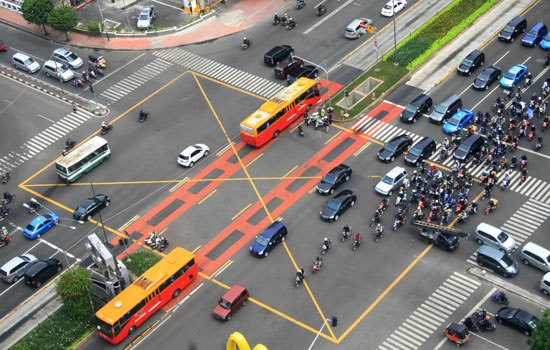
Open this page in your post editor – https://seputarpendidikansd.blogspot.com/2015/12/apa-itu-yellow-box-junction.html
Then Click the pencil link in your toolbar, then click ‘Edit HTML’
Now, add https:
before
//1.bp.blogspot.com/-Rfoz_anxic0/VmR1wfdViZI/AAAAAAAAAsc/XkzvPYh2QBU/w640-h407/ybj.jpg
It will look like this –
https://1.bp.blogspot.com/-Rfoz_anxic0/VmR1wfdViZI/AAAAAAAAAsc/XkzvPYh2QBU/w640-h407/ybj.jpg
Once you have done that. Load your homepage again and now “Apa itu Yellow Box Junction?” post will display the image correctly. Do that for other posts
Note that you don’t have to this always. When you upload your image through blogger it will add complete link.
It’s not related to this theme only but showing http images in https page will be problematic for you in the long run. https means secured page. And your are showing unsecured http images in it. Good luck with your blog.
For anyone else wondering about it, it now works with http images as well. The theme started using relative image address, so no need of any changes.
please make wordpress version of this theme
Sorry. Wordpress version won’t be available anytime soon.
Hi, Hi, Very nice template. But there is a problem and I need your help, because all the images I post are blurry. How to fix it?
By the time, if any other blog in your blogger account is using the regular 1.bp.blogspot.com type images, you can use those. Just copy paste the image url from there to your blog where you are seeing blurry images. Blogger image uploads are not wired to your blog so it doesn’t matter where you upload them.
I will release the update as soon as possible. It will be compatible with new image url structure.
Released the new update. Please download the theme again. Now, supports both the regular 1.bp.blogspot.com images and newer blogger.googleusercontent.com images.
my blog is: https://www.sanasinisinun.com/
looks beautiful. well done