67 comments found.

Hi. I’ve just installed and IMPORTED the ALL pages, content and attachments to make a duplicate of your demo. Everything looks ok except I am seeing Warning: Undefined array key “svg_source” in …. shortcodes\icon-with-text\templates\svg_path.php errors…. can you tell me what is the cause and how to fix? Thanks!
Hello,
Thank you for using our theme!
As we do not have enough information in order to help you, and since author’s dashboard is meant for general inquiries and pre-sale questions, we would appreciate if you could please submit a ticket at our Help Center, include URL of your site, and one of our support agents will check this and assist you further. When you log in at our Help Center, click on the “Submit a Request” link in header, and fill in the form as shown in screenshot. First enter your purchase code, then select the profile (in this case Mikado) and then theme.
Support
Mikado Portfolio part of
Qode Interactive
Don’t forget to sign up for our newsletter and be the first to find out all the latest news.
Thanks for replying. I was running out of time (to show demo to my client) that I made the mistake of trying to setup another website BEFORE deregistering and it made a mess. I then made the problem worse by trying to delete the old site and I duuno how to undo the mess now. Can you help me deregister the old website so I can start fresh again? I have already raised a ticket for that in your Help Centre. Sorry for the mess but I panicked as I was running out of time. Thanks.
We deregistered the purchase code for you. You should be able to register the theme now.
You also have an option deregister your purchase code via deregistration form at our Help Center in “My Products” section of your account. If you are unsure about the domain where the theme was previously registered, you can enter any url (like google.com), and in the error message the correct url will be written.
Support
Mikado Portfolio part of
Qode Interactive
Don’t forget to sign up for our newsletter and be the first to find out all the latest news.
Hello,
I have recently updated all the plugins and the theme to the latest versions available. However, I noticed that the website only works correctly when using PHP version 7.4.33. When switching to PHP 8.x or later versions, the WordPress admin bar disappears and Revolution Slider does not load properly.
Since PHP 7.4 is now an obsolete and unsupported version, I am concerned about the security and stability of my website running on it.
Could you please provide guidance on how to proceed? Are there any updates or patches planned to ensure full compatibility with PHP 8 and above? Any recommendations to fix these issues would be greatly appreciated.
Hello,
The compatibility with PHP 8.3 is added in recent updates. If you are having issues with the latest version of the theme please submit a ticket at our Help Center or contact us through this email, include your purchase code in the email, and one of our support agents will take a closer look.
Support
Mikado Portfolio part of
Qode Interactive
Don’t forget to sign up for our newsletter and be the first to find out all the latest news.
I got the update information for the theme and did the newest update to Version: 1.6, however, the arabesque core plugin is still on 1.2.3. and there is neither a notification nor an option to update it to 1.2.4. Thank you.
Hello,
Thank you for reporting on this. Our developers will resolve this as soon as possible.
In the meantime please submit a ticket to our Help Center, and our agents will provide you with the latest version of the Core plugin.
To submit a ticket please follow instructions from this article – How To Submit A Ticket.
Support
Mikado Portfolio part of
Qode Interactive
Don’t forget to sign up for our newsletter and be the first to find out all the latest news.
- ERROR In Theme**
This theme we purchased and not working properly at all.. please need your urgent support on this error.
I am reaching out regarding an issue with the Arabesque theme, specifically involving the “Arabesque Core” plugin and the “WPBakery Builder.” It seems that both plugins are not functioning properly together, causing conflicts that are impacting my website’s performance and usability.
Here are the details of the issue:
When both the “Arabesque Core” plugin and “WPBakery Builder” are active, the theme is not working, it’s not compatible.
Disabling one of the plugins resolves the issue, but this limits the functionality that I need for my website.
I have already tried the following steps to troubleshoot: Ensured all plugins, themes, and WordPress core are updated to the latest versions. Cleared the cache and checked for conflicts with other plugins. Activated and Deactivated all the plugins.
Despite these efforts, the issue persists. I would greatly appreciate your assistance in resolving this compatibility problem. Please let me know if you require additional information, such as error logs or access to the website, to investigate further.
Looking forward to your prompt response and guidance on this matter.
then we tried the plugin which you informed us in support but those 4 plugin is also not working.
We have tested all four versions of the plugins as per your instructions, but unfortunately, none of them seem to be working as expected. Despite our efforts, the issue persists.
We have provided you with the necessary login credentials, so we kindly request that you check it from your end as well to investigate further.
Thank you for your attention to this matter, and we look forward to your prompt assistance.
Hello,
Thank you for contacting us. We’ve checked and we see that your ticket was updated with response.
We see that our support agent managed to reproduce this on a local installation and forwarded it to our dev team to investigate. Once the theme is updated, it will be listed in the change log
Support
Mikado Portfolio part of
Qode Interactive
Don’t forget to sign up for our newsletter and be the first to find out all the latest news.
Hello, I have tried all the plugins you provided, as well as additional plugins from my side, but unfortunately, none of them are working. Please provide me with a fully functional plugin that will work properly, or refund my money. I am unable to design my website after paying $79 for your theme, which is not working. We have been trying to reach out to your team for several days, but there has been little to no help from that side. I need a solution from your side as this delay is affecting the launch of our website. Thank you.
Hello,
There is a new update for the theme released today. Please try to update your theme and the bundled plugins.
Support
Mikado Portfolio part of
Qode Interactive
Don’t forget to sign up for our newsletter and be the first to find out all the latest news.
As per your instructions, we downloaded the theme again today and tried installing it, but we’re still facing the same issue.
It’s a humble request to help us resolve this urgently, as our client is waiting for their website to go live. Please reply and assist us as soon as possible.
We have attempted the suggested update; however, the issue persists, and it continues to conflict with the core plugin. We have already provided you with the necessary login credentials. Kindly prioritize this matter and address it at the earliest.
When updating theme and plugins we recommend following instructions from this article – How To Update A WordPress Theme And Plugins.
After you update the theme all of the plugins with available updates will be listed in Appearance > Install Plugins. It is very important to update Arabesque Core plugin to the latest version (1.2.4) as well.
Support
Mikado Portfolio part of
Qode Interactive
Don’t forget to sign up for our newsletter and be the first to find out all the latest news.
We tried every method suggested by you but Still facing the same issue with plugins. Can you please check my wordpress plugin issue and resolve it. We have shared the login credentials with you when we first raised the ticket, kindly look into it, thankyou.
Support
Mikado Portfolio part of
Qode Interactive
Don’t forget to sign up for our newsletter and be the first to find out all the latest news.
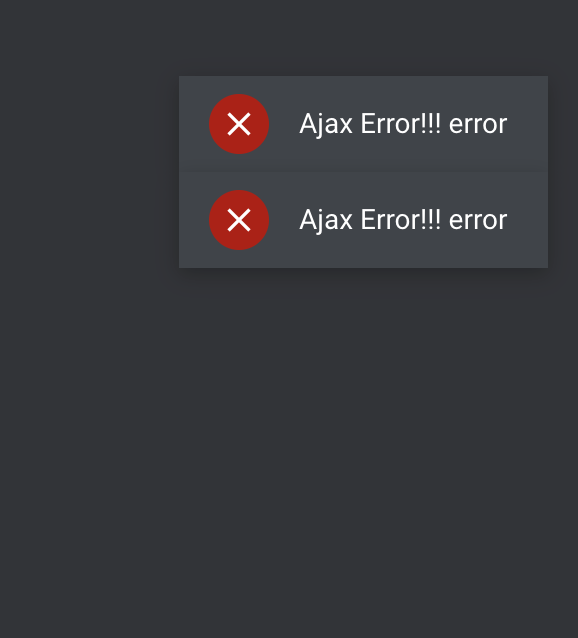
I keep seeing this error in Slider Revolution. I uploaded your sample slides. When I click on edit or preview, I keep getting an AJAX warning. What could be the problem? (File writing permissions are fine) https://i.postimg.cc/fbmGQS1L/Ekran-Resmi-2024-12-28-19-01-58.png
I need to solve the problem urgently!
Hello,
As we do not have enough information in order to help you, and since author’s dashboard is meant for general inquiries and pre-sale questions, we would appreciate if you could please submit a ticket at our Help Center, include URL of your site, and one of our support agents will check this and assist you further. Thank you.
Support
Mikado Portfolio part of
Qode Interactive
Don’t forget to sign up for our newsletter and be the first to find out all the latest news.
I no longer see past events why ?? i change nothing. I think theme must be update soon
Hello,
Have you tried contacting hosting provider or Events Calendar plugin support? As the errors says: “This may be due to a server configuration or another plugin blocking access to the REST API.”
Support
Mikado Portfolio part of
Qode Interactive
Don’t forget to sign up for our newsletter and be the first to find out all the latest news.
Hello, Latest update was on 17 September 2021 !! Can you tell me if the update will be soon ??? Thanks !
Hello,
The theme is supported and we will continue to update it.
The current version of the theme is compatible with the latest version of WordPress and with PHP 8.0. Bundled plugins do get updated with the theme, however, in case you need immediate update of any bundled plugin you can contact us through this email (just add your purchase code in the mail) and our support agents will provide you with latest version.
Support
Mikado Portfolio part of
Qode Interactive
Don’t forget to sign up for our newsletter and be the first to find out all the latest news.
Hi, you going to update the theme to go with the new version of WP BAKERY that was just released 2/24/24?
Hello,
The theme will be updated, however, at the moment we don’t have an ETA when the update will come out.
In case you need latest version of any bundled plugin you can contact us through this email (just add your purchase code in the mail) and our support agents will provide you with latest version.
Support
Mikado Portfolio part of
Qode Interactive
Don’t forget to sign up for our newsletter and be the first to find out all the latest news.
So, I take it you aren’t updating this theme ever.
Hello,
The theme is supported and it will continue to be updated, however, at the moment we don’t have an ETA when the update will come out.
Support
Mikado Portfolio part of
Qode Interactive
Don’t forget to sign up for our newsletter and be the first to find out all the latest news.
When you going to update this theme? I need to renew support, but if you aren’t updating, I am not spending them money.
It is not compatible with WooCommerce, etc as you can see.
Your theme (Arabesque Child) contains outdated copies of some WooCommerce template files. These files may need updating to ensure they are compatible with the current version of WooCommerce. Suggestions to fix this:
1. Update your theme to the latest version. If no update is available contact your theme author asking about compatibility with the current WooCommerce version. 2. If you copied over a template file to change something, then you will need to copy the new version of the template and apply your changes again.
This is what is needing fixed.
Archive template:
Your theme has a woocommerce.php file, you will not be able to override the woocommerce/archive-product.php custom template since woocommerce.php has priority over archive-product.php. This is intended to prevent display issues.
Overrides:
arabesque/woocommerce/content-product.php, arabesque/woocommerce/global/quantity-input.php version 4.0.0 is out of date. The core version is 7.8.0, /home1/easy123/public_html/wp-content/plugins/woocommerce/packages/woocommerce-blocks/templates/notices/error.php, /home1/easy123/public_html/wp-content/plugins/woocommerce/packages/woocommerce-blocks/templates/notices/notice.php, /home1/easy123/public_html/wp-content/plugins/woocommerce/packages/woocommerce-blocks/templates/notices/success.php, arabesque/woocommerce/product-searchform.php version 3.3.0 is out of date. The core version is 7.0.1
Hello,
Thank you for reaching us! The theme will be updated, however, at the moment we don’t have an ETA when the update will come out.
In the meantime please check the article in this link. You should know that in case you need latest version of any bundled plugin you can contact us through this email (just add your purchase code in the mail) and our support agents will provide you with latest version.
Support
Mikado Portfolio part of
Qode Interactive
Don’t forget to sign up for our newsletter and be the first to find out all the latest news.
What about the numbers of widget errors on the widgets page? Every widget has errors. Please see errors below:
The “mkdf_separator_widget” block was affected by errors and may not function properly. Check the developer tools for more details.
Error notice The “mkdf_separator_widget” block was affected by errors and may not function properly. Check the developer tools for more details.
Error notice The “mkdf_separator_widget” block was affected by errors and may not function properly. Check the developer tools for more details.
Error notice The “mkdf_separator_widget” block was affected by errors and may not function properly. Check the developer tools for more details.
Error notice The “mkdf_separator_widget” block was affected by errors and may not function properly. Check the developer tools for more details.
Error notice The “mkdf_separator_widget” block was affected by errors and may not function properly. Check the developer tools for more details.
Error notice The “mkdf_social_icon_widget” block was affected by errors and may not function properly. Check the developer tools for more details.
Error notice The “mkdf_social_icon_widget” block was affected by errors and may not function properly. Check the developer tools for more details.
Error notice The “mkdf_social_icon_widget” block was affected by errors and may not function properly. Check the developer tools for more details.
Error notice The “mkdf_social_icon_widget” block was affected by errors and may not function properly. Check the developer tools for more details.
Error notice The “text” block was affected by errors and may not function properly. Check the developer tools for more details.
Error notice The “text” block was affected by errors and may not function properly. Check the developer tools for more details.
Error notice The “text” block was affected by errors and may not function properly. Check the developer tools for more details.
Error notice The “mkdf_side_area_opener” block was affected by errors and may not function properly. Check the developer tools for more details.
Error notice The “mkdf_button_widget” block was affected by errors and may not function properly. Check the developer tools for more details.
Error notice The “text” block was affected by errors and may not function properly. Check the developer tools for more details.
Error notice The “mkdf_search_opener” block was affected by errors and may not function properly. Check the developer tools for more details.
Error notice The “mkdf_separator_widget” block was affected by errors and may not function properly. Check the developer tools for more details.
Error notice The “text” block was affected by errors and may not function properly. Check the developer tools for more details.
Error notice The “mkdf_side_area_opener” block was affected by errors and may not function properly. Check the developer tools for more details.
Error notice The “mkdf_search_opener” block was affected by errors and may not function properly. Check the developer tools for more details.
Error notice The “text” block was affected by errors and may not function properly. Check the developer tools for more details.
Error notice The “mkdf_side_area_opener” block was affected by errors and may not function properly. Check the developer tools for more details.
Error notice The “mkdf_search_opener” block was affected by errors and may not function properly. Check the developer tools for more details.
Error notice The “mkdf_separator_widget” block was affected by errors and may not function properly. Check the developer tools for more details.
Error notice The “mkdf_blog_list_widget” block was affected by errors and may not function properly. Check the developer tools for more details.
Error notice The “arabesque_instagram_widget” block was affected by errors and may not function properly. Check the developer tools for more details.
Error notice The “text” block was affected by errors and may not function properly. Check the developer tools for more details.
Error notice The “mkdf_separator_widget” block was affected by errors and may not function properly. Check the developer tools for more details.
Error notice The “text” block was affected by errors and may not function properly. Check the developer tools for more details.
Error notice The “mkdf_social_icon_widget” block was affected by errors and may not function properly. Check the developer tools for more details.
Error notice The “mkdf_social_icon_widget” block was affected by errors and may not function properly. Check the developer tools for more details.
Error notice The “mkdf_social_icon_widget” block was affected by errors and may not function properly. Check the developer tools for more details.
Error notice The “mkdf_social_icon_widget” block was affected by errors and may not function properly. Check the developer tools for more details.
Error notice The “mkdf_separator_widget” block was affected by errors and may not function properly. Check the developer tools for more details.
Error notice The “mkdf_icon_widget” block was affected by errors and may not function properly. Check the developer tools for more details.
Error notice The “mkdf_icon_widget” block was affected by errors and may not function properly. Check the developer tools for more details.
Error notice The “mkdf_icon_widget” block was affected by errors and may not function properly. Check the developer tools for more details.
Error notice The “mkdf_separator_widget” block was affected by errors and may not function properly. Check the developer tools for more details.
Error notice The “text” block was affected by errors and may not function properly. Check the developer tools for more details.
Error notice The “tag_cloud” block was affected by errors and may not function properly. Check the developer tools for more details.
Error notice The “mkdf_separator_widget” block was affected by errors and may not function properly. Check the developer tools for more details.
Error notice The “media_image” block was affected by errors and may not function properly. Check the developer tools for more details.
Error notice The “arabesque_instagram_widget” block was affected by errors and may not function properly. Check the developer tools for more details.
Error notice The “mkdf_separator_widget” block was affected by errors and may not function properly. Check the developer tools for more details.
Error notice The “mkdf_separator_widget” block was affected by errors and may not function properly. Check the developer tools for more details.
Error notice The “mkdf_blog_list_widget” block was affected by errors and may not function properly. Check the developer tools for more details.
Error notice The “mkdf_separator_widget” block was affected by errors and may not function properly. Check the developer tools for more details.
Error notice The “mkdf_separator_widget” block was affected by errors and may not function properly. Check the developer tools for more details.
Error notice The “search” block was affected by errors and may not function properly. Check the developer tools for more details.
Error notice The “categories” block was affected by errors and may not function properly. Check the developer tools for more details.
Error notice The “mkdf_separator_widget” block was affected by errors and may not function properly. Check the developer tools for more details.
Error notice The “mkdf_separator_widget” block was affected by errors and may not function properly. Check the developer tools for more details.
Error notice The “arabesque_instagram_widget” block was affected by errors and may not function properly. Check the developer tools for more details.
Error notice The “media_image” block was affected by errors and may not function properly. Check the developer tools for more details.
Error notice The “mkdf_separator_widget” block was affected by errors and may not function properly. Check the developer tools for more details.
Error notice The “mkdf_separator_widget” block was affected by errors and may not function properly. Check the developer tools for more details.
Error notice The “arabesque_instagram_widget” block was affected by errors and may not function properly. Check the developer tools for more details.
Error notice The “mkdf_separator_widget” block was affected by errors and may not function properly. Check the developer tools for more details.
Error notice The “mkdf_separator_widget” block was affected by errors and may not function properly. Check the developer tools for more details.
Error notice The “media_image” block was affected by errors and may not function properly. Check the developer tools for more details.
Error notice The “mkdf_separator_widget” block was affected by errors and may not function properly. Check the developer tools for more details.
Error notice The “mkdf_separator_widget” block was affected by errors and may not function properly. Check the developer tools for more details.
Error notice The “mkdf_separator_widget” block was affected by errors and may not function properly. Check the developer tools for more details.
Error notice The “mkdf_separator_widget” block was affected by errors and may not function properly. Check the developer tools for more details.
Error notice The “mkdf_blog_list_widget” block was affected by errors and may not function properly. Check the developer tools for more details.
Error notice The “search” block was affected by errors and may not function properly. Check the developer tools for more details.
Error notice The “categories” block was affected by errors and may not function properly. Check the developer tools for more details.
Hi,
New Widgets section which came with the newer versions of WordPress is a bit heavy on the server resources. This is the reason why you are seeing those errors. However note that those errors are not affecting your website in any way. You can simply close them and continue with making changes to your widgets. Or you can use Classic Widgets plugin which will revert Widgets section to it’s previous layout.
Support
Mikado Portfolio part of
Qode Interactive
Don’t forget to sign up for our newsletter and be the first to find out all the latest news.
Hello, I’ve been trying to contact support for two days (ticket sent), and I haven’t received a response. Please, it’s urgent. Thank you!
Hello,
Please understand that our average response time is around 24 hours on weekdays and that our support agents are trying their best to answer all of our users in this timeframe, however, there’s been an increased number of tickets lately so our response time got a bit delayed.
We’ve checked and we see that your ticket has now been updated with response. In case you need further assistance please continue the conversation with our support team at the Help Center. Thank you.
Support
Mikado Portfolio part of
Qode Interactive
Don’t forget to sign up for our newsletter and be the first to find out all the latest news.
Buenas. Me interesa mucho el tema, pero veo que sigue sin actualizarse desde bastante tiempo, He leído algunos comentarios y les han respondido que trabajaran con ello. Tienen alguna fecha estimada y ya queda en esa versión?
Hello,
The theme will be updated, but at the moment we don’t have an ETA when the update will come out. However, we can say that the current version of the theme is compatible with latest version of WordPress.
Do let us know if you have any additional questions.
Support
Mikado Portfolio part of
Qode Interactive
Don’t forget to sign up for our newsletter and be the first to find out all the latest news.
Good afternoon. When there will be an update mainly of the theme plugins. Thank you.
Hi there,
Please note that our developers are constantly working on updates for all our themes.
At the moment we don’t have any ETA when the new update will come out but we hope it will be released soon and you will for sure be notified once a theme update is out. 
Support
Mikado Portfolio part of
Qode Interactive
Don’t forget to sign up for our newsletter and be the first to find out all the latest news.
Thanks for answering. I understand that your team is constantly working on updates, however this theme has not had an update since 2021. Thank you.
Hi there,
We are aware that the theme is on our list of updates and we do believe that it will be updated soon. Thank you for being so patient.
Support
Mikado Portfolio part of
Qode Interactive
Don’t forget to sign up for our newsletter and be the first to find out all the latest news.
I’m having trouble setting up the timetable for the BALLERINA SCHOOL MONTHLY callender
Hello,
To set up the Timetable please follow instructions from this article here and in case you need further assistance please submit a ticket at our Help Center and one of our support agents will gladly help you. To submit a ticket please follow instructions from this article – How To Submit A Ticket.
Support
Mikado Portfolio part of
Qode Interactive
Don’t forget to sign up for our newsletter and be the first to find out all the latest news.
How do i activate all the additional premium plugins? I have registered copy of the theme with Purchase Code!
Slider Revolution Responsive WordPress Plugin included ($26 value) WPBakery Page Builder for WordPress included ($46 value) Timetable Responsive Schedule For WordPress plugin included ($26 value)
Hi there,
Please note that WPBakery and Revolution Slider does come bundled within the theme and you do not need to activate any license for it as bundled plugins do get updated when the theme is.
You can read more about it here.
If you have any additional questions we would kindly ask you to submit a request at our help center and our support team will be happy to help.
Thanks.
Support
Mikado Portfolio part of
Qode Interactive
Don’t forget to sign up for our newsletter and be the first to find out all the latest news.
I just bought arabesques, and I imported them all differently with different demo content than what was in the live preview
Hi there,
Thanks for writing in! The Arabesque theme has only one import option which will give you access to all the pages and content, after this is done you can simply select your home page.
If you still need assistance with this please we would appreciate it if you could submit a ticket to our Help Center and one of our support agents will assist you.
Thanks
Support
Mikado Portfolio part of
Qode Interactive
Don’t forget to sign up for our newsletter and be the first to find out all the latest news.
I have a problem on the import demo a notification appears like this: “Please note that your server resources are not configured properly so you might run into an issue during the demo import process. Please adjust your server configuration values.”
my hosting memory limit 512M
Hi there,
Thanks for writing in! If you are somehow having an issue with the demo import we would kindly ask you to check your resources as well as you can always try to import our demo content with our XML file
If you have any additional questions we would kindly ask you to submit a request at our help center and our support team will be happy to help.
Thanks.
Support
Mikado Portfolio part of
Qode Interactive
Don’t forget to sign up for our newsletter and be the first to find out all the latest news.
I have followed the steps in max_execution_time=300 memory_limit=128M upload_max_filesize=128M post_max_size=256M max_input_vars=3000
but when I import the demo the process stops at 48%
Hi there,
Please, we would appreciate it if you could submit a ticket to our Help Center and one of our support agents will assist you.
Thanks
Support
Mikado Portfolio part of
Qode Interactive
Don’t forget to sign up for our newsletter and be the first to find out all the latest news.
Just bought the theme. How can I import settings and content for “Latin Dance” – Theme? If I have to figure out all options I have to change based on the standard layout “arabesque” it will take days until it looks like the latin dance. Please help
Hi there.
In order to import the demo content please follow the steps from the following article.
If you need any further assistance we would appreciate it if you could submit a ticket to our Help Center and include your website URL and one of our support agents will assist you.
Support
Mikado Portfolio part of
Qode Interactive
Don’t forget to sign up for our newsletter and be the first to find out all the latest news.
Hi there. As already mentioned I know how to import the content for the main theme arabesque. However, there is no option to select the content for the sub-theme “Latin-Dance”. There is no option list to select from. The linked article is not helpful. Already opened a ticket. Thank you.
Hi there,
The import will allow you to get access to all pages that you see on the demo website, so then it is a matter of you selecting your home page as it is described in this article here.
We hope this helped and if you need any further assistance please continue the conversation on our help center.
Thank you.
Support
Mikado Portfolio part of
Qode Interactive
Don’t forget to sign up for our newsletter and be the first to find out all the latest news.
I have installed the theme on the hosting before, but my database is gone. Now I want to install the theme on the same hosting again, but it says that I bought it for one site. I want to get support on this.
Hi there,
You can always deregister your theme trhough our help center, please read this article here. If you need any further assistance, we would appreciate it if you could submit a ticket to our Help Center and one of our support agents will assist you.
Thanks.
Support
Mikado Portfolio part of
Qode Interactive
Don’t forget to sign up for our newsletter and be the first to find out all the latest news.
does last theme update fix all problems with WP 5.8.1 ? Or that update has not been released yet
Hi there,
Thank you for reaching us!
Latest update includes WordPress 5.8.1 compatibility (please see change log).
To update theme and bundled plugins please follow instructions from this article – How To Update A WordPress Theme And Plugins.
You should know that you can always turn to our support team and you are more than welcome to submit a request at our help center and our support team will be happy to help.
Support
Mikado Portfolio part of
Qode Interactive
Don’t forget to sign up for our newsletter and be the first to find out all the latest news.
Hi, i need help to install the demo content to have some page info, but in the support page says my support has finish, this is not a support issue, hope can help me
Hi there,
You can see here how to import the demo: https://helpcenter.qodeinteractive.com/hc/en-us/articles/360002250358-How-To-Import-Demo-Content-Using-The-One-Click-Demo-Import-Feature-Bridge-Versions-18-And-Older-
Support
Mikado Portfolio part of
Qode Interactive
Don’t forget to sign up for our newsletter and be the first to find out all the latest news.
Hi, the problem is that i have already a site customization in the domain is registered, what i want is to install again the demo content WITHOUT LOOSING THE ALREADY MAMINULATED SITE) m, this is because i elimiate some pages and post designs from teh demo content, i did not know that WP eliminates automatically the trash bish
Hi,
The best approach if you want to check the settings or any element from the original demo is to create local test website. For this you need to install local server, e.g. XAMPP or WAMP and you may find this article helpful. Then install WP, Arabesque, plugins and import demo content to your local testing website and check how the pages have been built and what settings/elements have been applied.
Support
Mikado Portfolio part of
Qode Interactive
Don’t forget to sign up for our newsletter and be the first to find out all the latest news.