12793 comments found.

hello, with latest update, our categories menu has broken css issues. Can you check it? Site is smartcolor.gr
the submenus displays some demo categories. How can I fix it?
I recreated the menu items and it is fixed
Hello,
We are glad that you sorted it out. Feel free to contact us if you have any further questions.
Kind Regards
Custom Product Layout is posible? Woodmart supports Custom Product Layout Builder which allows to build single product page layout using page builder elements?
Hello,
Yes, our theme has a custom product page layout builder. You can read more information in our documentation about this https://xtemos.com/docs-cat/woocommerce-layouts-builder/?theme=woodmart
Kind Regards
Is it possible to create different types of product pages, and use one design for a category or a certain group of products, and use other designs for other products?
Yes, you can assign different layouts to certain product categories.
Kind Regards
Dear Sir or Madam,
My support is ended, but you may be able to give me a hint.
I have “Variation as product” enabled in the template. – Show single variation (enabled), Hide variations parent (enabled).
The problem is that these products which are created by show single variation do not display when checking out a brand’s products (/?filter_brand=brandname). Should it work this way?
This problem does not occur when the product is added as a Simple product, or when the aforementioned option is disabled.
Thank you in advance for your help.
Hello,
If you want to make them appear by attribute filters, you need to disable the “Table usage” option in WooCommerce -> Settings -> Products -> Advanced.
Kind Regards
Hello xtemos, why is the latest version of the theme’s header setting broken. https://ibb.co/mhTJz5n
Hello,
Could you please disable all plugins that are not related to our theme and provide us with your admin access so we can check it? Use the contact form on this page https://themeforest.net/user/xtemos
Thank you in advance
Found an issue with the theme with Elementor. When you try to apply a video background to a section it removes the iframe and video tag from it and adds some data settings to the section itself. I can confirm this is an issue with the theme because changing to the Twenty Twenty-Two has the video background work without any issues.
This also appears to be a front end issue because the live editor shows everything working but when viewing it from the front end you can see the issue.
Hello,
Please, send us your admin access using the contact form on our profile page and link where we can see this problem on your website.
https://themeforest.net/user/xtemosKind Regards
Hi, I downloaded your accessories demo before the major update and Several things didn’t work and I basically had to work it out myself but now I am finding other issues with your theme. For example the product accessories layout is showing up this error message “Warning: count(): Parameter must be an array or an object that implements Countable in /home/customer/www/mywebsite.com/public_html/wp-includes/formatting.php on line 3415”. I tried reasoning it out over the mail with you guys but you basically sent me off.” Could you please help me understand the issue at hand?
Hi,
Could you please send us a link to your website where we can see this issue?
Kind Regards
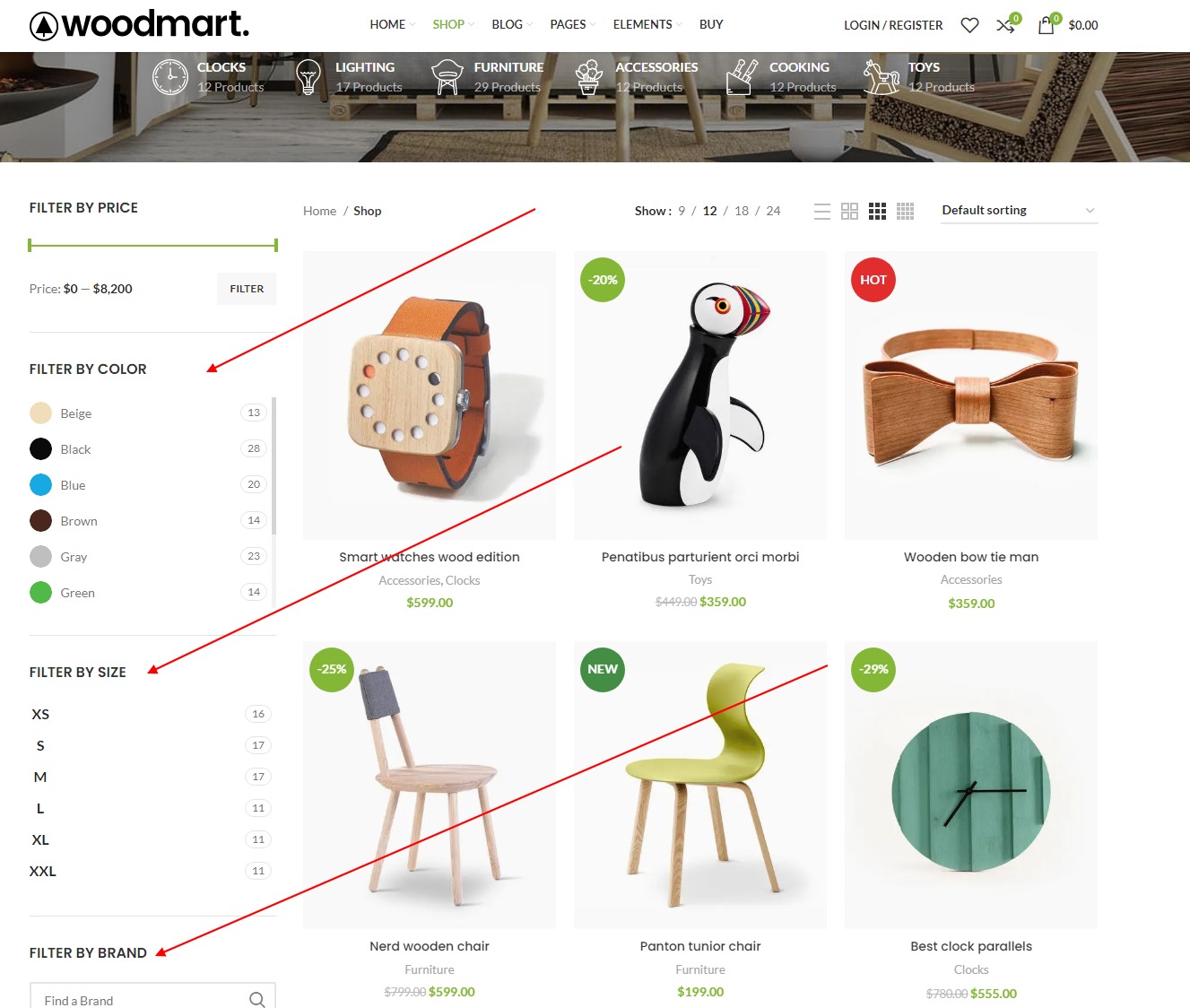
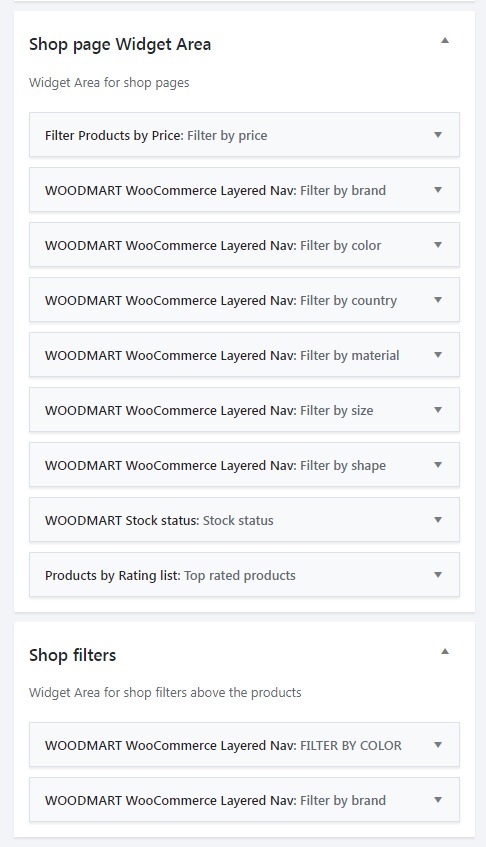
How are the ajax filters controlled, I need to create more filter groups and map data from another site to them, so I’m wondering how thee arr stored and created. Are these all taxonomies or some other method? Do you have any docs on this, I looked and could not find it?
REF: https://woodmart.xtemos.com/shop/
REF: https://storage.googleapis.com/openscreenshot/Z%2FY%2FC/5XZhTZCYZ.png
REF: https://storage.googleapis.com/openscreenshot/1%2F_%2Fq/YvEGJgq_1.png
Thank you.
Hello,
These widgets are based on core WooCommerce attributes and filters. Our theme just adds some special styles for them. So you need to refer to the WooCommerce plugin if you need more understanding of how they work in the code.
Kind Regards
As much as I love your custom widget look and control for basic use, it’s really clean, it doesn’t seem to work well when you have 60+ filters needed. Any native way to close the menus for this usage? Thanks
Could you please clarify what you mean by close the menus for this usage? Send us some screenshot or example so we can better understand.
This, here you can filters can be closed as again we have many. https://nordic-led.no/produktkategori/belysning/
They are using this filter plugin > https://codecanyon.net/item/filter-everything-wordpress-woocommerce-filter/31634508 and that doesn’t seem to work with the theme.
Here you can find a free version of the same to test as well. https://wordpress.org/plugins/filter-everything/ & https://www.youtube.com/watch?v=Ki7LBcrYuAo
This is one of the best tools we found, but seems to not work well in your theme, sow e are trying to understated the issue and or use what you have built in > https://www.youtube.com/watch?v=g1_qlJvNdsg
We really must have a controlled way to set filters for the products that also doesn’t take up so much space when you add these to the widgets areas, again like I said we have 60 so far and will need to add more later as the store grows.
Thank you.
Hello,
Please, send us a link to the page where you have a problem with this plugin and some screenshots so we can check what is wrong.
Kind Regards
Dear team, the contact form 7 spinner is not showing. Please advise
Hello,
Could you please disable all plugins that are not related to our theme and provide us with your contact form page link so we can check it?
Thank you in advance
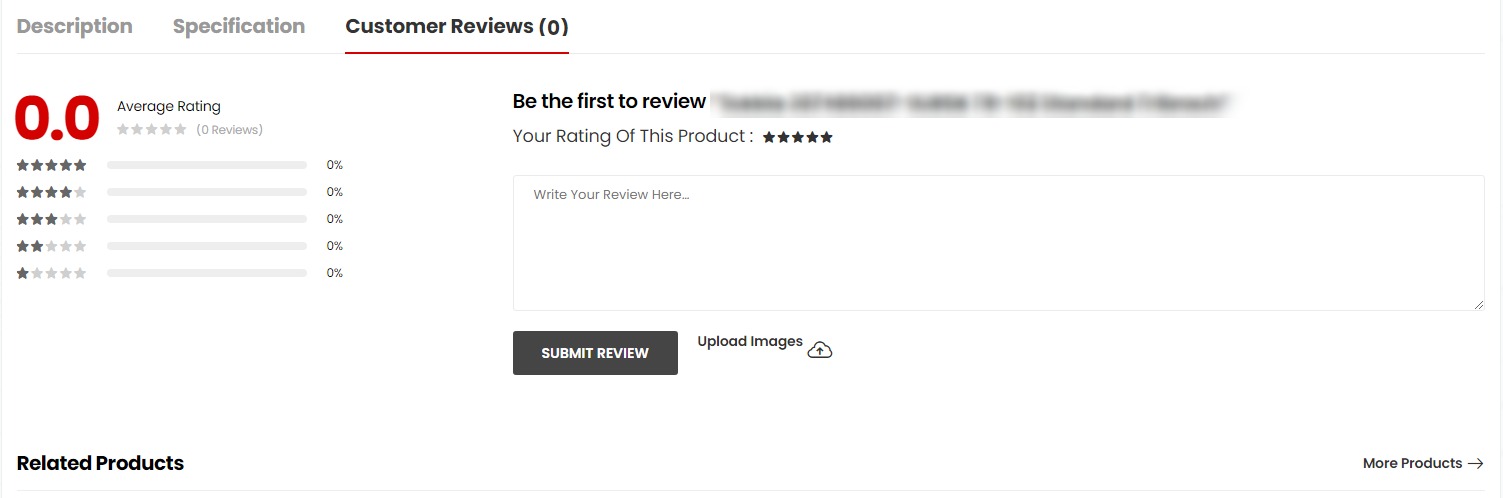
Hello guys, can the review section be edited to look like this? Thank you.
https://storage.googleapis.com/openscreenshot/9%2FR%2F7/PAyqun7R9.pngHello,
Currently, there is no such option for the reviews system. But we consider this for our future updates.
Kind Regards
Hi, after the last theme update all my html blocks are disappeared from the backend. Any idea, why?
Hi,
Please, describe to us your problems in a bit more detail. Attach some screenshots and provide us with a list of steps on how to reproduce them on your website.
Thank you in advance.
Please check this screenshot https://prnt.sc/XpzfiGotKg88 . I’m using the latest version of WoodMart, Woocommerce and Wordpress. I have never had problem with html blocks, until I have updated WoodMart to the latest version. Before that I didn’t have any problems. When I look into the database “SELECT * FROM `wp_posts` where post_type = ‘cms_block’ I get indeed 24 items (as you can see in the screenshot). But only item is visible in the backend. I don’t know why only that item is visible, and not the rest. When I add a new HTML block, it appears in the backend, only the old items are not visible anymore!
Hello,
Could you please disable all plugins that are not related to our theme and provide us your admin access so we can check it? Use the contact form on this page https://themeforest.net/user/xtemos
Thank you in advance
Thank you very much! I will do that
Oh Wow! My problem is solved, by deactivating and reactivating the plugins. All HTML blocks are now visible! Thnx 
Great, we are glad that you sorted it out. Feel free to contact us if you have any further questions.
Kind Regards
Hello, i already register on support topics but i forget my password and i requsted new one but email of losing password not reached to me .. My Email : timeequalmoney@yahoo.com Thank you
Hello,
Please, send us your purchase code using the contact form on our profile page and we will help you to restore your account. https://themeforest.net/user/xtemos
Kind Regards
Done
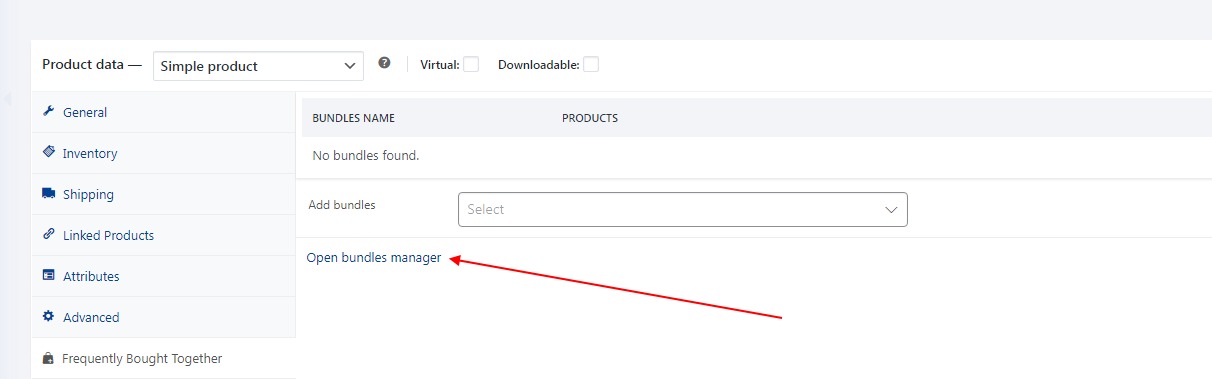
Hello guys navigating to > Screen Options Edit product > Product data > Frequently Bought Together
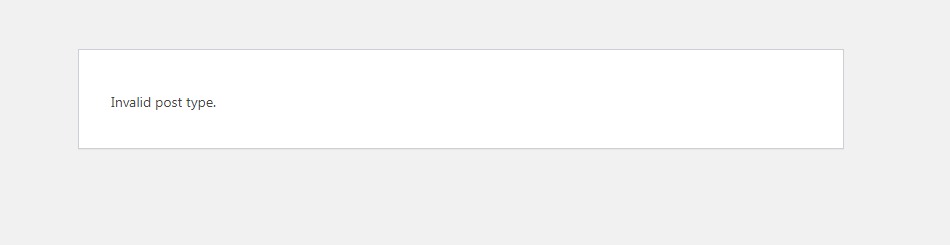
Link: wp-admin/edit.php?post_type=woodmart_woo_fbt shows this message?
Invalid post type.
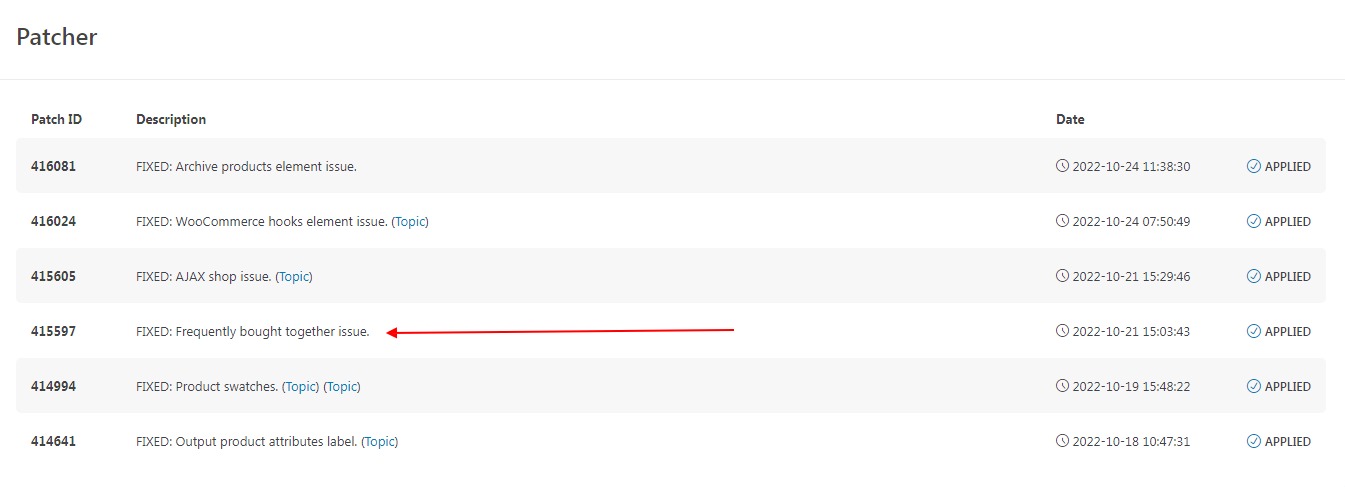
https://storage.googleapis.com/openscreenshot/D%2Fu%2Fl/Qmn1B8luD.png https://storage.googleapis.com/openscreenshot/z%2FG%2Fa/ZUaItkaGz.pngPatch already applied and still have the same issue: https://storage.googleapis.com/openscreenshot/5%2Fy%2FP/v4SGGLPy5.png
Can you please advise why and how to resolve?
Thank you.
Hello,
Please, send us your admin access using the contact form on our profile page so we can check what is wrong. Also, make sure that you are running the latest version of the WoodMart core plugin.
Kind Regards
Bingo you found the issue, missing the updated core for some unknown reason. I now see the see the calls and creation for that post type now, lots of change in the core from Version: 1.0.34. Thank you.
Quick side question? What post type / taxonomy tool are you using to see all the types / taxonomies and so on? Thanks again.
We don’t have a special tool for this. Usually, all post types and taxonomies are listed in the WordPress admin menu bar.
Kind Regards
Ok thank you, I’m exploring many tools to display what I need to have more control over everything.
Hi,
Please, create a topic on our support forum and provide us all the necessary details about the request with some screenshots and including your admin access so we can help you https://xtemos.com/forums/forum/woodmart-premium-template/ If your support is already expired then you need to extend it on ThemeForest first.
Regards
I’m trying to add theme elements, but only two elements are displaying. Screenshot: https://prnt.sc/_ZWI4AuX3r-o
Please check it and resolve it early, raised support request till now no update, all others are getting reply who messaged after me ,but no reply for me since morning I’m waiting
Hello,
Our topic will be replied asap. Please, continue the conversation on our support forum.
Kind Regards
Price Filter Adjusting Steps
For a grocery store there are all products in one category which have prices < 10 €.
there are 40 products. price filter is shown. but cant be used cause i cant set the filter for example from 0 – 5 €.
How can the steps be adjustet so i can set such a filter?
kind regards
Hello,
This widget is generated automatically between lower and higher prices. For a small number of products and price differentiations, you can use the price slider filter widget instead.
Kind Regards
Hello, I would like to delete all the domain that is connected with this theme that was purchased. Can you please help me with that?
Hello,
You can create an account on our website xtemos.com and manage all your activated domains from there.
Kind Regards
I can’t access on this account. Because of my mail has been locked. I lost my access. Can you please do it from your end?
Please, send us your purchase code using the contact form here and we will help you to restore your account https://themeforest.net/user/xtemos
Kind Regards
Hello, I’m having a problem installing the theme, whe I installed it many pages are missing
Hi,
Please, create a topic on our support forum and provide us all the necessary details about the request with some screenshots and including your admin access so we can help you https://xtemos.com/forums/forum/woodmart-premium-template/
Regards
Is there a way to change the upsell, related, and other buttons to redirect to the product page rather than add to cart? Is seems the hook is buried in the theme and I can’t find where to replace that.
Hello,
Unfortunately, there is no such option in our theme and WooCommerce plugin by default. It might be possible with additional code customization only but it is out of our theme support scope.
Kind Regards
Filter sidebar close while selecting attributes in mobile version. I want to keep the sidebar open. user can select multiple attributes. It will not close by each click on attrubutes.
Hello,
Unfortunately, there is no such option in our theme at the moment.
Kind Regards
Hello, It would be nice if the following features were also added: 1) There is a product with color and size attached. Photos for each color are attached. Even if the color is selected, the images do not change without choosing the size. 2) “Frequently bought together” feature. The user cannot make a variation selection for the added products.
Hello,
Thank you for your feature requests.
We will take them into account and consider implementing them in our future updates.
Kind Regards