139 comments found.

Hi
Im havin an issue when adding link inside a post. If the link is too long thi goes under right sidebar. Same issue as previous.
Can you please help me to fix it?
I got your email and i will let you know in mail.
Thanks a lot
Hi
Im having a issue on single post page. When Im adding a video using wp video media library tools, it push the Div and the article content is going behind the right sidebar. Meaning the text goes under th side bar element and can be seen.
How can I prevent it?
Thanks
Can you please give me your website link and admin account to jellywp086@gmail.com to check this issue?
Hi
I sent you credentials at the mail you mentioned so you can have a look.
Thanks a lot
Issue fixed. Thank you
Loving the theme! Question with the review features. Is there a way to change the letter grade from E to F? Also is there a way to make half stars on the grading?
Thanks.
Can you please give me your website link and admin account to jellywp086@gmail.com to help you with this?
Just sent info over. Thanks.
Ok I will let you know in the mail
Love it! How does the theme handle if a Featured Image does not exist? Some of my posts do not include a featured image and some do. Thanks!
If your post has no feature image, the post will display (Title, meta, category, description)
Great! Another question – sidebars – can you choose different sidebars for different pages?
Yes you can choose side bar for each page, and you can custom sidebar with Elementor page builder too
Great! Sold – will purchase! Thank you!
Hi
How can I do to display featured image in dropdow menu such as on your demo?
Thanks
You can add mega menu:
1. Add category to menu
2. check on Use Menu Category Post
3. choose layout, columns, number of display
You can check this section to use mega menu post: https://jellywp.com/wesper/index.html#menu_post
Thanks Sir
Hi
I’d like to know how can I turn a post into a video post so the featured iamge can play vidéo such as on your demo?
Thanks
You can set feature video by add or edit post.
- choose post format (video) on the right side
- scroll down you will see tab (Post Format video) so you can paste Youtube video url, Vimeo video url, Dailymotion video url or upload your video.
Hi
Thanks a lot it works very well for me.
Last question about this matter:
on desktop all video works very fine and automaticly but on mobile phone the youtube video instead of the featured image does not play, it shows the youtube thumbail with youtube red play button. Is it any way to make the baclground video play itself as on responsive design for mobile aswell?
Thanks a lot Sir
Once imported demo data Im havin an error saying:
Warning: Undefined variable $options in /homepages/46/d945760836/htdocs/wp-content/plugins/wesper-function/inc/core.php on line 57
Hi
I solved this issue
Thanks you.
Hello, how is it possible to translate the “Previous Post” at the bottom of single post page ?
you can translate theme by using plugin https://wordpress.org/plugins/loco-translate/
Hello thanks, I managed to translate it. However I have an issue with the functions « Source » of single post at the bottom of the page. It’s written « Soruce: » and not « Source: » I tried to edit the translation to display the right word but it doesn’t work, I still have « Soruce: » could you help me?
can you please give me your website link and admin account to jellywp086@gmail.com to check this issue?
Hello, done  I sent you an email
Ok i will let you know in mail
I sent you a mail already. Unfortunately I’m missing the demos after uploading the theme to wordpress. And btw: the stylesheet style.css seems like missing when downloading the full set
Please extract main.zip and install wesper.zip
Hi, can I use self hosted videos or self hosted links for the video background?
Sure you can use self hosted videos, for video background.
RTL?
Sorry our theme currently not support with RTL
Im interested in your theme, but my concern is that I don’t see many spaces for Google ads? Ad spaces?
Hi our theme have space ads for header, footer, single post and
Hello! How do I configure the “Loco Translate” plugin to translate the Wesper theme into Spanish? After I activated the plugin and checked the theme it gave me this message: “No translations found for «wesper»” Thanks in advance!
can you please give me your website link and admin account to jellywp086@gmail.com to check this.
I bought it because it’s an “instant noodle” product with the theme I’m aiming for, I tried setting the template theme and it’s at point C and the page load time is ~3s (due to the sample image and widgets being too large – have not gone through the optimization plugins ) . I will dig it and leave a review later.
If you need our team help, please let us know in mail jellywp086@gmail.com
I tried to change the text of the button “continue reading” to “En savoir plus” in french with poedit but i didn’t have what i want. What is the best solution to translate text of theme in french please ?
you can change continue reading text in appearance -> customize -> theme options -> Blog & single post Settings
thank you
Hello, I am close to finish my setup for my old blog.
It would be really nice if you could add an extra logo for the footer area, I would like to add a badge, instead of the full logo there.
Also, if I enable jetpack statistics, is there a trending option inside the posts widget?
Thanks
Man… when I moved the site out from staging, all the settings changes I made were removed.
I simply changed folder names and modified URLs.
Where were the theme settings saved? Where can I find those?
I found the settings in the options database, but was unable to import them, I had to redo everything over. 
Please install this plugin to export and import your customize setting (Customizer Export/Import )
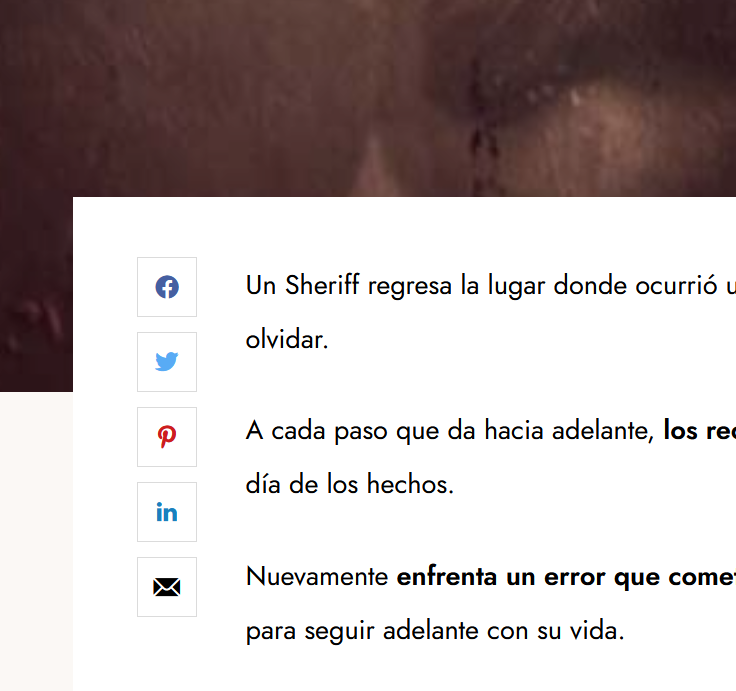
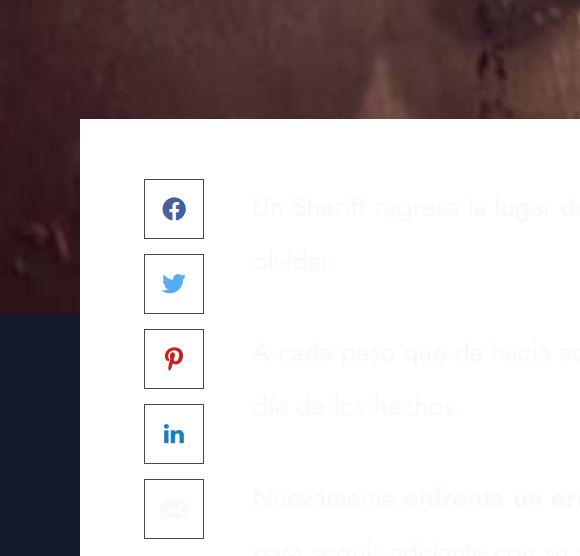
Hello, when I select the dark mode, the container stays in white, thus, the font changes to a lighter color and cannot be read.
How can I fix this? Thanks.
Images
https://i.postimg.cc/rsbQY7Lm/Captura-de-pantalla-2022-11-30-120025.png https://i.postimg.cc/QNn4tKW3/Captura-de-pantalla-2022-11-30-120040.pngThanks for report this bug:
You can add this code to appearance -> customize -> Additional CSS
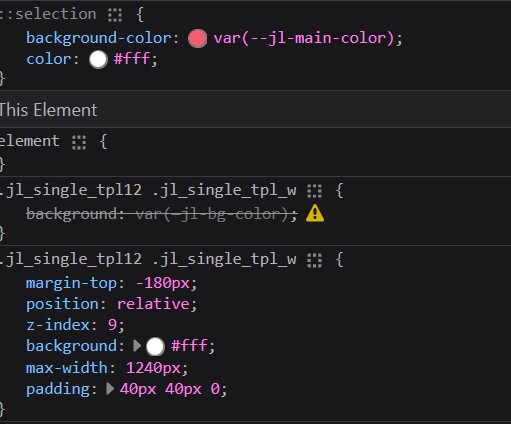
.jl_single_tpl12 .jl_single_tpl_w{background: var(—jl-bg-color);}
Thanks! 
Hmm… seems it has a conflict.
https://i.postimg.cc/HkDvbJ47/638749ff.jpgSo it work or not? if not work can you please give me your website link and admin to check it jellywp086@gmail.com
This one seems better
.jl_single_tpl12 .jl_single_tpl_w {
  background: var(--jl-bg-color);
}
Is it possible to assign a different color to pop up the containter?
I put my light bg color different from white, and the containter shows white, in dark mode I set a dark blue, and would be nice if it was different from the main bg, just to pop up the content.
Thanks
Sure we can custom background color single post.
light mode: .jl_single_tpl12 .jl_single_tpl_w { background: #FFF; }
dark mode: . options_dark_skin .jl_single_tpl12 .jl_single_tpl_w { background: #0a0e40; }
I will give it a try, thank you!
Would it be possible to display post views in the homepage blocks?
yes we can display post view in homepage too.
Hello, before activating I want to stage and work offline, if I do it, your system will be able to work once I move online or it will be blocked?
Have worked with other themes that allow you to add an staging domain, including ‘localhost’, do you have such feature?
If I work in a subdomain, what will happen?
Thanks
You can activate theme in localhost, main domain and subdomain too.
Good to know, thanks.
I Purchased theme, but its not activating, my purchase code is not working
can you please send me your website / admin account and purchase code to jellywp086@gmail.com to check it.