12923 comments found.

Hallo, die Wishlist funktioniert nicht richtig. In der Mobilen Ansicht wird die Wishlist angezeigt. Produkte werden hinzugefügt und die Anzahl angezeigt. Beim öffnen der Whislist werden keine oder irgendwelche Produkte angezeigt. Alle Einstellungen wurden genauso übernommen wie es hier schon empfohlen wurde.
Seite : your-fashionstore.de
hier die Seite Your-fashionstore.de
Hi,
Please, create a topic on our support forum and provide us all the necessary details about the request with some screenshots and including your admin access so we can help you https://xtemos.com/forums/forum/woodmart-premium-template/
Regards
Habe ich bereits. Jedoch keine Antwort erhalten. Wohin sende ich die Login Daten? Doch wohl nicht öffentlich im Forum ???
You can use a Private content field to post your information. It will be visible to our moderators only.
to acceding to given instruction and link i have cerate and romevd old code and submitted a new one but still facing the same issue .. very difficult way to contact author properly please guide how to get the rid of situation ….lot of my time gone
Hi,
Please, describe to us your problems in a bit more detail. Attach some screenshots and provide us with a list of steps on how to reproduce them on your website.
Thank you in advance.
i was facing this issue as i mention earlier : “I have removed WordPress without code disconnection now I want to install this theme on the same domain : lpomart.com
but I am facing the error
You have reached the activation limit for your purchase code. Note that you are allowed to activate it on one website and on one development copy of this website. Check all your activations on our website in your account section. You are able to deactivate your domains there. Then you will be able to activate the theme again.
please fix my issue as soon as possible
it is all about woodmart” after that i have the reply i have signup on author website and remover the old key and and setup new key but it not working NOT : I am unable attach the screenshot here
Hello,
You can manage all your purchase codes in your account on our website xtemos.com From there, you can remove your old activations for domains that are no longer in use. Then you will be able to activate the theme on the new domain. If you don’t have an account on our website, you can create it using your purchase code here https://xtemos.com/my-account/
Kind Regards
to acceding to given instruction and link i have cerate and romevd old code and submitted a new one but still facing the same issue .. very difficult way to contact author properly please guide how to get the rid of situation ….lot of my time gone
Hi,
Please, describe to us your problems in a bit more detail. Attach some screenshots and provide us with a list of steps on how to reproduce them on your website.
Thank you in advance.
hi i have 2 questions 1- i need to know where i can change icons for menu 2- and where i can change image for the header of blogs
Hello,
Thank you for reaching out to us with your question. We appreciate your interest in our product and are happy to help you in any way we can.
To ensure that we are able to provide you with the best support possible, we encourage you to create a new topic on our support forum with your question or issue. Our support team actively monitors the forum and will be able to provide you with a prompt and thorough response.
To create a new topic on our support forum, please follow these steps:
1. Visit https://xtemos.com/forums/forum/woodmart-premium-template/ and sign in with your account.
2. Click on the “New Topic” button and provide a descriptive title and detailed description of your question or issue.
3. Click “Submit” to post your question.
Once you have posted your question on the support forum, our team will review it and provide a response as soon as possible.
Thank you for your cooperation, and we look forward to hearing from you on the support forum.
Best regards
Hello, is there any bug in the theme because some parts of the theme were left without translation. In loco translate they show the translated strings but they aren’t applied in the theme. There are several reports about this in the forum. A solution for this is urgent.
Hello,
Please, disable all plugins that are not related to our theme and provide us with your admin access. We will log in and check what is wrong there. You can leave only the following plugins that are required for our theme: WoodMart core WooCommerce Elementor/WPBakery page builder
Use the contact form on our profile page here https://themeforest.net/user/xtemos
Thank you in advance
We use “Product Additional Information Table” to display attributes on Product Page. and we also choose “With Icon” for Icon Type option, and then we choose an SVG icon. Then from the Style tab we set the icon color to Brown, but it still shows it in black. I checked the html codes and noticed you display the icon as img tag instead of svg, and as a result the color doesn’t apply to that tag probably.
a hotfix/patch would be appreciated. As we have a custom designed product page with dark background, showing black icon doesn’t look nice.
Thanks
Hello,
Yes, this table doesn’t support SVG as HTML code yet. You can display image there only at the moment.
Kind Regards
Hi, I bouth the theme like 1 year ago and it was never used until some days ago. I migrated my site to AWS Lightsail, and whenever I try to activate and setup the theme in my site, it crashes the website and gives me an error “Error establishing a database connection”. I already tried to restore backup excluding plugins/themes, but still the issue is the same. Any help please? I never used the 6-month support included in the purchase. Thanks in advance.
Hello,
Please, disable all plugins that are not related to our theme and provide us with your admin access. We will log in and check what is wrong there. You can leave only the following plugins that are required for our theme: WoodMart core WooCommerce Elementor/WPBakery page builder Use the contact form on this page https://themeforest.net/user/xtemos
Thank you in advance
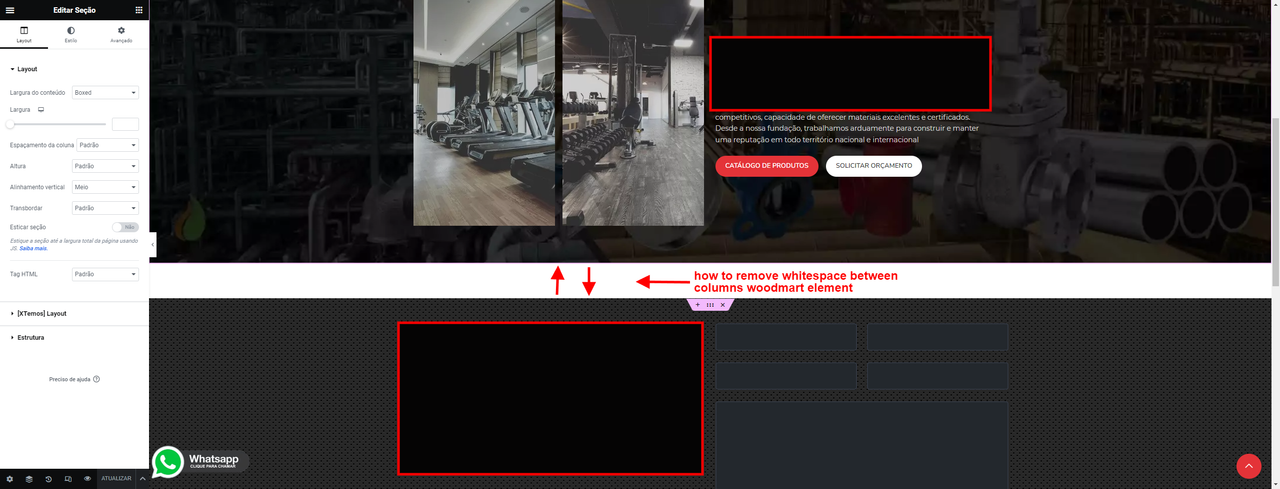
How to remove whitespace in non woodmart elementor section, is there any setting in theme that I can tweak or remove? Thanks!
https://i.postimg.cc/85whrmQt/gap-space.pngHi,
Please, create a topic on our support forum and provide us all the necessary details about the request with some screenshots and including your admin access so we can help you https://xtemos.com/forums/forum/woodmart-premium-template/
Regards
Hello,
Is it normal that template HomePages are impossible to modify with elementor? all pages open with elementor except the HomePages. White screen.
Any ideas?
Hello,
Thank you for reaching out to us with your question. We appreciate your interest in our product and are happy to help you in any way we can.
To ensure that we are able to provide you with the best support possible, we encourage you to create a new topic on our support forum with your question or issue. Our support team actively monitors the forum and will be able to provide you with a prompt and thorough response.
To create a new topic on our support forum, please follow these steps:
1. Visit https://xtemos.com/forums/forum/woodmart-premium-template/ and sign in with your account.
2. Click on the “New Topic” button and provide a descriptive title and detailed description of your question or issue.
3. Click “Submit” to post your question.
Once you have posted your question on the support forum, our team will review it and provide a response as soon as possible.
Thank you for your cooperation, and we look forward to hearing from you on the support forum.
Best regards
Pre-Sale Question: I would like to know if it is possible to insert a product on the page, elements of text and accordion as tabs exactly as I see for example on this page:
https://woodmart.xtemos.com/mega-electronics/delivery-return/Tab with free text like “Exchange or Return of Goods” and tab with accordion like “FAQs”
and create several of each type on a product page.
https://woodmart.xtemos.com/mega-electronics/product/acer-sa100-sataiii/Here there is only “Description”. I intend to add multiple tabs one below the other, some with text, and some with an accordion as mentioned above. It is possible?
Hello,
Yes, you can display the accordion element on the custom product page and fill it with any information you need.
Our theme also has a few custom tabs that can be filled with any content and added to the product tabs.
Kind Regards
Regarding the previous question – can you create such an example page for me on your side and send me a link so I can see what it looks like?
and some more:
Is it possible to fully customize the grid of the products, define a different layout for each type of device, and design both a grid of the products and a template of a single product page using elementor?
Is it possible to define such a design in Elementor and a custom grid that will appear in all search results, including category pages?
Is it possible to set a custom hyperlink and name of the button to make order?
Hello,
Unfortunately, we can’t create a demo for such a product page.
Could you please clarify your second question? Send us some screenshots or examples so we can better understand what you mean.
And it won’t look like this like in your demo: https://prnt.sc/miPdZu6Ch4zG
That is, a customized design with the relevant variables once, and in every search result and every presentation of an item in the grid, it will appear like this.
And also build a product template once that will be permanent, something like this:
https://prnt.sc/CeA46kguetzhAnd the button will have a custom link in each item
Unfortunately, the product on the shop page is not editable with Elementor at all. You can customize the single product page template only.
Kind Regards
here you say that this is possible. what is the correct information?
Yes, you can customize the single product page template. But no the product layout on the shop page.
Hi, I couldn’t translate the “Addresses” menu language in the member panel menu to Turkish, what could be the problem? It was a blank line a while ago, after the update it became visible in English!
Hello,
It is a WooCommerce bug. It is already reported by a lot of users on WooCommerce Github. Here is a link to this issue discussion that should help you https://github.com/woocommerce/woocommerce/issues/36490
Kind Regards
Hello, I use the Loco translate to translate “ADD TO CART” button on single product. The text was changed in Destkop but not change in Mobile.
Any suggestion please?
Hello,
Please, disable all plugins that are not related to our theme and provide us with your admin access. We will log in and check what is wrong there. You can leave only the following plugins that are required for our theme: WoodMart core WooCommerce Elementor/WPBakery page builder
You can use the contact form on this page. https://themeforest.net/user/xtemos
Thank you in advance
Hi, i do the override template already because the website is living 
OK, we are glad that you sorted it out! Feel free to contact us if you have any further questions.
Hello, I can’t click anymore on the theme settings area on the screenshot below. Also the icons not showing anymore on the front-end of the website. How this happened? I’m using the last version of the theme. Thanks in advance
https://prnt.sc/C6NSsoFm7PO5 https://prnt.sc/rKt8UweokyjlHello,
You can fix it by applying patch # 471502. To do this, go to Dashboard -> WoodMart -> Patcher, find the corresponding patch and click on the “Apply” button. Let us know if it works for you.
Kind Regards
Hello, It doesn’t work.
Hello,
Please, disable all plugins that are not related to our theme and provide us with your admin access. We will log in and check what is wrong there. You can leave only the following plugins that are required for our theme: WoodMart core WooCommerce Elementor/WPBakery page builder
You can use the contact form on this page. https://themeforest.net/user/xtemos
Thank you in advance
hi, i have a alert from Wordfence https://www.wordfence.com/threat-intel/vulnerabilities/wordpress-plugins/woodmart-core/woodmart-core-1036-missing-authorization-to-privilege-escalation. You have an update for this issue?
Hello,
This bug has been already fixed in our theme. Make sure that you are running the latest version of the theme. Also, the WoodMart core plugin needs to be updated to the latest version 1.0.39 too. You can do this in WoodMart -> Plugins.
Kind Regards
thanks for the reply i use the latest version, but the alert continues when the scan ends
Either you didn’t update the theme and WoodMart core plugin to the latest version or Wordfence has a problem with this notification. Anyway, this bug has been already fixed.
Hey, my support expired just yesterday (already got 3 licenses) but I would appreciate some help. When I try to save a menu item with design as “Full width” or “Full height” it doesn’t being saved but the design stays on “default” option.
Is this some kind of bug? It only happens on 3 menu items, every other works fine, I already tried deleting and readding those 3 menu items but same issue.
Hello,
If it doesn’t work only for the last menu items then it is a problem with the PHP max input vars limit. It simply can’t process a large amount of data when you save the menu. Try to contact your hosting provider and ask to increase this parameter. You can check its value in WooCommerce -> System status.
Kind Regards
hi there i alreadt bought your theme 4 times and i want it buy again. My question is on prebuilted websites i checked Grocery theme. And i want on slider background add video. Is that possible to add background video on Grocery theme?
Hello,
Thank you very much for using our theme and contacting us.
Yes, you can use the background video option for rows or sections you added to the slider with Elementor or WPBakery page builder.
Kind Regards
I want to try the options in the back end of WoodMart before I decide whether to purchase, can you send me a temporary user that I can review?.
Hello,
Thank you for contacting us.
We would be happy to help you, but, unfortunately, there is no backend demo for our theme.
Kind Regards
I have a few questions: 1. Do you have an example of a product page (or can you create one for us for the sake of the example) that displays multiple tabs along the page, some of which display text and some display accordions? 2. Do you have an example of a product page where the link is to an affiliate or a custom URL and not in the process of purchasing through woocommerce? 3. Do you have an example of the product grid design options and how you can customize, and how you can customize a product page as well?
Additionally, I saw that you answered this to another ticket: “Unfortunately, there is no trial version for our theme. But you can purchase it and test it for 14 days. If you are not satisfied you can ask for a refund.” Can you reconfirm that this is correct? You don’t offer a demo of the backend but if I purchase and find it doesn’t fit what I’m looking for, can you confirm a refund within 14 days?
Hello,
Unfortunately, we don’t have such product pages on our demo. Yes, you can test our theme for 14 days and request a refund in case you are not satisfied.
Kind Regards
Please make it possible to restrict the Free Shipping Bar feature to certain countries. (my client’s store is a worldwide shop, but they provide free shipping to orders that the shipping address is their own country)
Meanwhile, is there a snippet to quickly restrict that feature to users with shipping countru set as 1 single specific country? Thanks
Hello,
Try to enable calculations based on shipping zones. Read more in our documentation https://xtemos.com/docs-topic/free-shipping-progress-bar/
Kind Regards
Hello guys, Wordfence is compainging about version 1.0.36 of being not secure for Woodmart Core. Where can i update to the 1.0.37 ?
Hello,
This bug has been already fixed in our theme. Make sure that you are running the latest version of the theme. Also, the WoodMart core plugin needs to be updated to the latest version 1.0.39 too. You can do this in WoodMart -> Plugins.
Kind Regards
Thank you very much, i found it yesterday! Amazing theme and support as always guys!
Great, we are glad that you sorted it out. Feel free to contact us if you have any further questions.
Kind Regards