830 comments found.

can you give demo client account access?
Hi,
Thanks for contacting us.
Unfortunately we do not have demo access available. On the other hand we offer money back guarantee, so if the theme does not suit your needs for whatever reason we will refund you in the first six months after the purchase.
Kind regards,
BoldThemes team
Hi, I’m trying to integrate a BMI calculator on a pege. I already have the code for the calculator, one Php file and one Java Script, but I don’t know how to integrate them. Could you please explain what’s the process?, Thank you in advance!
page*
Hi, this is out of the scope of our support – we are not able to help you with any custom 3rd party code. You should probably look for developer who will integrate this (e.g. it could be a good idea to create a plugin starting from your existing PHP and JS code).
I purchased license for a website, but I don’t need it now and i will close this website. Can I use this license for a new project?
Hi,
If you are not going to use the old site, yes you can.
Kind regards,
BoldThemes team
Hi,
If your multilingual plugin does not support translation of widget areas and widgets (which is highly unlikely), you can set up a different widget areas for different language versions on Appearance > Sidebars panel.
This panel is present if you have activated Sidebar Manager plugin which comes with the theme. There, you can define different widgets for widget areas based on various criteria.
As far as the footer is concerned, translating the footer page (one assigned as footer on Appearance > Customize > Header and Footer) should be enough.
Kind regards,
BoldThemes team
Firefox shows an Error because the theme always loads “http://medicare.bold-themes.com/clinic/wp-content/uploads/sites/2/2018/03/medicare-logo-white.png”
How can i disable loading this Icon? It is not visible on the landing page.
Hi,
Can you please send us the url of your site so we can take a closer look?
Thanks.
Kind regards,
BoldThemes team
Hi,
It seems that the alternative logo has remained in your settings from the times of demo import.
Please go to Appearance > Customize > General Settings and set Alternative logo to the same image as your current logo.
Kind regards,
BoldThemes team
Thanks for your quick help. Fixed!
Hello, Theme has critical error and website is down, i have it installed since oct 2022 no issues but on the 9th it just all went kaboot.
Below is the message error i received after contacting my host admin support:
Function wp_enqueue_script was called incorrectly. Scripts and styles should not be registered or enqueued until the wp_enqueue_scripts, admin_enqueue_scripts, or login_enqueue_scripts hooks. This notice was triggered by the nfd_wpnavbar_setting handle. Please see Debugging in WordPress for more information. (This message was added in version 3.3.0.)Please Help.
Hi,
Sorry to hear that you have an issue with the theme.
The message you have referenced does not seem to be generated by the theme, it seems to be generated by a third party plugin using the quoted nfd_wpnavbar_setting
Anyhow, if you haven’t updated the theme since 2022 you should update it to the latest version – 2.0.5 using one of the methods outlined here: https://boldthemes.ticksy.com/article/7123/
Once you update the theme, please update the Medicare and Bold Builder plugins as well.
Kind regards,
BoldThemes team
theme is not accepting arabic URL in sliders , icons ..etc . do you have idea why ?
Hi,
No, no we don’t. If it helps, we haven’t had reports of similar issues from other users. Have you tried the same url’s with the default WP theme?
Kind regards,
BoldThemes team
yes other themes working
Can you please provide one url so we can try it out in our development environment.
Kind regards,
BoldThemes team
For the website www.lyvexmed.com,
The images do not load while opening it in Safari browser in Mac…Please help!
Thanks.
Hi,
Can you please tell us which Safari version are you using as all the images load correctly from out network. Maybe we are missing something.
Thanks in advance.
Kind regards,
BoldThemes team
Safari 15.6.1
Hi,
We do not have any issues with that version either. Here are the screenshots:
https://bold-themes.com/local/ss_1.pngand
https://bold-themes.com/local/ss_2.pngCan you see the images directly – for example:
https://lyvexmed.com/wp-content/uploads/2024/01/header-image-3.webpor
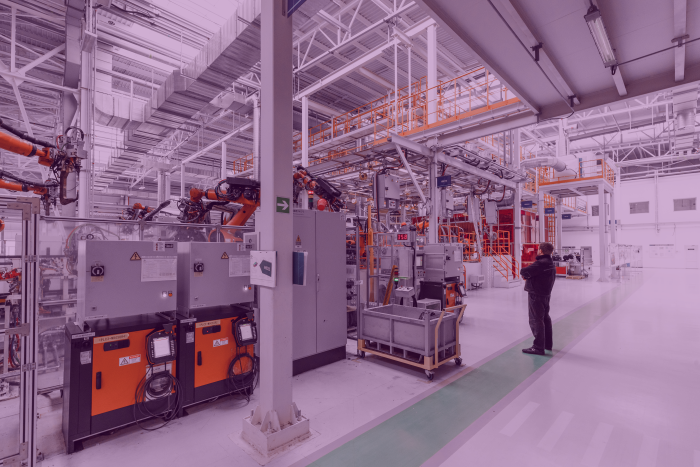
https://lyvexmed.com/wp-content/uploads/2024/02/photo-automobile-production-line-welding-car-body-modern-car-assembly-plant-auto-industry-interior-hightech-factory-modern-production.webpKind regards,
BoldThemes team
The direct links are not opening in safari. The webp image is getting downloaded. But also not viewable in Preview app.
Here are my safari screenshots:
https://snipboard.io/qprHNa.jpg https://snipboard.io/k5hScT.jpg https://snipboard.io/QFZMdg.jpgHi,
The fact that your Safari is not opening images directly can only mean that, for some reason, your Safari can not open your webp images.
We are not sure if that is webp in general, or your particular webp encoding, but the best option is to contact the author of the software with which you have created your images and check if there is solution to this.
The other solution is to change the format of images so they are readable by the browser in question.
This issue is not related to the theme, as your browser does not open images directly either.
Kind regards,
BoldThemes team
Where can I find an appointment exactly as advertised on your information page? I’ve taken a screenshot for you. I’ve checked all demos, but I can’t seem to find one like that.
Hi,
Thanks for contacting us.
currently here is not one exactly as on the poster you have screenshotted.
Kind regards,
BoldThemes team
Hi,
In order to replicate a page structure in your local environment, you can add
?btextract=true
to the url on our demo.
For example, to replicate the structure of the page you need – https://medicare.bold-themes.com/cardiology-rtl/ you can use the following url https://medicare.bold-themes.com/cardiology-rtl/?btextract=true
Once you do, follow the instructions and you will have the page in your WP.
Kind regards,
BoldThemes team
Hello. Is it possible to link some of the slides in the main slider of the Physiatrist theme to the menu items, so that, when a user click on a specific item in the top menu, a specific slide is shown, with the scroll effect? Thanks!
Hi,
Thanks for contacting us.
Unfortunately that is not possible 
Kind regards,
BoldThemes team
PRE PURCHASE QUESTION:
CAN I USE THIS THEME TO CREATE A CUSTOMIZED HEALTHCARE WEBSITE THAT IS NOT IN ANY OF YOUR DEMOS?
CAN I USE THE BUILDER INCLUDED TO CUSTOMIZE THE THEME USING DIFFERENT WP PLUGINS AS REQURED BY ME? Eg(adding directory, forms and even login pages etc)
THANKS
Hi,
Thanks for contacting us.
Yes you can do that.
Kind regards,
BoldThemes team
hi, how to change preloader icon animation?
Hi,
You can change the logo and the text on Appearance > Customize panel.
If you wish to change the markup entirely, you can override the boldthemes_preloader_html() function in your child theme – originally it is on lint 395 of boldthemes_functions.php in the php folder of your theme.
Kind regards,
BoldThemes team
Hi, BoldThemes Import does not work, just showing Importing… 0%
solved, php settings hosting problem
Hello Team
After my last update I’m getting this error in my admin panel “Failed to load plugin url: https://website-name.com/wp-content/themes/medicare/editor-buttons/editor-buttons-plugin.js". I have also updated all the plugins and wordpress but still this issue is coming.
My website header is also broken after update. Can someone help with this issue?
Thanks
Hi,
This is strange as Medicare theme does not have editor-buttons folder in it. It does not enqueue editor-buttons-plugin.js either.
The error is caused by some third party code which does not belong to the theme.
The plugin or whatever your WordPress is trying to load is mapped to a wrong wp folder..
As a first step, try deactivating the plugins one by one to see if one of them is causing this.
Kind regards,
BoldThemes team
ok
Check attached screenashot. This is your latest theme which I recently downloaded. There is a folder named as “editor-buttons”. You should have checked your theme’s files before replying to this comment.
Now if there is anyone who can help me about this please reply. There are few other CSS and JS files too which are coming from cdn and those files are not loading. Due to that my website header is not coming properly.
Hi,
Our bad, we are really sorry for the confusion.
Can you please send us the url of the site and wp-admin credentials so we can take a closer look at the issue? You can send the credentials using the contact form at the bottom of the right hand sidebar on our profile page: https://themeforest.net/user/boldthemes
Thanks in advance.
Kind regards,
BoldThemes team
If I select dentist layout , can I add video gallery (Youtube videos)? also will I get before and after(Available in clinic layout) in dentist layout? . Also in dentist layout any option for banner with image scroll..I can only see text scroll
Hi,
Thanks for contacting us. Please find the answers below:
You would need to use third party plugin for Youtube gallery or add embed codes directly into the page.
Yes, you will get all elements from Clinic in the dentist layout as well.
Not sure what you mean by banner with image scroll. If the theme does not offer it out of the box, you can probably achieve it using third party plugin.
Kind regards,
BoldThemes team
i have problem with time table set up ”Timetable error – there’s one event without time definied. Please go to Dashboard – Timetable and check if all the events have the time properly set.” i already install plugin “Timetable and Event Schedule”
Hi,
Please submit a ticket at our support site – https://boldthemes.ticksy.com/ and our support team will be glad to assist you.
Kind regards,
BoldThemes team
Does the newest version of the theme allow you to add multiple locations to the Google Maps element?
Hi,
This feature is currently not supported.
Kind regards,
BoldThemes team
Any plans to add it later? Will be very helpful for muti-location clinics/offices.
Not at the moment but we will consider your suggestion.
Hi, how to make a several columns in menu like in your demo https://ibb.co/rwRjMKG
i want to make in submenu 3 columns
Hi,
Please refer to the following article for explanation:
https://boldthemes.ticksy.com/article/15645/Kind regards,
BoldThemes team
why there is no search bar widget for the blog page ?
Hi,
Sure there is. You just need to place search widget in a respective widget area – sidebar for example, or Header right Widgets area if you want it near the menu.
Kind regards,
BoldThemes team
not fully css
Hi,
Can you please provide some additional detail?
Thanks in advance.
Kind regards,
BoldThemes team
Hi,
Can you tell us what problems do you encounter on the search page – the search results are handled by the WordPress core functionality and the theme does not alter them in any way.
Related to breadcrumbs, the link on المدونة seems to be hardcoded on your side in some way – link to 0.0.0.1 does not come from the theme.
We might be missing something here due to the language barrier, if so, please let us know.
Kind regards,
BoldThemes team
for the breadcrumb we don’t touch it. it have a problem from the theme plus there is no padding between the breadcrumb banner and the post result . how we can remove it and fix the breadcrumb issue.
Hi,
We can see that you have added the custom css
.search-results.btNoSidebar .btContentHolder {
    padding-top: 55px !important;
}
and resolved the issue of padding.
Related to the link on the Header title. Can you deactivate the child theme and activate the main theme and check if the issue persists?
Kind regards,
BoldThemes team