244 comments found.

Hello, We are about to purchase your theme and have a few pre-sale questions:
1) Is SCORM supported? 2) Our courses consist of a single SCORM object: will the course be marked as completed once the SCORM object is completed? 3) The courses will be for sale: is it possible to charge students for them?
Thank you.
Hi,
1. Yes.
2. Yes, it is related to Moodle features. The theme does not do anything special at this point.
3. Yes, you need to use the “Enrolment on payment” feature in Moodle. Here is the documentation: https://docs.moodle.org/501/en/Enrolment_on_payment
Mariusz
thank you!
I love this theme and even though I have another that I really like and have worked to customize (which is also one of yours ) I think I may switch to this one because it just offers a great clean and professional look. One question: is there a demo/sample page that shows what a SCORM package looks like? I’d love to see that before I go ahead with the purchase.
TIA
Hi,
On the demo page, there is no SCORM module. The content of the SCORM module is not styled by the theme. It is built independently and displayed like a video, so you cannot change the style of the content inside the SCORM module.
If you have more questions, please create a ticket at https://marbol2.ticksy.com/ in the GENERAL category.
Mariusz
Do you provide customization services for the theme?
Hi,
I don’t provide customization services, but if you need assistance, please create a support ticket at https://marbol2.ticksy.com/
The theme is very flexible, and many things can be achieved using the theme settings and custom CSS.
Mariusz
Hello, I would like to point out a problem rather than a bug. The course page and the course registration page use the same custom field, even though they are not the same size. This makes it impossible to have two images of the correct size in these two places (cours page and enrolcours page).
Hi,
Please create a support ticket at https://marbol2.ticksy.com/ to provide more information about this problem. The comment section is not intended for support purposes.
Mariusz
Hi, this theme has made creating a Moodle Site so much better. Can you tell me if it works with Moodle Workplace? Thanks 
Hi!
Thanks for the kind words, I’m glad the theme is helping with your Moodle site 
I haven’t tested it with Moodle Workplace yet, so I can’t confirm that it works there. If you’re thinking about purchasing the theme specifically to use it with Workplace, I can’t guarantee compatibility at this point.
For more info please create a support ticket at: https://marbol2.ticksy.com/
Mariusz
Does this support rise 360 course? scrom
Hi,
If something works in Moodle/Boost, it will also work in New Learning.
Mariusz
Hi, I am thinking about purchasing the new learning theme and have a question about the course filter. The filter works so far, so well. However, I would have expected the categories and tags to update based on the pre-selected items. So if I pick “summer semester”, all “winter semester” options will be removed from the filter. Is this actually possible in Moodle? Or would you consider adding it as a feature? Thank you!
Hi,
What do you mean by “if I pick summer semester, all winter semester options will be removed from the filter”?
If you pick “summer semester,” you will only see courses that are set for the summer semester. This is how the filter works.
Mariusz
Hi Mariusz,
Thanks for your swift reply, and sorry if I didn’t explain it well.
Showing the curves with the different filters selected works perfectly. And it is one of the reasons I consider your theme.
What I meant was that after I select a category, I can still select a tag that might not be included in any course in that category. I would expect that if a tag hasn’t been used with the selected category, it shouldn’t be available to select.
I hope that makes more sense.
Thank you! Guido
The filters are independent. If you select a category, you can still select, for example, a tag even if the courses in that category do not have that tag.
Hi, thanks for clarifying it.
Hello there , I am new to this theme and trying to achieve the look of my course home page like “course classic – slider info.” I am not able to achieve this—I need step-by-step instructions or any reference video… Little urgent
I could not find local_mb2slides-x.x.x.zip in the plugins folder
Please check your ticket.
Hi,
I am currently running a production Moodle site with the following setup:
- Moodle version: 4.5.8+ (Build 20251219) - Theme: New Learning 11.9.1 - Plugin: Mb2 Builder 5.1.11 - All required Mb2 plugins and filter_mb2shortcodes are installed - Full administrator permissions are granted (system role)
However, in: Site administration → Mb2 Builder → Pages
the “Add new page” button does not appear at all.
This issue persists even after: - Verifying all Mb2 Builder capabilities (managepages, etc.) - Re-logging in and purging all caches - Confirming that the same setup works correctly on Moodle 4.3
It appears that this problem is related to changes in Moodle 4.5 admin UI or capability handling, causing the page creation interface to be hidden.
Since this is a production environment, downgrading Moodle is not an option.
Could you please advise on one of the following: 1) A Moodle 4.5–compatible hotfix or updated Mb2 Builder version, or 2) An official workaround for creating new Mb2 Builder pages on Moodle 4.5?
If possible, I would appreciate it if you could send your reply to: samuelyou@wmu.eduThank you very much for your support.
Hi,
PLEASE create a support ticket at: https://marbol2.ticksy.com/
There is no “Add new page” button. Here is the documentation on how to:
1. Import pre-built page: https://docs.lmsstyle.com/live-page-builder/Import_pre-built_pages
2. Create a new page: https://docs.lmsstyle.com/live-page-builder/Create_a_new_page
Mariusz
As I showed in the screenshot earlier, the star-shaped “Build this page” link does not appear in the left sidebar.
You may be sure it appears on the front page and on every page module. This is my last message here in the comment section.
If you need support, please create a support ticket at: https://marbol2.ticksy.com/
Hello , I am planning to purchase this theme. Have a question, We are currently having one low capacity server which we are making avaialble to users , But as we get more users we will change it to high capacity server (different hosting server), Will there be licensing issue or migration issue for this theme ?
Hi,
As long as you use the theme on only one website at a time, everything is OK.
Mariusz
Can be on staging and production ? Server will be same
Yes, you may use the same license for both the test and production sites. They may be hosted on the same or different servers.
Thanks for quick reply, Appreciated…would be making purchase now
This is great theme, although I am unable to login to the demo to see how things work. I have a question. Is the course details page visible to logged in and non logged in users? Is it possible to have users view course details page without logging into Moodle?
Hi,
Yes, the course details page is available to both logged-in and non-logged-in users. You can see it on the demo page. You don’t need to log in to view the course details (enrolment) page.
Mariusz
I’ve looked at the theme and it’s great.
But why is there no “Contact Us” or “About Us” page?
Please answer because I’m interested in buying it.
Is it compatible with Moodle 5.0.3?
Hi,
You can create these pages with a few clicks. Here is the instruction: https://docs.lmsstyle.com/live-page-builder/Create_a_new_page
And yes, the theme is compatible with Moodle 5.0.3.
Mariusz
Thanks for your reply. I know how to design a page. My point is, how can a great theme like this not include demos of two essential pages (Contact Us & About Us) that no website should be without..
It’s a Moodle website, not a standard website theme. Because of that, I focused first on the course-related pages, which are the essential part of Moodle. That’s why the Contact Us and About Us demo pages weren’t included. Don’t worry, they’ll be added in the next releases.
Thank you so much! If I purchase the theme, could you please provide it to me directly? I’m sure it won’t take long, as the theme is fantastic and I’m not very good at this design.
Hi, right now i using Moodle v4.4.1+ with the theme v10.9.3. what is the right order to update/upgrade everything to the latest (moodle to v5 and theme to v11.8.6l)? Any help would appreciate!
hi,
please follow the upgrade documentation: https://docs.moodle.org/500/en/Upgrade_overview
mariusz
Hi Mariusz, thanks for your quick reply. So I need to upgrade the Moodle first only after that the theme, right?
what you need to do is:
1. backup your site (site folder + moodledata folder + database)
2. update the theme to the latest version
3. update other plugins to the latest version (page builder, mega menu, shortcodes filter, etc.)
4. then upgrade your Moodle
Next time, if you need support, please create a support ticket at: https://marbol2.ticksy.com/
mariusz
Thank you for your help on this!
150 dollars for a 6 months support??????
Hi,
This is from the Envato Help Center page:
With item purchase (Support Upgrade): 37.5% of item price
During Support Period (Support Extension): 62.5% of item price
Support Expired? Never too late! (Support Renewal): 87.5% of item price
For more info, please check this link: https://help.market.envato.com/hc/en-us/articles/207886473-Extend-or-renew-Item-Support
By the way, I know Moodle partners who provide support for $75 an hour – not for half a year.
Remember, you don’t need to renew your support to report a bug. Just create a support ticket in the General category.
Mariusz
How can i install School New theme? https://lmsstyle.com/theme/new-learning/mod/page/view.php?id=877
Hi,
Please follow the quick-start guide: https://docs.lmsstyle.com/new-learning/Quickstart_guide
If you need support, please create a support ticket at: https://marbol2.ticksy.com/
Mariusz
How login in the demo ? No acces, no link to create account here : https://lmsstyle.com/theme/new-learning/login/
hi,
Here you can see the dashboard: https://lmsstyle.com/theme/new-learning/mod/page/view.php?id=875
I don’t provide demo access. If you need more info, please create a ticket in the GENERAL category at: https://marbol2.ticksy.com/
Mariusz
Hello,
Thank you for this excellent theme. I would like to ask if it is possible to export and import the theme settings. My plan is to configure everything on a development server and then apply the same settings to our production server.
This will not be a fresh Moodle installation — the production site is already live and in use — but I want to avoid making changes there until all theme configurations are finalized.
Could you please confirm if there is an option to migrate or transfer the theme settings between servers?
Hi,
You can export and then import the content you create with the page builder. Here is the documentation: https://docs.lmsstyle.com/live-page-builder/Backup
Next time please create a support ticket at: https://marbol2.ticksy.com/
I don’t provide support via comment section.
Mariusz
Hello,
I’m interested in purchasing your “New Learning” Moodle theme. However, I could not find any demo or preview showing how the RTL (Right-to-Left) layout looks like.
Could you please share a direct demo link or screenshots showing how the RTL version looks on actual course pages or homepage?
This is an important requirement for my project which targets Arabic-speaking users.
Thank you very much!
hi,
New Learning theme is 100% compatible with RTL languages. I’ve sent you a message with more info.
mariusz
Hi Mariusz,
Thanks for your response.
However, the demo link you shared includes only LTR languages (German and Spanish). I’m specifically looking to preview the RTL (Right-to-Left) layout — for example, Arabic.
Could you please send either: - A direct demo link showing the Arabic or RTL layout OR - At least a few screenshots of the theme when used in RTL mode?
This is critical for my decision to purchase the theme.
Thank you!
please check your inbox
How can I leave the blog configuration the same as the demo, so that only the admin can create entries and students can only view and not edit them?
Hi. I can only see the home page of the pre-built sites, when I click on a link it takes me to a page of another theme. Do they contain all the themed internal pages as well?
Hi,
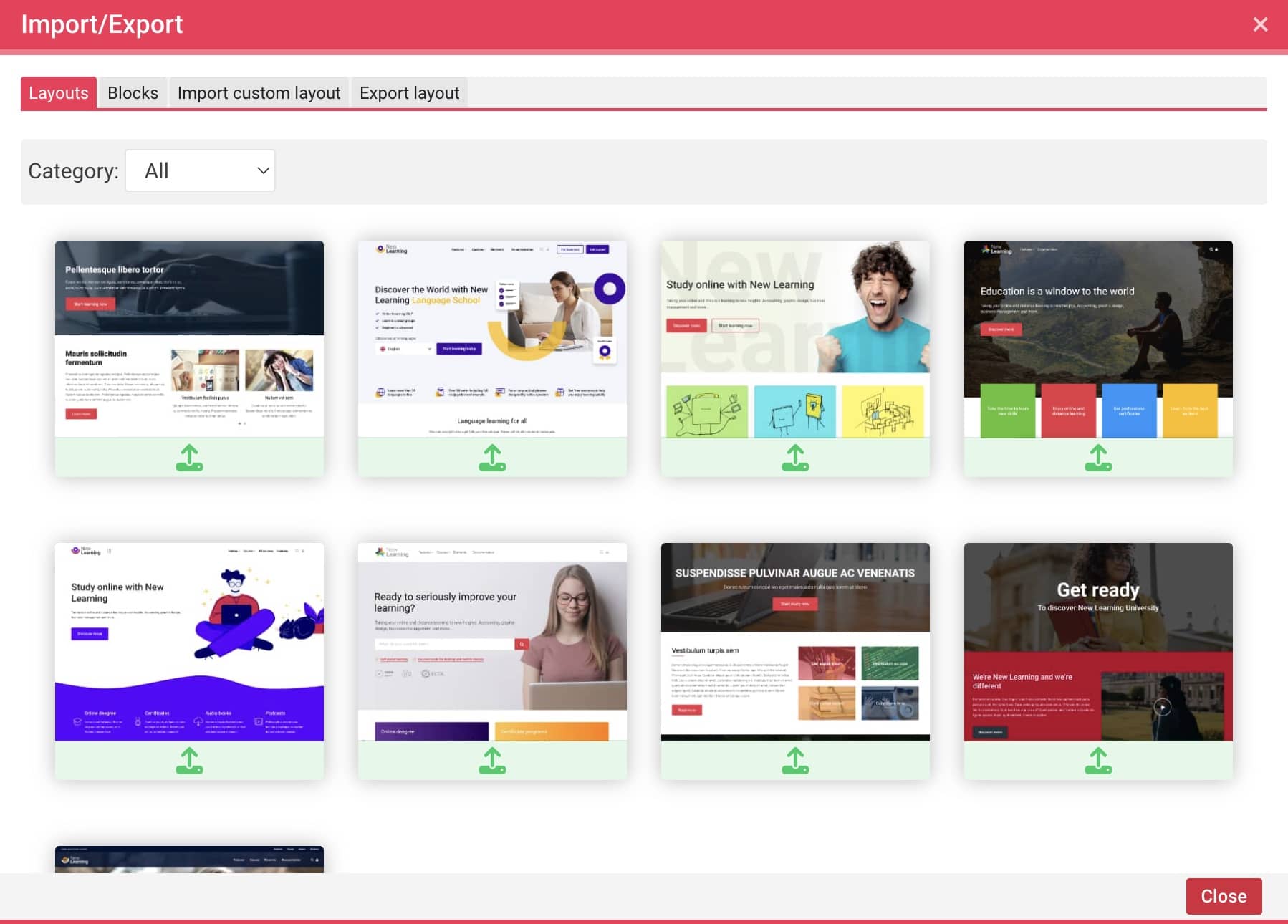
there is the same theme, but links are open in the new window. The New Learning theme contains all of demo sites. Please check this image: https://docs.lmsstyle.com/assets/new-learning/Layout_list.jpeg
Mariusz
Maybe I didn’t explain my question properly: I’m saying that there are several homepage demos that you make available, but none of them maintain the style for the internal pages. For example, if I select a demo and enter the courses page, the page style changes, becoming a more basic blue. My question is: does the demo only correspond to the home page? Isn’t any of the demo styles replicated for the internal pages?
OK, the layout of the course internal pages is available at: Demos > Course pages…
You can change the blue color, header style, and sub-header style using the theme settings.