12921 comments found.

Hello, I installed the Woodmart theme but the child theme was not installed, and the site is very slow. I am using shared hosting. Could you please help me?
Hello,
Thank you for reaching out and for choosing our theme! We truly appreciate your support and are here to help you in any way we can.
For the fastest and most effective assistance, we kindly ask you to create a new topic on our support forum. This way, our dedicated team can review and respond to your question in a timely manner.
Here’s how you can do that:
1.    Go to https://xtemos.com/forums/forum/woodmart-premium-template/ and log into your account.
2.    Click the “Create New Topic” button.
3.    Provide a clear title and a detailed description of your question or issue.
4.    Finally, hit “Submit” to post your topic.
Once your post is up, we’ll be able to take a closer look and provide you with the support you need.
Thank you for your understanding, and we look forward to assisting you on the support forum!
Best regards,
Hi, Is there a shopfy version of this demo? https://woodmart.xtemos.com/furniture2/
Hi,
Thanks for considering the WoodMart theme for your projects. Feel free to ask us any questions you may have; we’re here to help.
Our theme is available for WordPress only. There is no Shopify version for this demo.
Kind Regards
Hi,
I would like to add a `compare image` element as shown on the demo page: https://woodmart.xtemos.com/compare-images/ .
However, I can’t find this page in the `Prebuilt websites – additional pages`. It seems that the `Electronics 2` site imported from `Prebuilt websites` is different from your demo site: https://woodmart.xtemos.com/demo-electronics-2/demo/electronics-2/ .
Could you please help me with this?
Thank you, Wake
Hello,
This page is not available in the dummy content, but it is very simple, and you can create it in just a few clicks. Just add the appropriate element of the Page builder (Elementor/WPBakery/Gutenberg) and upload two images to compare. If you have any difficulties, please create a topic on our support forum, and we will help you https://xtemos.com/forums/forum/woodmart-premium-template/
Kind Regards
Hello Xtemos Team,
I have an issue with the comments pagination in the Woodmart theme.
My comments are divided into pages (1, 2, 3…).
When I click on page 2, comments are displayed correctly.
But when I open page 1 via the link: https://theperde.com/oldhouse-keten-tul-perde-roma-nr-1016/comment-page-1/#comments the comments are not displayed at all.It seems that the first comment page (comment-page-1) is not rendering properly.
Could you please check if this is a theme bug or if I need to adjust the settings?
Also, my support tickets have expired, so I had to write here.
Thanks in advance.
Hello,
Please send us your admin and FTP access so we can troubleshoot and try to fix the issue on your website. Use the contact form on our profile page here https://themeforest.net/user/xtemos
Kind Regards
Hi! I would like to be able to use a video instead of a photo as the background for the slide on the first page. How could this be done? Thanks!
Hello,
Thank you for reaching out with your issue regarding the WoodMart WordPress theme. To provide you with the best support, we kindly ask that you create a topic on our support forum.
If you don’t already have an account, you can easily register using your purchase code from ThemeForest. Here’s how:
1.    Visit our support forum: https://xtemos.com/forums/forum/woodmart-premium-template/
2.    Register: Click the “Register” button and fill in your details, including your purchase code.
3.    Need help finding your purchase code? Here’s a guide: https://help.market.envato.com/hc/en-us/articles/202822600-Where-Is-My-Purchase-Code
Once you’re registered and logged in, feel free to create a new topic in the relevant section. Please provide as much detail as possible so we can assist you more effectively.
We look forward to helping you on the support forum!
Best regards
buy now button isnot working properly. it has to be redirected the checkout page. but it adds the product to the cart only. same as add to cart button. please fix this
Hi,
Could you kindly create a topic on our support forum and share all the necessary details about your request, including some screenshots? Please also include admin access so we can assist you more efficiently: https://xtemos.com/forums/forum/woodmart-premium-template/
If your support period has expired, please make sure to renew it on ThemeForest before reaching out.
Thank you!
Best regards
Hi, I haven’t found where to change woocommer archive design, in my situation after adding category or tags theme shows me blog template. Could you help how to change that! Thanks
Hello,
Thank you for reaching out with your issue regarding the WoodMart WordPress theme. To provide you with the best support, we kindly ask that you create a topic on our support forum.
If you don’t already have an account, you can easily register using your purchase code from ThemeForest. Here’s how:
1.    Visit our support forum: https://xtemos.com/forums/forum/woodmart-premium-template/
2.    Register: Click the “Register” button and fill in your details, including your purchase code.
3.    Need help finding your purchase code? Here’s a guide: https://help.market.envato.com/hc/en-us/articles/202822600-Where-Is-My-Purchase-Code
Once you’re registered and logged in, feel free to create a new topic in the relevant section. Please provide as much detail as possible so we can assist you more effectively.
We look forward to helping you on the support forum!
Best regards
Hello
Please put Chiled theme in downloaded package
Thanks
Hello,
You can always find and download the child theme in our documentation here https://xtemos.com/docs-topic/setup-child-theme/
Kind Regards
Hello dear,
Thank you for link
You are always welcome.
Hello, how are I supposed to use the support? I will redirect me to a forum and when I put my account it tells me that there is error in Captcha but there is no captcha
Hello,
Try to clear your browser cache and try again. If it doesn’t work, please send us your request using the contact form https://themeforest.net/user/xtemos
Kind Regards
Hello
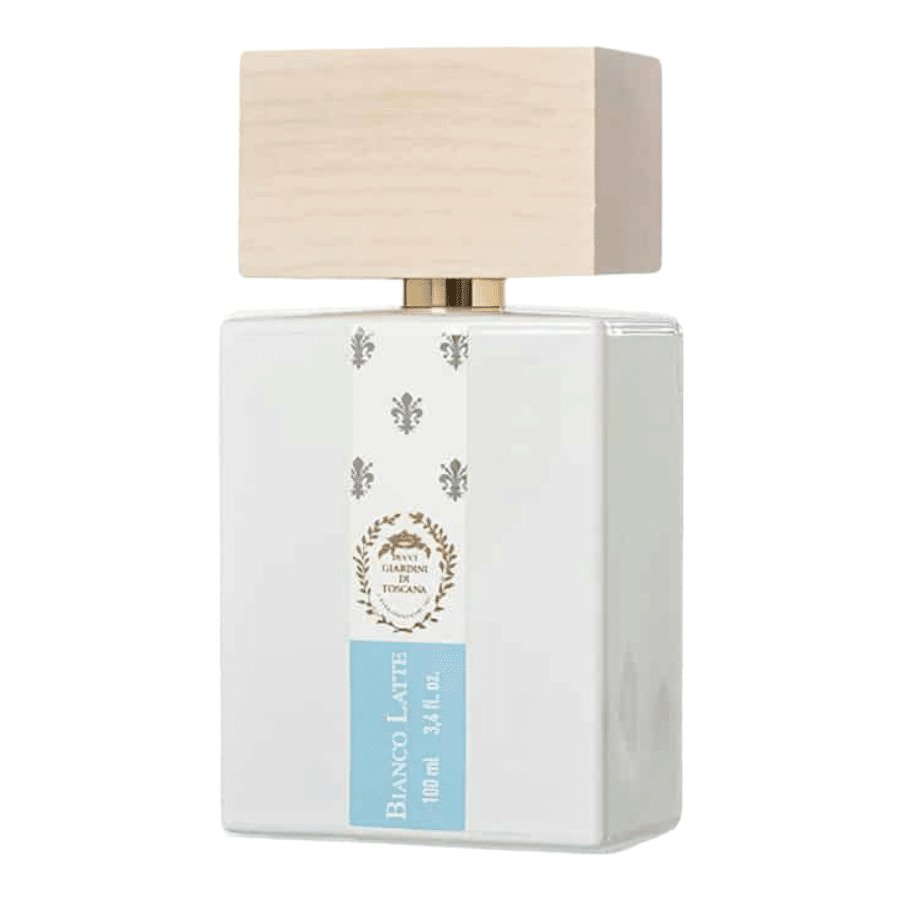
Something strange is happening with several products. The image “src” changes in certain cases to a cropped version of the image when a variation is selected (these variations do not have an image assigned).
Example: https://www.zonaperfumes.cl/perfume-giardini-di-toscana-bianco-latte-edp-unisex/
It changes from:
https://www.zonaperfumes.cl/wp-content/uploads/Perfume-Giardini-di-Toscana-Bianco-Latte-EDP-Unisex.jpg
To:
https://www.zonaperfumes.cl/wp-content/uploads/Perfume-Giardini-di-Toscana-Bianco-Latte-EDP-Unisex-1000x1000.jpg
This only happens when a variation is selected.
When editing the product, it’s clear that there are no images set on the variations, which makes this behavior even more unusual.
Any suggestions? Thanks
Hello,
Please disable all plugins that are not related to our theme and send us your admin access so we can check what is wrong. https://themeforest.net/user/xtemos
Kind Regards
Hi, i have renewed by support. My website is breaking on updating the latest version of the theme.
Hello,
Thank you for reaching out and for choosing our theme! We truly appreciate your support and are here to help you in any way we can.
For the fastest and most effective assistance, we kindly ask you to create a new topic on our support forum. This way, our dedicated team can review and respond to your question in a timely manner.
Here’s how you can do that:
1.    Go to https://xtemos.com/forums/forum/woodmart-premium-template/ and log into your account.
2.    Click the “Create New Topic” button.
3.    Provide a clear title and a detailed description of your question or issue.
4.    Finally, hit “Submit” to post your topic.
Once your post is up, we’ll be able to take a closer look and provide you with the support you need.
Thank you for your understanding, and we look forward to assisting you on the support forum!
Best regards,
Hi, i have created a topic in support forum
Hi, i have cleared the cache. the problem still is there. Can you please check the support forum?
Thank you. Our specialist is working on your issue. Feel free to continue the conversation there.
Hi, the reply from your team is soo delayed. Please can you make it fast?
Hello,
We are sorry for the long delay. Your issue is solved now.
My support period has expired, but I have a question. My entire website is in French, and I want to change the titles that appear at the top of the checkout page: “Shopping cart – Checkout – Order Complete”. Where can I change them so that they appear in French?
Hello,
You can translate this with the Loco Translate plugin. Find the instruction here https://xtemos.com/docs-topic/translate-woodmart-theme-with-loco-translate/
Kind Regards
hi, my support is expired and I faced a css issue and need your help please:
why the retail2 themplate demo has a blank space in the footer section https://share.zight.com/wbug6LE5 ? is this issue always present in all your demos? how can I remove this, I’ve tried some other demos and dont have this blank space, any help?
Hi,
Could you please send us a link to your website where we can see this issue?
Kind Regards
semotor.com
You need to compensate for this gap using a negative margin for the last row on the page. Read more here https://xtemos.com/docs-topic/top-and-bottom-paddings/
I have already done it, however, when I go to shop page how can I give an space to this gap considering that is way to close: https://share.zight.com/2NuDl6Xr
You added a negative margin to the footer section. But you need to add to the last row of the home page instead.
okay but that will only apply for the homepage, what about the shop page? there isn’t any css code or something easy to apply to sort that out?
It looks correctly on the shop page even without any custom fixes. The problem is on the home page only.
please check shop page on mobile view and this affects all pages on the site
We don’t see any problems on the shop page on mobile devices at the moment https://gyazo.com/5b902a697a56049c3c9df58dd7be9d63
hi, yes, I fixed it… on the other hand, is it possible to change icon color in the header builder? Im using the information box, then I choose an icon but I want this icon to be of a custom color, is it possible with any css?
Hello,
If you need any further assistance from our team, please extend your support period and create a topic on our support forum. Our specialists will provide you with all the help.
Kind Regards
Dear Support Team, Hi I am using woodmart theme for my ecommerce site. I want to set a fixed left sidebar menu in my home page. when site scroll down but left sidebar menu fixed. is this possible in woodmart theme?
Thanks
Hi,
Could you kindly create a topic on our support forum and share all the necessary details about your request, including some screenshots? Please also include admin access so we can assist you more efficiently: https://xtemos.com/forums/forum/woodmart-premium-template/
If your support period has expired, please make sure to renew it on ThemeForest before reaching out.
Thank you!
Best regards
Hi,
my support already expired. I want in home page one row divide by ( 3:9) column. col-3 want to sticky in left side . when right (col-9) scroll down. have any build in features for this?
https://prnt.sc/F3xhk6q58zZtHello,
In this case, you need to extend your support period first. Then you will be able to get access to our support forum in accordance with Envato market rules.
Kind Regards
Dear Support Team,
My support has expired, but I’m experiencing an issue with the marquee element in my header banner. It displays intermittently, sometimes it appears correctly, but other times it fails to show when the page reloads.
I am having this problem on multiple WoodMart websites, even though my server resources meet the requirements.
What can I do to fix this?
Hi,
Could you please send us a link to your website where we can see this issue?
Kind Regards
div.header-banner {
    top: -40px;
}

@media (min-width: 782px) {
    .admin-bar div.header-banner {
        top: -40px;
    }
}

@media (max-width: 782px) {
    div.header-banner {
        top: -60px;
    }
}
Happy Independence Day, Ukraine! Слава Україні! Героям слава! ❤️
Thank you! Героям Слава! ❤️
Hi I have just updated two website to the latest version. Both now hang and freeze. I thought it was my hosting but as one was working fine until up dated the theme, that is now doing the same.
Hello,
Please disable all plugins that are not related to our theme and send us your admin access so we can investigate what is wrong. https://themeforest.net/user/xtemos
Kind Regards
Hello,
In the WooCommerce settings, I’ve specified that I’ve added prices without tax, and 19% tax is added to that price (taxes options). The mini cart should show the prices with tax, but it shows them without. What should I do? Is there a snippet that fixes this? In the store, product prices are shown with tax included, so it doesn’t make sense to show them without tax in the mini cart.
Thank you.
Fixed. thank you
Hi! Can I use the Woodmart theme for an automotive brand website? It won’t be an e-commerce site. Instead, it will showcase cars with images and details.
However, I’d like to use some of the built-in features such as filters (by color, style, etc.), comparison, and wishlist buttons. Thank you.
Is it possible to use WoodMart with WooCommerce for this kind of project without a “Buy” or “Add to Cart” button? I only want to showcase cars using filters, comparison, and wishlist features, no actual selling or checkout process.
Thank you.
Hello,
Thank you for contacting us. For sure, you can use our theme for such a website in a catalog mode – without add to cart buttons and a shopping cart.
Kind Regards
Are you planning to add a “collapsible content” widget to Elementor, like in Gutenberg? It allows you to define an expand/collapse button, unlike the current Elementor feature, which only allows you to define an expand button.
Hello,
Yes, we have such plans, but for our 8.4 update, which is going to be prepared in 4-6 months.
Kind Regards