12915 comments found.
Hello,
It would be great if the List View feature also worked on mobile. We have a really good example of how this should look in this : https://www.digikala.com/search/category-headphone/awei/
Hello,
Thank you very much for the comment. We also invite you to share and discuss your ideas on our website here https://woodmart.canny.io/feature-requests
Kind Regards
Hi friends. Great Update, thank you! One Question: Om what order status is the review reminder email delay? Is ist form the day the order was made, the day it is paid, or the day it is finished/shipped? I ask, because some of my customers never mark the orderes as shipped, so in that case i will not use it on their shops. Anyway, great feature!
The only thing is miss in this great update is the planned “Make a qupte” form, but looking forward to have this in the next one. Thank you in advance!
Hello,
The order needs to be marked as “Complete”. And only after this event, it will send the review reminder. We will describe this in our documentation soon.
Kind Regards
Thank you for your reply, all fine.
You are always welcome. Feel free to contact us if you have any further questions.

After the last update (8.3), dotted lines appeared on the foreground buttons, what happened?
Hi,
Could you please send us a link to your website where we can see this issue?
Kind Regards
Hi, I removed it from “Keyboard focus outline” settings
Great, we are glad that you sorted it out. Feel free to contact us if you have any further questions.
Noticed two problems with the updated version – WebP Unsupported format and no Find LPC in backednd.
Hello,
To assist you more effectively, could you please provide additional details regarding the issues you’re experiencing? Including screenshots and a step-by-step guide to reproduce the problem on your website would greatly aid us in diagnosing and resolving the issue.
We appreciate your cooperation and look forward to assisting you further.
Best regards,
Hello, I’m looking for the image optimization plugin mentioned with the template, but I can’t find it in the documentation. Could you please let me know where to find it or how to activate it?
Thank you in advance for your help.
Hello,
Thank you for contacting us. You can find its documentation here https://xtemos.com/docs-topic/images-optimizer/
Kind Regards
Thank you for your reply. I’ve already checked this documentation, but the issue is that I don’t have the “Images Optimizer” plugin in my plugins list. The only plugins I have are: Elementor, Woodmart Core, WooCommerce, Contact Form 7, MailChimp for WordPress, Safe SVG, and Slider Revolution.
That’s why I’m contacting you — could you please let me know how to get or activate the Images Optimizer plugin?
Thank you for your reply. I’ve already checked this documentation, but the issue is that I don’t have the “Images Optimizer” plugin in my plugins list. The only plugins I have are: Elementor, Woodmart Core, WooCommerce, Contact Form 7, MailChimp for WordPress, Safe SVG, and Slider Revolution.
That’s why I’m contacting you — could you please let me know how to get or activate the Images Optimizer plugin?
Make sure that you are running the latest version of the theme. If that doesn’t help, please send us your admin access using the contact form here https://themeforest.net/user/xtemos
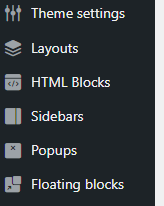
Geht mir genauso —>. Has anyone else came across the problem that with the new update you can’t use Elementor with the new Popups and Floating blocks? These elements do not show up in the Elementor general settings under content types.
Hello,
Please, send us your admin access so we can check what is wrong. Use the contact form on our profile page here https://themeforest.net/user/xtemos
Kind Regards
Subject: Missing basics for variations – per swatch gallery and auto SKU (WoodMart 8.2.7)
Environment: WordPress 6.8.x, WooCommerce 10.x, WoodMart 8.2.7 with WoodMart Core, PHP 8.x. Variable products with attributes pa_color and pa_size (hundreds of variations).
What we are trying to do: generate variation SKUs automatically from the parent SKU and attributes (for example BASE RED M). Maintain one image gallery per color swatch and have all sizes for that color inherit the same gallery on the product page and in the shop grid when that color is selected or filtered.
Frustrations and gaps:
1. No per color gallery out of the box. Images are stored per variation (color x size) so we must repeat the same gallery for each size of the same color. We expected a native one gallery per swatch workflow.
2. No built in bulk copy of galleries across sizes. There is no native user interface to copy a color gallery to all its sizes. Doing this manually across large catalogs is error prone.
3. Variation gallery field tied to the classic editor. The variation gallery or additional images field does not reliably appear in the new product editor. Having to switch editors is not ideal.
4. Archive image does not reflect active color filter automatically. The shop grid can change images on swatch hover or click, but when a user filters by a color the cards do not automatically show that color image. We need a native option like prefer filtered variation image on archives.
5. No SKU templating. WooCommerce and WoodMart provide no simple native way to auto generate variation SKUs from a template (for example PARENT COLOR SIZE) when saving. This is a very common requirement.
6. Scaling and usability with many variations. With hundreds of variations the Variations panel becomes slow and heavy. Expand is slow and there is no per swatch management view. A dedicated by color manager that picks a source variation and propagates it would help a lot.
7. Undocumented meta for variation galleries. The actual meta key for the WoodMart variation gallery is not clearly documented. Clear documentation and stable support across editors would avoid confusion.
8. Shop grid and product page consistency. We would like a guarantee that the gallery selected by color is used consistently. The product page main and thumbnail gallery should swap entirely, and the shop card image should use the same first image for that color without extra clicks.
Expected behavior and feature requests: a native per swatch gallery mode that allows assigning images once to each color term for a product and automatically inherits for all sizes. A bulk tools panel to choose a source variation per color and propagate with overwrite only if empty and force overwrite options. A SKU template setting per product or global that generates SKUs like PARENT COLOR SIZE automatically on save. An archive image preference so that when a color filter is active the product card displays that variation image.
These are basic features needed for apparel stores. Please confirm if there is a built in way to achieve this, a recommended configuration, or if such functions are planned in future updates. We are ready to test a beta version. Our setup is a typical color and size combination with a large number of variations.
Now I have to waste hours writing snippets – guessing metas and risk to have everything wrecked if you change something
Hello,
Thank you very much for the detailed feedback and suggestions. We will review this and consider improving this functionality in our future updates.
Kind Regards
Has anyone else came across the problem that with the new update you can’t use Elementor with the new Popups and Floating blocks? These elements do not show up in the Elementor general settings under content types.
Hello,
Please, send us your admin access so we can check what is wrong. Use the contact form on our profile page here https://themeforest.net/user/xtemos
Kind Regards
Version 8.3.2 fixed the issue.
Great, we are glad that you sorted it out. Feel free to contact us if you have any further questions.
Any way to remove the “Floating Blocks” and “Popups”, as well as the “Layouts” tabs on the backend?
Possible to add a Theme option to allow this?
Hello,
You can enable the WPBakery page builder to be available for these post types in Dashboard -> WPBakery Page Builder -> Role manager.
Kind Regards
Sorry, I meant I want them not showing here: https://i.gyazo.com/f51d2597bbb9b7c4cd981d27e1664f0e.png
Any solution?
Make sure that you are running the latest version of the theme and the WoodMart core plugin.
Hi,
Which plugin did you use for the Frequently Bought Together on this demo? https://woodmart.xtemos.com/pets/product/crumps-naturals-plaque-busters-bacon/
Regards
Hello,
Thank you for contacting us. We don’t use any plugins there. This feature is built in. Read more information in our documentation https://xtemos.com/docs-topic/frequently-bought-together/
Kind Regards
Just updated to the latest theme and getting this message:-
There has been a critical error on this website.
Hello,
Please send us your admin access so we can check what is wrong. Use the contact form here https://themeforest.net/user/xtemos
Kind Regards
I have figured it out I cannot disable WooCommerce, If I enable that plugin the theme works.
Please update the theme to the latest version, 8.3.2.
If you continue to encounter this issue, kindly provide us with your admin access so that we can investigate the problem.
Still happening, will send you the details now.
How to disable this part of the theme? I’ve been trying to look for this through layouts, sidebars, theme settings I cannot find anything relevant to this menu. Even deleted a few of the menu that was made.
https://imgur.com/a/24rQKphHello,
Please refer to our documentation on how to turn it on/off and configure via Theme Settings https://xtemos.com/docs-topic/sticky-navigation/
Kind Regards
Hi xtemos from the documentation it doesn’t state anything about disabling the sticky navigation. It mentions turn on but I cannot unselect any menu available from the selection bar from the sticky navigation.
Just leave the menu field empty https://gyazo.com/ac2e8e2c9772b3dabf235a4c8a79ee7c
Presale question: There is a way to pre-filter products per brand, id, date or name, but no with the widgets filters in shop page, maybe in theme settings?
Hello,
Thank you for the presale question. Could you please provide us with more details and some screenshots/examples so we can better understand what you are trying to achieve?
Kind Regards
In the shop page, the products appear filtered by name, there is a way to appear by default per brand or any other parameter? I’ve used this theme in the past, but i don’t remember this function.
You can change this in WooCommerce Settings. Read more information in WooCommerce documentation https://woocommerce.com/document/managing-products/feature-filter-and-sort-products/
You have an option to hide prices in your theme. So, purely by chance, I noticed an interesting thing, if you just search for a product that I have on my website through google, then in the pictures or purchases section of the search engine, all our products are displayed with the current price, that is, everything is perfectly visible. How can the issue of price concealment be resolved for this case?
Hello,
Could you please send us a screenshot of such a product from Google and send us a direct link to this page?
Kind Regards
If you click on the price label on the product photo, a window with the product description and price opens on the right.
Currently, we can’t visit your website and get a 403 error. Probably, you have country restrictions. Please disable it temporarily.
Restrictions are disabled
As we can see, you have an outdated version of the theme. Please update it to the latest version first.
Of course I will update, but what does it matter, this bug was also there when the current version of the theme was the latest or did you make any changes?
We had a bug with that should be fixed. So please update it first so we can check whether the problem exists with the latest version.
Dear Xtemos team, we’re really looking forward to the 8.3 update. Is there any chance this will be released today or tomorrow? Can’t wait!
Hello,
Thank you for your question. We are making our final preparations, but we cannot guarantee that the release will be tomorrow. We are working diligently to make it possible by the end of this week.
Kind Regards
Thank you soo much!
Hi,
i want to know the variable swatches built in the theme can achieve this scenario style in this link?
https://gamzio.com/en/crossfire/if yes, is there a tutorial how to achieve it ?
Hello,
Thank you for the question. Unfortunately, there is no such style for our variations swatches. It could be possible with additional customizations only. But we don’t have instructions for this.
Kind Regards
can you make this customzization to be like the link i showed you, as a paid service?
Unfortunately, we are not available for custom development at the moment.
Hello ,
I want to to update the Slider Revolution plugin but it asks for license key to be updated..
Best regard,,
Hello,
WPBakery Page Builder and Revolution slider come bundled with our theme but they can’t be activated with our purchase code. Actually, you don’t need to do this. Only in case you want to get free premium support from its author, you can purchase it from Codecanyon. But it is not necessary since we will always provide you with the latest updates. You can update it via Dashboard -> WoodMart -> Plugins.
Kind Regards
i setup jewellery demo then installed “duplicate” plugin and duplicated Homepage to make changes in the duplicated page and without making any change just set this new page as “Homepage” from Customize > Homepage settings and it broke the design completly. please help
i even deleted the duplicate page plugin and tried this method but still no luck:
Since demo is Elementor-based
Open the original homepage → Save as Template.
Create a fresh page → Insert Template → publish.
Customizer → Homepage Settings → set New Home as your homepage.
Save.
Please help how can i make a duplicate version of the page i want to work in and make changes in it
i even tried using “Yoast Duplicate Post” still setting that cloned page as homepage breaks the design
Hello,
Thank you for reaching out with your issue regarding the WoodMart WordPress theme. To provide you with the best support, we kindly ask that you create a topic on our support forum.
If you don’t already have an account, you can easily register using your purchase code from ThemeForest. Here’s how:
1.    Visit our support forum: https://xtemos.com/forums/forum/woodmart-premium-template/
2.    Register: Click the “Register” button and fill in your details, including your purchase code.
3.    Need help finding your purchase code? Here’s a guide: https://help.market.envato.com/hc/en-us/articles/202822600-Where-Is-My-Purchase-Code
Once you’re registered and logged in, feel free to create a new topic in the relevant section. Please provide as much detail as possible so we can assist you more effectively.
We look forward to helping you on the support forum!
Best regards
Hi, when a new update?
Hello,
Thank you for the question.
We are working on our next update and hope to release it next week.
Kind Regards
Thanks for your reply. I hope you’ll add a modern layout for the portfolio and portfolio detail pages.
Hi! I can’t download installable files (ERR_NETWORK_ACCESS_DENIED), only licence code. Is this themeforest error?
Hello,
Thank you for contacting us. Yes, it looks like your network or ThemeForest server error. Anyway, you can contact us directly and we will send you the theme archive. Use the contact form on our profile page here https://themeforest.net/user/xtemos
Kind Regards
Thanks problem solved!
Great, we are glad that you sorted it out. Feel free to contact us if you have any further questions.