903 comments found.
Hello! I would like to ask if your work is compatible with WooCommerce 3.9.3, and can I update it?
Thanks in advance, Toni
Hello Toni,
We’ve tested Techmarket with 3.9.3 and found no issues. Please go ahead and update the plugin if you wish to.
Kindest Regards, Ibrahim
In whats place i can upload a new group of fontawesome on the hosting for resolve this problem: https://monosnap.com/file/J7XRau3i6IEWMHurYP5dh5F7BKoIJ6
Hello there,
Thank you for reaching us. Have you updated Techmarket to its latest version? We’ve already included the latest FontAwesome library in the latest version of the theme.
Hope this helps. Let us know if you have any other questions or need further help.
Thanks, Ibrahim

where could i be wrong. https://i.hizliresim.com/17n9Rj.png
Hello there,
Thank you for purchasing our theme and for reaching us. The width of the mega menu is set by adding a special class to the parent menu item of the mega menu item. We have documented the special classes here : https://docs.madrasthemes.com/electro/topics/navigation/general-guidelines/#making-the-megamenu-dropdown-as-full-width
Hope this helps. Let us know if you have any other questions or need further help.
Thanks, Ibrahim
Hello,
Woocommerce official Ajax Layered Navigation doesn’t seem to work; any snippet to fix/make it work?
https://woocommerce.com/products/ajax-layered-navigation/Thanks
Hello there,
Thank you for reaching us. I am not sure what the issue is as we do not have access to this plugin. You can email our support and include this plugin. We’ll test and see if we can provide compatibility.
Thanks, Ibrahim
Hi! I’m the user “Ismoiloff” I wrote the last comment just above. We have puchased the theme and need help with these changes Could you help us
Thanks
Hello there,
Thank you for purchasing our theme and for reaching us. Can you please email our support from here : https://themeforest.net/item/techmarket-multidemo-electronics-store-woocommerce-theme/20241155/support with your WP admin details and your requirements with screenshots. We’ll help you with these changes.
Thanks, Ibrahim
Hi, a pre-purchase question. Is it possible to delete the search box that appears in the header in the mobile version?
I want everything in the header to be coupled in the same row and not to lower the menu and cart, because by removing the search box I will have a useless blank space.
Thank you
Hello there,
Thank you for your interest in our theme. Yes, you can remove the sections that you do not want either through custom CSS or custom PHP. We’ll help you with the custom code.
If you’d like to try our theme before purchase please email our support and we’ll set up a trial for you.
Hope this answers your question. Let us know if you have any other questions.
Thanks, Ibrahim
Hi, i have an issue with single product template. In Techmarket options i chose Left Sidebar template for single product, but i want to change this option for specific product to Full Width template. When i try to edit single product and override Product Layout options, my changes are not saved. There is still Default layout option selected. Is there any filter to override product layout for specific product ID/Category?
Regards
Hello there,
Thank you for purchasing our theme and for reaching us. In the “General” tab of the product edit screen, you can choose the product layout and style. Are you saying that this is not working? Can you please clarify? Also please email our support with your WP admin details, I will check the issue.
Thanks, Ibrahim
Hi, this issue is already fixed. But i found another. There is a font awesome icons import in style.css file, but there is no font awesome files in assets/fonts dir (v1.4.3 and v1.4.4 for sure).
Hello there,
You can find the fontawesome folder inside assets/vendors. Hope this helps. Let us know if you have any other questions or need further help.
Thanks, Ibrahim
Hi,
Is this theme not developed yet? I want to buy one that has the latest version in 2020.
Hello there,
Thank you for your interest in our theme. You can check our changelog here: https://transvelo.github.io/techmarket/changelog.txt and you’ll notice that we’ve consistently updated our theme with newer features. Our latest release was on 16 Jan, 2020. We continue to improve Techmarket with new features, compatibility updates and bug fixes.
Hope this answers your question. Let us know if you have any other questions.
Thanks, Ibrahim
Hi. How can i turn off minimizing the primary menu at high screen resolution? class = techmarket-flex-more-menu-item
I did. you may not answer
Hello there,
Thank you for purchasing our theme and for reaching us. Glad your issue is resolved before we had a chance to respond. Please do not hesitate to reach us if you have any other questions related to our theme.
Kindest Regards, Ibrahim
Hola I would like to know if you can update woocommerce from version 3.8.1. to 3.9.0.
Gracias, Toni
Hello Toni,
Thank you for reaching us. We’ve tested Techmarket with 3.9.0 and found no issues.
Thanks, Ibrahim
Hi! I wanted to buy the theme but is it possible to show the dropdown menu when mouse is over on primary menu? Also make browsing from an 13 inch screen we wanted all the menus to show
regards
Hello there,
Thank you for your interest in our theme. To answer your questions :
1. You need to use custom CSS to trigger dropdown on hover.
2. Techmarket is built for 1920px screen. The menu you are referring to is secondary nav. It is hidden in screens that are between 1200px and 1700px. You can change it by adding this custom CSS to Appearance > Customize > Additional CSS : https://gist.github.com/ibndawood/c4f45590cf04df138f8667a31106baeeHope this answers your question. Let us know if you have any other questions.
Thanks, Ibrahim
Could you guys help with these 2 changes after purchase? Because I tried to fix in demo with google chrome inspector but it didn’t work
regards
Hello there,
Sure, we’ll try our best to help.
Thanks, Ibrahim
HI. My product comparison doesn’t work. I only see http://prntscr.com/qqy2gi
Hello there,
Thank you for purchasing our theme and for reaching us. Can you please email our support from here : https://themeforest.net/item/techmarket-multidemo-electronics-store-woocommerce-theme/20241155/support with your WP admin details ? I will take a look into your issue.
Thanks, Ibrahim
I wrote but no answer
Hello there,
Apologies for not responding earlier, we were closed during weekends. Please note our response time is 1 business day and we are closed on Saturday and Sunday which are weekends.
I just checked your ticket and my colleague has already responded with a solution. Please take a look and let us know if you have any other issues.
Thanks, Ibrahim
thanks! I did not understand that this is just in the plugin settings. )
I want to disable the product image zoom as default. But i want to enable it only in specifc screen resolution (1440×990). Is that possible?
Hello there,
Thank you for reaching us. Product Image Zoom cannot be disabled for a specific resolution. You can disable it completely. Let me know if you want to.
Kindest Regards, Ibrahim
Hello
Can you update the Release History?
Have you add Elementor version to others demos?
Thank you
Hello there,
Thank you for reaching us. You can check the latest changelog here : https://transvelo.github.io/techmarket/changelog.txt
Hope this helps. Let us know if you have any other questions or need further help.
Thanks, Ibrahim
Home v12 page “Hot new arrival tab” don’t work, only demo products display there, i add many products in my site but don’t show the products in home page “hot new arrival” tab, whats the solution?
Hello there,
Thank you for purchasing our theme and for reaching us. The hot new arrival tab is configurable. Please check what is configured for this section in the home v12 page options. Ref: https://docs.madrasthemes.com/techmarket/topics/pre-built-pages/home-v12/home-v12-multi-market/#products-carousel-1-element
Also please make sure to clear your WooCommerce transients in WooCommerce > Status > Tools.
Hope this helps. Let us know if you have any other questions or need further help.
Thanks, Ibrahim
Hello Team,
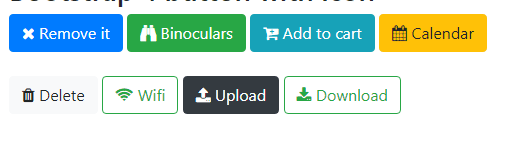
How can i add icon in button? Scrnsht: https://www.jquery-az.com/wp-content/uploads/2018/01/4-15-button-icons.png
Thanks!
Hello there,
Thank you for reaching us. May I request you to post your support question from the same account that you used to purchase the theme. Support is restricted to customers only and unfortunately I cannot verify your purchase against this account.
If you believe you’ve used this account for purchase I request you to contact Envato.
If you are a developer asking this question on behalf of a client, please email our support your purchase code from your customer and the Envato account associated with the purchase.
Thanks, Ibrahim
Hello, I’m using your theme and I have an issue with it. Please take a look here https://duongsport.vn/san-pham/vot-cau-long-yonex-duora-10-lcw/
This is a simple product and you can see the config of this product in the backend like this image https://duongsport.vn/config-product.png
But in the fronend, it sems we have an issue with the TABs, please take a look at this screenshot https://duongsport.vn/frontend-product-details.png
As you can see at the screenshot above, we have two sections for TABs. Please help me to check this issue.
Thanks!
Hello there,
Thank you for purchasing our theme and for reaching us. From the screenshot I see that you are using single product extended view. In the extended view, there are no tabs, each tab is laid out as a separate block : https://demo2.chethemes.com/techmarket/product/60uh6150-60-inch-4k-ultra-hd-smart-led-tv-3/
You can change the layout to regular WC Tabs in Techmarket > Shop > Single Product theme option.
Hope this helps. Let us know if you have any other questions or need further help.
Thanks, Ibrahim
Hi,
I have some issue:
1.)
I would like to change the Departments Menu Icon.
I set it “fas fa-bars” but nothing change.
https://www.screencast.com/t/Qlr83qFtCA
https://www.screencast.com/t/gDHXkADiZe5
2.)
I use the “Header V1” settings.
My problem is that when the mouse is on the first item of menu the submenu does not appear.
This problem is only on pc. On mobile it is work fine.
This is very frustrating.
Please can you help me how can i fix them?
My webpage is:
https://tisztitoszer-webaruhaz.hu/
Thanks
Hello there,
Thank you for purchasing our theme and for reaching us. To answer your questions :
1. Please update our theme to its latest v1.4.3 to use the latest icons from FontAwesome.
2. Please email our support and we’ll help you with this requirement.
Thanks, Ibrahim
Hi Ibrahim,
A have updated for the latest version (1.4.3) but nothing change…
I have sent an email to your support.
Thanks, Attila
Hello Attila,
Apologies for not responding earlier, we were closed during weekends. Please note our response time is 1 business day and we are closed on Saturday and Sunday which are weekends.
I will take a look into your ticket and will respond now.
Thanks, Ibrahim
How I can disable or set max value of product count selector. Now it possible to set 1000 or 2000 or all and server load is too bib.
Hello there,
Thank you for reaching us. You can set the product inventory or sold individually in the inventory section of edit product tab. Ref: https://docs.woocommerce.com/document/managing-products/#inventory-tab
Hope this helps. Let us know if you have any other questions or need further help.
Thanks, Ibrahim
Hello, i have one simple question about how to add brand image in products catalog page ?
Hello there,
Thank you for reaching us. Can you please clarify where exactly you’d like to add the brand image with the help of a screenshot ? I will try my best to help.
Thanks, Ibrahim