3572 comments found.

Hi all,
Where can i get the license key for Visual Composer? Thanks
Hi 3DMIKA,
WPBakery Visual Composer don’t allow us to give customers our license number, so on each premium plugin such as Visual Composer, Revolution Slider and Layer Slider update we release a new update to our theme with the latest version of VC included, and customers don’t need to worry about that,
You never need to buy any premium plugins that comes with our theme
Kind Regards,
—Ylli
I’m running into an issue with image sizes:
http://liplovers.com/product/chapstick-original/I regenerate images every time I make a change, however they stay far too large (catalog and singlepage). I’ve edited the settings accordingly, but it does not fix the issue. Could you kindly assist me in making them smaller?
Hi evohans,
Can you please send us your site URL and your WP credentials on email. And we will try to check what you have done and where the problem is, also will give you directions of how to fix this problem 
To send us email use this link and please write us your request again, because we receive a lot of emails on daily basis and we unfortunately can’t remember all customers requests.
P.S: Please note that we usually do not respond to emails that request support, because here is our primary support forum. We use contact form just for sending sensitive information.
Kind Regards,
—Ylli
Hello. I love this theme and I am almost ready to launch my clothing line. One question though. How do people choose what size they want. Where do I find that option in settings? I would like them to be able to choose their size and then when one of the sizes is out of stock it will not longer show up as an option for the customer. Thanks.
I saw on the demo site a dropdown menu. How do I add that?
Hi there,
We use WooCoomerce plugin to gear our shop theme, they have very rich documentation site, here is the link theirWooCommerce Documentation site,
That what you are asking is called Variable Product, here is the documentation that they provide for Variable product
Kind Regards,
—Ylli
Hi .. very beautiful theme. i have an issue for change defualt color purple (in button, menu, etc etc) in red.. i don’t find this function in css. there is a custom css for change all color in one time.. thank u in advance
A.
Hi giussania,
Just go to WP Dashboard > Laborator > Theme Options > Theme Styling > Custom Skin Builder, click YES from there you can change your skin
Kind Regards,
—Ylli
ty…. i am a donkey 
Hi, I am trying to pull through categories on the product carousel, however it does not seem to be able to find tags or categories of any other identifier when using build query. Am i missing something?
Thanks
Oliver
Hi Oliver
The main reason is that you are trying to find categories in Category field of that product carousel, instead type the product categories in Taxonomy field on Build Query element.
I hope this will help you.
Arlind
Hi thanks for getting back to me. Is there anyway of enabling ‘Tags’ as well. As currently i cannot get this to work.
Hi there,
The Taxonomies field work with the tags too, you can give it a try.
Kind Regards,
Art
Hello My name is Tamika and I have the Aurum theme. I added social media buttons to my site all work except for Facebook. When the button is clicked, I am taken to Facebook but I get an error message. Is there anyway you can direct me on how to correct this?
Hi MrTRose
I have tried this on our demos and was working fine. Can you please give me your site url so I can try it and see where is the error?
Thanks
Arlind
www.GirlsInBalletSchool.com Thanks Arlind
Hi there,
I think that you have posted the wrong link there, the exact link should be
https://www.facebook.com/pages/Girls-In-Ballet-School/1450165728643522
Please try it
Kind Regards,
—Ylli
Thank You! it worked
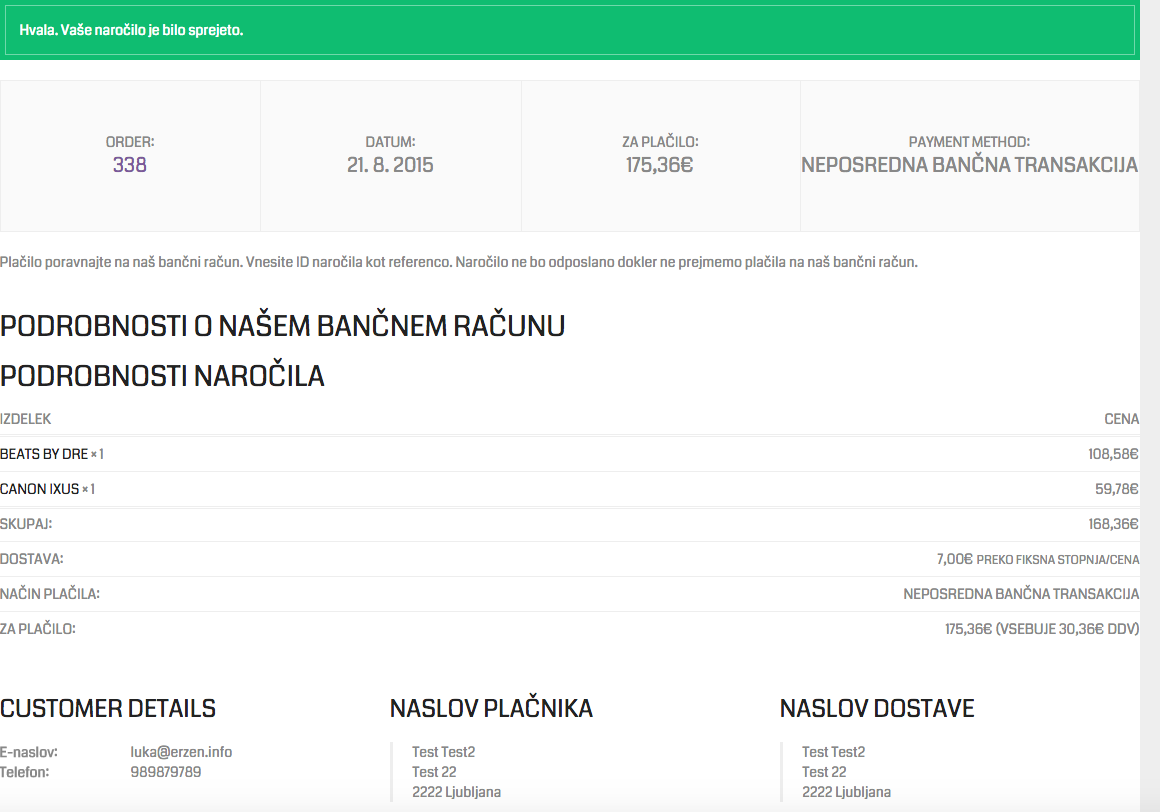
I am trying to add a code to all order confirmation pages how can i do that.
Hi Market1234,
Wha code do you want to add there?
Kind Regards,
—Ylli
Hi Market1234
To add a code to the Order Confirmation (thank you page) here is the php code to add to functions.php:
add_action( 'woocommerce_thankyou', 'custom_code_woocommerce_thankyou' );

function custom_code_woocommerce_thankyou() {
   // Do some stuff here
}
I hope this will help you.
Arlind
Do I had my pixel script in the “Do some stuff here”
and I get some errror if I add this straight to myfunction.php file
Hi Market1234
This script will give you the ability to add something in the order complete page, here is an example of that:
add_action( 'woocommerce_thankyou', 'custom_code_woocommerce_thankyou' );

function custom_code_woocommerce_thankyou() {
   ?>
   <p>Here is your custom order text</p>
   <?php
}
This code can be added in functions.php in the end of file, it will not cause any error.
Arlind
It broke the page <?php /** * Aurum WordPress Theme * * Laborator.co * www.laborator.co */
- Constants define(‘THEMEDIR’, get_template_directory() . ’/’); define(‘THEMEURL’, get_template_directory_uri() . ’/’); define(‘THEMEASSETS’, THEMEURL . ‘assets/’); define(‘TD’, ‘aurum’);
- Theme Content Width $content_width = ! isset($content_width) ? 1170 : $content_width;
- Initial Actions add_action(‘after_setup_theme’, ‘laborator_after_setup_theme’); add_action(‘init’, ‘laborator_init’);
add_action(‘widgets_init’, ‘laborator_widgets_init’);
add_action(‘wp_head’, ‘laborator_favicon’); add_action(‘wp_enqueue_scripts’, ‘laborator_wp_enqueue_scripts’); add_action(‘wp_enqueue_scripts’, ‘laborator_wp_head’); add_action(‘wp_print_scripts’, ‘laborator_wp_print_scripts’);
add_action(‘admin_print_styles’, ‘laborator_admin_print_styles’); add_action(‘admin_menu’, ‘laborator_menu_page’); add_action(‘admin_menu’, ‘laborator_menu_documentation’, 100); add_action(‘admin_enqueue_scripts’, ‘laborator_admin_enqueue_scripts’);
add_action(‘wp_footer’, ‘laborator_wp_footer’);
- Core Files require ‘inc/lib/smof/smof.php’; require ‘inc/laborator_actions.php’; require ‘inc/laborator_filters.php’; require ‘inc/laborator_functions.php’;
if(file_exists(THEMEDIR . ‘theme-demo/theme-demo.php’) && is_readable(THEMEDIR . ‘theme-demo/theme-demo.php’)) { require ‘theme-demo/theme-demo.php’; }
require ‘inc/laborator_woocommerce.php’; require ‘inc/acf-fields.php’;
- Library require ‘inc/lib/laborator/laborator_gallerybox.php’; require ‘inc/lib/laborator/laborator_custom_css.php’; require ‘inc/lib/class-tgm-plugin-activation.php’;
if(is_admin()) { require ‘inc/lib/laborator/laborator-demo-content-importer/laborator_demo_content_importer.php’; }
- Thumbnails $blog_thumbnail_height = get_data(‘blog_thumbnail_height’); $blog_thumbnail_height = is_numeric($blog_thumbnail_height) && $blog_thumbnail_height > 100 ? $blog_thumbnail_height : 640;
add_image_size(‘post-thumb-big’, 1140, $blog_thumbnail_height, true);
- Catalog Image Size $shop_catalog_image_size = get_data( ‘shop_catalog_image_size’ ); $shop_catalog_image_size_default = array(290, 370); $shop_catalog_image_crop = true;
if( preg_match( ”/x[0-9](x0)?$/”, $shop_catalog_image_size, $matches ) ) { $shop_catalog_image_size = explode(“x”, $shop_catalog_image_size); } else { if( ! empty( $shop_catalog_image_size ) && is_string( $shop_catalog_image_size ) ) { }
add_filter( 'laborator_wc_product_loop_thumb_size', create_function( '', 'return "'.$shop_catalog_image_size.'";') );
}
$shop_catalog_image_size = $shop_catalog_image_size_default;if( $shop_catalog_image_size0 0 || $shop_catalog_image_size[1] 0 ) { $shop_catalog_image_crop = false; }
add_image_size(‘shop-thumb’, $shop_catalog_image_size0, $shop_catalog_image_size1, $shop_catalog_image_crop);
- Single Product Image Size $shop_single_image_size = get_data( ‘shop_single_image_size’ ); $shop_single_image_size_default = array(555, 710); $shop_single_image_crop = true;
if( preg_match( ”/[0-9]x[0-9](x0)?$/”, $shop_single_image_size, $matches ) ) { $shop_single_image_size = explode(“x”, $shop_single_image_size); } else { if( ! empty( $shop_single_image_size ) && is_string( $shop_single_image_size ) ) { add_filter( ‘single_product_large_thumbnail_size’, create_function( ’’, ‘return ”’.$shop_single_image_size.’”;’) ); } }
$shop_single_image_size = $shop_single_image_size_default;if( $shop_single_image_size0 0 || $shop_single_image_size[1] 0 ) { $shop_single_image_crop = false; }
add_image_size(‘shop-thumb-main’, $shop_single_image_size0, $shop_single_image_size1, $shop_single_image_crop);
- Other Image Sizes add_image_size(‘shop-thumb-2’, 70, 90, true); add_image_size(‘shop-category-thumb’, 320, 256, true);
add_action( 'woocommerce_thankyou', 'custom_code_woocommerce_thankyou' );

function custom_code_woocommerce_thankyou() {
  ?>
  <p>order text</p>
  <?php
}
Hi
I have added the same code in functions.php and worked fine, here is how it looks, you can replace the same code in your theme as well:
http://drops.laborator.co/hMg7I hope it will work now
Arlind
Hello, Can you add testimonials in Grid View in future update ?
Hi kezako,
I’m afraid that i can’t understand your question, can you please be more specific?
Kind Regards,
—Ylli
Hi,
Something lke on this screenshot :
https://www.dropbox.com/s/jt4dk44e7h8dfsu/Capture%20d'%C3%A9cran%202015-08-26%2014.03.17.png?dl=0Hi kezako,
I’m afraid that this option will not come to Aurum, maybe it will be a feature of any new theme that we will release
Hope for your understanding!
Kind Regards,
—Ylli
When I activate the theme I cannot access the “pages” tab in the WP dashboard. All i get is a blank page.
Hi mattriley80,
Have you installed our theme correctly?
Here is our Theme Documentation link.
And here you can find our youtube video that will help you install Aurum correctly Aurum – Theme Installation and Demo Data Import
If you still have problems please write us.
Kind Regards,
—Ylli
Yes I believe I did. I have used the theme before and it currently runs on one of my other sites with no issues. All the other tabs work i.e posts, comments, etc. The pages tab just goes blank.
Hi mattriley80,
Have you checked if you have Recommended PHP Configuration Limits please?
Kind Regards,
—Ylli
I do not have any limits
Hi mattriley80,
Hmmm this is a very strange issue, can you please send us on email your site URL also your WP and FTP credentials.
We will try to find what the problem is and possibly fix your problem
To send us email use this link and please write us your request again, because we receive a lot of emails on daily basis and we unfortunately can’t remember all customers requests.
P.S: Please note that we usually do not respond to emails that request support, because here is our primary support forum. We use contact form just for sending sensitive information.
Kind Regards,
—Ylli
I know it’s been awhile but I decided to use your this theme after all. I reinstalled the theme and I still can’t access the pages tab in the Word Press dashboard
Hi mattriley80,
We have moved our support system to Ticksy, which is more advanced and secure support system management.
From now on, if you need our support please just write a ticket on our external support system.
Kind regards,
—Ylli
Hi, I can’t get the title link to wrk with an image banner, when I set the link it displays as undefined.
Is this something you have come across before?
Hi markwardell,
Can you please write us site URL where this error is heppening here on comments first? We need to investigate your site and then get back to you with possible solution
Kind Regards,
—Ylli
Hi markwardell,
To send us email use this link and please write us your request again, because we receive a lot of emails on daily basis and we unfortunately can’t remember all customers requests.
P.S: Please note that we usually do not respond to emails that request support, because here is our primary support forum. We use contact form just for sending sensitive information.
Kind Regards,
—Ylli
Hello After latest woocommerce + wordpress update, products view in admin panel is not working. when i deactivate visual composer(embedded in your aurum theme), starts working. do you know when new update will be available for visual composer for your theme? thanks
Hi fdemirta,
Can you please write us your site URL here on comments first? We need to investigate your site and then get back to you with possible solution
Kind Regards,
—Ylli
ikaprint.com
Hi fdemirta,
Can you please activate your Visual Composer?
Please don’t forget to go to Appearance > Install Plugins to update all your premium plugins to the latest version that we support.
Kind Regards,
—Ylli
it is active now. i am only deactivating when i modify the products. when the visual composer active, i can not edit product tabs data.
Hi fdemirta,
This is a very very strange problem. Can you please send us an email with your site URL and your WP credentials.
Also try to explain us your question again and try to be very specific about problem, because we need to understand your problem in order to try a fix for it.
To send us email use this link and please write us your request again, because we receive a lot of emails on daily basis and we unfortunately can’t remember all customers requests.
P.S: Please note that we usually do not respond to emails that request support, because here is our primary support forum. We use contact form just for sending sensitive information.
Kind Regards,
—Ylli
Hello I have the Aurum theme and I cannot use the theme because of a woo commerce update that I do not understand how to update. i watched the video and looked at the steps, I am really confused and am asking for help Thank You Tamika
Hi Tamika,
First make sure that you have our latest theme update, currently our latest update is 2.5. If you have a older version the easiest way to update our themes is if you use Envato Toolkit. On this link How to update Themes and Plugins
you can learn this easy step-by-step procedure
Then please go to Appearance > Install Plugins to update all your premium plugins to the latest version that we support. Specially Visual Composer and WooCoomerce.
Kind Regards,
—Ylli
Hi,
I wanted to inform you that the logo is not displayed in CDN mode. Do you have a solution for this?
Thanks in advance
Hi jekazaa
Can you please give m the site url so I can discover the issue happening there.
Cheers
Arlind
Hi,
I have my logo temporarily connected via normal URL until the problem is solved.
My site is www.devildeals.de
The wish list button is not displayed for me. They had me already versproche the problem after 08/24/15 to solve.
I do I send the same to my access.
Best regards, Eugen
Hi Eugen
I cannot guess what is the problem there without testing the problem when happening, now logo shows fine, but I need to see the CDN logo if generates any error.
As for wishlist links, I have the latest version installed for in my copy of Aurum and shows fine:
http://drops.laborator.co/17NmR
Arlind
I have you but sent the login information for my WP. How do you not consider that in the backend?
I wait for a long time nähmlich on a solution.
It has resolved itself. Nevertheless, thanks for your support.
The subject is not suitable for CDN. Many icon and logo will not appear. The logo I have far copied to my normal domain. Many Icon on Home I had to exclude.
Have a look at the screenshot https://www.dropbox.com/s/j1bj0gu5bpxtp1k/no-icons-by-cdn.jpg?dl=0
I suggest that you check your theme back to you with CDN (subdomain CDN).
Hi there,
Thank you for informing us about it, we will check it and try to fix it.
Kind Regards,
Art
Hi…
Thanks for designing such awesome theme .. however i have few questions;
1- images are always blurry when i upload them although they are 1000×1000 and around 150KB only.. i have also added this code to the function and played with it between 80 and 100 – and still the images shows blurry add_filter( ‘jpeg_quality’, create_function( ’’, ‘return 80;’ ) );
3- how to add product brand and i would like to place it on the product page right under the title
2- right beneath the product brand, i would like to place the price how to do so?
4- on the product page; i’d like the customer to click on buttons to select between different sizes ; i.e small, medium or large” in addition to adding color variation “where a small thumbnail should should show red blue and green” and it shall be reflected on the product image on the left.. how to do so?
Thanks in advance
Hi there,
1. Have you set the size of Catalog thumbnail size in Theme Options > Shop Settings.
2. To add a brand the best way as you want to do is create categories instead of brands and name them, and then just add your products to those categories.
3. This can only be done if you modify the theme files which is not recommended, so I wouldn’t prefer you doing this as you will always have problems then with the theme.
4. This is not possible with the theme, you can just try to achieve this using a 3rd party plugin.
Kind Regards,
Art
Good day,
so I’ve already made a report of this, but you were on holidays so let me report it again:
I’ve installed the newest version 2.5 and we’ve translated every single word in the .po file, however, there is a ton of words that are not showing in the translated way:
1. https://i.gyazo.com/2d1a94b4ea8d706a9c339c7b893ef385.png 2. https://i.gyazo.com/bcbdfd9d0a9bd5d624448bfe2fa3e4b4.png 3. https://i.gyazo.com/3d13acecc9ee1370c8143f72ca2f0ae0.png 4. https://i.gyazo.com/683166a652f87ba97f5324c4dbc088df.png 5. https://i.gyazo.com/1667ce958748fd361863105a8edcfc00.png 6. https://i.gyazo.com/6bf17cb360bd28298d0da9db16381fdb.png 7. https://i.gyazo.com/1a9cb1ae9fa5b057ac4ff84396c7496a.png 8. https://i.gyazo.com/24ebe760800e581162580d749cb66702.png 9. https://i.gyazo.com/5481c43df07a7eddaef751d58cb66936.png 10. https://i.gyazo.com/e48a39402fd075ec03a73920d773a7e8.png 11. https://i.gyazo.com/19c1f99cde103fd9df13b14c317be457.png
We are using your Tech shop Custom CSS and also I’ve noticed that ?šž are not supported on a mobile version. Would you mind help me with that too please?
I need this translation bug fixed as soon as possible so please help me out because I need to go live this week.
Also I wanted to say that the functions of the Aurum are incredible and I just love it – great work, but I’m really disappointed with the translation option. I can also send you the link of the page and .po file (but not here).
Best regards!
Hi lukaerzen
Aurum uses pre-defined templates of WooCommerce which include native woocommerce strings and those strings can be translated when you install language pack for woocommerce plugin.
Most of the words used by our template, are contained within aurum.pot file, however the shopping terms (90% of them) are contained in woocommerce.pot file of the plugin, so to translate them go to plugin language directory, but the easiest way is by downloading a WooCommerce language pack (based on your site language) and install it, that will solve all of your translation problems I guess.
I hope this will help you. Cheers
Arlind
Good day,
thank you for your answer, it’s working now.
Cheers!
Sorry to bother you again, however, there is one line which is still not working and it’s kinda important : https://i.gyazo.com/e0bf45e601b9c1f8b1acba90aef3572a.png
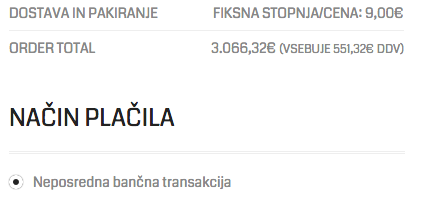
Order total (on the checkout page) is translated in aurum.po, but it’s not working. What to do?
Also one more thing (sorry), ?žš are not working in Safari https://i.gyazo.com/33202c8daf6acd0873e52862fe5d61f0.png or on mobile phone so any advice how to fix this?
Hi lukaerzen
I’ve noticed that these issues are theme related and here is the quick fix for the first issue:
1. Download this file: http://drops.laborator.co/qqGe+
2. Replace it in this directory: aurum/woocommerce/checkout/
For your next issue I guess that has to do with wordpress rather than theme, have you tried to switch the theme temporarily and see if that works?
Arlind
Dear Arlind,
thank you so much for your incredible support and I’m really sorry for all the questions and help request. I appreciate it.
I’ve only found one more bug: https://i.gyazo.com/caa38b21a68df31da5853f01de84af8d.png
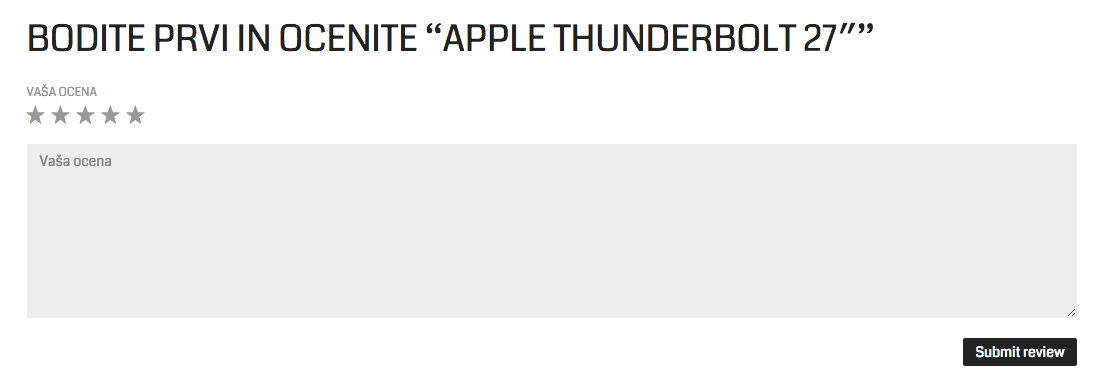
Submit review is not displayed translated. Please take a look.
Best regards.
And one more untranslated line (returning costumers): https://i.gyazo.com/467ba28419bfd8e465886af45d6ce9ce.png
And also how to change the font? Please take a look at the previous comment as well.
Hi lukaerzen
I have fixed the Submit review translation, thanks for your suggestion.
As for the last one, I think it is translatable, because if you have managed to change Login Here you can also change this word in the same field:
http://drops.laborator.co/16abEI hope this will work for you. Cheers
Arlind
Everything is working great now, thank you for being so patient and responsive.
Last thing: How to change the font? Since the ?šž are working ONLY in Chrome. Thanks.
Just to add more description to another BIG problem:
The font on the page shows correctly only on Chrome, however, on all the others is like this: https://i.gyazo.com/91c278ca72200c83f6c7544e7adf5cb5.png
This is really ugly and could you help me fix this please? And it is not the Wordpress, since this only happens with Aurum theme (https://i.gyazo.com/b951be1ce586f1063d81e87a1a4120c4.png – screenshot of another theme in use)
Best regards
Hi there,
Can you try this plugin to see if it works: https://wordpress.org/plugins/wp-google-fonts/Kind Regards,
Art
Hey! I would like to replace the standard search bar in the header menu with the WooCommerce Predictive Search but I don’t know how. Can you guys help me please? Thanks!
Hi lcaballerog,
We’re really sorry but we don’t give support for third party plugins.
If you have any question related to our theme feel free to write us
Kind Regards,
—Ylli
Hi, I purchased your theme and once I activate it the Pages options (http://www.victoriasorkin.com/wp-admin/edit.php?post_type=page) brings me to a 500 Internal Server Error. I tried to delete and then re-install – same results. Please advise. Thank you
Hi there,
Can you e-mail us your login credentials, so we can check what’s the problem with it.
To send us email use this link and please write us your request again, because we receive a lot of emails on daily basis and we unfortunately can’t remember all customers requests.
P.S: Please note that we usually do not respond to emails that request support, because here is our primary support forum. We use contact form just for sending sensitive information.
Kind Regards,
Art
Hi Folks,
Just installed the Aurum 2.5 update and looks good. Found one little thing though…
In the SHOP OPTIONS I’ve set the “Set how many products to show in mobile devices” option to two products per row. That looks good when I test it.
However, there is a side effect… On some of my pages I am using the PRODUCTS element to display FEATURED PRODUCTS down the side of the page in one column.
Now on a computer screen everything looks fine, however when viewed on the a mobile, the featured products seem to inherit the new SHOP OPTION setting of two products per row, in that they have shrunk to the smaller size so that they would indeed fit two to a row however they are all still in one column.
Best way is to have a look at an example on a mobile… scroll all the way to the bottom of the page :
http://www.kingstonegems.com/frequently-asked-questions/Now, yes, I could set the PRODUCTS element to show featured products in two columns and that would look ok on the mobile however it looks crap on the computer screen.
Ideal solution would be that the PRODUCTS element displaying featured products in one columns displays it full width on the mobile as pre ver 2.5 update. Does that make sense?
Cheers and thanks, Doug…
Hi Doug
I understand your issue and you are right, that is nice solution to ignore the “two-columns” rule in mobile devices for products included via Shortcode, but it is quite hard to detect when users wants to drop this functionality, one case can be when user uses products shortcode for 12 columns (full width) and then if two-columns per row rule is not followed in this case, they will think its a bug, so I thought the best way to avoid this is to add custom css for that page. This is the only way to work. As I remember Aurum currently doesn’t provide page specific Custom CSS but I will this feature in the next version.
For now you can add custom css and to refer to specific page, simply enter post id in the end of css rule:
.postid-1234 .some-element {
width: 100%;
}
I hope this will help you.
Arlind
hi guys, i have discovered a bug with the Image Magnifier – when you have an image zoomed and then click on the navigation arrows on the gallery image it keeps the zoom state from the previous image loaded – is there any way to change this? I noticed that its the same on your demo site.
thanks in advance.
Ferg
Also I have an issue with the images on the blog widget that shows the woo commerce products – the images are cropping the overall size of the image and only showing part of image – is there a fix?
Hi Ferg,
1— Hmm now i noticed this small problem, i just wrote this on our to-do list, and if there is an easy fix we will implement it on the next update
2— Can you please write us site URL where this is happeninghere on comments first? We need to investigate your site and then get back to you with possible solution
Kind Regards,
—Ylli
thanks. I sorted the second issue – it was a hard crop issue within woocommerce
Hi fergflannery,
Glad to hear that
Kind Regards,
—Ylli
any update on this issue?
Hi fergflannery,
We will fix this issue on one or two next updates, don’t worry
Kind Regards,
—Ylli
i was hoping to have a fix sooner than that as my client is up in arms about it not working and as its not working on your own demo site you are basically advertising a bugged product…
Hi fergflannery,
First of all that is not a bug as you are referring, you are asking for a custom feature, and we agreed that will add that option on the next updates, so please be more patient, we have so much more high priority things on our to-do list, but we will not leave this feature un-done
Thanks for your understanding
Kind Regards,
—Ylli
it is a bug. its not displaying the image correctly, to quote you “Hmm now i noticed this small problem” It is not a feature request.
Hi fergflannery,
What else can i say, you must wait for this feature to be added through theme update.
Kind Regards,
—Ylli
Hi fergflannery,
This feature is done on the latest Aurum update
Kind Regards,
—Ylli
Hi, for some reason the gallery on the homepage does not look like the one in the theme demo. Can I email you a development so you can see what I mean? It behind a coming soon page.
Thank you!
Hi HandsomeLA,
To send us email use this link and please write us your request again, because we receive a lot of emails on daily basis and we unfortunately can’t remember all customers requests.
P.S: Please note that we usually do not respond to emails that request support, because here is our primary support forum. We use contact form just for sending sensitive information.
Kind Regards,
—Ylli
Ok I turned off the dev for now then. Can you let me know why the carousel on the homepage is not matching the look of the theme demo:
http://www.gretchenbutlerwildartcafe.comIt looks really bad. Any idea why this does not look right?
Thank you
Hi HandsomeLA,
You are using an old version of our theme (2.3.5) and the latest version for the moment is (2.5), please update theme first.
The easiest way to update our themes is if you use Envato Toolkit. On this link How to update Themes and Plugins
you can learn this easy step-by-step procedure
Then don’t forget to go to Appearance > Install Plugins to update all your premium plugins to the latest version that we support.
We won’t be able to provide support for outdated versions.
We want you to experience the best we have to offer while keeping your site safe.
Staying updated is the way to do it!
Kind Regards,
—Ylli