1115 comments found.
Hello,
We are facing this issue on home page section below slider, please provide the solution. Thanks
Warning: getimagesize(2015/03/image1.jpg) [function.getimagesize]: failed to open stream: No such file or directory in xxxxxxxxxxxxxxx\wp-content\themes\rttheme-18\rt-framework\functions\rt_resize.php on line 219
Hello,
Please make sure you are using the full url of the image. If you provide us your website url, we can point the which module or section you need to check.
If you have any further questions regarding this theme, please let us know by opening a support request on our support forum at http://support-rt.com
Thank you for purchasing our themes.
Best Regards

My blog posts are showing from oldest to newest. Should this be happening?
Hi,
It is possible! You can change the settings via Template Builder or RT-Theme 18 Options.
If you have any further questions regarding this theme, please let us know by opening a support request on our support forum at http://support-rt.com
Thank you for purchasing our themes.
Best Regards
Thank you for that wonderful theme!
I have one question: on iPhone/iPad the navigation seems to have a problem. You must press twice on the menu-items. One click does not work. Please check this. It is an error. Can you help me?
best regards from Hamburg Markus
Hello Markus,
It is true for the menu items that has sub level items. It is tricky though sometimes you need to see the hover effect of the item also.
Please feel free to ask if you have any further questions. Thank you for interesting in our themes.
Best Regards
Thank you! But I do not have sub Level items. Please look at www.lesereif.de Regards, Markus
Markus I checked your website with an IPad 2 / IOS 8.4 ( landscape and portrait ) and IPhone 6 and i don’t see any issue with the navigation. Can you please move this discussion to our support forum at http://support-rt.com and provide us more details about your devices. ( OS / Model etc. ) Also, we can provide you our test results with a screencast.
I will do this (support forum). But the error is on your Demo, too  I tried it several minutes ago. I MUST click twice on every menu item.
We found the issue! It only happens when you are using 8.4.1 there is no issue with 8.4. There will be an update for the theme soon and the issue will be fixed as well. If you want to have the patch before the update please visit http://support-rt.com/forums/topic/apple-ios-8-4-1-responsive-menu-double-tap-fix/
Best Regards
We found the issue! It only happens when you are using 8.4.1 there is no issue with 8.4. There will be an update for the theme soon and the issue will be fixed as well. If you want to have the patch before the update please visit http://support-rt.com/forums/topic/apple-ios-8-4-1-responsive-menu-double-tap-fix/
Best Regards
Thank you! Thank you! THANK YOU!!
Hello, the WPML it’s not a free plugin ? I must pay for this ?! Or that it’s come on the same package with the theme ?
regards.
Hi
Wpml is not included as it has a annual payment or lifetime payment. It is addon plugin which you need to buy seperately.
Best regards,
Theme support
Hello support, I speack for my customer. Him user it’s Mircea2015.
Many regards.
Hello, I have a problem with the post editors. for this theme. I have disable all the plugins, i have delete all caches, i test from more browser. but still dosen’t work. the editor dosen’t work. If you can help me, i can give you one admin user to see exact the problem.
i realy don’t what i can test. Please any help ?!
Hi
Can you please post your questions with the themeforest id you bought the theme with or even better post them in our forum?
You can create a user account on our forum with your purchase key and post your question(s) / issue(s) in there.
http://support-rt.com/Thank you.
Best regards, Theme support
Hello, I just write one post on the forum of the web site. the id of the customer it’s mircea15.
Many regards.
Hi
Thank you for posting in the forum.
Best regards,
Theme support
Hi. I’m administrator of a website using your theme. After updating the wordpress to version 4.3 the slider (Revolution Slider) and shortcodes stop working. Theme version before wordpress update was 1.7.1. After the wordpress update I update and the theme to 1.8.2, but the slider and shortcodes still doesn’t work. What should I do?
Hi
Can you create a forum account and walk by all these steps.
http://support-rt.com/forums/topic/steps-to-take-before-posting-a-thread/There must be a conflict as we dont have any problems running the latest version in wp 43.
If you have any further questions please create a account at our forum with your purchase key.
http://support-rt.comBest regards,
Theme support
Hi, i purchased the theme and added wpglobus language switcher plugin but it is not seen on the main navigation menu, just a blank near the last list item. But seen on footer and top navigation menu. What should i do?
Thanks.
How can i modify top bar like yours http://rtthemes.com/demo/?theme=rttheme18 ? How can i add languages to the top bar? When i select show top bar, items on the top bar are same as the main navigation menu but yours is not.
Hi
The theme support the wpml plugin. The wp globus language plugin is not supported. The flags in our demo are from the wpml plugin.
If you want to add that plugin and its flag you need to recode the theme core files.
If you have any further questions please create a account at our forum with your purchase key.
http://support-rt.comBest regards,
Theme support
you could try polylang and do a forum search for polylang on how to customize the theme wpml functions in case there is a backend error message.
Note also polylang is not advertised as being supported by the theme but polylang claims to be wpml compatible. Its their advertisement !
If you have any further questions please create a account at our forum with your purchase key.
http://support-rt.comBest regards,
Theme support
Hello, I speack for my customer, I have buy the theme for him friday. Him name it’s “mircea2015”. So, my question it’s, On the “Our product”page, the side bar it’s on the right side, How i can move on the left side?
I just set up from product page the “content and left side”. that’s work for the product item page, for category page, but for the our-products/ page it’s not moved.
any ideea?
Hi,
You can change it via page “Design Options” of the Our Products page. ( inside edit page screen )
If you have any further questions regarding this theme, please let us know by opening a support request on our support forum at http://support-rt.com
Thank you for purchasing our themes.
Best Regards
Hi
If the page is using the default products template you can change it in the template that page is using. Open the template in the template builder and then you can change the layout of that template to a left, right sidebar or full width.
If you have any further questions please create a account at our forum with your purchase key.
http://support-rt.comBest regards,
Theme support
Hello, The second sugestion work perfect. Many thank’s. Good support ..!! I will give you the stars today.
hi, just a small question. Should i update theme first (and plugins) and then wordpress 4.3 or vice versa? thanks
Hi
1) plugins
2) theme
3) wordpress.
If you have any further questions please create a account at our forum with your purchase key.
http://support-rt.comBest regards,
Theme support
thanks!
Hey guys, I love the theme to bits. However, I am facing one issue. I can’t find the “Product Category ID” anywhere. The Product ID exists and I can use it in short codes, but the category ID is not shown on the categories page. Please help!
Hi
Can you please post the question on the forum for which you need to create a account with your purchase key.
http://support-rt.comBest regards,
Theme support
Hi, l bought the theme, l want to use the homepage example 6, and add a viode on the home page, but l do not know how to , please can you help send me some guid, thank you very very much
Hello,
You can download all the sample home page templates from our support forum at http://support-rt.com/forums/topic/tutorial-demo-website-templates-sample-contents/ Please follow the usage
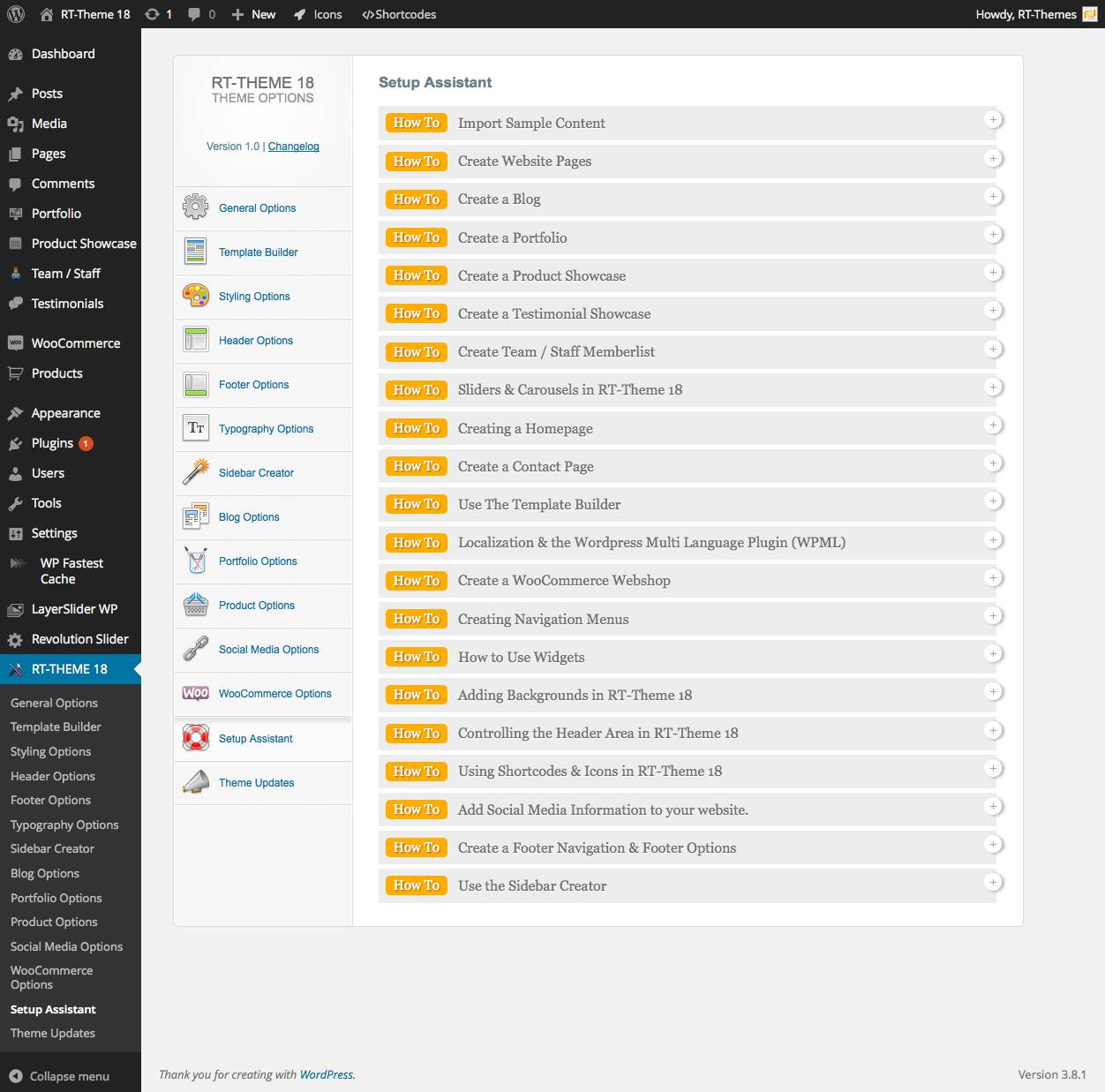
Please follow http://rttheme18.demo-rt.com/customizing-with-template-builder/ and check out the setup assistant http://rttheme18.demo-rt.com/wp-content/uploads/2014/03/Setup_Assistant.jpg
If you have any further questions regarding this theme, please let us know by opening a support request on our support forum at http://support-rt.com
Thank you for purchasing our themes.
Best Regards
Hi, l bought the theme, l want to use the homepage example 6, and add a viode on the home page, but l do not know how to , please can you help send me some guid, thank you very very much
Hi
I dont know what a viode is. You mean video? You can add that by using the rt theme video shortcode or visual composer element in a row at the location where you want the video to appear.
If you have any further questions please create a account at our forum with your purchase key.
http://support-rt.comBest regards,
Theme support
Hi Guys,
Safe to update WordPress to 4.3?
Hi
You can find the answer to this in our forum in the top listed thread in any forum page.
We will release theme updates soon.
If you have any further questions please create a account at our forum with your purchase key.
http://support-rt.comBest regards,
Theme support
Well, ye, can do that, and usually am going to your forums with more specific and in-depth enquiries or to look for help / give feedback or suggestions.
It’s just easier to quickly ask here for something as basic and mandatory as latest WP version compatibility.
Not like its something ‘oh my god’ secret. It’s a basic info for anyone using or considering buying your theme
Thanks… I suppose.
Hello,
We were waiting updates of the bundled plugins to update the theme. The new version of the theme will be available within 24 hours with the latest version of the revolution slider.
Best Regards,
Cheers.
Hi,
How do you set the header variation Logo + Right Navigtion please ?
Thanks
Hi,
It is possible to change via RT-Theme 18 options http://rttheme18.demo-rt.com/home-page-3/
In order to get support please use the account that you purchased the theme and register to our support forum at http://support-rt.com
Thank you.
I can not find the explanation in the setup assistant or the demo … I dont really get the point to not explain things in the documentation….
Well I guess I’m going to use another theme…
As i said with my previous message, if you would like to get support please use the account that purchased the theme. You didn’t purchased the theme with the “da23ad” account!.. If your client purchased the theme you can register to our support forum with his purchase key.
Hi
Checkout the Theme header options and set the header style to header style design 2
If you have any further questions please create a account at our forum with your purchase key.
http://support-rt.comBest regards,
Theme support
hi. great theme by the way… has this theme a list view for woocommerce products? i just saw a grid view …
Hi
No it has the gridview only 
Best regards,
Theme support
Hi Guys, Latest WooCommerce let’s me know that my theme ‘contains outdated copies of some WooCommerce template files’... is it safe to ignore, or do I have to do anything? Or maybe we should be expecting new RT-Theme18 update soon to fix any issues with new WooCommerce version?
Hi
You can find the answer here : http://support-rt.com/forums/topic/ready-for-woocommerce-2-4-x/
That message in the woo settings has no effect on the working of your current templates or theme,
If you have any further questions please create a account at our forum with your purchase key.
http://support-rt.comBest regards,
Theme support
Thanks for clarification
l want to add video on the home page, is it possible? thank you
Hello,
Yes, it is possible. You can either embed the video or use Revolution Slider to create a slider or single video that starts automatically.
Please feel free to ask if you have any further questions. Thank you for interesting in my themes.
Best Regards
Hi,
It can be added to the product detail PDF-DOC etc.?
I saw in another comment. Can add PDF-DOC etc. Thank you
Hi,
Glad to hear you have managed to find it. If you have any further questions regarding this theme, please let us know by opening a support request on our support forum at http://support-rt.com
Thank you for purchasing my themes.
Best Regards
HI there. I have 2 questions please:
1) My client is uploading featured product images of different sizes and when browsing through the categories, products images and listing are not begin aligned properly. In the styling option there is an option of maximum height, however if the image is small it reduced the height of the whole image container and hence product listing will not be aligned. Am I missing something here?
2) How can I make the sub-category item listing on the left menu to hide, and only show when the user clicks on the main category?
thanks
Hello,
1) Please try to enable the crop option. 2) It is not possible with the current version.
If you have any further questions regarding this theme, please let us know by opening a support request on our support forum at http://support-rt.com
Thank you for purchasing my themes.
Best Regards
Can I add product categories in the menu items?
Hi
check out the build in setup assistant navigation section. Its explained in there.
Its available in the theme settings.
If you have any further questions please create a account at our forum with your purchase key.
http://support-rt.comhttp://support-rt.com/forums/topic/rttheme-18-menu-tutorial/
Best regards,
Theme support