3572 comments found.

Hi, The “pick how many products you want to by”(+/-)-function on my site appears to have a problem. How can i fix this? Take a look at my site: http://laverialashes.no/produkt/mappe-med-pinsett-bla/
Allso the picture(product) won’t show. Why is this?
Hi there,
Adding this to the Custom CSS should fix the issues:
.shop .quantity.buttons_added input.minus, .shop .quantity.buttons_added input.plus, .woocommerce .quantity.buttons_added input.minus, .woocommerce .quantity.buttons_added input.plus {
    width: 25% !important;
}

.yith_magnifier_zoom img {
    display: block;
    width: 100%;
    height: auto !important;
}
Kind Regards,
Art
Thnx, it fixed the issue about quantity-buttons, but the picture still wont show. Have a look: http://laverialashes.no/produkt/veske-sort/
Hi MastrJay,
Have you set any picture to this product? Because i inspected your code and i don’t see that you have attached any image for this product on WooCommerce.
Kind Regards,
—Ylli
Yes, i have added pictures like this: http://laverialashes.no/wp-content/uploads/2015/09/ojpij.jpg
Hi MastrJay,
Can you please send us your WP credentials on email? We need to investigate your problem and then get back to you with possible solution.
To send us email use this link and please write us your request again, because we receive a lot of emails on daily basis and we unfortunately can’t remember all customers requests.
P.S: Please note that we usually do not respond to emails that request support, because here is our primary support forum. We use contact form just for sending sensitive information. Also emails response time can be up to 7 business days.
Kind Regards,
—Ylli
Hello,
I’ve purchased your theme and I am very happy with it, yet I am struggling with making products to load at the Product Carousel. In the comments left I saw that I have to add the category at Taxonomies, but nothing happens next. My website is www.sapfir-gd.com.I have placed Product carousel at Lazarka and Flora. I would appreciate some advice on this. Also could you please recommend a good translation plug in that would work well with the theme.
Many thanks, Ivana
Hi Ivana,
It seems strange cause in the homepage it is showing just fine whereas in the other pages it won’t show.
If you can’t manage to show it then it would be better to send us your login credentials via e-mail and we would take a look on it.
Can you please send us your WP credentials on email? We need to investigate your problem and then get back to you with possible solution.
To send us email use this link and please write us your request again, because we receive a lot of emails on daily basis and we unfortunately can’t remember all customers requests.
P.S: Please note that we usually do not respond to emails that request support, because here is our primary support forum. We use contact form just for sending sensitive information. Also emails response time can be up to 7 business days.
The best plugin for translation is the WPML but it is a premium plugin, so if you need to translate the strings only then use the Loco Translate.
Kind Regards,
Art
hi – is there a support bulletin board for the Aurum theme?
I am having a great time with the theme but need to know how to add some text to the Cart & chekout pages to direct customers to out (quite complicated) shipping costs page
Hi there,
The only way to do this is manually edit the core files of the theme which is not recommended due to the high risk of breaking the theme options, you will need to edit the checkout and cart file from the FTP.
Kind Regards,
Art
thanks – I thought that might be the case
I have just dropped a line of text in above the cart shortcode – it should do the trick
Ah, glad to hear you managed to find a solution for it.
Kind Regards,
Art
Hi, On the shop page the product images are showing twice, in 2 different sizes.
When I upload a category thumbnail image it displays with a double image.
I tried changing to the recommended size and regenerating the thumbnails, multiple times
I tried deleting the shop and related woocommerce pages, then recreating them under settings. Same result.
Here is a screenshot: https://goo.gl/photos/BrR7iQCoZKSDYdGF9
Thank you for the great theme.
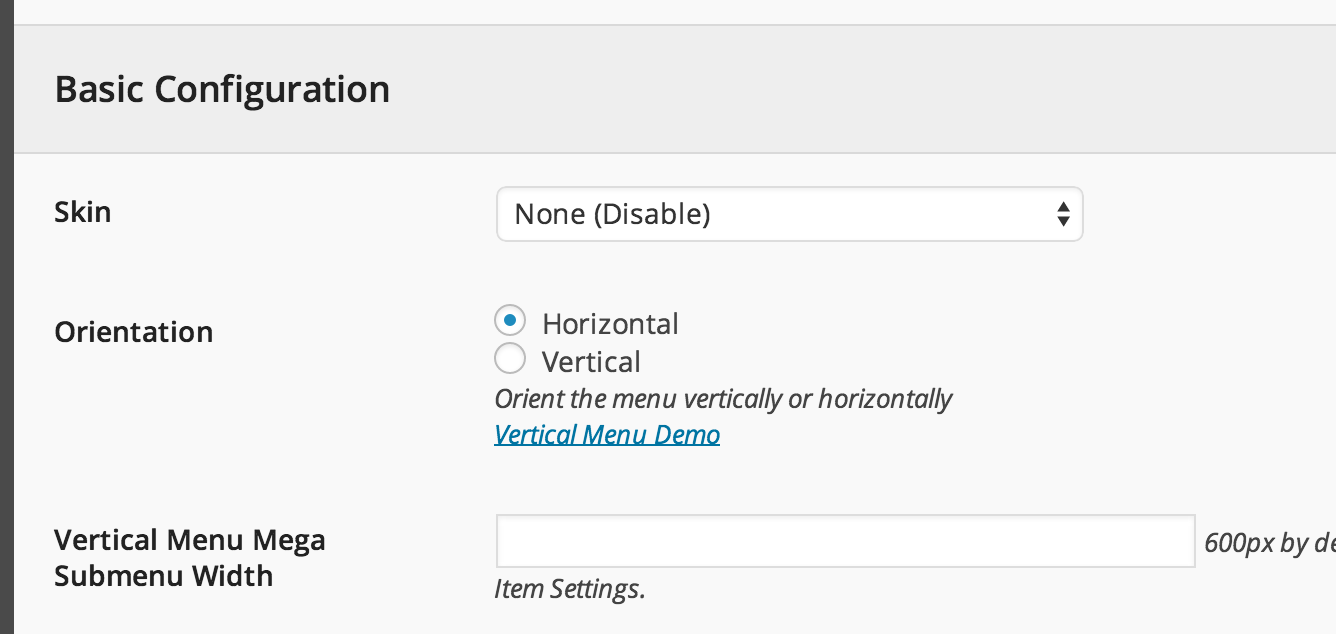
Also how do you activate the menu in the demo with images. —Thank you.
Hi bbc_six,
1— Can you please write us your site URL here on comments first? We need to investigate your site and then get back to you with possible solution
2— As we have wrote on our item page
We would include the Uber Menu for free with our theme but we are not permitted to do this because they do not provide Extended Licenses, so you must purchase it separately.
Here is the plugin page: UberMenu, and for further info please use author link, UberMenu Documentation, is easy to understand.
If you use UberMenu don’t forget to disable skin,
and it will fit the Aurum-s style 
Kind Regards,
—Ylli
I sent the URL by the contact form on this site. Thank you for taking a look.
Hi in the product page when you selected one, i want to quit the ad to cart boton and the number of items, i just want to put a link bottom to other page, how can i change the page style just using the image viewer of the product
Hi ivan133,
I’m sorry but i think that i can’t understand what you are saying. Can you please be more specific and try to explain more your request? Thanks
Kind Regards,
—Ylli
I’ve tried to regenerate thumbnails of these images, but it didn’t help. What could be the problem that crops them?
And do also I need to set up the catalog image sizes in woocommerce settings or aurum theme settings overrides those settings? At the moment I have Catalog thumbnail size – 400X600 (Laborator) and 300X300 (woocommerce) But the actual shop page displays thumbnails with following dimension 262.5X393.75 which is totally confusing. Could u please clarify how to set up the catalog thumbnails?
Thnx
Hi there,
Looking at your size the proportional size would be 400×510 but the size we use for thumbnails in our demo is 290×370, so better change the size to 290×370, save the settings and regenerate all the plugins.
Kind Regards,
Art
I have installed the Aurum theme (not the child theme) and everything is ok
I haven’t tried to work with a child theme, so how do I distinguish whether it is necessary to install child theme or not?
And if I decide to install it, how does it work: can I just install now after I’ve installed the theme? And does it change anything at the backend or do I just go on like I normally would do?
Thanks again
Hi there,
Let me explain first how the child theme works and why you need it.
If you want to modify the theme files and make changes in the core files then install the Child Theme so when you update the theme you won’t loose any modifications, otherwise if you’re a classic user who only wants to manage the theme from the admin panel and the Theme Options you don’t need to install the child theme.
Kind Regards,
Art
Thanks
I think I might run to the temptation of make som small tweaks 
So, how does it work?
Can I just install the child theme now after I’ve installed the Aurum theme and made som modifications in the theme options?
After installing the child theme, are there some changes in the way I modify the theme?
Hi there,
You can install the child theme now, no worries about it and it would be good that from now all the modifications that you make to make them in the child theme, i.e. if you edit the functions.php file from the main theme, create a new file named functions.php in the Child theme and it will replace the file from the original theme.
Kind Regards,
Art
I’m sorry I’ve never tried using a child theme before, sorry:
It would be really great if you could make a quick video on how to install child theme and how to use it after installing? I’m sure I’m not the only one asking 
I’ve uploaded the child theme and installed in the theme menu.
So far so good
If we assume that I haven’t done any changes on the Aurum theme and I as the just uploaded the theme child(The child theme is activated)
1. The child theme is exactly the same as the Aurum “main theme”, right?
2. Can I customize as I normally would: use the visual composer, the theme options etc.?
3. Could you give me an example, when you typical would save a modification and how you would do it different in the child theme?
I hope I explained it in a way, that you could understand
Thank you very much for your patience!
Hi there,
I am glad you managed to install the theme successfully.
1. As I said before, the child theme is identical to the original theme but the difference is that you won’t loose the modifications in the child theme.
2. You can use all the theme features as before.
3. Let’s say we want to remove the author information from a blog post and the only way to do this is by removing a piece of code from theme files located in the Appearance > Editor, if you don’t use the child theme you would select Aurum and then go directly to the file to remove that piece of code, so when we would release a new update then you would loose all the modifications because the files will be regenerated.
On the other hand, if you use the Child theme then what you need to do is just duplicate the file that you want to edit from the original theme and place it in the child theme, do modifications there and when you update the theme they won’t be lost.
Kind Regards,
Art
Wow! You really explain it well
So, if I want to do some editing, let’s say in the 404.php – How would I do that?
There are only 3 files in the editor in the Aurum Child Theme: function.php, index.php and the style css.
The 404.php file is only in the Aurum theme and not in the Aurum child theme..
I suppose I should somehow copy the 404.php file and paste it in the Aurum Child theme, correct?
Can I do that in the editor? Or how should I do that?
And would it be a good idea to copy all the files in the Aurum theme and paste the into Aurum Child Theme?
Thank you very much for your patience, I’m really appreciating it
Hi there,
Yes you’re right, you need to copy that file and place it in the child theme, to do this you need to login into your FTP and do these changes via any FTP client.
The themes are located in wp-content/themes/
Kind Regards,
Art
Great, thank you very much
Hi there
I updated from version 2.4 to 2.5 (the “aurum” theme folder on the FTP has been replaced, the child theme has not been replaced).
Everything’s fine except the typography… Although I didn’t change anything, the fonts look different.
I made the following setting to make it look as in your fashion template but it doesn’t work: http://cl.ly/image/2a1a1U1V1M1o
The fonts look like this at the moment: http://cl.ly/image/1T2T0W2p2u2NPlease let me know what setting I need to do in order to make the typography of my shop to look like in your template.
Thanks and best regards, Rick
Hi Rick,
You don’t have to include it as a custom font because the Roboto and Roboto Condensed font is automatically included in the theme, what you have to do is just select from that dropdown menu the font and clear the fields you filled.
I hope I was clear.
Kind Regards,
Art
Hi Art
Thanks for your quick reply. I cleared the fields you told me but I can’t select the fonts in the dropdown menu…
Please see: http://cl.ly/image/0l400R411O1JFor “Primary Fonts” I have only “use default” and “Open sans” and for “Heading font” I can choose between “use default”, “Arimo”, “Lobster” and “Open Sans”...
Any idea?
Best regards, Riccardo
Hi Riccardo,
The “Use default” will load the Roboto font, as you can see in our demo site the default font is Roboto & Roboto Condensed.
Kind Regards,
Art
p
Hi Art
I tried that. Now I noticed that it’s not only the fonts which look strange, but also the whole styling of the theme. The fonts are not correct and also the size of the typography is way to big comapred to the template. The whole thing looks pretty messed up after the update :/ Do you know what the reason is…?
Thanks a lot and best regards, Riccardo
Hi Riccardo,
This sounds strange, can you e-mail us your login credentials so we can check what the problem is.
To send us email use this link and please write us your request again, because we receive a lot of emails on daily basis and we unfortunately can’t remember all customers requests.
P.S: Please note that we usually do not respond to emails that request support, because here is our primary support forum. We use contact form just for sending sensitive information. Also emails response time can be up to 7 business days.
Kind Regards,
Art
Hi there,
I’m looking to use Helvectic as the primary font of my site however it’s not a google font. How would I go about adding it to my Typography Page?
Thanks.
Hi there,
The only way to use these kind of fonts is if you manually put Custom CSS in the theme to edit the theme element by element to change the font.
Kind Regards,
Art
Hello dear Laborator Team
Something dont work as it should with youre own make plugin/widget “Image Banner”. I was trying to edit my Site and needed to add few Image Banner: I can add the widget but i cant edit anything if i add a background (for example) as soon i press “Add Image” it dont add it, then i cant press “X” (top right corner” to leave the popup) i have to refresh the page. i also cant edit anything else for example the dimension of the picture i cant type anything in the box.
Its really weird…and i dont know how to fix it?!
so i hope u can help me here out
ps: i also tried to edit the “Image Banner” wich you add in demo content same result i cant change anything.
i hope also that you guys understand what i mean
best regards
Ok the Problem was the Browser, with Microsoft Edge it dont work but with Chrome it work as it should. But i have a new Question, is it possible to create a Menu like zalando.ch or aboutyou.de have?
Best regards
Ok ty for the reply, ill check it with Ubermenu.Is it somehow possible to create a “MainMenu” for the “Home” Site and if Customers click for example on “Ladys” then there will be a new Menu with other Links?
I got a new Question How can i make the Font smaller of this: [img]http://goo.gl/8CGQ4g[/img] i created that with “Heading Title” Widget/Plugin, or is it somehow possible to make like a popup wich customers can close? (on that position and in same style like this)
Best Regards
Im still happy that i buyed this Theme it still make fun to work with it
Hi ohmeigod,
For your second question, can you please write us your site URL here on comments first? We need to investigate your site and then get back to you with possible solution
Kind Regards,
—Ylli
Hello Aurum Team,
I’ve noticed that since version 2.5 Aurum theme supports WooCommerce Currency Switcher. I added it to Top Menu Bar. It works well but takes to much space (by default it has 200px width). Is it possible to change it’s width and set it to e.g. 70px?
Thank you in advance for your help.
Cheers, Rafal
Hi Rafal,
Can you please write us your site URL here on comments first? We need to investigate your site and then get back to you with possible solution
Kind Regards,
—Ylli
Hello Ylli,
Site URL is http://proudlydesigned.com.
I figured it out. I had to update one of the php files
Cheers, Rafal
Hi Rafal,
Glad to hear that the problem is solved now
Kind Regards,
—Ylli
Hi,
I managed some of the other Questions I had, so please regard those
I seem to have some problems with the Envato plugin:
Installed version: 1.7.2 – Installed But Not Activated, Requires Update Minimum required version: 1.7.3 Available version: 1.7.3
I did activate and updated it – but it didn’t help. It keep’s saying it need an update??
I deleted the Envato plugin and install it again, just like as it’s explain her: http://premium.wpmudev.org/blog/how-to-update-themeforest-themes-with-the-envato-wordpress-toolkit/
But it doesn’t help?
What should I do to update the Envato plugin to 1.4.3?
Thanks al ot
Hi anettejoost,
We have one little problem with the Installer Plugin section, even that the Envato Toolkit plugin is on the latest version there appears one message that says that you don’t have the latest version installed, just ignore that message. When we will release a new update to Aurum this little problem will be fixed
Kind Regards,
—Ylli
Great! Thank you
Will the theme Aurum be automatically updated or should I do something to update it?
Hi anettejoost,
When the update it’s ready you will receive an email if you have enabled “Get notified by email if this item is updated” from your Downloads tab.
Then you must go to Envato Toolkit plugin to update theme to the latest version
Kind Regards,
—Ylli
Thank you very much – I did that
Glad to hear that
Kind Regards,
Art
1. I’ve scoured high and low and for the life of me I can’t find the horizontal line under the menu (example) to hide it via CSS. Can you tell me the class info? Dev Tools can’t target it and no matter how much I comb through the code, I can’t find it.
2. When I mouseout (in Chrome) after clicking a menu item, it turns black. I also can’t find that via Dev Tools. Can you tell me what class to refer to it by?
Hi there,
1. This is the Custom CSS to hide the line below the header:
header.site-header {
box-shadow: none !important;
-moz-box-shadow: none !important;
-webkit-box-shadow: none !important;
}
2. Paste this to the Custom CSS to hide that:
.nav > li > a:hover, .nav > li > a:focus {
background-color: transparent !important;
}
Kind Regards,
Art
Bless you!
Thanks for an amazing theme!
Hello, I am using the Easy Tables extension which is showing some errors on the user side of things. The developer said the fix is to make sure the WPBakery Visual Composer is updated to 4.7 is there anyway I can get a zip file to update this? If not when do you plan to release an update with 4.7? Thanks for your time!
Hi czechs4,
Aurum will be updated within 1-2 weeks (because we need to fix the changes that Visual Composer made on the latest version), but we can send you the latest version of Visual Composer.
Can you please send us your WP credentials on email? We need to investigate your problem and then get back to you with possible solution.
To send us email use this link and please write us your request again, because we receive a lot of emails on daily basis and we unfortunately can’t remember all customers requests.
P.S: Please note that we usually do not respond to emails that request support, because here is our primary support forum. We use contact form just for sending sensitive information. Also emails response time can be up to 7 business days.
Kind Regards,
—Ylli
What PHP file can I locate the WP memory increase?
Hi there,
You have to change the php.ini or contact the hosting company, they can help you change the PHP limits.
Kind Regards,
Art
Art:
I’ve changed the php.ini via FileZilla and I am still seeing the same limit restraints on WP.
Hi there,
Please try to contact the host provider then and ask them to increase your limits.
Kind Regards,
Art
WIll do.
I’ve also noticed that the text banner is no longer showing the “button” and reads the URL is not defined when I select a specific page for it to direct to.
Please provide support.
Thanks
website is www.TrillBoutique.com for your reference.
You are using an old version of our theme (2.0) and the latest version for the moment is (2.5), please update theme first.
The easiest way to update our themes is if you use Envato Toolkit. On this link How to update Themes and Plugins you can learn this easy step-by-step procedure (smiley)
Then don’t forget to go to Appearance > Install Plugins to update all your premium plugins to the latest version that we support.
Kind Regards,
Art
Updated both theme and plugins.
Text banner still no longer showwthe “button” and reads the URL is not defined when I select a specific page for it to direct to.
Hi there,
Can you send us an e-mail with your login credentials, we can try to fix it.
To send us email use this link and please write us your request again, because we receive a lot of emails on daily basis and we unfortunately can’t remember all customers requests.
P.S: Please note that we usually do not respond to emails that request support, because here is our primary support forum. We use contact form just for sending sensitive information. Also emails response time can be up to 7 business days.
Kind Regards,
Art
Hi, I’ve noticed that the basket dropdown in the top corner doesn’t display its information correctly if i have product variations.
Please see the attached image – you’ll see the text goes over the price and off the end and looks abit rubbish. Is there a way to fix this?
Perhaps widen the dropdown box to fit all the text (instead of the horizontal scroll there is at the moment)? I tried reducing the font size but it reduces others across the site and i don’t want that.
Screenshot: http://i139.photobucket.com/albums/q316/funtimejamie/Basket-Image_zpspatcomdj.jpg
Hi there,
You can try adding this to the Custom CSS to see if it fixes the issue:
.header-menu .lab-mini-cart .cart_list li .product-details .quantity {
text-overflow: ellipsis !important;
overflow: hidden !important;
}
Kind Regards,
Art
Seems to have done the trick, awesome stuff thanks
Glad to hear that
Kind Regards,
Art
From what I understand, you will provide the newest version’s on the plugin like Visual Composer, LayerSlider.. etc when you realese a update to the them Aurum, is that correct?
I just bought the theme, but they came not update. When do you send a update put, with the latest version of the plugins?
Best regards Anette
Hi Anette,
We try always to be up to date with the plugins, but sometimes when we release the update one hour after it they release a new update and we cannot keep on the way always so when it is a huge release from them we have to immediately update the theme otherwise it isn’t necessary to update it because it can be used with an older version too.
Kind Regards,
Art
Hi, I have problem with changing title names , example PRODUCT CAROUSEL, SHOW THE PRODUCTS IN A CAROUSEL , I want to change it in my native Cyrillic language. Where I can find it? Thanks
Hi there,
Do you want to change these names in the theme back-end, the admin panel? If you want to do so you’ll have to edit the theme files manually.
Kind Regards,
Art
Yes. It’s ok, I can edit files manually, but I can’t find in which file :)) Can you help me with that? Thanks
Hi dulto
These files are located in this folder:
wp-content/themes/aurum/inc/lib/visual-composer/laborator-shortcodes/
Then for example, products carousel shortcode is this file laborator_products_carousel.php open and find the titles you want to replace.
Note that you need to save these changes because when new update is available you need to replace them back.
Arlind
thanks..i have found that few days ago :))) One more question for the right place. Changing the title “Read more” in buttons at masonry grid? Thanks in advance
Hi
That title derives from Visual Composer, so to change that install Loco Translate plugin, then search that string in js_composer textdomain.
To translate theme strings, you can do this via Loco Translate plugin. If you don’t have this plugin, please install and activate it in your WordPress site.
1. Then go to Loco Translate > Manage Translations
2. Click “New Language” for the current active theme (if you didn’t created it yet, otherwise ignore this step). On the new language page, choose these options – click here http://d.pr/i/1ewoc
3. After that you will be redirected to the editing screen for theme translations. Before you continue make sure this is true – click here http://d.pr/i/18h0w
4. Follow these instructions to learn how to translate strings – http://d.pr/i/1jsek
5. The changes will be applied immediately – http://d.pr/i/1ju6w
Note: Translation files will be saved to wp-content/themes/{theme-name}/languages folder. Here you have the explanation – http://d.pr/i/1lBCJ
After you make your changes, always save a backup when there is new theme update. After you update the theme (languages folder will be replaced), just move the backup files you previously saved to the same languages directory and your changes will still be applied.
Arlind
OK , I have found it in local files. Maybe later I will try with this plugin. Thanks for your directions and help.
Hi guys, My “add to cart” button disappeared in all variable products! I didn’t update anything within the last couple of days. Are more people having this problem? And do you have any idea what might cause this?
Problem solved, see my previous post. It was caused by the “Shortcodes Anywhere or Everywhere” plugin, which you recommended.
Glad to hear it is fixed now
Am getting this error : [ErrType: widgets] Import file could not be found. Please try again when I try to setup Fashion theme content
Hi Brand2D,
This error happens due to a bug in code, so to fix it, just re-install the theme and try to import again the widgets. What really happens here is when you try for the first time to import content, after import the script deletes “widgets” file, and thus the next time it will not work. I have fixed this issue for the next update, but for now thats the solution in your case.
Arlind