3572 comments found.

Hi All
Great theme. Really enjoying it. Just got one question
I’m getting double icons for the search and the cart icon and the mobile navigation icon when reduced.
I’m working locally so can give you a link
Any ideas
if I disable the icons using the Theme options both are removed.
Many Thanks Steve
Hi Steve,
Hmmm this is very interesting, can you please send us a screenshot link on this thread?
Kind Regards,
—Ylli
HI Ylli
Thank you for the quick reply.
Please see screengrab
To give you a bit more detail.
I did import the new book demo content then changed my mind and imported the fashion demo content and then updated the content.json in the theme options.
If you really need to see the code I could upload to a test sever later today
Many Thanks
Steve
Hi Steve,
It would be better definitely to see the site live because a problem like this has never occurred.
Kind Regards,
Art
Hello I have the main menu made of categories and subcategories but when I click on them nothing is displayed or the Error 404 message appears. The problem occurs only with the English language and not with the Italian.
http://monbijou.info/en/Please help me.
Thanks
Hi Alessio_Innocenti,
When i go to your link the site automatically redirect me to wp-login, can you please check this first?
P.S: We have released a new update to Aurum yesterday.
The easiest way to update our themes is if you use Envato Toolkit. On this link How to update Themes and Plugins
you can learn this easy step-by-step procedure 
Then don’t forget to go to Appearance > Install Plugins to update all your premium plugins to the latest version that we support.
Kind Regards,
—Ylli
Hi, you are redirected to wp-login because I set the site as private site using a dedicated plugin. I can give you the required credentials to access if you provide me your e-mail address. Thank you.
Hi Alessio_Innocenti,
I just wanted to inspect your site first, so can you please disable that plugin first?
P.S: Please note that we usually do not respond to emails that request support, because here is our primary support forum. We use contact form just for sending sensitive information such as WP and FTP credentials, and in your case we need only your website URL.
Kind Regards,
—Ylli
Ok, the plugin has been disabled. Please try now.
Hi Alessio_Innocenti,
Can you please send us your WP credentials on email? We need to investigate your problem and then get back to you with possible solution.
To send us email use this link and please write us your request again, because we receive a lot of emails on daily basis and we unfortunately can’t remember all customers requests.
P.S: Please note that we usually do not respond to emails that request support, because here is our primary support forum. We use contact form just for sending sensitive information. Also emails response time can be up to 7 business days.
Kind Regards,
—Ylli
Hello, In the homepage of a site that I am developing I am using LayerSlider video slider with a video in it. I have disabled automatically play videos, so the first frame is shown before anyone presses the start button. But this is not happening when I enter the homepage from a mobile phone or from a tablet. Instead of the first frame nothing is shown except a “black” frame. I have already enabled Animate starting slide (also I tested disabling that), but I can’t see the first frame in a mobile or tablet. I have noticed the same behavior in your demo. Is there a solution for that so before playing the video by play button the first frame to be shown?
Hi aspa_kat
I am going to ask Layer Slider team about this, you can follow the thread here:
http://codecanyon.net/comments/11218299
Arlind
Hi there,
Can you please send us your site URL first? We need to investigate your site and then get back to you with possible solution
Just to let you know, autoplay on videos is not enabled on mobile phones and tablets, you will need always to have a play button.
Kind Regards,
Art
Hello, the url of the site with the mentioned is www.theemall.gr I would like not to public this url, as this is site is not yet ready.
Hi aspa_kat,
You are using an old version of our theme (2.3.5) and the latest version for the moment is (2.6), please update theme first.
The easiest way to update our themes is if you use Envato Toolkit. On this link How to update Themes and Plugins
you can learn this easy step-by-step procedure
Then don’t forget to go to Appearance > Install Plugins to update all your premium plugins to the latest version that we support.
Then don’t forget to update all the other plugins too, such as WooCommerce.
If the Layer Slider can’t update, please delete it first from the plugins section, then go to Appearance > Install Plugins to update it to the latest version. maybe your issue will be fixed
Kind Regards,
—Ylli
Hi Ylli, Thanks for your advice. I have made all the updates but the issue remains. I have noticed that the same problem exists in your demo! Any other ideas?
Hi aspa_kat,
I don’t know hot to help you more about this, i just wrote your site to plugin author http://codecanyon.net/comments/11218299 hope that they can give a proper solution.
Kind Regards,
—Ylli
Hi aspa_kat
Here is plugin developer response to your thread, you can view it here:
http://codecanyon.net/item/layerslider-responsive-wordpress-slider-plugin-/1362246/comments?page=374&filter=all#comment_11252004
Arlind
Hi aspa_kat
Here is plugin developer response to your thread, you can view it here:
http://codecanyon.net/item/layerslider-responsive-wordpress-slider-plugin-/1362246/comments?page=374&filter=all#comment_11252004
Arlind
I have not fixed the issue. The problem still exists. If you see the site from a cell phone or a tablet (I have tested from various android and apple devices) there is no preview image. If you see the site from a pc or laptop there is a preview image (the first frame of the video). Also, if I use visual composer (front end editor) from my laptop I can see no black screen to all preview devices, there the preview image is shown correct! Do you have any solution for this? Thanks in advance, Aspasia
Hi Aspasia
The response you got from Layer Slider team say that its working, I am not sure what I can do here, they are the developers of that plugin and support it, we are not able to fix Layer Slider issues!
Please test in other browsers and see if it works?!
Arlind
Hello Arlind, the problem I mentioned still exists. Please pass again this reply to Layer Slider team. I have tested the webpage to various browsers and when I enter into it from a mobile phone or tablet there is a black screen until I press the play button. This problem is not shown if I login as administrator and use the visual composer from my pc. Please give it a try because I have spent many working hours on it and I must change everything if it doesn’t work. Also the your demo theme has the same issue. I was wondering if the browser need a specific plugin to play every video correctly. Thanks for replying so soon. Aspasia.
Hi Aspasia
I’ve posted your issue in their forum, here is the link to that thread:
http://codecanyon.net/comments/11280561I hope for a positive answer.
Arlind
I put the image and it works but from an android device there is a black screen after the first image and before the video starts. It is possible to put a text like loading…to inform that a video will start in a few seconds?
Hi there,
I am sorry but this is an issue related to their plugin, as you see I have asked them but they responded in an easy way and didn’t pay attention.
Kind Regards,
Art
I have just noticed that I have 5 month of support remaining. Support was not time limited when I bought the theme.
What is happening?
Hi DDito,
This is happening because Envato has released this feature from the 1’st September. You can read for this more on this link http://wptavern.com/envato-implements-item-support-policy-for-themeforest-and-codecanyon and this link https://forums.envato.com/t/item-support-policy-and-functionality-launched/3619
You don’t need to worry about that
Kind Regards,
—Ylli
Thanks, Ylli. Great reactivity, as always.
I am not really worried, just trying to understand. And I think that Envato is not very clear about what that new policy means for buyers.
But I am confident it won’t cause problems. Your support is always top-notch!
Best regards, Ditto
Glad to hear that Ditto
Kind Regards,
—Ylli
PREPURCHASE QUESTION – Major factor in decision
Does this theme support “WC Vendors”?
If uncertain, are you able to please try it out? I do not want to purchase a theme, and not have the plugin work, then be stuck with the theme – Unless you approve a refund.
Thanks!
Hi nazostro
We haven’t tried this plugin if its compatible with our theme, but if it doesn’t affect the main layout of the theme then it should be compatible.
Aurum is normal theme that fully supports woocommerce, people used it in many ways and they didn’t had any issue.
All I can do about it, you can purchase give a try and then if it don’t fits to your needs you may request refund.
Arlind
Hi Support,
I’m having a strange error with the theme. I’ve marked a product as “allow pre-orders/out of stock” but it’s still letting me purchase it as if it’s an in stock item?
Many Thanks, Chris
Hi Chris,
Can you please send us your site URL first? We need to investigate your site and then get back to you with possible solution
Kind Regards,
Art
Hi Art,
It’s www.ternarylondon.com but I need to send you the username/password. How can I do this?
Thanks, Chris
Hi, my mini cart on the menu isn’t working. it always says loading..
my site url is wanderlustaffair.com
Hi there,
Can you please send us your WP credentials on email? We need to investigate your problem and then get back to you with possible solution.
To send us email use this link and please write us your request again, because we receive a lot of emails on daily basis and we unfortunately can’t remember all customers requests.
P.S: Please note that we usually do not respond to emails that request support, because here is our primary support forum. We use contact form just for sending sensitive information. Also emails response time can be up to 7 business days.
Kind Regards,
—Ylli
Hi there,
As I see many scripts aren’t loading and you need to set the assets folder in the wp-content/themes/aurum to 777.
Kind Regards,
Art
Hi My theme says “Your theme (Aurum) contains outdated copies of some WooCommerce template files. These files may need updating to ensure they are compatible with the current version of WooCommerce. You can see which files are affected from the system status page. If in doubt, check with the author of the theme.”
Is there anyway anyone can help…
Hi Cathbert,
What version of Aurum are you using please? The latest version for the moment is 2.5, and this warning should not appear.
P.S: We will release a new update to Aurum this week
When the update it’s ready you will receive an email if you have enabled “Get notified by email if this item is updated” from your Downloads tab.
Kind Regards,
—Ylli
Hi!
I’m having an focus out issues with the navigation. After moving off ‘service’ and ‘shop supply’ there is a off-white (#f7f7f7) background that I can’t get rid of.
http://www.ciarnellidesigns.com/deeda_salon/Please help.
Thanks, Lisa
Hi Lisa,
Can you please add the code below to Custom CSS
header.site-header .full-menu div.nav>ul>li>a, header.site-header .full-menu ul.nav>li>a {
    background-color: #f6ede8 !important;
}
menu-item-2987 a {
background-color: #000 !important; }
Kind Regards,
—Ylli
That worked! Thank you Ylli
Product Category: Second hover image is not working on the second page and on…
I have disabled all plugins and still not working..
Hi there,
Can you please send us your site URL first? We need to investigate your site and then get back to you with possible solution
Kind Regards,
Art
i dont understand Why no support for me?
Hi there,
We will respond to everyone and every ticket so please bee patient and keep your questions in one ticket.
P.S: I saw that you have created some other tickets, can you please try to add all your questions in one thread, because in this way is easy for us to understand what you have done and what is left, also is would be easy for you to post in one thread
Kind Regards,
Art
Hi there,
Is there any way of removing the ‘Related Products’ on a product page? Preferably without editing the .php
Thanks,
Hi HoDperfumes,
You can remove them with CSS then
Can you please add the code below to Custom CSS
body.page-template-default .related.products {
    display: none !important;
}
Kind Regards,
—Ylli
Hi,
I’ve pasted that into Custom CSS and nothing has changed 
Thanks,
Hi HoDperfumes,
Can you please write us your site URL here on comments first? We need to investigate your site and then get back to you with possible solution.
Kind Regards,
—Ylli
Hi,
The page that I really want it gone from is this one
http://www.hodperfumes.com/product/n-lyten/Thanks,
Hi HoDperfumes,
Can you please add this refined the code below to Custom CSS
body.single-product .related.products {
    display: none !important;
}
Kind Regards,
—Ylli
That still hasn’t made any changes I’m afraid
Hi there,
Please check if you have made any mistake there because this is working fine to me. You can see it on this video.
Kind Regards,
—Ylli
I’m sorry I don’t know if I’ve made a mistake.
I open the Dashboard, go to Custom CSS and paste in the code exactly as you have it there and nothing changes.
Hi HoDperfumes,
Can you please check if you have forgot to open or close any bracket “{” “}” on your CSS code? If not, then can you please send us your WP credentials on email? We need to investigate your problem and then get back to you with possible solution.
To send us email use this link and please write us your request again, because we receive a lot of emails on daily basis and we unfortunately can’t remember all customers requests.
P.S: Please note that we usually do not respond to emails that request support, because here is our primary support forum. We use contact form just for sending sensitive information. Also emails response time can be up to 7 business days.
Kind Regards,
—Ylli
how do i get the megamenu to come on my website.
Hi Marz03,
As we have wrote on our item page:
We would include the Uber Menu for free with our theme but we are not permitted to do this because they do not provide Extended Licenses, so you must purchase it separately.
Here is the plugin page: UberMenu (MegaMenu) and for further info please use author link, UberMenu Documentation , is easy to understand.
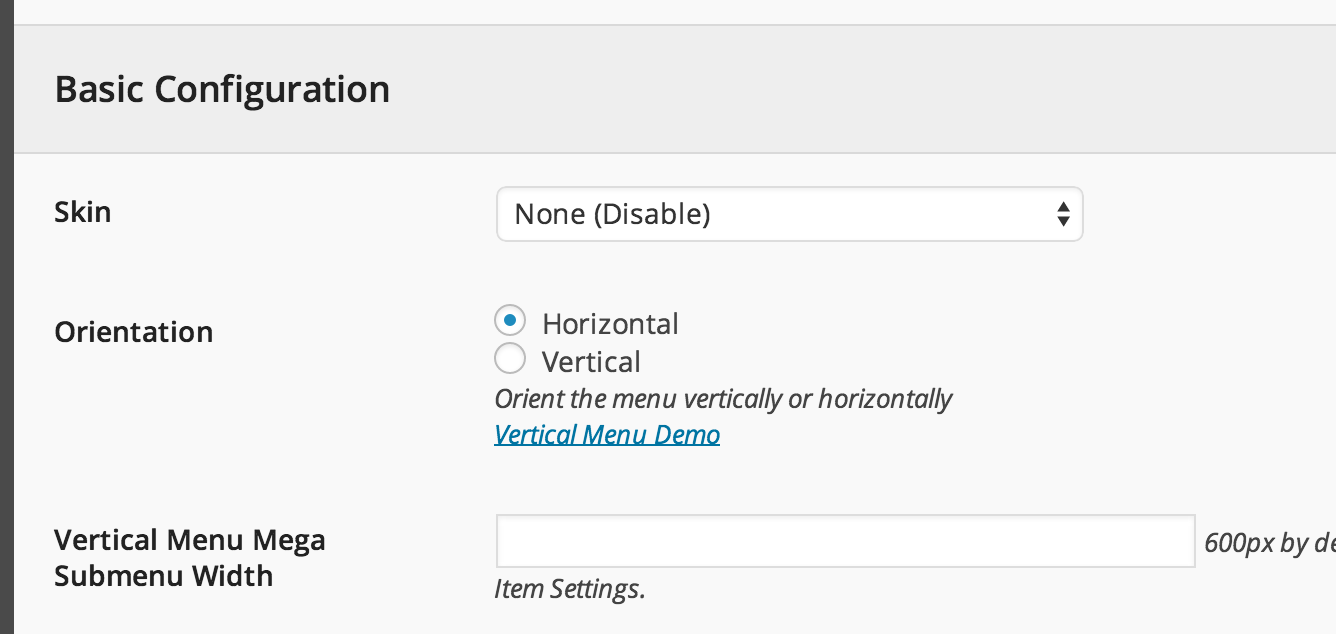
If you use UberMenu don’t forget to disable skin,
and it will fit the Aurum-s style
Kind Regards,
—Ylli
Hi, Great theme, thanks! I’m having an issue with variable product listings however. When I add a variable product to my store, it does not display the prices on the item page. The only place the prices are shown are in the basket. Can you please advise? Thanks,
Hi amiriania,
Can you please write us URL where this is happening here on comments first? We need to investigate your site and then get back to you with possible solution/
Kind Regards,
—Ylli
Hi amiriania,
You are using an old version of our theme and the latest version for the moment is (2.5), please update theme first.
The easiest way to update our themes is if you use Envato Toolkit. On this link How to update Themes and Plugins
you can learn this easy step-by-step procedure
Then don’t forget to go to Appearance > Install Plugins to update all your premium plugins to the latest version that we support.
We won’t be able to provide support for outdated versions.
We want you to experience the best we have to offer while keeping your site safe.
Staying updated is the way to do it!
P.S: We will release a new update of Aurum today or on Monday
Kind Regards,
—Ylli
Hi Ylli,
I am indeed already on v2.5. I’m using the child theme. I have also updated the plugins to their latest version but still no luck
Hi there,
Can you please send us your WP credentials on email? We need to investigate your problem and then get back to you with possible solution.
To send us email use this link and please write us your request again, because we receive a lot of emails on daily basis and we unfortunately can’t remember all customers requests.
P.S: Please note that we usually do not respond to emails that request support, because here is our primary support forum. We use contact form just for sending sensitive information. Also emails response time can be up to 7 business days.
Kind Regards,
Art
Hi there,
This is Jaime following up from this comment: http://themeforest.net/item/aurum-minimalist-shopping-theme/9600822/comments?page=77&filter=all#comment_11107585
I’m building a site and ran into a problem with Laborator’s Product Carousel when it comes to translations using WPML. Everything works fine on the main language page, but on the secondary language the carousel doesn’t show (no products shown). Do you know how to fix this? The rest of the site works as expected.
Please, let me know if you need additional info.
Thanks
Hi there,
I need your site URL at least or an e-mail with your login credentials.
To send us email use this link and please write us your request again, because we receive a lot of emails on daily basis and we unfortunately can’t remember all customers requests.
P.S: Please note that we usually do not respond to emails that request support, because here is our primary support forum. We use contact form just for sending sensitive information. Also emails response time can be up to 7 business days.
Kind Regards,
Art
Hi, I wanted to know if it is possible to load all scripts in the footer?
Jquery and a few more js load in the header. I want to speed up my site load time.
Thank you!
Hi Bonnie808,
If you want to speed up your site you can use WP Super Cache plugin.
Kind Regards,
—Ylli
Hi there,
I’m wondering if there is a way to turn off the Sticky Nav on the mobile products page? The sticky slider is disable in theme options and doesn’t appear on any other pages except the store and the product pages.
Thanks.
Hi there,
Is the sticky header appearing in your mobile phone? Can you point us to the URL of your shop page so we can test it.
Kind Regards,
Art
Sorry, it’s also looks like the content loads behind the navigation bar on both of those pages too. Can we also stop that too?
Hi there,
Go to Admin Panel > Custom CSS > Responsive and paste the code below in the Extra Small field:
header.mobile-menu {
position: relative !important;
}
Kind Regards,
Art
Do you have (or can provide) its HTML source, I wanted to use it outer than WordPress?
Hi aswadrehan,
Aurum is only Wordpress theme, we don’t offer any HTML version of Aurum.
Kind Regards,
—Ylli
hey awesome theme, i’m really impressed by how flawless it has been so far, despite the cart page on mobile not fitting perfectly.
Ok so when using desktop, if i click a menu item the background of that menu item turns to the color #222222
Image of what i am experiencing: http://i.imgur.com/w4e2KYS.jpgHow can i keep the background white after i click the link?
Hi turtleturtle,
Can you please write us your site URL here on comments first? We need to investigate your site and then get back to you with possible solution
Best Regards,
—Ylli
Hi there,
Paste this in the Custom CSS:
.nav > li > a:focus {
    background-color: transparent !important;
}
Kind Regards,
Art
Hi there,
Paste this in the Custom CSS:
.nav > li > a:focus {
    background-color: transparent !important;
}
Kind Regards,
Art