3574 comments found.

Hello,
I have a few problems with my website when I enter it on mobile.
1. Almost all pictures I have on my website is in completely wrong format, should’t this be autosized depending on what device you enter the website with? (Homepage, The Journal, Our story etc)
2. At product single page the pictures is in correct format and I can see what I am looking at but they are not centered on the screen, they are floating to right.
3. I want the layerslider to but in full height on mobile like it is on computer screens. I have ealier asked about a shortcode that can display ‘one’ picture at computer devices and ‘one’ other picture when you enter mobile devices.
Would be very pleased if I could have some support with these problems.
One other thing to ask, Is it possible to make a custom ‘Add to Cart’ icon that I place anywhere on my site?
Regards Jakob
Hi Jakob,
Can you please send us your WP credentials on email? We need to investigate your problem and then get back to you with possible solution.
To send us email use this link and please write us your request again, because we receive a lot of emails on daily basis and we unfortunately can’t remember all customers requests.
P.S: Please note that we usually do not respond to emails that request support, because here is our primary support forum. We use contact form just for sending sensitive information. Also emails response time can be up to 7 business days.
Kind Regards,
Art
Hi there, I have already added google analytics codes to the website under theme option, but since the adwords conversion tracking code should be only added into a specific page to tracking conversions, I wonder how can i add to that single page. Thank you!
btw according to google’s instruction, the code should be added in the body.
Hi melissazhang,
This question is related to theme developer and I am unable to give you any solution about this because I am not backend developer.
Our theme developer Arlind can help you with this, but he is not in the office until 16 February.
When Arlind come back, just reply to this thread and you will make sure he will see your comment.
Hope for your understanding 
Kind Regards,
—Ylli
Hi there,
The theme looks and works great except for in safari where the masonry grid doesn’t display properly. It isn’t reacting responsively. Could you please advise?
I think it might be outdated woo commerce files and slider revolution – but the info says to contact the theme provider. Could you let me know how to proceed? Thank you!
After a plugin update it is more specifically the masonry grid that doesn’t display properly.
There are of course other errors within the woo commerce as these files are out of date.
Hi gfoulkes,
You are using an old version of our theme and the latest version for the moment is (2.8), please update theme first.
The easiest way to update our themes is if you use Envato Toolkit. On this link How to update Themes and Plugins
you can learn this easy step-by-step procedure
Important: Please don’t forget to go to Appearance > Install Plugins to update all your premium plugins to the latest version that we support.
Kind Regards,
—Ylli
Thanks for getting back! Yes I noticed that so in staging i have updated the theme and all the plugins. However it still displays strangely. When I chose the theme it was based on its responsive style however, now looking at the aurum jewellery demo on iPad it isn’t responsive – the home page category images below the slider are all bunched up and odd sizes. Its fine on iPhone but not iPad. Can this be fixed as it looks really unprofessional on my site?
Hi there,
Can you please send us your site URL first? We need to investigate your site and then get back to you with possible solution
Kind Regards,
Art
how to delete aurum logo in my website?
Hi yozazoy,
To set your logo, just go to your WordPress dashboard > Laborator > Theme Options > Header > Custom logo and from there you can change the logo of Aurum with yours
Kind Regards,
—Ylli
Hi, How can i change the redirect to shop link when cart is empty? , because right now, when the cart is empty, the “return to shop link” takes me to the same page and not the shop page.
Hi there,
I just tested it and it works fine by us, can you please check if you have set the Shop page to Shop in the WooCommerce settings.
Kind Regards,
Art
ok i just did that and it works fine. Thank You
Hi metrorush,
Glad to hear that
Kind Regards,
—Ylli
Hi There,
My contact form not working. I was asking several time about this. You guys replied it Thanks. But its not help for me. I am still struggling with my contact form. Please help me.
Hi there,
What’s the problem with it, the mail server or the contact form? If you could please write in that ticket where you explained this problem earlier so we could know what the problem was.
It is hard to remember each client’s issue when you have over 60+ tickets daily.
Kind Regards,
Art
Hi There,
Thanks for your reply. I am sorry, I dont know how can i find a ticket number. But I can send my User name and Password for you. Then you can have a look whats going on my contact form.
Many Thanks Nuwan
Hi Nuwan,
I see Arlind replied your last e-mail regarding the same issue, have you tried with a different e-mail address and see if it works, if not please re-send us your login credentials and I will check what I can do.
Kind Regards,
Art
Hi Art,
Thanks for your mail. Yes I did with another email address. But still not working. If I send my credentials through this, everyone can see my password and everything. So can you send me private email please. Sorry to trouble you.
Many Thanks Nuwan
Hi there,
To send us email use this link and please write us your request again, because we receive a lot of emails on daily basis and we unfortunately can’t remember all customers requests.
P.S: Please note that we usually do not respond to emails that request support, because here is our primary support forum. We use contact form just for sending sensitive information. Also emails response time can be up to 7 business days.
Kind Regards,
Art
Hi, i got the following message in my Dashboard long time ago and i want to fix it now. ‘Your theme (Aurum – Child Theme) contains outdated copies of some WooCommerce template files.’
Could you help me?
Theme version : 2.1 Outdated files are :
aurum/woocommerce/cart/cart-shipping.php version 2.3.0 is out of date. The core version is 2.5.0,
aurum/woocommerce/cart/cart.php version 2.3.0 is out of date. The core version is 2.3.8,
aurum/woocommerce/content-product.php version 1.6.4 is out of date. The core version is 2.5.0,
aurum/woocommerce/content-product_cat.php version 1.6.4 is out of date. The core version is 2.5.2,
aurum/woocommerce/loop/add-to-cart.php version 2.1.0 is out of date. The core version is 2.5.0,
aurum/woocommerce/myaccount/form-edit-account.php version 2.2.7 is out of date. The core version is 2.5.1,
aurum/woocommerce/myaccount/my-orders.php version 2.2.0 is out of date. The core version is 2.5.0,
aurum/woocommerce/order/order-details.php version 2.3.0 is out of date. The core version is 2.5.0,
aurum/woocommerce/single-product/add-to-cart/variable.php version 2.3.0 is out of date. The core version is 2.5.0,
aurum/woocommerce/single-product/price.php version 1.6.4 is out of date. The core version is 2.4.9,
aurum/woocommerce/single-product/review.php version 2.1.0 is out of date. The core version is 2.5.0,
aurum/woocommerce/single-product/tabs/tabs.php version 2.0.0 is out of date. The core version is 2.4.0,
Thank you regards,
Raven
Hi Raven,
You are using an old version of our theme, the latest version for the moment is (2.8), please update your theme and the problem will solve.
The easiest way to update our themes is if you use Envato Toolkit. On this link How to update Themes and Plugins
you can learn this easy step-by-step procedure
Important: Please don’t forget to go to Appearance > Install Plugins to update all your premium plugins to the latest version that we support.
Kind Regards,
—Ylli
I just brought Ultimate WooCommerce CloudZoom for Product Images to use with your theme because I wanted a zoom that is inside the product image and not to the side. The plugin will not work at all with your theme. The author told me to ask you about the correct CSS selectors that I should add to plugin settings window.
Hi debido,
I’m sorry but we can not give support for the third party plugins, every plugin has it’s form how it’s implemented and not all the themes are compatible with every plugin.
Hope for your understanding!
Kind Regards,
—Ylli
Hey, yesterday I’ve updated the woo commerce plugin and then downloaded the new updated theme files and uploaded them to the server. However, the site is now working now. I can access the admin panel but the frontend won’t load. Can you please help me out?
I’ve tried disabling all plugins but that didn’t work either.
Nevermind, apparently i wasn’t able to update the theme. it works now. thank you!
Hi eylulgormus,
Glad to hear that the problem is solved
Kind Regards,
—Ylli
Hi, working fine in Safari, Chrome and Firefox but it seems using Internet Explorer (not sure what version) in Windows Vista is showing in mobile mode on desktops. Any idea why?
Hi there,
In which version of Internet Explorer is it not working? And also please note that in IE most of the sites don’t work as it is expected because its really antic.
Kind Regards,
Art
on an ipad the ‘login here’ and the ‘enter coupon’ components are overlapping. also the text within the ‘your order’ column and next to the “Coupon: * ” title is squished to the side on the checkout page: please see image here: https://vimanasjewellery.com/wp-content/uploads/2016/02/IMG_7653.png
vimanasjewellery.com
Hi there,
Add the following code in your Custom CSS > Responsive in Medium and Small fields:
.login-button:before, .coupon-env .coupon-enter:before {
    background-size: 30px !important;
    width: 30px;
    height: 30px;
 }

.coupon-env, .login-button, .login-button span, .coupon-env span {
font-size: 13px;
}
Kind Regards,
Art
Thanks.
One more small issue I just discovered since I updated to Aurum 2.8: This product https://blueskylingerie.com/shop/women/elle-macpherson-dentelle-contour-bra/ when you are changing the colours (while a size has been selected) the image attached to each size/colour variation are getting cropped on the product page. I’m not sure if this makes sense. The product images are fine, but the variation images set in the back-end are getting pushed upwards for some reason. Can you help?
Thanks.
Hi there,
This question is related to theme developer and I am unable to give you any solution about this because I am not backend developer.
Our theme developer Arlind can help you with this, but he is on vacation and will be back on 16 February.
When he comes back, just reply to this thread and you will make sure Arlind will see your comment.
Hope for your understanding : )
Kind Regards,
Art
1. I am getting these 404 errors, they seem to point to the Yith Woocommerce Wishlist plugin, but I can’t be sure. Do you know of any incompatibilities with that particular plugin?
Screenshot of my error: https://blueskylingerie.com/wp-content/uploads/2016/02/chrome-devtools-screenshot.png
Thanks.
2. I was told to reply to this thread closer to the 16th when you are back from your vacation Arlind. I would appreciate any help you could give with the few questions I asked last week.
Cheers.
Hi SuperfeinCreativeStudio,
Can you please send us your WP credentials on email? We need to investigate your problems and then get back to you with possible solution.
To send us email use this link and please write us your request again, because we receive a lot of emails on daily basis and we unfortunately can’t remember all customers requests.
P.S: Please note that we usually do not respond to emails that request support, because here is our primary support forum. We use contact form just for sending sensitive information. Also emails response time can be up to 7 business days.
Kind Regards,
—Ylli
Hi there, today we updated Aurum to v2.8 and after that updated the plugins as per your suggested procedure. The update went well.
Via Loco Translate we translated a number of strings before going live and as per your instructions downloaded the theme language folder before the update and uploaded this again after the update.
However, some weeks ago you asked us to update the aurum.pot so that a missing string was included and I think we may have accidentally overwritten our earlier changes that way as quite a few of our previously translated strings are back to english again 
As we have only recently implemented your theme for our client it is important to know the correct procedure with regards to language updates.
After we have re-implemented the language changes we should download the language folder again before a new update for use after an update. Correct?
Do we need to upload all files in the folder then? So aurum.pot, the .po and .mo files for the language and the index file?
How to make sure the newly added strings are included? Via the Sync button in Loco Translate after uploading?
Can you please let us know the exact procedure so that we can make sure mistakes like described above do not happen anymore?
Many thanks in advance.
Hi there,
This question is related to theme developer and I am unable to give you any solution about this because I am not backend developer.
Our theme developer Arlind can help you with this, but he is on vacation and will be back on 16 February.
Anyway, as much as I know just copy the languages folder and the files and create a backup for them, so if the same problem happens again then just replace them with these files.
Usually, this is the only path for the translations so there is no other folder for the strings.
Kind Regards,
Art
Hi there,
As we are about to update Aurum to 2.9 for our client I’d like to bring up this earlier ticket that Arlind forgot to reply to.
After the previous update we found out that quite a few language strings, which we had translated, were shown again in English.
Can you please describe, in detail, the exact procedure for making sure language changes are preserved?
First we should download the language folder before a new update for use after the update. Correct?
After updating do we need to upload all files in the folder then? So aurum.pot, the .po and .mo files for the language and the index file?
How to make sure newly added strings are included? Via the Sync button in Loco Translate after uploading?
Many thanks in advance.
Hi Draxeiro,
The best way to update the theme and keep your translations up to date is to download your aurum/languages/ folder (or entire aurum/ folder) and keep a backup of that previous version, then install the new theme update.
On the newest version of uploaded theme, go to aurum/languages/ folder, then copy the files from your backup aurum/languages/ except aurum.pot (old file) and move them to that folder.
Thats all, when you try to edit theme strings, just hit Sync button to get the latest strings from aurum.pot and then you will be able to translate them.
Don’t worry if you loose aurum.pot because its not necessary, just save those po/mo files you have already generated.
Hopefully this helps you.
Best regards,
Arlind
Hey, Thanks for helping me out with these issues. Still have a couple bugs though.
1) Layer Slider is showing an update error thing. It says I need to enter a code or something. Isn’t this plugin included with the theme? If so how do I know if it is updated correctly? It is acting strangely. I specify a max height or px height for my main slider image like I always would but it overrides it and does the original image height instead. It used to come up as the default image for when I pay for facebook ads too but it no longer does that.
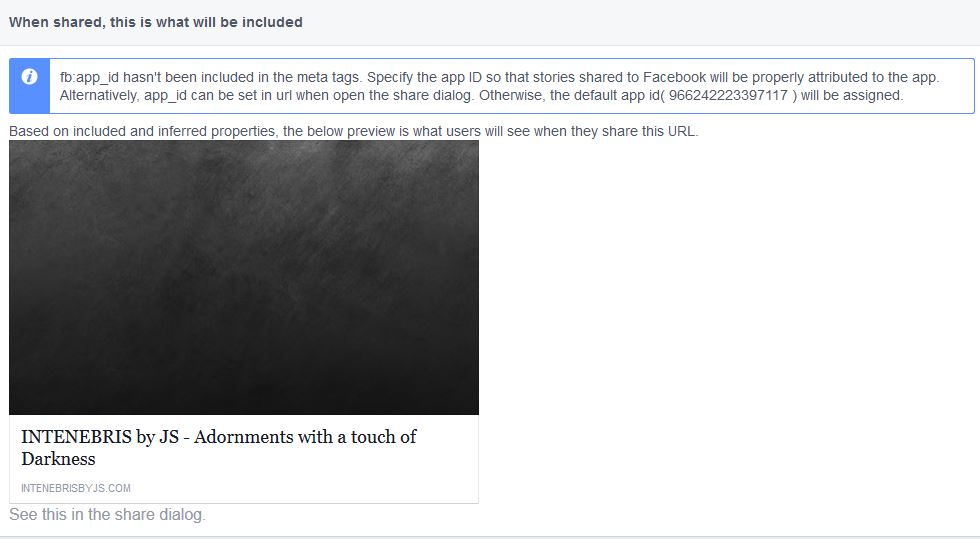
http://intenebrisbyjs.com/wp-content/uploads/2016/02/layer-slider.jpg2) Sharing the products from my site to facebook always links the incorrect images. Product images do not appear when sharing, instead the header image of my company logo appears. I have tried everything I could but I do not see a way to correct the issues. I have supplied screenshots of the errors the Facebook Scraper returned when attempting to fix the issue.
http://intenebrisbyjs.com/wp-content/uploads/2016/02/fb-scraper-1.jpg http://intenebrisbyjs.com/wp-content/uploads/2016/02/fb-scraper-2.jpg3) Finally, the drop-down Item Sort-by options do nothing when selected. This happens anywhere the drop down is present.
Thanks!
Hi lcaballerog,
1— Premium plugins don’t allow us to give customers our license number, so on each premium plugin such as Visual Composer, Revolution Slider and Layer Slider update we release a new update to our theme with the latest version of that plugin included, and customers don’t need to worry about that,
You never need to buy any premium plugins that comes with our theme
We don’t know how to help you for this issue, because we are not creators of this plugin, we just offer this premium plugin for free.
Layer Slider has released a new update yesterday, and we will update Kalium with the latest version of Layer Slider on the next update of the theme that will happen after 2 weeks.
2 and 3: This question is related to theme developer and I am unable to give you any solution about this because I am not backend developer.
Our theme developer Arlind can help you with this, but he is not in the office until 16 February.
When Arlind come back, just reply to this thread and you will make sure he will see your comment.
Hope for your understanding
Kind Regards,
—Ylli
Hi! Can I change the thumbnail image height? My images are getting cut off and there are too many for me to resize. It may be easier to just increase the height of the image DIVs. See here: http://jr.christopherkwright.com/?product=black-dress-no-name
Thanks!
Hi there,
Can you please send us your WP credentials on email? We need to investigate your problem and then get back to you with possible solution.
To send us email use this link and please write us your request again, because we receive a lot of emails on daily basis and we unfortunately can’t remember all customers requests.
P.S: Please note that we usually do not respond to emails that request support, because here is our primary support forum. We use contact form just for sending sensitive information. Also emails response time can be up to 7 business days.
Kind Regards,
Art
Hi there I would like to insert a slider on the very top under the product page. I have tried to insert the php function under content-product.php. But it keeps looping out of control.
Any suggestions?
Best regards.
Hi there,
Our theme developer is on vacation for a week and he will not be here until 16 February, we cannot help you anything regarding the code.
Kind Regards,
Art
“Excellent Wordpress theme, regularly updated. And that is very rare unfortunately for other themes sold on Envato. Moreover, it is easily compatible https / SSL. No problem encountered either in code or customization. I recommend this theme to anyone looking for a theme easily adaptable, customizable and regularly updated. Tested and approved ! ;)”
Aurum received a 5 star rating from Grafikx for Feature Availability
Are you using Aurum too? Don’t forget to rate it!.
Hello !!
So i’ve been trying to translate my store from Spanish to French using Polylang. it was working fine until I found a bug, after creating the products in French and the product categories in French as well. I find that when i’m on the shop in french and I click on any product, the page is not found. But when on a product page in Spanish and without leaving this page I click the “Français” button to see the same page in french, the appropriate product page translated into french appears nevertheless.
I really don’t know where things are going wrong, so if you could help me, that would be great !!
The url is www.mylosshop.com
Thanks !
Hi Julian94,
You are using an old version of our theme (2.7) and the latest version for the moment is (2.8), please update theme first.
The easiest way to update our themes is if you use Envato Toolkit. On this link How to update Themes and Plugins
you can learn this easy step-by-step procedure
Important: Please don’t forget to go to Appearance > Install Plugins to update all your premium plugins to the latest version that we support.
Kind Regards,
—Ylli
Hey Ylli,
Thanks for advice, i have now updated the theme and the plugins as well.
On the other hand, can you please give me some support on the issue mentioned above ?
thanks
Hi Julian94,
This question is related to theme developer and I am unable to give you any solution about this because I am not backend developer.
Our theme developer Arlind can help you with this, but he is not in the office until 16 February.
When Arlind come back, just reply to this thread and you will make sure he will see your comment.
Hope for your understanding
P.S: To translate/rename theme strings, we recommend using Loco Translate plugin. If you don’t have this plugin, please install and activate it in your WordPress site.
1. Then go to Loco Translate > Manage Translations
2. Click “New Language” for the current active theme (if you didn’t created it yet, otherwise ignore this step). On the new language page, choose these options – click here http://d.pr/i/1ewoc
3. After that you will be redirected to the editing screen for theme translations. Before you continue make sure this is true – click here http://d.pr/i/18h0w
4. Follow these instructions to learn how to translate strings – http://d.pr/i/1jsek
5. The changes will be applied immediately – http://d.pr/i/1ju6w
Note: Translation files will be saved to wp-content/themes/{theme-name}/languages folder. Here you have the explanation – http://d.pr/i/1lBCJ
After you make your changes, always save a backup when there is new theme update. After you update the theme (languages folder will be replaced), just move the backup files you previously saved to the same languages directory and your changes will still be applied.
Kind Regards,
—Ylli
Is there a way for the header (logo and navigation) to be hidden on the homepage and appear only when scrolling?
Thanks.
~chris
Hi Chris,
To achieve this add the following code to Custom CSS, the way it hides is not that good but at least it works:
header.site-header {
display: none !important;
}

header.site-header.sticky.sticked {
display: block !important;
}
Kind Regards,
—Ylli
Hi, how to display sku numbers in category listing ,just below product name. Thanks , J
Hi J
Add this code:
add_action( 'woocommerce_after_shop_loop_item_title', 'aurum_display_sku_catalog' );

function aurum_display_sku_catalog() {

    global $product;

    if ( wc_product_sku_enabled() && ( $product->get_sku() || $product->is_type( 'variable' ) ) ) :

        ?>
        <div class="sku_wrapper_catalog"><?php _e( 'SKU:', 'aurum' ); ?>
            <span class="sku" itemprop="sku"><?php echo ( $sku = $product->get_sku() ) ? $sku : __( 'N/A', 'aurum' ); ?></span>
        </div>
        <?php

    endif;
}
This will display the SKU for each item.
Arlind