433 comments found.

Hi,
I was trying to add some classes to a menu item, but whenever I click at the input for that appear the icon box and I am not able to introduce a class.
Thanks.
Hi, you should be able to add the classes. Simply write you class with the box open, if you want also a icon add also the icon class.
mmm I’ve tried it, only works on main items, and not sub items. If I put class “asdasd” in main item, all its sub items will have that class, but if I only put a class in a sub item, this class won´t appear.
I’ve tryed to deactivate all plugins, but is not fixing it
I checked now with 3 sub item and work: http://www.pixor.it/shared/2017-01-27_102913.jpg
If you send WP accesses to support@pixor.it I will check
Have just sent you
Just replied you
Amazing support as always 
Hi, How should I add Portfolio items. I want to add many at least 8 portffolio ites. Each item will be reflected with a pic and an external URL link. So that when the user clicks on the pic of a partcular portfolio then the user is taken to the embeded URL website.. I am modifying the Modern Business Theme Home->Home 3 page. Documentation is quite comfusing and not clear. Regards
Hi,
From what I read you not need the porfolio. You want only show 8+ boxes into a grid, and the boxes simple link to a external website.
In this situation use the Grid Component – Advanced mode, insert into it the Advanced Image box components. Details: http://wordpress.framework-y.com/prv-components/grid-list/
Thank you!
<
Hi, Thanks for you quick reply. You have the following on your Demo (Modern Business-> Home 3-> Our Works—> 3 Categories (All, Building and Interior Design) and 8 Boxes with pics under it. I want to add my pic in these 8 boxes with an embeddee link.
I diid what you said. I went to the Hybrid Composer ( WP Dashboard-> Pages-> All Pages-> Home 3-> Edit-> Subtitle: Our Works -> Clicked the + sign below it and added “Advamce Image Box” with the embeded link to it It works but the image doesn’t comes within 1 of the 8 boxes where I want. Insted it appeard below it. Please have a look: www.neswel.de
Please provide a solution. Regards
Hi,
You must delete all current content, insert the grid component and into it the advanced mage box.
If you send WP accesses to support@pixor.it we will do for you
I had send you the detailss. Please check ur email
Plz note I had changed the name of Home 3 Page to HOME (in Uppercase)
Hi, I had send u an email. Plz chenck. Also plz note I had changed the name of Home 3 Page to HOME (in uppercase)
Great u were too quick to reply. I am satisfied. 5 / 5 stars to you for your support service
Thank you, a 5/5 really help me. If you need other support not esitate to contact us.
Hi,
I have added sub items to a menu. If a menu item has sub items, the menu don’t link to its page. For example: I have this menu item with sub items.
Solutions
- Travel
- Transportation
- Real Estate
Since I have included travel, transportation…. to Solutions, Solutions has stopped linking to its page.
In responsive, even when I click Solution, it doesn´t go to its page but I can´t see its sub items neither….
Solution? Thanks.
Hi,
It’s a small bug. Go to plugins wp-content\plugins\hybrid-composer\scripts\bootstrap\js\bootstrap.min.js
On row 233 replace “return false” with “if (wh < 993) return false”; You must clear the browser cache.
Still not working, nor link to its page either see subitems on phones.
This fix is for desktop. On mobile you can not have both link + dropdown due there is no hover feature on mobile. So on mobile the link of parent will never work, but the dropdown shoul show on mobile. Can you send me page link?
Thank you
Message deleted
Delete it. received
I have noticed that removing “data-toggle=”dropdown” from the menu (with google inspector), link is working.
Seem you not udpated the file as I told you. Please send to support@pixor.it the FTP accesses. I will fix. Thank you!
O.o, I can see the file updated, check this image:
I have just sent you the credentials.
Hello- Is there a way to modify the woocommerce cart and checkout pages? It has the current overall theme from creative photography, but ends up being dark text on a dark background. It seems like either the box its in should have a white bg, or the text should be white. How can I modify that with these woocommerce generated pages? Thanks.
Hi, you must use the CSS. I’m tring to login into wp, password ok but not albe to navigate in admin
Sorry – I had disabled the account, just out of caution from hackers. Its reenabled now.
Hi,
I can’t manage to remove, move or edit element in portfolios. I can add Sections element, but cant remove them once they appear. I can’t see the icons to move, remove, duplicate….
Whats happening?
Hi, the lists have locked mode active. Edit the item template under Apparence > Lists. You can edit single items by click top right LOCK icon two times.
Wow, thanks, now is working.
Another question, If I press the little portfolio bar under each portfolio, it is supposed to send me to /portfolio (page that doesn´t exit in my website), When I press it, it return me a page with and error:Warning: Invalid argument supplied for foreach() in /***/wp-content/plugins/hybrid-composer/global-content.php on line 135
I’ve tried to create the portfolio page but this is not fixing, Can I edit that slug to /case-studies/, instead of portfolio?
Thanks.
We are updating the theme for add possibility to set portfolio page on portfolio bar. Meanwhile on List > Porfolio you can set the main portfolio page. Update will be pubblished within 24h.
Ok, thanks!
Hello- At the very bottom of a fixed area portfolio page (or other portfolio display pages), theres a next, previous, and in the center a button that goes to /portfolio/. I need to change that to go to /portfolios/. How can I do that? Thanks.
Hi, currently is not possible, I will update the theme with this new feature today, please send this message to support@pixor.it, I will send you the updated theme.
Thanks for the quick reply. In that same vein, is it possible to change the order of the media in a grid list in the portfolio page?
Hi, try to change publication date of the items, or try to download Post Type order plugin. If not work let me know.
Hm – Im talking about a media grid list, not a post grid list.
So Ive uploaded a bunch of photographs, and put them into a grid list from the template portfolio – style 2 – gutted full width. On that template using the grid list for media, it seems that the order that I click on the media to add to the list is the order in which is is displayed. Say I have some media already there and wish to add a new media to the middle of the list – I dont seem to be able to move them without deleting them all and selecting them in the order I wish to display.
So Im asking if theres a better way to manage the order.
Thanks
Ok, I understood, no, currently you must delete and insert again. If you want reorder use advanced list and Image box components
Hey  you got a changelog for the latest update?
Hi, you can get changelog here on bottom of item page. If you need informations about some feature not esitate to ask us.
thanks
Hello,
I’ve purshased your theme and it’s really great. I have a huge problem right now : the theme option isn’t working. I can’t go on the differents tab to set up my website.
Could you please help me as fast as possible. I have to set up my website now. It has to be on line within a week.
Thank a lot
Regards
Hi,
Seem there is a js error, on chrome console you can see the error. I need wp accesses to fix, you can send its to support@pixor.it
Hi again,
It’s done, you should have recieved it by now.
Hi again
Did you manage to fix it ? Are you still working on my website ? There is a total change on it. Right now, the demo content I used isn’t working. The design is totally diffrent …. Is it normal ? Don’t tell me I have to do it again …
Thanks a lot for your answer
Regards
HI, I sent you a email times ago. I deleted the theme settings, what demo you want to import? I will insert again the content.
Hi, the demo was Minimal. Don’t you mean that you’ve deleted all the work I’ve done ?
Hi.
I need to show (activate) the content of the accordion from the beginning. It’s possible?
Thanks for your support.
Miriam
Hi,
Add a code block component – Javascript and insert this:
jQuery(document).ready(function () { jQuery('.accordion-list .list-group-item:nth-child(1) > a').click(); });
Change 1 with the tab you want to open.
Thank you!
It´s works! Thanks
Hi.
My client want to show all tabs content open from the beginning. It’s possible? how can I show all tabs content open at first?
Thanks in advance,
Hi, Try
jQuery(document).ready(function () { jQuery(’.accordion-list .list-group-item > a’).click(); });
You must set also the correct Open type = visible
Hi. Where I put: Open type = visible?
“jQuery(document).ready(function () { jQuery(’.accordion-list .list-group-item:nth-child(1) > a’).click(); });”
Thanks again!
On admin area click on GEARS icon of the component.
Thanks a lot! Have a good day
Hello. If I purchase “Y Theme” for WordPress, how do I get the theme Elegance for woprdpress? (http://wordpress.framework-y.com/elegance/) Thank You!
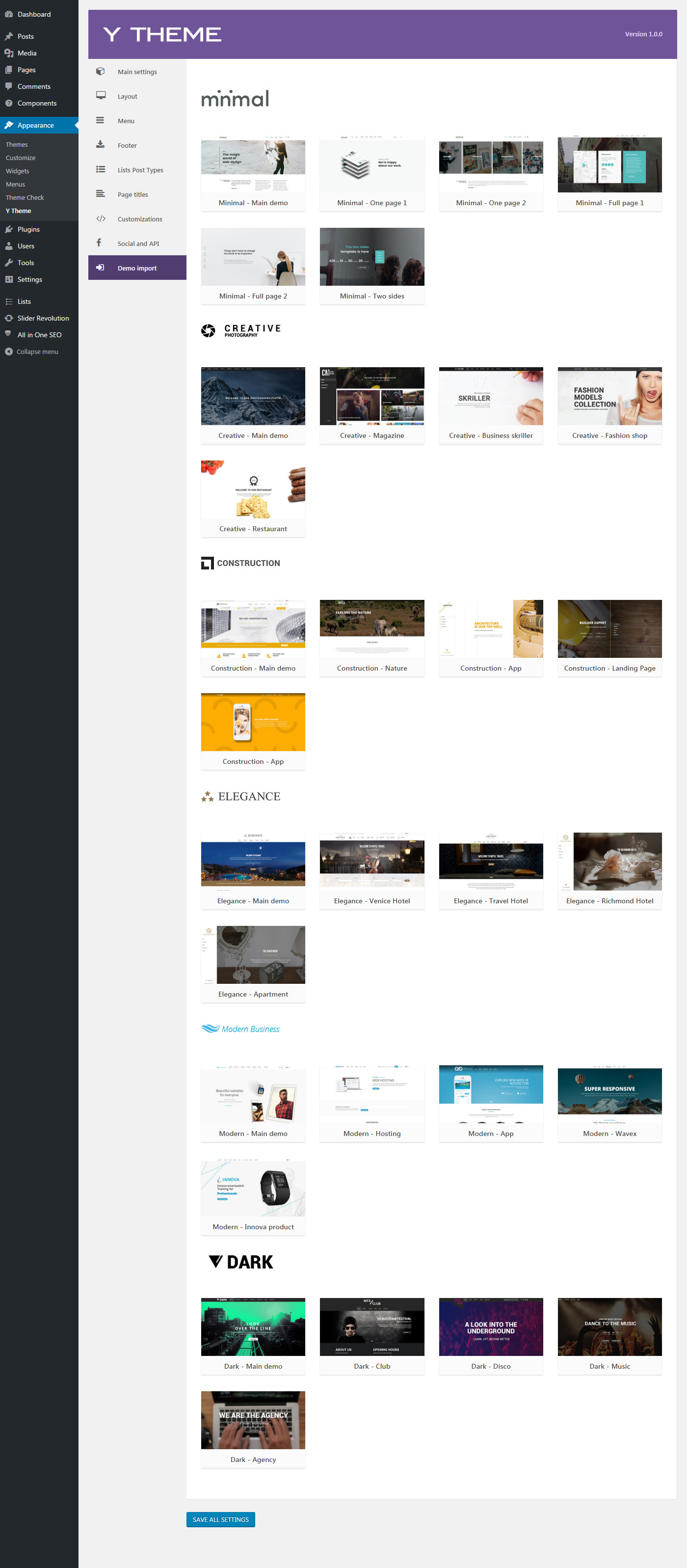
Hi, you will get it with the one-click bult-in demo import into the theme options: http://wordpress.framework-y.com/wp-content/uploads/2016/07/9.jpg
If you have other questions not esitate to ask. Thank you!
So I have to buy Y Theme Framework and then import Elegance?
Yes exactly. Y Theme is the WordPress version of Elegance HTML Template
Great! Thank You!
You are welcome
Hello- Im having an issue getting the Hybrid Composer plugin to activate. Whenever I activate it, I get a blank page (WP admin menus are on the side, otherise blank). Installing and activating the other plugins was not an issue.
Hi,
Go to plugin page and activate it. If not work send me WP accesses to support@pixor.it and I will check.
Thank you!
Thats where I am trying to activate it from – its not working. Ive sent an email.
Not sure if you were working on it, but I upgraded the memory and post limits, and now it activated.
Ok good. No I tried but login was incorrect. If you need other help I’m here.
OK – so now Ive been trying for the last hour to import the creative main theme demo, and it keeps getting stuck on step 1, part 6/8. Any ideas?
If you send me valid wp accesses I install it for you
I did – check your email.
I tried but not work. Please check user and psw
Even the updated one I sent 3 minutes ago?
I not received it
Ive resent it again. Or else you can use the wp password recovery.
Login work but your hosting have problems. I can not create directory: http://www.pixor.it/shared/2017-01-23_151912.jpg
Seem you hosting is not setted correctly. I can not install the demo manually if WordPress importer can not be installed.
What directory? They were already write enabled. Try again.
Please try to go to Tools > Import, on bottom install WordPress importer. When the installation is successful contact me again.
Importer installed successfully. Run importer
Hi,
I completed the demo importing. The hosting have performance problems so is not able to process all the tasks in one time, so I splitted the demo into 20+ files. Maybe some page is missing. If you need some page you not found contact me and I will give you the content.
Thank you
Hi! I need some help with advanced table. In your documentation http://wordpress.framework-y.com/prv-components/table/ “Button with link. To enabled it add prefix btn: to header title (ex. btn:Extra) and set the rows with this sintax: text,http://www-site.com" What to do to open link in another browser tab? Thanks.
Hi, if you send to support@pixor.it your FTP accesses we set the new window open mode.
The file to edit is script.js 1175 for latest version of the theme. For older version is jquery.bootgrid.min.js on plugin/scripts/jquery.bootgrid.min.js or theme/y-theme/scripts/jquery.bootgrid.min.js folder
Thank you!
hey, is it possible to add icons in the prcing list ? like <i class="fa fa-check" aria-hidden="true" /> for a check mark?
Hi, yes you should be able to add it. The file is wp-contents/plugins/hybrid-composer/components/content_box.php – row 344. But you not need to edit nothing, the html should work. Be sure to load FontAwesome instead of IconsMind
Hello, have the theme now, and love it btw so awesome. Though I have this problem in which I imported the default demo and now when I edit a page or create a new one or w/e, I always get my content 3 times? How can I solve this?
Best regards
Hi, thank you! It was a old bug fixed on latest version. Try to download again the theme and use the latest one. If you continue to have problems please send to support@pixor.it FTP and WP accesses and we will fix everything.
Thank you
We have wrote you several times in private under the support@iconnect.com.tr mail address. But we havent supported about our mail problem yet. Could you help us asap?
Hi,
Sorry for the later response I was trying to found a solution but is not possible with your hosting. Seem your hosting not support classic PHP emails.
I uploaded this script: http://www.emlakkursu.com/sendmail-auto.php It must return SUCCESS, instead generate a error. This script is the more simple script for send a email with PHP and is not related to any theme or plugin, if not work this mean your hosting have some problem.
If you need to use an external SMTP server you must use a plugin that support it, like CF7.
Thank you!
hi
on website written: Gain experience with Y Theme and you will be ready for the revolution of the next months which will include Woocommerce and front-end composer.
When this option will be available?
Hi, The woocommerce integration is ready, check at bottom of this page: http://wordpress.framework-y.com/#components and http://wordpress.framework-y.com/minimal/shop/
The front-end release date has not been jet defined. Thank you
hey, are there any more demo pages planned ? would also like to see more predefined templates in the builder, any plans for this ?
Hi, there are more demos but are sold separately, you can check our portfolio. For the built-in templates, yes, we will add new ones shortly.
Ok, thanks
How to add html to “Copyright text”? Thanks.
Hi, you should be able to insert HTML. Can you paste here the HTML you want to use? Thank you!
I have tried to add
<div class="asd">Copyright .....</div>but it has been printed just like that at the front-end. Html codes are only working in footer areas and not in “copyright area”.
Ok, you must open the file y-theme/footer.php and replace:
<?php hc_echo(wp_kses_post($y_theme_footer_copyright),'<div class="row copy-row"><div class="col-md-12 copy-text">',' </div></div>') ?>
with
<?php hc_echo($y_theme_footer_copyright,'<div class="row copy-row"><div class="col-md-12 copy-text">',' </div></div>') ?>
Should work.
Cant find that line, do you mean this one?
<?php y_theme_echo(wp_kses_post($y_theme_footer_copyright),'<div class="row copy-row"><div class="col-md-12 copy-text">',' </div></div>') ?>
Yes, remove wp_kses_post() function
Not working, the web keep loading and never show anything… (this is beraking something)
Ok, replace
<?php y_theme_echo(wp_kses_post($y_theme_footer_copyright),'<div class="row copy-row"><div class="col-md-12 copy-text">',' </div></div>') ?>
with
<?php y_theme_echo($y_theme_footer_copyright,'<div class="row copy-row"><div class="col-md-12 copy-text">',' </div></div>') ?>
Now is loading but I still see the code
<div class="asd">.....</div>
Please send me FTP accesses on fede@pixor.it and I will fix. Thank you!
Hi,
May I know if this interacts well with the page builder Elementor?
Hi, you can not use multiple page builders into a theme. You must use Hybrid Composer included builder  Anyway, Hybrid Composer power and its features are far away from Elementor (that is anyway a very good composer).