2227 comments found.

@Kopyov – Amazing work you have done with Limitless, I will be purchasing this on monday. I think it is by far the best admin template on Themeforest and is better than metronic by far  —Hopefully future updates will bring more exciting new features
Thank you very much!
Of course, it’s in active development and a lot of new stuff is coming up soon!
I am ready to pay 50 USD for the dark version with the top horizontal navbar – can you do it soon? need it urgently for the project!
Hi
I am sorry, but this requires quite a lot of changes and time. I am currently focused on more important things such as Bootstrap 4 version and less – sass conversion. Dark version will be added eventually, but not now. Sorry
Hi Kopyov,
Can we avoid the main navbar icons which is in top right corner being collapsed in mobile view, our app does not have many elements there, so our client wants the icons to be present similar to the desktop view, currently it is showing a tree icon and when clicked the user dropdown and alert icon appear as accordion. Can you please help me on this.
Thanks
Hey
Yes, it is possible, but requires quite a lot of changes in navbar styling, including default bootstrap overrides – by default all navbar components are stacked on small screens, that means you need to remove all media queries associated with navbar navigation and elements and re-compile less files. Or you can try to play with CSS to override some of them, but you’ll also need to remove default Bootstrap containers from navbar markup.
Thanks
Please update the IcoMoon´s and demo code. Send me the update please?
Hi
I am not sure i understand what you mean by that. It’s not an Icomoon itself, but a custom set based on Icomoon set. If you want, i can send you JSON file with icon selection, so you can build your own set in Icomoon app.
Thanks
I understand you. The icomoon set is updated in the webpage the icomoon to 1600 icons and your set only 1100.
As already being said, it’s a custom set based on Icomoon Ultimate pack. If you want to add additional icons to the current set, i can send you JSON file with icon selection and you can easily add/remove icons and generate new font. Having 1600 icons in 1 set can significantly increase font files size and in 95% you won’t use all icons from a full pack. That’s why i have generated JSON file, so that anyone can build custom icon set based on requirements.
Ok. Thanks
If you need that file, please send me an email to e.kopyov[at]gmail.com, i’ll send over.
Thanks
Hello, we are in the beginning stages of developing an in-house app and I love the Limitless design and all of the options that it provides.
My only question is, with some of the extensions and/or plugins, are there any that requires purchasing a license outside of the Limitless license?
Thanks for your input,
-Joe
Hello Joe
Nope, all components and plugins are properly licensed and don’t require any additional purchases.
Thanks
What’s the recommended way to change the navbar-brand icon for when the sidebar is collapsed?
I can’t change it away from the limitless default at the moment.
(I’d also like to know how to remove the icon altogether when sidebar is collapsed).
Hi
Could you please tell me which layout are you using? The best possible option is to use icon as a background image, so you can easily change background image in CSS depending on .sidebar-xs class, but for more details i need to know which layout you are using.
Thanks
Hi, 2 questions:
1. do you have any plan for AngularJs Version? (+Material +rtl)
2. is there any option for material form input with floating label (onclick floating placeholder to top transition)?
Hi
1. Yes i do, but i am currently focused more on Bootstrap 4 version and less to sass conversion, so Angular version will be added after next release.
2. You can check out this page, but labels get moved only when you start typing, not when on focus. In the future i’ll add more options, but in current version only this option is provided.
Thanks
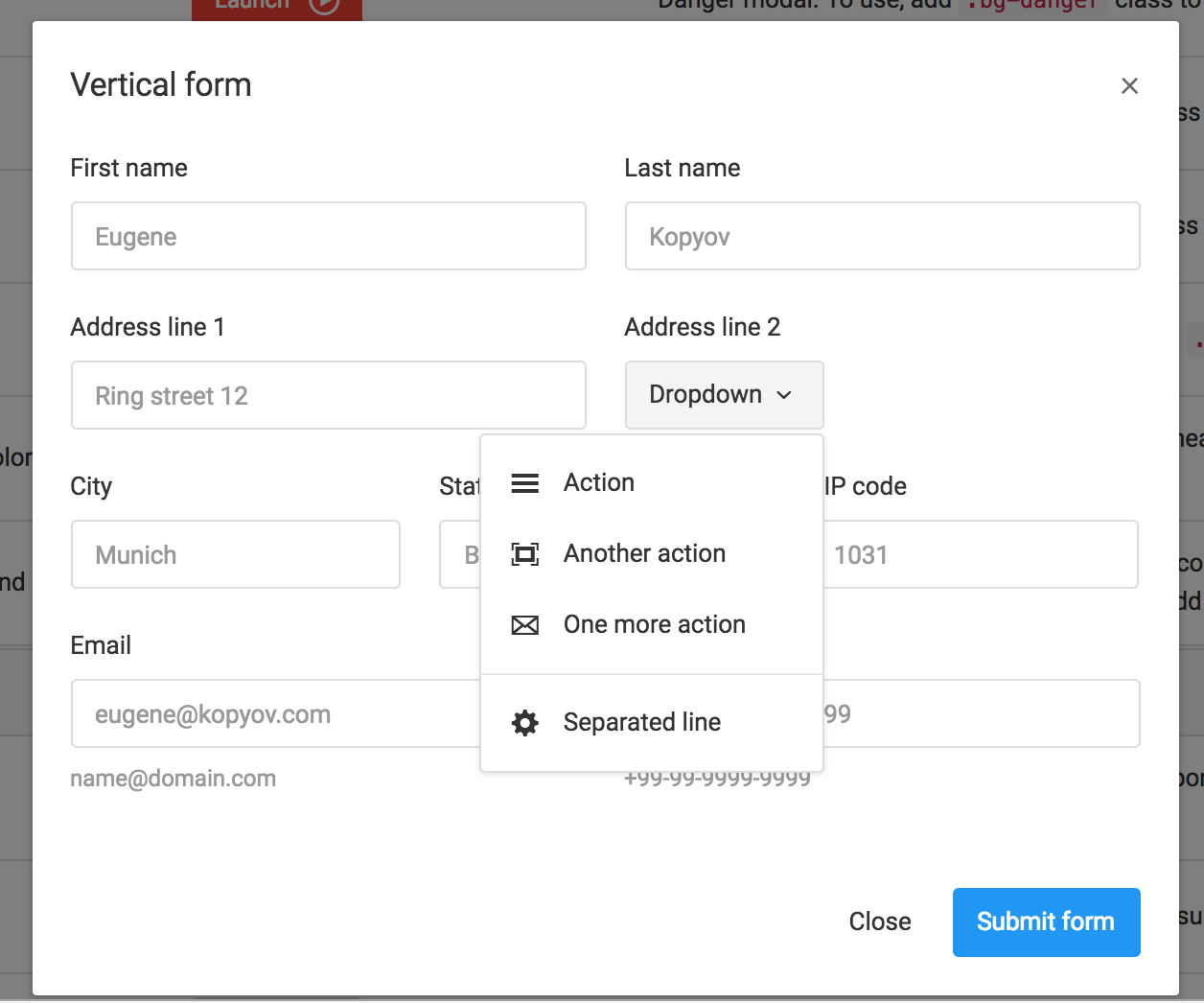
Hi – I have a modal issue. You can actually see it on your example as well. Go to modals, and click the Vertical Form modal example. If you click just the modal panel and press “esc” it will not close the modal, however if you focus a text input, then it closes. I think it makes sense to be the other way around. Or is there a way to disable the esc key altogether? Without having to use the backdrop. Thank you in advance.
Hi
You can add data-keyboard=”false” data attribute to modal container. This option disables escape key.
Thanks
Hi – This worked. Thank you! I am actually using a javascript to do my own thing. So instead of data-keyboard=”false” I added keyboard: false in the modal options.
Thank you for your assistance..
Hey
Yes, JS solution works as well
Thanks
Hi Kopyov,
i have implemented scrollable datatable, and also “Individual columns searching with text inputs”. In mobile the individual column search boxes cant scroll, they appear like this: https://ibb.co/knfLGQ
Can you please advise how i can get it to work with the scrollable datatable please?
Thanks!
Hey
Hmm, it should work since text inputs are added to table footer and horizontal scrollbar is added to table container. Can you please share your code so i can check what’s wrong?
Thanks
hi kopyov, i tried implementing the scroll into search columns and it can scroll, but it doesnt scroll together with the datatable, it scrolls on its own, ideally i want it to scroll when scrollable datatable is dragged.
heres my code:
and thank you for your support!
setTimeout(function() {var table = $('.datatable').DataTable({
columnDefs: [ {
"targets": [ -1 ],
"orderable": false,
"width": "100px"
} ],
dom: '<"datatable-header dt-buttons-right"fB><"datatable-scroll"tS><"datatable-footer"i>',
responsive: true,
deferRender: true,
scrollY: "314px",
language: {
search: 'INPUT',
searchPlaceholder: 'Type to search...'
},
buttons: {
dom: {
button: {
className: 'btn btn-default'
}
},
buttons: [
{extend: 'copy'},
{extend: 'csv'},
{extend: 'excel'},
{extend: 'pdf'},
{extend: 'print'}
]
}
});$('.dataTables_scrollFootInner .datatable tfoot td').not(':last-child').each(function () {
var title = $('.datatable thead th').eq($(this).index()).text();
$(this).html('<input type="text" class="form-control input-sm" placeholder="Search 'title'" />');
});
table.columns().every( function () {
var that = this;
$('input', this.footer()).on('keyup change', function () {
that.search(this.value).draw();
});
});Hey
Hmm, for some reason when scrollY or scrollX option is added, filtering columns are not resizable. Quick workaround is to adjust column size manually on window resize:
$(window).on('resize', function() {
    table.columns.adjust().draw();
});
with timeout or without it, up to you.
Aside question – is there any specific reason of initializing datatables in setTimeout?
Thanks
Hi – I have a quick question. Do you happen to have an example of a modal that has a button which has a drop-down menu? Thanks in advance.
Hi
Nope, it’s a basic implementation that should work without any problems. Do you have any issues implementing it?
Thanks
Hi – when I put the menu inside a modal, it goes underneath it. I can fix it with styling and a bit of javascript, but thought you might have that already sorted.
Hi
I have just tested button dropdown in modal – everything works fine. Can you please share your code here or email it to e.kopyov[at]gmail.com? I’ll check what’s wrong.
Thanks
dear author – can you show me the example of both the primary and secondary horizontal menus being fixed?
thank you!) I wanted to ask if there is a specific reason the double nav which is fixed in desktop is not fixed when seen on mobile?
I also wanted to ask if I put the search bar into the second fixed navbar – can be always visible? I noticed the second navbar gets collapsed when the window is shrinked…
Hi
1. Yes there is a reason – the more elements have fixed position, the less is scrolling area on small screens.
2. Yes, you just need to remove all extra elements from the second navbar and use only 1 element – search bar.
Thanks
Hello,
Is there an easy way to combine two layout options:
layout_navbar_main_fixed.html and layout_sidebar_sticky_custom.html
What exactly should I change?
Thank you!
Hello,
Yes it is possible, but in some cases you need to adjust top offset for affix component to prevent sidebar from overlapping.
To combine, you need to use JS code from layout_sidebar_sticky_custom.js file (assets/js/pages/). To add fixed navbar, you need to change a markup a bit: add .navbar-fixed-top to your main navbar and .navbar-top to your body tag.
To add sticky sidebar, simply copy sidebar markup from layout_sidebar_sticky_custom.html page.
If needed, adjust top offset in
$('.sidebar-fixed').affix({
    ...
});
Thanks
Hi, I am using echart for my website. The echart that I am using is stacked_columns_options, where I am getting values in number. Can I get value in % (num%) like we have in floating bar chart. Thank you.
Hi,
Sure, you can use custom formatter for labels, axes and data. Something like that:
series: [
    {
        name: 'GML',
        type: 'bar',
        stack: 'Total',
        itemStyle: {
            normal: {
                label: {
                    show: true,
                    position: 'insideLeft',
                    formatter: '{c}%'
                }
            }
        },
        data: [38, 50, 33, 72]
    },
    ....
]
Here label has custom formatter, where {c} is a value. You can find variable definitions on this page below the table.
Thanks
Hi Kopyov,
Thanks so much. It solved my problem.
Thank you!!
Always welcome
Hello do you have examples of the drop-down menu where the sub menu children are opened horizontally? instead of vertically? like is shown here: https://www.w3schools.com/bootstrap/tryit.asp?filename=trybs_ref_js_dropdown_multilevel_css&stacked=h
Where is the highlight color underneath the login fields defined? (I’m referring to the colored line that appears underneath the field when in focus) At the moment it is dark green, but can’t find corresponding css
Thanks!
Hi,
For that, you need to change @input-border-highlight-color variable in assets/less/core/variables/variables-custom.less and re-compile your less files.
Please do not edit existing CSS files directly, they are automatically generated from less files. You need to edit less files or create a separate CSS file and add overrides, because when you will update your copy to the latest versions, all your CSS files will be overridden.
Thanks
Hi,
Is the standard navbar color defined separately to the rest of the color palettes?
I can see that header-highlight and sidebar both have #263238 defined in components.css and core.css but not sure if this fits in with the standard palettes you have defined.
Thanks
Hi
Navbar has 2 default colours – white and dark blue. Header highlight is using same variable as default sidebar – @sidebar-dark-bg.
You can apply colour helper classes to sidebar and header highlight to change background colour or change less variable in assets/less/core/variables/variables-custom.less (@sidebar-dark-bg variable) and re-compile your less files.
Thanks
Ok – so @sidebar-dark-bg is currently defined as @color-slate-900. But for some reason only colours up to 800 are compiled into the final css files. (e.g., there is no such thing as bg-slate-900 in colors.css). Is there a reason for this?
Also, none of the palette.less variables end up getting imported… given that assets/less/core/colors/palette.less is imported into assets/less/core/colors/colors.less, why doesn’t it also end up getting imported when compiling assets/_main_full/colors.less ? Am I missing something on how less files compile?
Thanks
Ok, just realised that less variables don’t get compiled to css… however the first part of my question still stands – wondering why you didn’t define 900 colours in core/colors/colors.less
Hey
1. Yes, to recompile less files, you need to compile 4 files in assets/less/_main_full/ folder (or /_main_starters/ if you want to use starter kit). Those are basically main files.
2. Just wanted to reduce file size, also i have excluded 200 and 300 shades from material design palette. 900 don’t have too much difference with 800, so i have removed them from color helper classes, but variables still can be used. If you need them, you can easily add necessary styles in colors.less for background, border and text colors.
Let me know if you need any help with compilation.
Thanks
Hi, excellent job and already using it for a project. Still, wonder if you can consider an improvement in the drag and drop components and also include the shapeshifter behavior: http://mcpants.github.io/jquery.shapeshift/ The current drag and drop examples are okay but they lack some potentiality in case we want to drag the components to a new column that doesnt exist, of if we move all components to a single column and then we want to drag them back to the previous empty column. thanks!
Hey
Sorry for delay.
That is very interesting, thanks for suggestion. I’ll dive deeper into its functionality, run some tests and if everything is ok, I’ll defensively include it in the upcoming update.
Thanks!
Hi Kopyov, thank you for considering it. Also, and correct me if I’m wrong, but I cannot find an example in the forms section with a captcha on it. I ultimately made one for myself following your layout form css structure, but still it would be nice if people can already see an example and just copy+paste it
Hey
Yes sure, captcha is already in my to-do list, i missed it in previous updates, but will be added in the upcoming one.
Thanks
Nice Job. Wondering if you have a CRUD operation on datatables. Im planning to use the template for JSF
Hello I’m trying to move an existing site with this theme onto our hosting.
However it looks like all the content in the RAD builder hasn’t come over. I can’t see much (any) documentation about the RAD builder – could you point me in the right direction? Is the content in RAD builder tied to a domain? If so how do you support staging?
Thanks in advance
Hello
Are you sure you’ve posted a comment on a correct template page? Anyway i am not an expert in backend stuff so can’t help you much i’m afraid, sorry.
Thanks
My mistake – wrong limitless wordpress theme
Thanks for your reply
Hi, When I include a form type select (drop down list) with the select2, styling/uniform and form_layours javascripts, the form starts to blink on safari mac. It doesn’t happen on chrome. Do you know how to fix this?