389 comments found.

Hello! How to eliminate “phantomshop” demo on the home page (logos, brand, ...)? “Welcome to Phantom Shop theme. Best price & quality!the web…..”
www.palens.com
thanks!!
Hello
Logo you can change under opencart admin panel. Other content is inside catalog/view/theme/phantomshop/common.home.tpl
hello my category color black and header background white.when i get the mouse over the category it turn to white and i cant see the words. how can i change rollover color to category
Hello,
Inside common/header.tpl change this linehover:{'color': '#ffffff'}
ty 
how can i change font size on tags at the products screen.
#content { font-size:13px; }
We have kind of a problem. After inserting a product , when we try to view more details and images about it, it seems there is an error Not Found The requested URL /invitatie eleganta was not found on this server. Additionally, a 404 Not Found error was encountered while trying to use an ErrorDocument to handle the request.
It doesn’t look like theme issue but try to reupload all Opencart files except config.php and admin/config.php
hi i need to “well come user” login and logout module near the shopping cart.(right top)
because when ppl login the site there is no notification about that and cant log out. its very important
Logout link is on the user panel page
I have bought your template and it is vey good, congratulations!
Why you havent provided logo psd? It will be good if custumers can like products, tweet them or give them +1.
Before some days there was manufacturer menu or I am wrong.
Logo is very simple. There was used Omnia effect and text shadow.
“Like” button you can grab from Facebook website and paste into product.tpl
Yesterday I released new version of theme with many changes. Manufacturers you can display pasting such static HTML into Welcome module: http://www.diaboliquedesign.com/demo/psoc/brands.txt2)and how can i delete google ads on the right side
ty
1. Is it Banners module or Slideshow? It have to be Slideshow, read carefully theme’s doc
2. Theme doesn’t contain any ads. Probably you have to disable some module.
hello did you checked my link?.in the photo there are two slideshows at the main top. but i want to see it side by side, not one under the other!
It’s definitely not possible. Eventually requires tons of work.
ok.how can i change slideshow background color.default is white.i want black
This white stripes are generated by Opencart engine. Right now I don’t know where to change it but you can ask on forum.opencart.com
Hi There, I just purchased the basic licence from themeforest and I do understand that it will work with WordPress which I am familiar with. Please let me know if it is correct (re: phantom theme) Thanks, T
Hi
Definitely not. Only opencart.
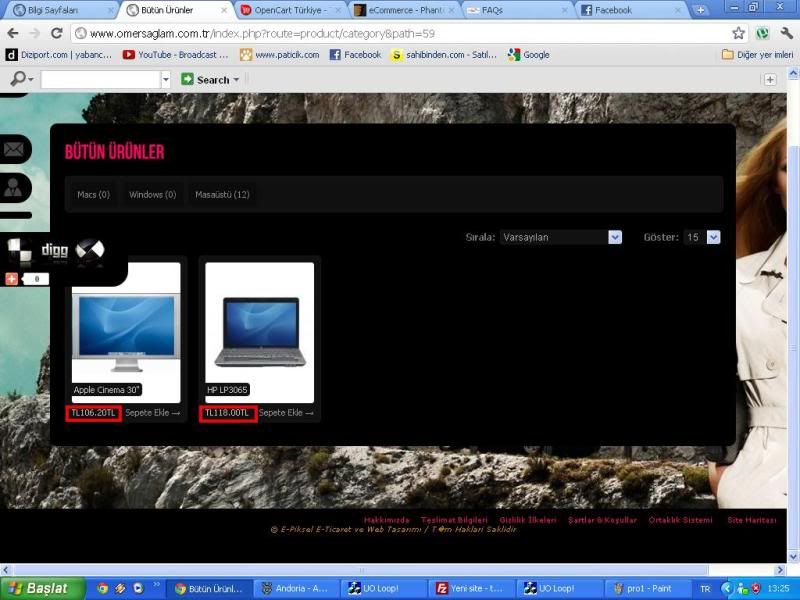
3 )also currency issue there are showing two currency ineed to shows end of number
http://img.photobucket.com/albums/v625/thraine/prob2.jpgTY
1. Are you talking about graphic buttons? Inside purchased file are empty buttons, you should open it in some graphic editor like http://pixlr.com/editor/ put some text and upload it on your server.
2. You can put this icons into such div:<div style="width:20px;">...</div>Also this website should help you www.addthis.com
3. This is not a theme issue. Check currency settings.
and finally speaking about your “marks”, it doesn’t look like theme issue, you have to setup proper charset for your website, like UTF -8 or ISO -XXXX
Put (for example) following meta into header.tpl:<meta http-equiv="content-type" content="text/html; charset=UTF-8" />
and use proper UTF -8 entites
Also you don’t have to add UTF -8 meta if you use HTML entities: http://www.w3schools.com/tags/ref_entities.aspall ok but still i couldnt find the way lang issue. i have no php experience sorry about that. i looked header.tpl and there is also have ” UTF -8”. whould you tell me more detail? using turkish lang by the way.
solved. i opened header.tpl with notepad++ and use “utf-8 without bom” option and rewrite the wrong word than saved. its done ty for your cooperation
how can i solve thishttp://img.photobucket.com/albums/v625/thraine/problem.jpg
thank you
great theme
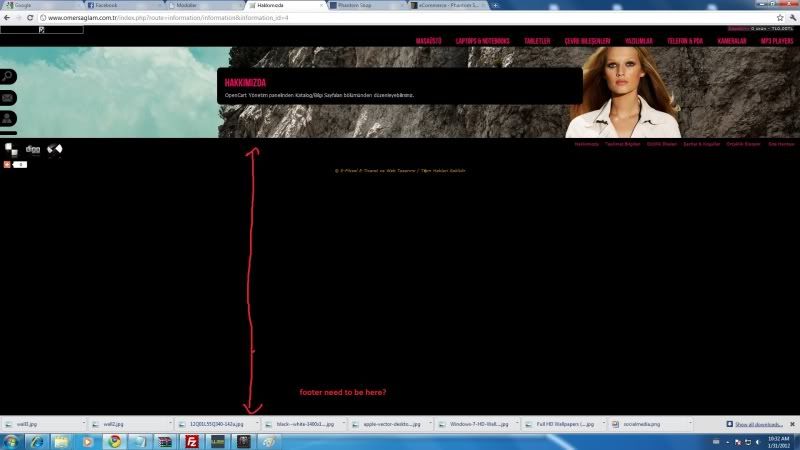
You can open stylesheet.css and add such styling: min-height:500px; into #main selector.
cool ty
the whole site is running very slow also !!!
Try to enable GZip compression under Opencart settings.
solved TY!
hello
i need help
www.omersaglam.com.tr here is my testwebsite.
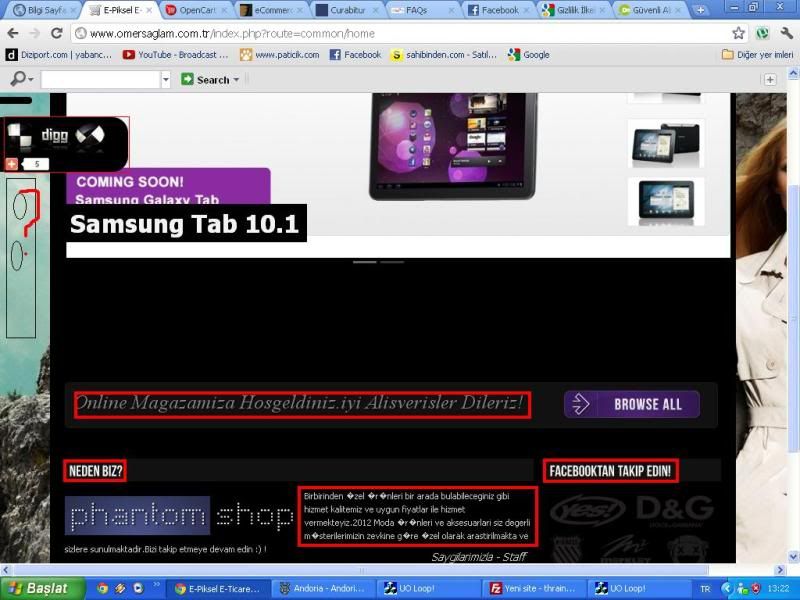
“Welcome to Phantom Shop theme. Best price & quality!”near the browse also “why chose us” “brand offer” ets. i need to know where can i change this
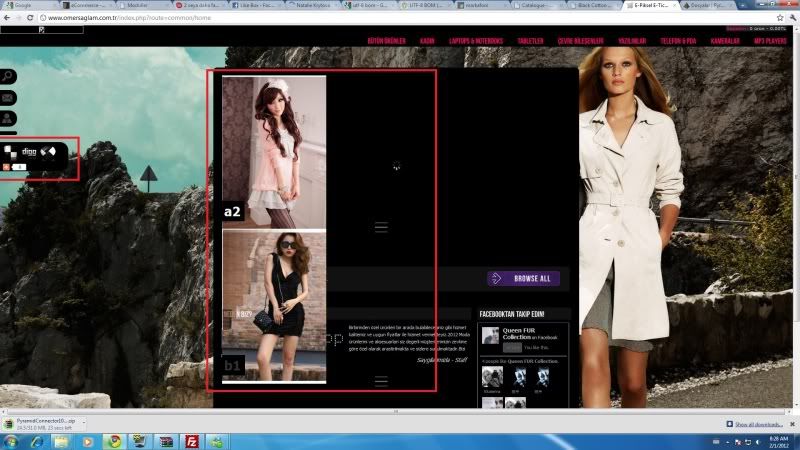
important one! there are loading circle at the center.and if i use slider there is a lag on the homepage and cant open
1.It’s inside common/home.tpl.
2. For me it looks fine.
ty ive looked previous msg and solved.
hello great theme i have question about language. if i change language,the icons, like purchase,next etc.will it change icons which i use language.
No, generally it’s possible to load different images for different languages but it requires little more work like changes inside language files.
I would like to know how can I modify the image of the product from portrait to landscape format.
Please read chapter called “III. Theme customisation” inside theme’s doc.
Hi, I would like to install a second language choice/switch in the same way as the currency can be choosen on the left side of the page. Could you help me? What do I need to do. I’ve already copied the currency panel, this shows (but somehow with a different font), how do I change the icons to a language letter (f.e. EN) and have it redirect to the responding language?
Thanks, Pam
Hi,
1. Copy language switcher from header.tpl here: http://code.google.com/p/opencart/source/browse/trunk/upload/catalog/view/theme/default/template/common/header.tpland paste into /catalog/view/theme/phantomshop/template/common/header.tpl
2. Install new language.
3. Inside language switcher replace:
<img src="image/flags/<?php echo $language['image']; ?>" alt="<?php echo $language['name']; ?>" title="<?php echo $language['name']; ?>" onclick="$('input[name=\'language_code\']').attr('value', '<?php echo $language['code']; ?>').submit(); $(this).parent().parent().submit();" />
<a title="<?php echo $language['name']; ?>" onclick="$('input[name=\'language_code\']').attr('value', '<?php echo $language['code']; ?>').submit(); $(this).parent().parent().submit();"><?php echo $language['code']; ?></a>
Hi! I got some problems with this theme! With Firefox 8, when i am going to “checkout” there are missing two options: Step 3: Delivery Details Step 4: Delivery Method so i cant choose them, why?
Hi!
This is not a theme issue. I’m sure you have the same problem with Default theme. Probably you have disabled Flat Rate module.
you were right, there was problem with flat.php! Thanks for fast reply!
can you explain why after changing catalog/view/theme/phantomshop/template/common/header.tpl Bebas_basic.font.js after that in IE page is not centre, it is in the left side!
It’s imposible. Reupload catalog/view/theme/phantomshop/template/common/header.tpl and change it again.
these problems were because of changing encoding to UTF 8 , i use there lot ÖÄÜÕ. can you help me with changing product picture and featured picture size to200×200
<meta http-equiv="content-type" content="text/html; charset=utf-8" />
and theme looks fine.
Please take a look at theme’s documentation inside purchased file.
after installing the theme, thing are not suppose to be where it is. in ur demo, the orders are: 1. slider 2. welcome-browse all 3. featured products 4. about us-brands
but in my case, the orders are: 1. slider 2. featured products 3. welcome-browse all 4. about us-brands
i’ve check the file under home.tpl but still cant figure out how to correct the order.
another problem im facing is that the featured products have 4 items in a row instead of 5. please guide me in the right direction. i need help urgently! thanks.
im using OC 1 .5.1.3. clean installation. browsing with chrome, ie, firefox. site located at synopsis.com.my
thanks, Manson
Please select position Content Bottom for Featured module.
im sorry. im still not following u. can u guide me or maybe give me the new code for home.tpl?
what about the items in a row?
edited
i think i got what u meant! and it fix both the problem i had. thanks and fast support! 
Me and fastgear bought this theme together so you know;)
It´s not just one extension, we have tried with two different ones. It works fine on all pages accept the home page
I would like to check this extension on my test shop.
Sent u an email
This extension is loaded by echo $content_top; which is in 100% used by NivoSlider. Ask author how to load this module via $content_bottom; or $column_right;
Hi!
I bought and installed a social media extension for this theme but it seems that something is blocking it. It only appear on the account page and the product page. Why is that?
Love the theme by the way!
Which one extension you have installed? Do you have the same problem with default theme?
Hi again,
I installed this one: http://www.demo.marketinsg.com/theme/index.php?route=common/home&theme=MarketInSG_Orange
From http://www.MarketInSG.com
It works fine on default theme. It works on all pages but not on default. So i think something block it there.
Could you send this module on my e-mail? I would like to check this extension on my test shop.
Hi Diabolique,
Thanks for a great theme. But i got a little problem. I change the icons for twitter, facebook etc in the footer. But how do i change the links they go to? If they push twitter i want them to come directly to my twitterfeed.
Thanks!
Hi
I can’t find any solution on Addthis’ website: http://www.addthis.com/help/client-api#configuration-sharing But you can ask your question here: http://www.addthis.com/forum/hi, diabolique
how to make show up ‘latest product’ below ‘featured’ and using look like ‘featured’ ... i try to put new module in latest -> layout: home, position: content bottom, put some value limit and image size .. but can’t get same like ‘featured’ ...
please help me … my website http://www.gadizaboutique.com
thanks
catalog/view/theme/phantomshop/template/module/featured.tpland paste into
catalog/view/theme/phantomshop/template/module/latest.tpl
great .. cool … excellent support …
thanks again
this is not a support but theme customisation request