195 comments found.

Hi there, is there any chance to extend the Main Container Width? Thank you.
Hi,
Please go to set Appearance > Theme Options > Layout: Main Container Width (px). The max value is 1170 in the selector.
If you want to more than 1200px, please use the custom css(“Appearance > Customize : Additional CSS”) like:
@media (min-width: 1300px) {
.container {
    width: 1270px;
  }
  .pagebuilder-wrap > .container-fluid {
      width: 1790px;
  }
}
Regards!
Bwsm – uiueux.com – Twitter – Facebook
Great theme, I purchased it a few days ago. Can the space between the portfolio grid and the header(logo) be decreased? If so, how? Thank you.
Hi, thank you for purchasing our theme.
It should be possible by the custom css or other solution. Please paste your page url, I need to know what’s settings(header layout…) you use.
Regards!
Bwsm – uiueux.com – Twitter – Facebook
2. I would ideally like the new website to look exactly the same on a computer monitor and a mobile screen. So I am likely to turn off Mobile Layout. However, I was wondering if there was a way to define the main page on the mobile screen so it looks a little bit better. There is too much space all around it.
Here is what I mean, main page on mobile: https://drive.google.com/open?id=1tTy1XP8mshrAfy0JgaD7fOu8Lx3FwABX And the same goes for posts(both on PC and mobile): https://drive.google.com/drive/folders/1TIlb9-3DUwry-A6fqMPHUcn6TC0OWD2HThanks again for all the help.
Hi,
1. If I turn off Mobile Layout in Theme Options, the menu completely disappears – it’s not available anymoreIt will be fixed in next version, the quick fix: download the file, login your site space by FTP, replace /themes/arnold/js/custom.theme.js
Please decrease the space between the portfolio grid and the header by the custom css(“Appearance > Customize : Additional CSS”), the css also works for :
2. I would ideally like the new website to look exactly the same on a computer monitor and a mobile screen
@media (min-width: 768px)
{
.container { width: 100%; padding-left:40px; padding-right:40px;}
.gallery-post-des, .single-portfolio-fullwidth .blog-unit-gallery-wrap:not(.start-from-gallery), .page-template-intro-above-list-body .ux-portfolio-template-intro.container, .page-template-intro-outer {
margin-bottom: 60px; }
body:not(.single-portfolio-bigtitle) .gallery-post-des {
padding-top: 60px;}
}
Regards!
Thank you very much, the code works very well! The js file I haven’t uploaded yet, I might wait for the next version even. Another question – is it possible for the custom grid thumbnails to call posts that are in a format other than gallery format(or to call pages instead of posts)? The thumbnail disappears from the grid if the post it’s linked to is changed from gallery format to anything else(even though the featured image for the post is still present.) Thanks so much for all the answers!
Hi,
It is not possible by default option. You can use “Link” format post to re-direct, yes, it’s featured image is disable. Please use the custom css to enable the featured image of Link format post.
.filter_post-format-link .grid-item-con:after {background: none!important;}
Regards!
Amazing support from your end, thank you so much! Using the re-direct link was my original plan but it wasn’t working until now that the featured image is enabled via CSS! The mouse-over doesn’t work on that thumbnail but that really doesn’t bother me so it’s all good. I’m happy I can link it to pages now.
I noticed that if you are a bit lower on the page and you click on any of portfolio thumbnails, the page scrolls/jerks up before it fades and opens the linked post. (At least it does on Chrome and Edge on a PC) Do you know if this can be helped? I noticed that live demo does the same thing. Thanks again, great work!
Please try to add the custom css to improve scrolling:
.ux-start-hide #wrap-outer{height:auto;}
Works great! Thank you.
LAYOUT 5: can you add a filter (category) and more to the homepage? sort of like you have in your Air theme. when you click the image it goes to the post not just a lightbox image
Hi,
Yes, it is possible, please set “What Thumbnail Does” as “Open portfolio item ” :
Regards!
Bwsm – uiueux.com – Twitter – Facebook
Hi there,
I am about to purchase this theme but i have a pre-sales question. In the shop section is it possible to have categories? For example shoes (10 items) t-shirts (13 items) etc…
Thank you in advance!
Hi,
Thanks for your interest in our theme.
Yes, please use the WooCommerce shortcodes in page https://docs.woocommerce.com/document/woocommerce-shortcodes/
[product_category] – Will display products in a specified product category.
Regards!
Bwsm – uiueux.com – Twitter – Facebook
Hi We like your theme but we need to know if we can have a Portfolio category sub-menu which can enable easier navigation… eg Branding Packaging Industrial Design – we need about 9 categories…
Hi,
Thanks for your interest in our theme
Did you talk the filter like the demo page? There is the filter option.
Regards!
Bwsm – uiueux.com – Twitter – Facebook
Hi, I love the theme but I have some questions. I didn’t figure out yet, how to change and add (fullframe) background images/videos on the sites. For some reason the background is always white. And is it possible to make the header transparent? I removed the color of the header so that it should be transparent, but there is still a white background. TIA
Hi, thank you for purchasing our theme
If you set one page with page cover image(you need set a featured image also) and header transparent, please activate the 2 options:
Regards!
Bwsm – uiueux.com – Twitter – Facebook
Thanks for answering, but if I do as you told, the background/featured image is only shown as a header background. The page content itself (just a textblock) still has a white background. How can i set a background picture for the whole page, from header to footer? Thanks
There is not the BG image option for whole page. It needs the custom css( paste the custom css code to “Appearance > Customize : Additional CSS”) code like:
/*content, header and footer transparent*/
#wrap-outer, #header, #wrap, #footer {background: none;}
/*set the image url as background img*/
.wrap-all { background-repeat: no-repeat;  background-size: cover;
background-image: url(the-image-url.jpg);}
It will affect all pages, if you only set it for one page, set page id(if this page id is 907) like:
/*content, header and footer transparent*/
.page-id-907 #wrap-outer, .page-id-907 #header,.page-id-907  #wrap, .page-id-907 #footer {background: none;}
/*set the image url as background img*/
.page-id-907 .wrap-all { background-repeat: no-repeat;  background-size: cover;
background-image: url(the-image-url.jpg);}
thanks a lot!
Welcome!
Hello, I saw on an earlier question/response that the custom grid portfolio will only show gallery/link posts. I LOVE the custom grid portfolio – how can I make it also show other post types (all within a single category)? I have featured images for each of these posts, so they would look the same as the gallery posts in the main feed and then simply go to each post page on click. Thanks!!
Hi,
Thanks for your interest in our theme.
It needs the custom job to show other post types within Arnold theme. But there is the default option to show 7 post types(standard, image, gallery, audio, video, link and quote) within our Art theme. There is latest version BM Builder built in Art theme. There is custom grid builder within masonry grid module.
happy holiday!
Bwsm – uiueux.com – Twitter – Facebook
Hi,
I’m interested in purchasing the ARNOLD theme and just wanted to ask if I can link images in the portfolio to external urls?
Thanks,
Hi, thank you for purchasing our theme
It is possible, there are 2 solutions:
1. Install a plugin to re-direct page url: https://wordpress.org/plugins/simple-301-redirects/
2. use link format post, paste the css(Appearance > Theme Options > General Settings: Custom Css) to show featured image:
.filter_post-format-link .grid-item-con-text, .filter_post-format-link .grid-item-con:after {opacity: 0;}
Regards!
Bwsm – uiueux.com – Twitter – Facebook
That’s great, thanks very much!
Hi, just bought Arnold, can’t find how to change the grid layout and images ratio of WooCommerce products pages. Thanks
Hi, thank you for purchasing our theme.
Please use the Woo shortcodes with “columns” vaule like:[products columns="4" orderby="popularity"]
There is not the image radio option for Woo product list. What’s ratio you want? maybe there is the custom css solution.
Regards!
Bwsm – uiueux.com – Twitter – Facebook
Where do I put this shortcode? Ratio I want is original (no cropping). Thanks
Add new “Page”, set “No Template”, paste the shortcodes into default editor, refer: https://www.dropbox.com/s/mpl7gi5j20s1co5/QQ20171217-082817%402x.jpg?dl=0
What’s the image ratio? Are they all same?
-Sorry it does not work good (misaligned, no click on, text too big).
-No, not all the same. Image ratio are different (photographs)
I’m a bit disapointed, though I could build the products page with the custom builder 
I think the ART will fit your requirement. You can ask a refund for ARNOLD theme here( https://themeforest.net/refund_requests/new ). If you buy ART, I will give you solution to add lightbox-in-single-product.
Good idea, I’ll do that. Very much appreciated  Thanks!
Oups, said “AIR” in my request but meant “ART”
Welcome! Yes, it is ART >> https://themeforest.net/item/art-simple-clean-wordpress-theme-for-creatives/20170299
Just got the refund approval (thanks), when the Envato credit comes in, I’ll get the ART Theme.
Best Regards! Dan
Hi, love the theme but can all the fly in/out stuff be disabled so the pages just load like a normal site? Thanks
Hi,
Thanks for your interest in our theme, yes, it is possible, there is the option(Theme Options > Layout).
Regards!
Bwsm – uiueux.com – Twitter – Facebook
Hi, how do I change the size of the sticky header? I’d like it to be thinner. Thanks!
Hi,
Did mean that change the logo size only when in header sticky? Could you please leave your page url, thanks!
Regards!
Bwsm – uiueux.com – Twitter – Facebook
Can I change News section layout? how?
Hi,
What’s the News section you talked about? Single post? (Better paste a page url with the News section, thanks!)
Regards!
Bwsm – uiueux.com – Twitter – Facebook
Question, In terms of layout Template, I like the ‘Standard’ but I also like how “big title’ used the header image in the background of the text. Can I duplicate this effect while using the ‘standard’ layout?
I.E. It will start with the header image and then as you scroll down and read info about the project the title on the left will have the header image behind the text rather than a solid color.
Thanks!
Hi,
It is possible to add text mask effect for standard layout by custom css (“Appearance > Customize : Additional CSS”), like:
/*
You can add your own CSS here.

Click the help icon above to learn more.
*/
.backgroundcliptext .postid-97 .title-wrap-tit {
color: transparent !important;
    background-size: cover;
    background-attachment: fixed;
    -webkit-text-fill-color: transparent;
    -webkit-background-clip: text;
    background-position: 50% 50%;
background-image: url(http://******.jpg);
}
The 97 is post id, you need change it, how to find the post ID?
Also change the background-image as the post featured image url.
Cheers!
Bwsm – uiueux.com
Hello bwsm, maybe i will buy the theme but before i want to know if is possible to custom gallery post layouts for project item with the custom portfolio builder. I would like to show projects like >> item spacing = no spacing // list width = fullwidth filled. I could insert a vimeo?
Thanks!!
Hi
Thanks for your interest in our theme
Yes, it is possible for “no spacing // list width = fullwidth filled” in single gallery post(project item). It is possible add one video(Vimeo) above or below gallery list.
Regards!
Bwsm – uiueux.com – Twitter – Facebook
OK Thanks!! I have a last question. BM Slider > post slider doesn’t have time? i see at the example (number 6) that i have to drag the slide to see the next. It`s possible to see the other slider automatically? and i could choose the height that i want or it’s only full screen? my idea it’s at the homepage > slider (half page) and projects. Like this http://www.mrmatthews.ie
http://themes.uiueux.com/arnold2/2016/12/03/hikeshi/ in this example i don’t want this header i will change (it´s ok) but the first image it’s full screen i could change the heigh?and the last question, there isn´t option for sticky header?
i expect you understand me 
thanks bwsm!!
i´m just wondering if in the single gallery post (project item) also could be mansorid grid like this > http://www.mrmatthews.ie/portfolio/qqi/
and if i insert a simple slider like in this example > http://www.mrmatthews.ie/portfolio/eumetsat/
No more questions
Thanks!!!
You are welcome!
1. The post slider(BM Slider > Post Slider) could be set “auto play”, there is not the height option. It is possible by custom css, like:
.top-slider, .top-slider .carousel-img-wrap, .top-slider .carousel-des-wrap {
    height: 300px;
}
There is not the parallax option like the page url you pasted
2. The page is single gallery(format) post, the 1st image can be disable. There is not the height option. It is possible by custom css, like:.post-cover.fullscreen-wrap{
height: 300px;
}
There is “Header Bar Sticky Top” option in theme option
3. There is not the masonry grid and slider option.
Regards!
Thanks bwsm!! Great theme!!
Hi, great theme. Wondering if you have a horizontal slider that allows you to slide fluidly from one image to the next? Visually it would be similar to this (http://themes.uiueux.com/arnold/2016/12/04/inter/) but wouldn’t stop on each image and preferably you could scroll with your mouse and not have to click to advance… thanks
Thanks for your interest in our theme
There are 2 slider templates for single gallery post: http://themes.uiueux.com/arnold/2016/11/04/sofisticada-visual-identity/http://themes.uiueux.com/arnold/2016/12/04/inter/
Fullscreen slider tempalte:
http://themes.uiueux.com/arnold/slider2/
http://themes.uiueux.com/arnold/slider1/
It also supports Revolution Slider plugin(not included) and other slider plugin supported Shortcodes.
Regards!
Bwsm – uiueux.com – Twitter – Facebook
Thanks, not really what i’m looking for… More specifically like this: https://www.format.com/themes#horizon Anything like this in the works for an update?
Also, is there an option for the menu text so that the line doesn’t cross through the text? I like the design but might want something more simple like a slight color change on hover.
Hi, sorry, there isn’t the plan to add the slider.
It is possible disable “cross through” for menu hover effect.
Regards!
Hi There
Pre-sale question: LOVE this theme. However, I need a title to be visible on my individual portfolio images on the portfolio page, rather than having it appear only on hover. Is this possible?
Kind Regards Alfred
Hi,
Thanks for your interest in our theme. There is default option: “Image + Text” like: http://themes.uiueux.com/arnold/home8/
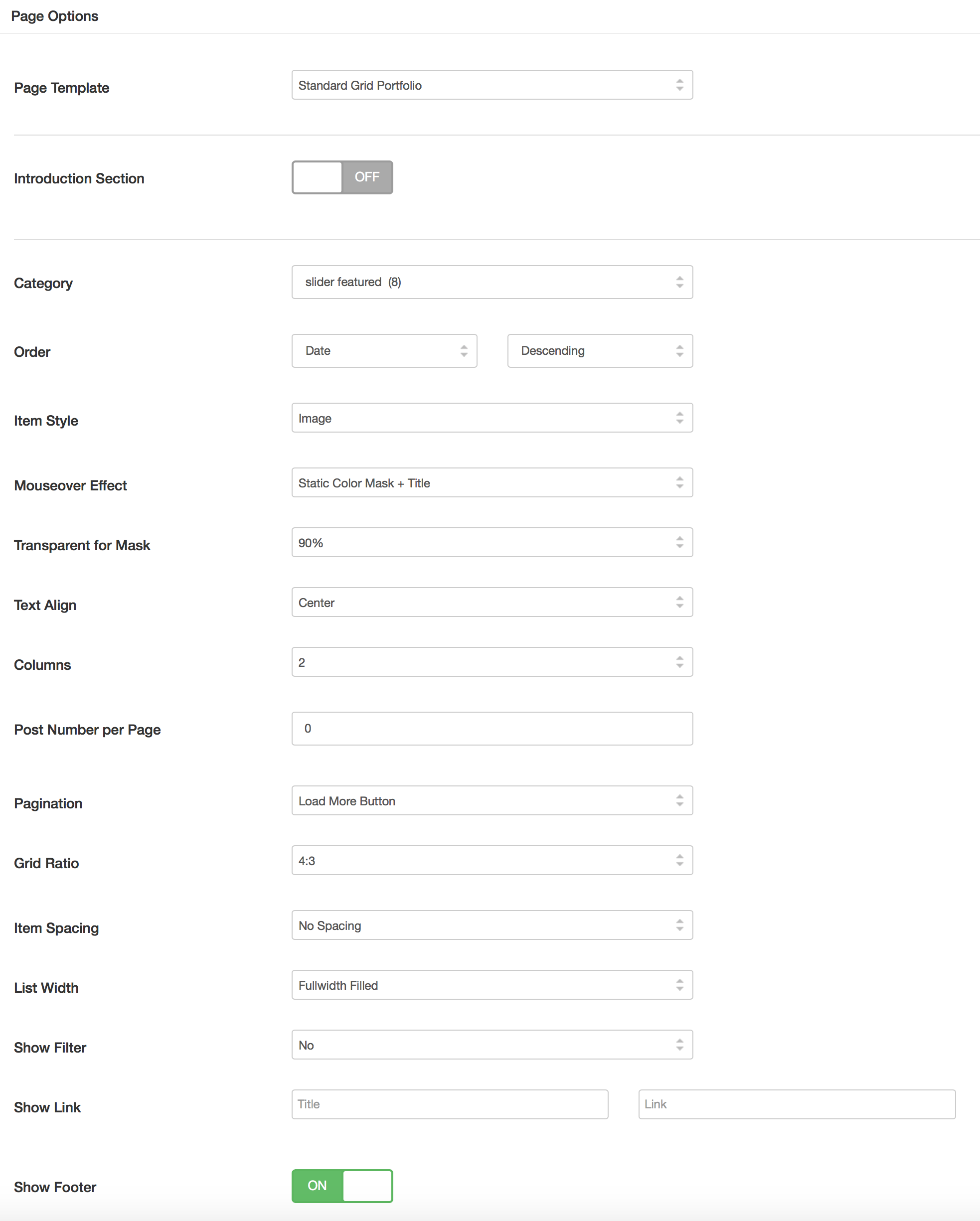
If you want to shown the title over image by default, it is easy to achieve by custom css.
Regards!
Bwsm – uiueux.com – Twitter – Facebook
Hi again,
I’m just wondering, is there a way to remove the + in between the Previous and Next on the post page?
Cheers, Alex
Hi
For disable + and next/prev, go to Appearance > theme options > layout: Show Post (Previous/Next) Navigation On Project Item Page(Gallery Post)
For disable +only, please paste the style code to Custom Css (Appearance > Theme Options > General Settings : Custom Css):
.post-navi-go-back-a, .post-navi-go-back-a-inn {
    display: none;
}
Regards!
Bwsm – uiueux.com – Twitter – Facebook
Brilliant! That works a treat, thanks again for your help, really appreciate your quick reply too!
Welcome! If you like Arnold theme, please rate it. Thanks!
Not a problem, just one it
just done it even
Hello,
Firstly, great theme! Very easy to install and works brilliantly.
I was just wondering, is there a simple way to turn off the lightbox feature on posted images?
Cheers, Alex
Hi, thank you for purchasing our theme
Please paste the custom css(paste in Appearance / Theme Options / Custom Css):
div[data-lightbox="true"] {pointer-events: none;}
Regards!
Bwsm – uiueux.com – Twitter – Facebook
Brilliant! Thanks for the quick reply too.
All the best! Alex
Welcome!
Hello,
Sorry for posting another question, I was just wondering if it’s possible to remove the category above the project title on the home page project overlay, so that it just leaves the project title? Also, is it possible to amend the transparency on the footer projects widget so that when you hover over the panel it isn’t solid white, as it would be cool if it could reflect the transparency I’ve set on the home page.
Thanks for your time… again.
Cheers, Alex
remove the category above the project title on the home page project overlayPlease edit the homepage, disable: https://www.dropbox.com/s/0dun22pf5k81kln/QQ20170904-090400%402x.jpg?dl=0
Also, is it possible to amend the transparency on the footer projects widget so that when you hover over the panelI am not sure where did you talked. Could you please paste a screenshot or page url to me. thanks!
Hello,
Thanks for the reply – Unfortunately there isn’t an option within the ‘edit homepage’ secton for me to disable the categories. See screenshot…
http://whothefuckisalex.co.uk/images/Screen%20Shot%202017-09-04%20at%2013.53.21.pngIs there any code which would remove this instead?
With the second question I posed, I have attached another screenshot of the projects areas I mentioned…
http://whothefuckisalex.co.uk/images/Screen%20Shot%202017-09-04%20at%2013.53.37.pngExample 1 shows how the hover state shows on the homepage and I was wondering if there was any code so the transparency could be amended on the footer overlay which expands out so that it’s not a solid white block? So that it shows like it does on example 1.
Thank you for your time.
Cheers, Alex
.grid-item-cate {
    display: none;
}
2. For the transparency, use the custom css, the opacity could be set (0.1 – 1, 1 is default)
.ajaxed-grid-item .grid-item-con:hover:after {
    opacity: 0.5;
}
Brilliant! Thanks again for help on this, much appreciated!
Cheers, Alex
Hi,
Excellent theme and options, just a few questions;
1) How do I enable foot widgets for Pages not just to Posts?
2) With the ‘Blog Masonry’ page template is it possible to have the ‘introduction section’ display above the blog posts and not below?
3) With eight or more items in the top menu I noticed the menu/header line breaks below 1006px until the mobile menu kicks in at 800px – is it possible to raise the point at which the mobile menu starts so the menu does not line break?
(EDIT – I tired registering for the support site but was stuck on a ‘signing in, please wait’ message for several minutes)
4) if I create a custom page template where should I add it in the theme folder structure so it will show up?
Hi, thank you for purchasing our theme
1) There is not the options. It needs the coding job for: /template/global/footer-widget.php
2) It was added in latest version.
3) What’s header layout you use?
4) If you talked the default template of WordPress(not Arnold template), it should be in theme folder(themes/arnold/your-template.php)
ps: what’s your username on our support forum?
Regards!
Bwsm – uiueux.com – Twitter – Facebook
Thanks for the reply and info. I’m using the left most menu style of the seven available. I only downloaded/installed the theme three days ago so I should be using the latest version – how do I set the blog masonry intro section to be on the top of the page? My username is: timondeks
Re: no footer widgets for pages – on the widget area of the dashboard is says ‘Footer 1 for Post/Page’? So this doesnt include pages?
Please activate it here:
Enter the intro text into WordPress editor.
If it doesn’t work, please send your wp-admin(url/user/pass) via
my profile contact form , I’ll log in to check it. (could you send the password to me also?)
Yes, the footer widgets only shown on Posts.
Thanks for the reply. The intro section displays but it displays ‘under’ the blog posts not above them – is that correct?
Please check the Arnold theme version on your site. It is should be 1.5.0. If not, please download from Themeforest and re-install it.
If it doesn’t work, please send your wp-admin(url/user/pass) via
my profile contact form , I’ll log in to check it.
The intro section displays but it displays ‘under’ the blog posts not above them – is that correct?
It is note correct.
Please check the Arnold theme version on your site. It is should be 1.5.0. If not, please download from Themeforest and re-install it.
If it doesn’t work, please send your wp-admin(url/user/pass) via my profile contact form , I’ll log in to check it.
Thanks for the reply. I’m using V1.5.0. Where can I e-mail/contact you to send on secure wp-admin(url/user/pass) details?
please send to uiueux@gmail.com
Hi there. Could you tell me what font you are using in ARNOLD logo?
Hi, thank you for purchasing our theme.
Main font: Poppins
Heading font: Libre Baskerville
Regards!
Bwsm – uiueux.com – Twitter – Facebook