380 comments found.

Hi.,
1 ) If you want to display the events like this page ( http://redart.dttheme.com/events/photo/ ) then you have to install “The Events Calendar Pro” version, The pro version of events calendar is a premium plugin and you need to purchase it. It is not included with the theme.
2 ) Kindly refer the below video link for how to create a event like the demo
Refer : http://recordit.co/brkMir2pS9
Ratings:
If you are happy with our support, kindly rate us. Have a look at the video for the rating process.
http://recordit.co/YqdTBuEJRmHoping for a 5 star rating from your end 
Regards., DesignThemes Support.
i summit the ticket to the support 1 week ago ur didnt reply at all…..what for i pay the support fee!!!!!!
Hi JoanneMannies.,
Sorry for the inconvenience happened to you.
This is the forum topic that you have created 3 days back and we have already replied it.
http://support.wedesignthemes.com/topic/didnt-show-the-profile/Please let us know the exact link of the forum topic so that we can check and let you know.
Regards., DesignThemes Support.
it didnt show at bottom for what u replied?
can u tell me where u reply????
Hi.,
We have replied under the below topic link
http://support.wedesignthemes.com/topic/didnt-show-the-profile/Refer : https://snag.gy/4w6lLf.jpg
Here we have attached the reply,
1 ) You have to assign the value as “-1” to the Portfolio Items module then only it will display the all items, Because of when you have assigned the posts per value as “9”, it will only display the some categories content which has recently assigned to the portfolios. So, kindly assign posts per page value as “all” else add any recent portfolio item under the corresponding category which displays the empty page.
Refer : http://prntscr.com/ipyd1e
2 ) We have send a plugin link via the support forum please have a look.
Regards., DesignThemes Support.
i didnt c from the topic i created that u reply at bottom…..!!!
Hi JoanneMannies.,
Here is the reply that we have sent 2 days ago. Please check this screenshot http://prntscr.com/iqyvv0
Regards., DesignThemes Support.
can u check ur system why i cant c ur reply?
Hi joannemannies.,
Now we have replied the same reply and it is being shown. Also we have changed your forum password for checking if the reply is showing or not. We have sent the updated the login details to your email. Please have a look
Regards., DesignThemes Support.
Hi.,
1 ) Get into Admin panel > Appearance > RedArt Option > Layout > Custom CSS > Enable Custom CSS > Yes > Pasted the below css code inside the text area > Save All.
.main-title-section { border: none; }
2 ) Get into Admin panel > Appearance > Veda Option > Layout > Custom CSS > Enable Custom CSS > Yes > Pasted the below css code inside the text area > Save All.
.portfolio figure::after { border: none; }
3 ) Get into Admin panel > Appearance > Veda Option > Layout > Custom CSS > Enable Custom CSS > Yes > Pasted the below css code inside the text area > Save All.
.single.single-dt_portfolios .portfolio-categories { display: none; }
Rating!!
If you are happy with our support, kindly rate us. Have a look at the video for the rating process. http://recordit.co/YqdTBuEJRm Hoping for a 5 star rating from your end ☺
Regards., DesignThemes Support.
Hi.,
Get into the file path /wp-content/themes/redart/headers/breadcrumb.php there you can change the text,
Refer : http://prntscr.com/iq0or4
Ratings
If you are happy with our support, kindly rate us. Have a look at the video for the rating process.
http://recordit.co/YqdTBuEJRmHoping for a 5 star rating from your end
Regards., DesignThemes Support.
Hi, redart theme importer problem. the menus are corrupted, the pictures do not appear, the page is out of order. importing the menu structure is corrupt. How can I solve this.
http://test.handanozsoy.com/have a nice day.
Hi.,
Thank you for contacting us.
We have checked your site. It seems that you have not assigned the menus in manage locations, just navigate to Dashboard > Appearance > Menus > Manage Locations > there you have to assign the menu location. And check out the issue.
And you have not imported the dummy data correctly, for the purpose of demo content import we have removed the importer option from the Buddha Panel. Instead of that option we have used “Unyson”plugin for import the demo contents.
Please follow the instructions in the below knowledge base link for installing the demo contents using the Unyson plugin.
http://wedesignthemes.com/support/knowledge-base/how-to-install-the-demo-content-via-unyson-plugin/Note: Before installing the demo content, kindly install and activate all the required and recommended plugins and deactivate all the external plugins other than the theme recommended plugins. And please check that your server has the following limits as explained in our knowledge base link else contact your hosting support to do so.
http://wedesignthemes.com/support/knowledge-base/server-requirements/We have used unyson plugin only for demo content import not for the other addons if you use them it will affect the core builder files and Visual Composer modules.
If you found any difficulties, Kindly, mail us your site credentials (WordPress admin login (Domain Name, Admin username and Admin password) & FTP access login details ( FTP Host, FTP Username, FTP Password)) immediately via the right bottom form located @ http://themeforest.net/user/designthemes So that, we can check and import the dummy data for you.
Regards., DesignThemes Support.
Hi u haven restore the tmplate demo theme for me, I want like ur demo theme view
Hi.,
When we import the dummy content via unyson plugin we get “Table name is more than 64 characters: _fwbk_wp_K3uKLy9fDSignsCp05yNFYzduK3_woocommerce_attribute_taxonomies”
and now we get “Failed to drop tmp table
_fwbk_wp_K3uKLy9fDSignsCp05yNFYzduK3_woocommerce_attribute_taxonomies. Identifier name ‘_fwbk_wp_K3uKLy9fDSignsCp05yNFYzduK3_woocommerce_attribute_taxonomies’ is too long”
So kindly rename your data base name and data base name table name prefix like (wp_K3uKLy9fDSignsCp05yNFYzduK3_users in to wp_users ) in short and come back to us we will import the dummy data asap.
http://prntscr.com/iimlhmRegards., DesignThemes Support.
how to change the color theme?
1). Go To Appearance -> Red Art Option -> Colors —> General – http://prntscr.com/ijx9fe
2). Select the Color you wish to use.
Please let us know if you find any difficulties.
Hi, I don’t have any slider files included with the theme package so I’ve got an error “Slider with alias photography1 not found.” how can fix it?
Also can you help me with this items: - I would like to remove project details section from portfolio page. how can I do this? - how to remove category filter from main page under the portfolio. I just would like to have all all my portfolio but without any filtered
Hi.,
1 ) Slider: Here we have attached the slider kindly download it and import it.
Slider File :
https://www.dropbox.com/s/syefpupcldp5tvc/photography1.zip?dl=0 https://www.dropbox.com/s/bjnr8ki2ag1fvkh/photography2.zip?dl=02 ) Portfolio Page: Get into Admin Panel > Appearance > Red Art > Layout > Custom CSS > Enable Custom CSS > Yes > Pasted the below css code inside the text area > Save All.
.dt-portfolio-single-details {
    display: none !important;
 }
3 ) Category Filter:
Refer : http://recordit.co/KJL2K1E1tW
Ratings:
If you are happy with our support, kindly rate us. Have a look at the video for the rating process. http://recordit.co/YqdTBuEJRm Hoping for a 5 star rating from your end
Regards., DesignThemes Support.
br Marta
Hi.,
2 ) Get into the file path /wp-content/plugins/designthemes-core-features/custom-post-types/templates/ at line number 128 ( Approx ) comment the section like the screenshot,
Refer : http://prntscr.com/iinrtz
4 ) Kindly be more specific about your issue with some screenshot so that we will help you better.
Ratings
You are always welcome to ask us your queries and we are ready answer it with pleasure.
In the meanwhile , You can help us out greatly by rating our theme for us, give us a nice 5 star rating!!
Refer : http://recordit.co/YqdTBuEJRm
Waiting to see your 5 stars rating. Thanks in advance.
Regards., DesignThemes Support.
How can I change the dark wood to light wood in the portfolio?
On the home page
Hi.,
You can change the portfolio background image from wp-content/themes/redart/style.css line no (2385 aprox) here you need to change the portfolio background image as per your needs.
http://prntscr.com/ih9vzf http://recordit.co/ULIKeJmkEJIf you found any difficulties, facing any kind of issues or need any support for this theme, please feel free to contact us. We are always ready to help you.
Ratings!!
Thank you for giving us the opportunity to serve you better. Please help us by taking a few minutes to tell us about the service that you have received so far.
We hope you had a great experience with our theme and support. Please rate the quality of service you received, visit below video link for how to rate our theme:
http://recordit.co/YqdTBuEJRmNote: If you like our theme and support, please feel free to give us your best rating (5/5 stars)!!
Regards., DesignThemes Support.
i want to purchase this theme but how to install original theme? support can help?
Hi.,
Thank you for the interest in our theme and contacting us.
You can easily install the theme via WordPress or through FTP and import the demo content with unyson plugin then you can get the site look like our demo site.
And we have offer a setup service as free of cost for basic installation and import the dummy data.
IF you are looking for basic installation and setup only means we can able to help on this with free of cost. Just purchase the theme then send us your site credentials (WordPress admin login & FTP access login details) immediately via the right bottom form located @ http://themeforest.net/user/designthemes So that, we can install the theme and imported all the dummy data and make the required settings for you.
Note : The images which we have used in the demo are all licensed images. So, we can’t provide those images will appear in the Theme Demo, but not in the Theme package. Because of some license issue, we have not included those images. If you need to use those images, we can send you the purchase links. Dummy image will be present instead of original image. You need to replace your own images.
Regards., DesignThemes Support.
pls help me install demo theme…i can provide u login to my wp
Hi.,
Thank you for contacting us.
Kindly, mail us your site credentials (WordPress admin login (Domain Name, Admin username and Admin password) & FTP access login details ( FTP Host, FTP Username, FTP Password)) immediately via the right bottom form located @ http://themeforest.net/user/designthemes So that, we will import the dummy data for you.
Regards., DesignThemes Support.
sent.
U haven restore the demo theme for me….I want same as ur demo them view….the login access already sent to u
Hi.,
When we import the dummy content via unyson plugin we get “Table name is more than 64 characters: _fwbk_wp_K3uKLy9fDSignsCp05yNFYzduK3_woocommerce_attribute_taxonomies”
and now we get “Failed to drop tmp table
_fwbk_wp_K3uKLy9fDSignsCp05yNFYzduK3_woocommerce_attribute_taxonomies. Identifier name ‘_fwbk_wp_K3uKLy9fDSignsCp05yNFYzduK3_woocommerce_attribute_taxonomies’ is too long”
So kindly rename your data base name and data base name table name prefix like (wp_K3uKLy9fDSignsCp05yNFYzduK3_users in to wp_users ) in short and come back to us we will import the dummy data asap.
http://prntscr.com/iimlhmRegards., DesignThemes Support.
i changed shorter table name, u can try again
Hi.,
Thank you.,
Now the login details are not working. Please update the login user name and password.
http://prntscr.com/iionm4Regards., DesignThemes Support.
i already set same as previous login ID n password….kindly try again
Hi.,
Now also we get the same error. Please rename the
wp_K3uKLy9fDSignsCzduK3_table nameinto
wp_table name. It exceed the table name length max_length 64 char’s
Failed to drop tmp table _fwbk_wp_K3uKLy9fDSignsCzduK3_woocommerce_downloadable_product_permissions. Identifier name ‘_fwbk_wp_K3uKLy9fDSignsCzduK3_woocommerce_downloadable_product_permissions’ is too long
http://prntscr.com/iip15m http://prntscr.com/iip1ck http://prntscr.com/iip4bt http://prntscr.com/iip4jokindly reduce the name length and update the the login user name and password then get back to us.
Regards., DesignThemes Support.
i donno this table number can be how long?
done try again…. i already minus the wording til 4-5only
Hi.,
Thank you for your patience.
We have successfully imported all the dummy data and make the required settings. Please have a look at your site.
http://www.singaporesign.com/If you found any difficulties, facing any kind of issues or need any support for this theme, please feel free to contact us. We are always ready to help you.
Ratings!!
Thank you for giving us these opportunity to serve you better. Please help us by taking a few minutes to tell us about the service that you have received so far.
We hope you had a great experience with our theme and support. Please rate the quality of service you received, visit below video link for how to rate our theme:
http://recordit.co/YqdTBuEJRmNote: If you like our theme and support, please feel free to give us your best rating (5/5 stars)!!
Hoping for a 5 star rating from your end Your 5 stars has a crucial part in our overall
Thanks in advance.
Regards., DesignThemes Support.
I purchased this theme yesterday and I haven’t be able to install it. I followed the instructions and tried both ftp and through the backend of Wordpress. What it says after slowing uploading is “Are you sure you want to do that?” with a link to try again. When I try FTP it uploads and is clearly in the folder but when I check it under themes in Wordpress all the other themes show up but Red Art doesn’t. I uploaded the child theme too and that shows up but with an error saying the parent theme isn’t there (which it is). I checked with my hosting (Hostgator) and I verified my server requirements match the themes requirements: Latest version of WordPress installed PHP5 or higher and MySQL 5 or higher We recommend to enable ‘mod_rewrite’ module (If not enabled sometimes pages or posts will result in bad gateway error) Memory limit (memory_limit) should be atleast 128MB Maximum File Upload size (upload_max_filesize) should be atleast 32MB
They even upped my PHP to 5.7 but still getting the same message. I’m puzzled.
Hi.,
Kindly mail your WordPress and FTP Login Credentials through the right bottom form @ http://themeforest.net/user/designthemes so that we will check the issue.
Regards., DesignThemes Support.
Having some issues with the home page portfolio. They all have the link dt_portfolios/(image-title) and none of them work. How do I fix this? I don’t see an option to remove the dt_portfolios for the listing name in the portfolio list.
http://www.daniellacarlylebyford.com/Nevermind. I reloaded the demo content and fixed it
Hi.,
Glad that you have fixed the issue.
If you found any difficulties, facing any kind of issues or need any support for this theme, please feel free to contact us. We are always ready to help you.
Regards., DesignThemes Support.
Hi, presale question. Is there a way to set portfolio structure to only 1 column, but keep all other functions (filter at top and so on …)?
Also is there an option to add sharing buttons (Facebook, Twitter, Pinterest, Instagram …) directly on images in portfolio or under them next to title/description?
Thanks in advance.
Hi.,
Thank you for your interest on our theme.
1 ) As of now we have two/three/four column layouts for portfolio section.
Refer : http://prntscr.com/icc0jk
2 ) Yes, you can achieve that view via small customization so after purchase we will guide you for how to achieve that.
Regards., DesignThemes Support.
Alright, thanks for the quick response.
Have a nice day!
Hi.,
Thank you.
If you have any other queries, please feel free to contact us. We are always ready to help you.
Regards., DesignThemes Support.
Greetings to your team and congratulations for the work accomplished. I was wondering if it was possible to customize the display of products in the woocommerce shop page or if there is a plugin / a way not to have the effect of hovering when you move the mouse over a product? Thank you very much for your help if you can =)
Hi.,
Kindly reply back with your site address and some screenshot like references for a better understanding on it. So that, we can check and have a clear look from our end. Then we’ll help you get rid of it!!!
Regards., DesignThemes Support.
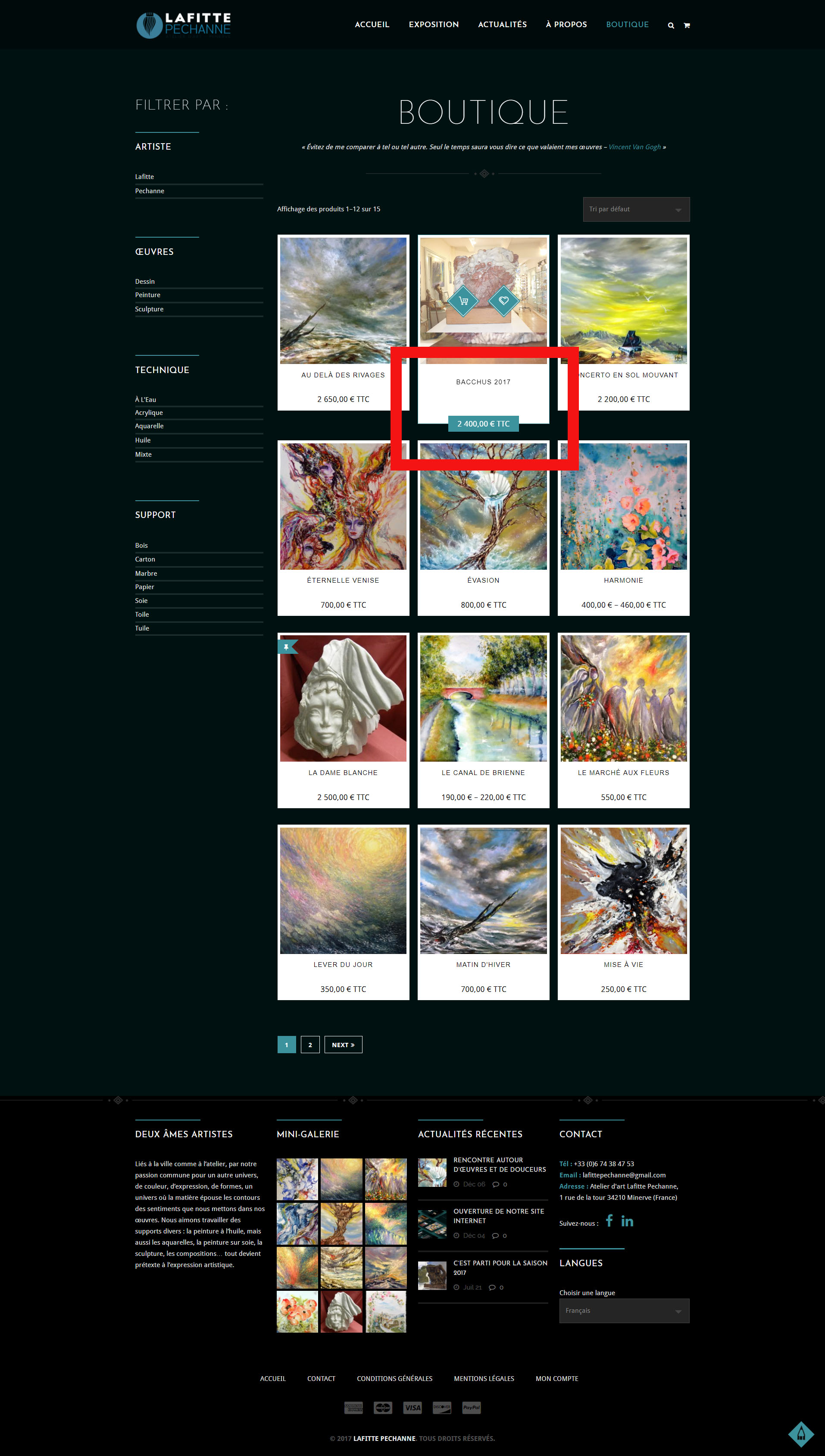
Hi and thank you for your answer, here is the shop address of my website: https://lafitte-pechanne.com/boutique/ (look at the French version). The main thing i would like to change is not to have the effect that makes the price go down when you move your mouse over an article, as on this screen: https://lafitte-pechanne.com/wp-content/uploads/2018/02/screen-LP-boutique.jpg And ideally, I would like to see the preview photo in its entirety (mansonary style) but I can’t find a way to do it. So I wondered if there was an option I hadn’t seen for that or if there is a way / plugin to manage the shop more? Thank you very much for your help if you can and sorry for my English which is not perfect. cordially,
Hi.,
Thank you for contacting us.
Just add this css code in Dashboard > Appearance > Red Options > Layout > Custom CSS & Js > Enable Css > Yes > Pasted the CSS code inside the text area > Save All.
.woo-type15 ul.products li.product:hover .product-details h5, .woo-type15 ul.products li.product:hover .product-details .product-rating-wrapper { margin: 0;}
.woo-type15 ul.products li.product:hover .product-details { padding: 0 0 30px; }
If you still have any issues, kindly send us some screenshot/video where you have the issue. So that we will check the issue.
Thank you, we look forward to helping you!
Regards., DesignThemes Support.
Hello and thank you for your answer. I placed your css code and it worked perfectly, thank you very much, I couldn’t find the solution! Then I added a bit of css so that the blue band of the price doesn’t go down in hover and it works well.
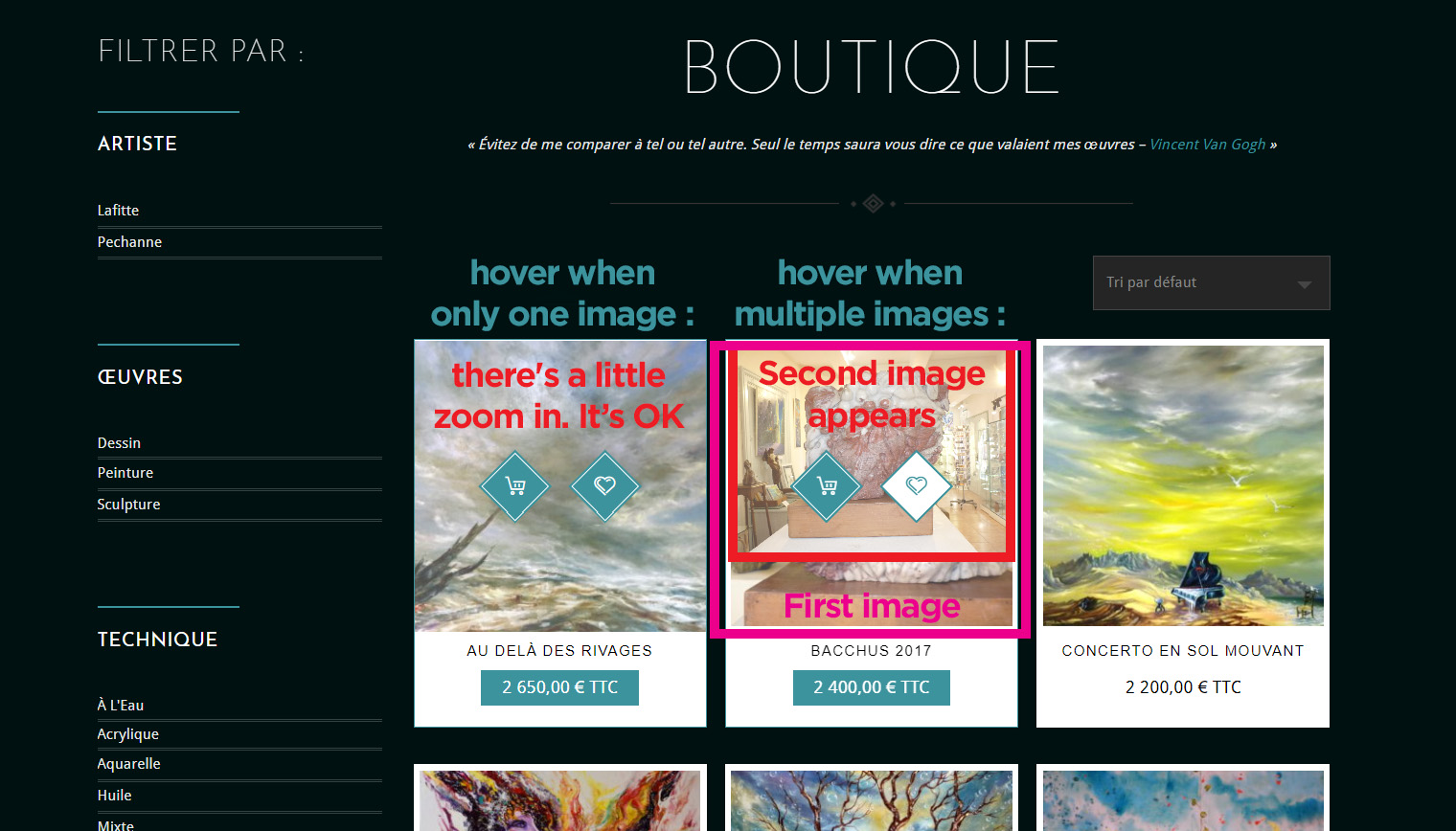
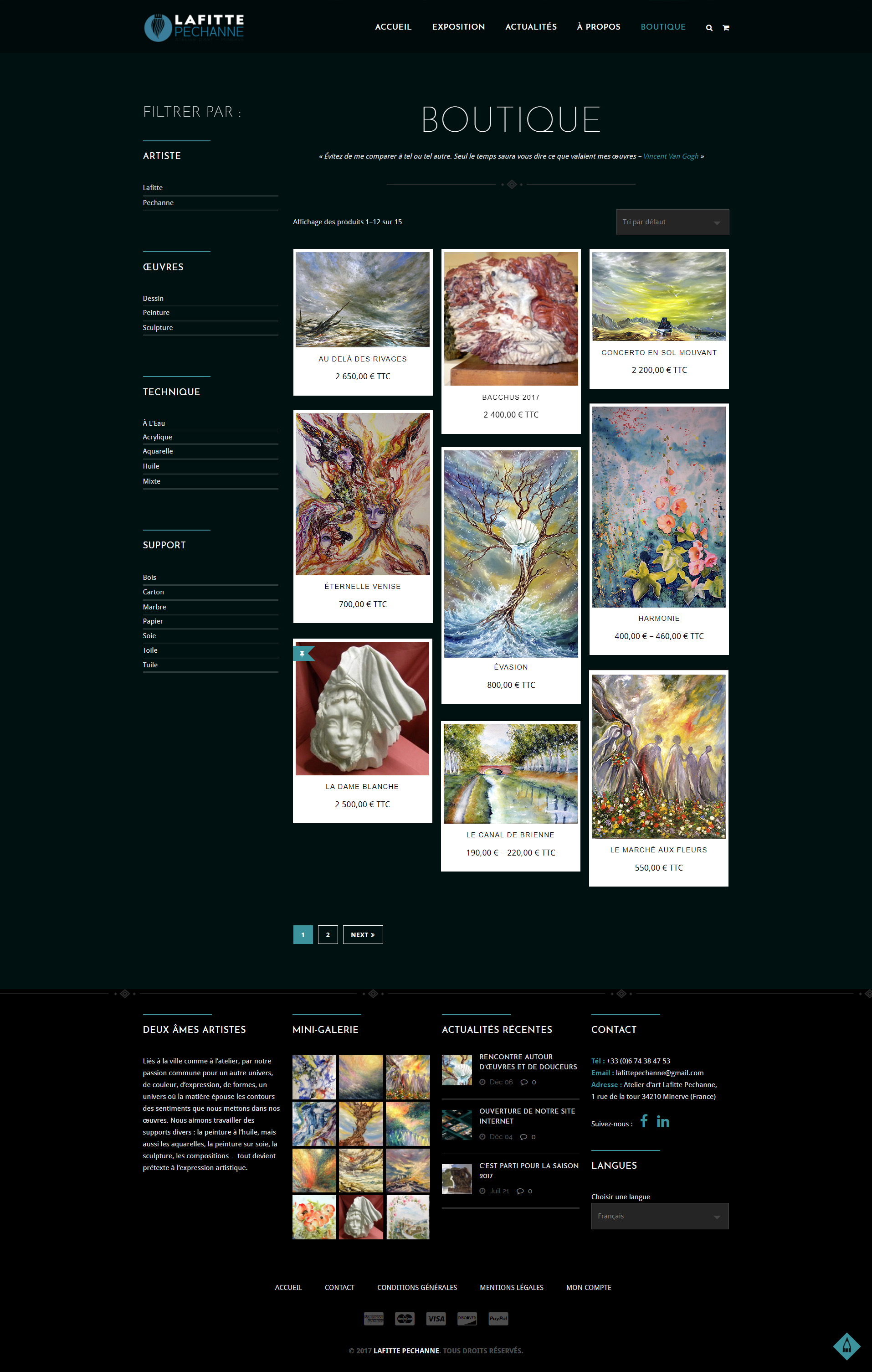
I still have a problem, when I move my mouse over an item in the shop that has several images then there is a bug that makes another image appear on top of the present one and is not in the right size as on this example: https://lafitte-pechanne.com/wp-content/uploads/2018/02/Hover-multiple-images.jpg I would like the hover to be all the time as if there were only one image. That is to say simply with a small zoom in the image. Do you know if that’s possible?Finally, I would like to see the image of the product in its entirety as on the image I made under photoshop: https://lafitte-pechanne.com/wp-content/uploads/2018/02/Boutique-masonary.jpg Do you know if this is also possible?
Thank you very much for your help if you can and for the time you devote to me =)
Hi Lafitte..,
Kindly get into your Dashboard > Appearance > Redart option > Layout > Custom CSS > Enable Css > Yes > Paste the below given css code.
.woocommerce ul.products li:hover .product-thumb .secondary-image { display: none; }
.woo-type15 ul.products li:hover .product-thumb .image img { -webkit-transform: scale(1.15); -moz-transform: scale(1.15); -ms-transform: scale(1.15); -o-transform: scale(1.15); transform: scale(1.15); }
.woo-type15 ul.products li .product-thumb .image img{ -webkit-transition: all 0.3s linear 0s; -moz-transition: all 0.3s linear 0s; -ms-transition: all 0.3s linear 0s; -o-transition: all 0.3s linear 0s; transition: all 0.3s linear 0s; }
Ratings!!
If you are happy with our support, kindly rate us. Have a look at the video for the rating process.
http://recordit.co/YqdTBuEJRmHoping for a 5 star rating from your end
Regards., DesignThemes Support.
Hi, your support not working. I do not get any mail!
Hi moris06.,
Sorry for the late reply. We have sent you the forum login details to your email. Please have a look.
Regards., DesignThemes Support.
Hi, presale question. Is there flexibility to make the store/products look more like the gallery. I have a client that loves your gallery pages but we’d like this styling to apply to the store page specifically to the category pages.
Hi.,
Thank you for your interest on our theme.
Do you want to display the products category page like tour gallery page http://prntscr.com/i5dlaw ? then sorry you can’t display our product archive page in that style.
Regards., DesignThemes Support.
Redart options not looks good in backend can you please solve this asap. I am not able to change the logo and other stuff kindly reply asap.
Regards Surinder Shanker Ananad
Hi.,
We can’t login to your site,
Refer : http://prntscr.com/i59a8j
We are from India. So, kindly unblock the Indian IP or any security features. Our IP will be changing periodically – 103.207.13.198
The admin details, which you have provided does not work. Please resend us the exact admin details through the right bottom form located @http://themeforest.net/user/designthemes. So, that only we will check your issue.
Refer : http://prntscr.com/i59aeb
Regards., DesignThemes Support.
Sent you the email on your support email address please check. and revert back asap
Hi.,
It seems that you have used many third party plugins, So please try to disabling the external plugins, other than the theme recommended plugins and check the issue.
And also kindly update the theme to version 1.4 , Please follow the below instruction for how to update the theme.
http://wedesignthemes.com/support/knowledge-base/steps-to-update-the-theme/Regards., DesignThemes Support.
Hello,
On local host redart options working fine but online not working can you find out the issue.
Regards Surinder Shanker Anand
Hi.,
Please get back to us with your FTP Login Credentials. So, that we will check your issue and fix it ASAP!
Regards., DesignThemes Support.
Issue solved now thanks for the help!
Hi.,
OK, Thank you.
Let us know, if you find any issues in future.
Ratings
If you are happy with our support, kindly rate us. Have a look at the video for the rating process. http://recordit.co/YqdTBuEJRm Hoping for a 5 star rating from your end
Regards., DesignThemes Support.
The support website will not send me my password. I’m hoping i didn’t mistype my email address, but am unable to confirm.
Hi.,
Thank you for contacting us.
We would be happy to help out here. Please send your request to us directly at this email support@wedesignthemes.com
(Please send your purchase code and mail details )
Thank you, we look forward to helping you!
Regards., DesignThemes Support.
Hi I bought this theme but importing the demo data for redart fails and I tried to send a ticket to the support it also failed. Can you please help in these issues as I need to finish my website as soon as possible.
Thanks
Hi.,
Thank you for contacting us.
1) You can import the demo content via the unyson plugin. Kindly refer our knowledgebase link for how to import the demo contents using the unyson plugin http://wedesignthemes.com/support/knowledge-base/how-to-install-the-demo-content-via-unyson-plugin/
If still facing any of issues Please mail us your site credentials (WP & FTP access logins) immediately via the right bottom form located @ http://themeforest.net/user/designthemes So that, We import demo data for you.
Before sending your details please check your server requirements., Please refer the below link for server requirements http://wedesignthemes.com/support/knowledge-base/server-requirements/
2) Please send your request to us directly at this email support@wedesignthemes.com
Thank you, we look forward to helping you!
Regards., DesignThemes Support.
How do I upgrade the template to new version? Please let me know the steps involved and what impact it will have on my website www.shankeronline.com, on the customized changes?
Hi.,
Thank you for Contacting us.
Please make sure you backup your entire site first. Please follow the below instruction for how to update the theme.
http://wedesignthemes.com/support/knowledge-base/steps-to-update-the-theme/Thank you, we look forward to helping you!
Regards., DesignThemes Support.
Hi mate I have a pre sales question.
Am I able to easily assign different headers with different menus to different pages?
Hi.,
Thank you for your interest on our theme.
As of now we don’t have that option. we’ll add this to our future update list to discuss with our team.
Regards., DesignThemes Support.
Hello, good day! a client gave me this theme to work with, they like their home page to be like this one >>> http://jacquelineclarisse.com/fr/accueil/ <<<<
what I am finding difficult is the ” Horizontal Timeline ” under the portfolio Header text on the home page. the Horizontal timeline with title Link.
Please how can I make something like that? thank you!
Hi.,
Thank you for contacting us.
Kindly, Confirm your purchase code through the right bottom form located @ http://themeforest.net/user/designthemes . so that we can move forward.
If you need your Purchase Code you may download it from your Theme Forest account > Downloads > choose the necessary product>Download>License certificate & purchase code.
Kindly refer the following links for getting clear idea.
http://wedesignthemes.com/support/knowledge-base/purchase-code-where-to-download/Regards., DesignThemes Support.