285 comments found.

My site can not display Alumni Student Profile and some Member page, please help to check from this https://uthenthawai.org/student/robbiearnett/ Thank you.
Please get through this link: http://kenzap.com/sayidan-create-student-directory-alumni-listing/ and let us know how it goes
Thank you for your reply, I’ve done every thing from your documentation before my previous contact. please help again. Thank you.
ok please provide us your email address then we will contact you directly.
My email is uthenthawaialumni@gmail.com Thank you.
We have sent you an email.
Thank you. I will feedback you after process.
In your email, you suggestion to updating Theme from your source http://themes.kenzap.com/sayidan
This is a very busy,not easy and take a lot of my time as my site is already a production site. Can you make the automatic update as many PremiumTheme they give to their client?
Thank you.
Automatic updates are very dangerous as around 60% of users tend to modify core theme files which leads to product malfunctioning during production. We have already sent you an instruction to your email.
Never forget to perform a backup before update.
Thank you for your reply, and I’m already updated your theme from the new source.
As I wish to build the list of alumni in every serie , same generation , same classroom or same faculty etc.
But my main issue is, when i’ve click “ALUMNI STUDENT PROFILE” (This is your default page) it take me back to page > HOME please help. Regards,
This article may help you: http://kenzap.com/sayidan-theme-setting-up-login-register-profile-pages-and-redirects/
Make sure that the right page is selected under Ultimate Member plugin for student public profiling.
Dear Alex Maslov,
Your guide did not help.: http://kenzap.com/how-to-update-wordpress-purchased-on-themeforest/
I’m already send you the photos of the issue as on this page can not send the attached file. please help to check your mail. Thank you.
Dear Alex Maslov, As i can not get quick support and your theme did not work as expect. Can you refund for me? Thank you.
We have replied to your email with instructions. Please contact Envato directly to request for a refund we can not do this upon your request.
can i visit demo back end
Yes click on free demo here: http://sayidan.kenzap.com/
Hello, your theme seems about 80% of what I am looking for, however I need the ability add other institutions as well. So I am looking to build a network of alumni’s. So the search will be by institution or college and then the alumni for that institution or college, is this possible with your template or will this require any customization??
Can you provide some live example?
I got this message “Sorry, you are not allowed to access this page.” when I click Install Demo Data. How to solve this problem? FYI, on plugin installation wizard, all is failed,.
Please upgrade your hosting parameters: http://kenzap.com/wordpress-theme-installation-troubleshooting/
Hi does this theme support visual composer, buddypress and bbpress (forum). thanks
Supports Page Builder, buddypress and bbpress (forum) with stock styling only.
Hello Kenzap, I want to purchase this theme but I want to find out if the alumni directory can be downloaded as CSV and if the directory can be extended to have more fields – up to 15? Please reply urgently. thank you
It is possible to import/export certain fields but not all due to custom structure of the directory. It also not recommended to add more fields but rather better rename the existing ones.
We first recommend to get through these two articles:
http://kenzap.com/sayidan-create-student-directory-alumni-listing/ http://kenzap.com/sayidan-customize-user-profile/The last link explains how to add custom fields to your alumni users but they will not be reflected automatically under directory page as it need redevelopment.
In order to import export users simply use any WordPress user import/export plugin.
I purchased the theme last week and install that. My directory page is not working. Can you help. The search option is not there
Please refer to this article for more details: http://kenzap.com/sayidan-create-student-directory-alumni-listing/
I followed the instruction and now its little better but not fully fixed. I now can see the newly registered account in the directory, but none of the sample user details are viewable in “About us – Directory”. I also notice, the newly created user accounts are shown in “Users – All Users” but not showing in “Directory – Directory”
I notice there is a discrepancy between the http://cloud879.kenzap.com and my own site. When I edit pages, they dont look identical.
When I click “Program & Events” – > Alumni profile, it gives an error “NOTHING FOUND It seems we can’t find what you’re looking for. Perhaps searching can help.”
Please advise.
Have you installed demo content correctly? Could please provide the list of the pages that differ from our demo preview: http://sayidan.kenzap.com
Please also provide your email address.
My email is miftaul@gmail.com
I have sent the log files to your support several times but no response. As listed in your document, I installed - Sayidan theme - Sayidan child Theme - Sayidan plugin
When I initiate the demo installation, I get the following error log
[WARNING] Failed to import product_visibility exclude-from-catalog [WARNING] Failed to import product_visibility exclude-from-search [WARNING] Failed to import product_type external [WARNING] Failed to import product_visibility featured [WARNING] Failed to import product_type grouped [WARNING] Failed to import product_visibility outofstock [WARNING] Failed to import product_visibility rated-1 [WARNING] Failed to import product_visibility rated-2 [WARNING] Failed to import product_visibility rated-3 [WARNING] Failed to import product_visibility rated-4 [WARNING] Failed to import product_visibility rated-5 [WARNING] Failed to import product_type simple [WARNING] Failed to import product_cat Uncategorized [WARNING] Failed to import product_type variable [ERROR] Failed to import “beautiful young business woman drinking coffee in office” (Media) [ERROR] Failed to import “galery-popup-16” (Media) [ERROR] Failed to import “galery-popup-1” (Media) [ERROR] Failed to import “galery-popup-2” (Media) [ERROR] Failed to import “galery-popup-3” (Media) [ERROR] Failed to import “Graduating students smiling and laughing with diplomas” (Media) [ERROR] Failed to import “summer, internet, education, campus and teenage concept – group” (Media) [ERROR] Failed to import “galery-popup-13” (Media) [ERROR] Failed to import “galery-popup-15” (Media) [ERROR] Failed to import “shutterstock_63981496” (Media) [ERROR] Failed to import “shutterstock_113430775” (Media) [ERROR] Failed to import “shutterstock_225762442” (Media) [ERROR] Failed to import “shutterstock_264157343” (Media) [ERROR] Failed to import “shutterstock_282059522” (Media) [ERROR] Failed to import “shutterstock_287328122” (Media) [ERROR] Failed to import “shutterstock_299998400” (Media) [ERROR] Failed to import “shutterstock_367274759” (Media) [ERROR] Failed to import “shutterstock_429011158” (Media)
Please check the log in my webhost SiteGround
—Downloaded files—
The import files for: Demo1 were successfully downloaded!
Initial max execution time = 120
Files info:
Site URL = https://My Site
Data file = /home/notreda1/public_html/wp-content/uploads/2018/05/demo-content-import-file_2018-05-25__15-38-00.xml
Widget file = not defined!
Customizer file = /home/notreda1/public_html/wp-content/uploads/2018/05/demo-customizer-import-file_2018-05-25__15-38-00.dat
Redux files:
not defined!
—Importing customizer settings—
Customizer settings import finished!
—pt-ocdi/after_import—
We did reply to you please check the SPAM folder as well.
This is the copy of the email:
Dear Miftaul,
You may receive these messages due to same images already existing under your website. In addition, make sure you have revised our troubleshooting article as most of the problems related to demo content import are related to limitations of shared hosting: http://kenzap.com/wordpress-theme-installation-troubleshooting/
As for student directory installation please refer to this page: http://kenzap.com/sayidan-create-student-directory-alumni-listing/
Best regards,
Alex
My hosting is new and the domain is new. Sayidan is the first theme I installed, there is no chance, there can be images already existing. However I understand there can be issues with shared hosting.
I just installed XAMPP and wordpress in my laptop.. and then installed the Sayidan theme, I get the errors like below. Does XAMPP based hosting also considered as shared hosting.
Could it be that the theme I received as download is not the correct one ??
Please help.
[WARNING] Failed to import product_visibility exclude-from-catalog [WARNING] Failed to import product_visibility exclude-from-search [WARNING] Failed to import product_type external [WARNING] Failed to import product_visibility featured [WARNING] Failed to import product_type grouped [WARNING] Failed to import product_visibility outofstock [WARNING] Failed to import product_visibility rated-1 [WARNING] Failed to import product_visibility rated-2 [WARNING] Failed to import product_visibility rated-3 [WARNING] Failed to import product_visibility rated-4 [WARNING] Failed to import product_visibility rated-5 [WARNING] Failed to import product_type simple [WARNING] Failed to import product_cat Uncategorized [WARNING] Failed to import product_type variable [ERROR] Failed to import “beautiful young business woman drinking coffee in office” (Media) [ERROR] Failed to import “galery-popup-16” (Media) [ERROR] Failed to import “galery-popup-1” (Media) [ERROR] Failed to import “galery-popup-2” (Media) [ERROR] Failed to import “galery-popup-3” (Media) [ERROR] Failed to import “Graduating students smiling and laughing with diplomas” (Media) [ERROR] Failed to import “summer, internet, education, campus and teenage concept – group” (Media) [ERROR] Failed to import “galery-popup-13” (Media) [ERROR] Failed to import “galery-popup-15” (Media) [ERROR] Failed to import “shutterstock_63981496” (Media) [ERROR] Failed to import “shutterstock_113430775” (Media) [ERROR] Failed to import “shutterstock_225762442” (Media) [ERROR] Failed to import “shutterstock_264157343” (Media) [ERROR] Failed to import “shutterstock_282059522” (Media) [ERROR] Failed to import “shutterstock_287328122” (Media) [ERROR] Failed to import “shutterstock_299998400” (Media) [ERROR] Failed to import “shutterstock_367274759” (Media) [ERROR] Failed to import “shutterstock_429011158” (Media)
Yes indeed. By default server parameters are limited. Please adjust PHP settings first as stated here: http://kenzap.com/wordpress-theme-installation-troubleshooting/
and send us your WordPress credentials at: info@kenzap.com
I am adjusting the PHP setting in a test environment now. I have emailed you my wordpress credentials, please check.
The copy was sent to an email:
Thank you for the provided data. So what we can see now is that the directory page is working.
- The demo data for this specific page is not included because its contains sensitive user data like passwords as a result its not being migrated. You have to generate your own user base to populate the page. As an option you can add users manually from your WordPress admin.
- Alumni profile is fixed now.
Best regards, Alex
Thank you for your help.
hi there looks a nice theme – but some reviews are really disturbing… can i test the backend to see if it is easy to use ? please provide example login access …
Yes sure try this link for demo: http://kenzap.com/signin/install.php?website=sayidan
thanks – i tried the link but cannot sign in … can you provide a username and password to get access? thanks
WordPress Credentials link: http://cloud841.kenzap.com/wp-admin/ login: admin password: CEeblGlm1wK63GpE
will be valid for a day
thanks – i didnt get there in time… can you please reset. i tried the link – but there is an error message there… thanks
Try again, use Facebook or Google for login: http://kenzap.com/website/myticket/
Greetings,
I have done a total of 4 attempts at fresh installs. My workflow is as follows:
Wordpress Install – Change php Settings to match documentation – Install Theme – Install Child Theme – Install Plugin – Install all other required plugins – Walk Through Setup – Demo Content Import.
Every single install results in the same thing: I can edit and use the website, but if I go to customizer, I get a 500 Internal Service Error. I enjoy the theme, however I am unable to find a solution to this issue.
At what step exactly you experience this error?
I install everything and when I hit customize it gives the error. I found that if I deactivate the Ultimate Member plugin, it then works for me. I’ve used this as a workaround, however I shouldn’t have to deactivate to setup and reactive to use the site.
Any insight would be great.
Can you please enable debug log and send us here: info@kenzap.com
i need help…
import demo data .importing,please wait…..
replied under forum
I’ve installed the recent available update on the themeforest. But after installing update listing/directory pages are not working.
Ultimate member forms are working fine, career-listing, directory, events-listing and many more widgets are not working.
I’ve also updated the siteOrigin widget? does that break anything or theme is broken?
It depends on a lot of factors.
We need to know what kind of modifications you performed with the theme. Please provide a brief list.
Check debug.log files for errors.
Make sure that pages you are trying to access do exits.
Make sure that no cashing plugins are activated.
I don’t have caching plugins activated,
Also pages do exist, I can see the page with empty conten
no customization for anything except the directory, On directly listing I’ve added additional columns. no modification in event listing or career-listing.
Sayidan short-coded pages are not working at all, not even a single tag is printed.
[Sayidan About us], [Sayidan Static Map], [Sayidan Newsletter]] and so many other
Update: There was on incorrect field in the about us section, All other pages are fixed now, except sayidan directory
I’ve even reverted back the changes, nothing is fixing the directory, it just breaks because of empty content returned from the the directory widget. I tried adding logging info to the shortcodes/directory.php but nothing emits from there, seems like its not getting hooked.
Please try to get through this article: http://kenzap.com/sayidan-create-student-directory-alumni-listing/
I’ve already gone through this article, It was working correctly before the upgrade, but after upgrade it just stopped working
Have you performed any actions highlighted in the article?
I mentioned that it was working previously, and it was working currently as well when using preview.
But when accessing through url, the page breaks abruptly, even the footer is not visible.
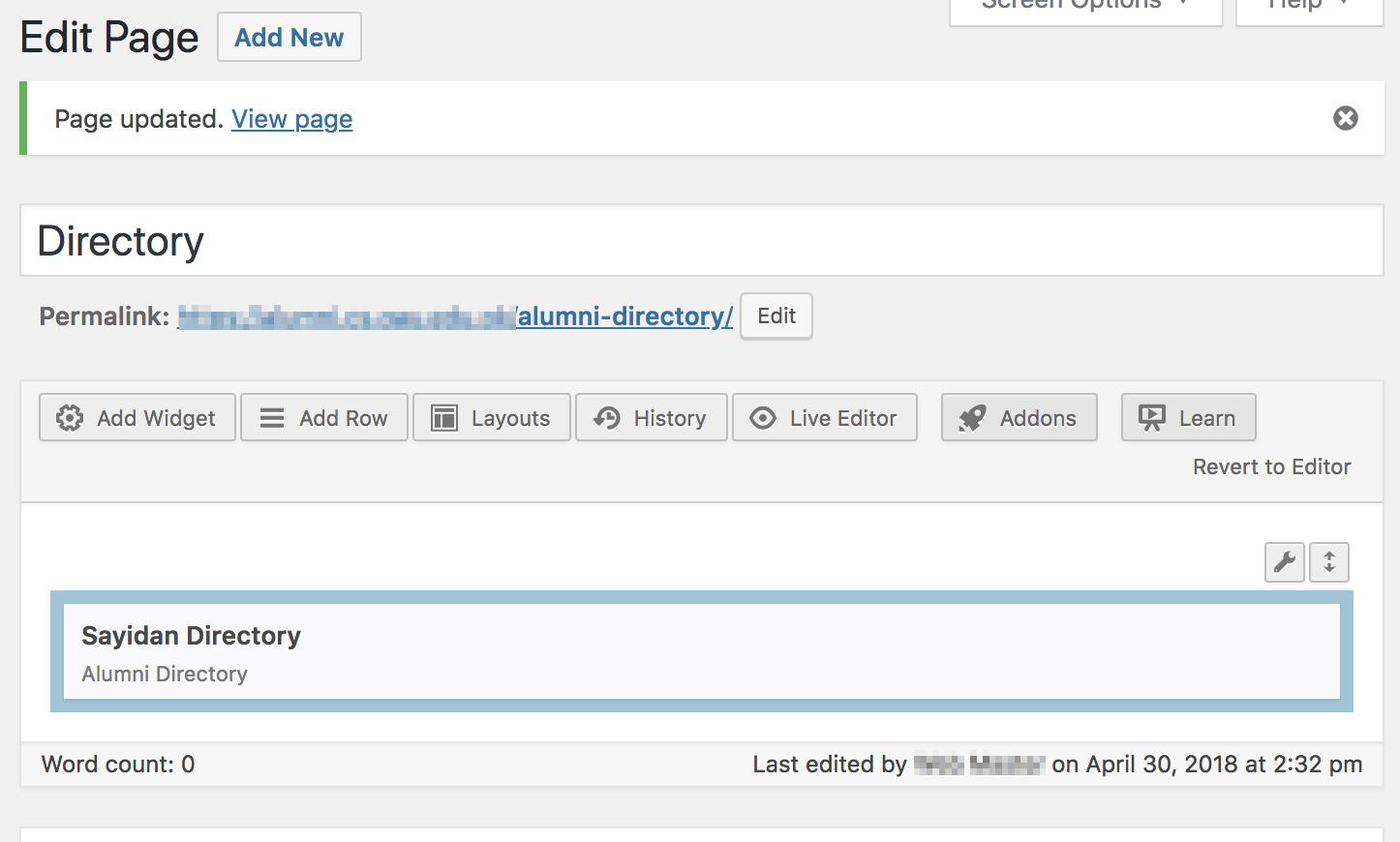
https://res.cloudinary.com/zahidbitsol/image/upload/v1525090101/directory_zfsrnq.jpg
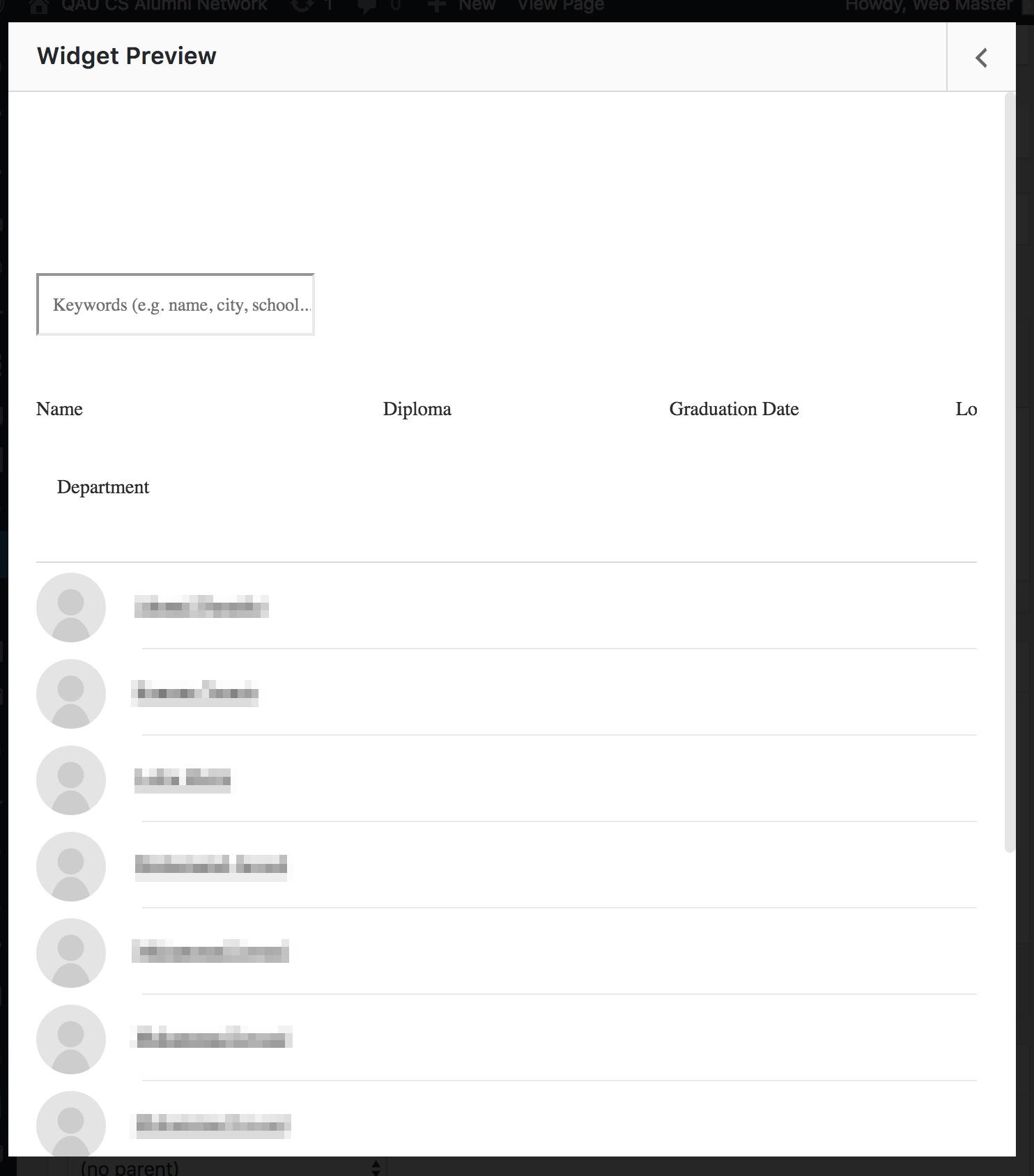
https://res.cloudinary.com/zahidbitsol/image/upload/v1525090102/user_1_wvrk05.jpg
If the footer is not visible then there should be some kind of fatal error. Have you verified debug.log file? make also sure debug is enabled under wp-config.php file
define('WP_DEBUG', true);
define( 'WP_DEBUG_LOG', true );
but nothing is captured inside debug.log, if I made changes and explicitly add some errors in code then it’s captured otherwise nothing in debug.log
Try creating directory page using Page Builder Widgets and not shortcodes. Shortcodes will be deprecated in the upcoming update.
can you please provide an example what you are saying. Much appreciated.
Go to Pages > switch to Page Builder Tab > Add Widget > Find directory widget > Publish page.
I am already using the page builder widget.
We need your credentials to understand what exactly is not working
sure, we can have shared screen session, let me know what works for you join.me, uber conference, zoom.us, teamviewer?
Seeing the screen on the remote wont help much and its time consuming we need to see the code our self as well as have admin rights to configuration.
Alright, let me know what works for you? your email address or something to send credentials
email sent.
hi, how can i change upcoming events in the program-event-builder page ?
Just find the event under Events section of your WordPress admin. For future requests please submit a ticket here: http://kenzap.com/forum/sayidan-university-alumni-wp-theme/
hmm, still not clear for me. i already posted in your forums.
I am unable edit the design of the Menu bar and menu items layout. it shows menu only in the traditional menu type items. Additionally I am unable to see more than 2 sub menu level meaning after 2nd level of sub menu the 3rd level isnt shown on the live site
I am asking in context to multi-layer nested menus like structure, because this is for a university website and for that the menu should be like this
Academics
– Faculty (lvl1)
—Engineering & Tech (lvl2)
- Civil Engineering (lvl3)
— Dept Profile (lvl4)
— Staff (lvl4)
There is no support for that deep menu as it requires completely different stylings and structure. We would have done this is there were more request regarding this feature.
If you do want to change the parameters and see how it works find depth parameter under wp_nav_menu function in header.php file and increase the numeric value this will remove the depth limitation.
hi, kenzap team. How can i add existing sidebar widget into page or post ?, i’m not seeing this option in siteOrigin page builder.
Could please send as a screenshot of the place where you want to add the widget here: http://kenzap.com/forum/sayidan-university-alumni-wp-theme/
i already send
when i install the theme and upload the demo content everything ok , except when am on the profile , when i click on , comment, post or about the link redirects to a no page … what could be the problem
Please refer to this page for more details: http://kenzap.com/sayidan-theme-setting-up-login-register-profile-pages-and-redirects/
hi, there are few things i want to ask:
1. how can i change the header into style v2 (logo on left side)
2. can you send me the xml or json file for import demo data, to harun@dotcom.id. i want import manually. Because i already followed as you suggested in your documentation. when i reach to one click demo import and then i’m click import demo data, the ajax still spinning after 2hrs and still loaded but surprisingly it’s not import anything.
3. And where is revolution slider plugin ? it’s not include in your sayidan-plugin
1. You can find it under customizer > header or logo section 2. XML and Customizer files can be found here: http://themes.kenzap.com/sayidan/ 3. We do not support it by default slows down site significantly.
thanks for the assistance
Hi Kenzap,
Overall enjoying the theme. A few questions…
1) What is needed to remove/hide the “Login,” “Profile,” and “Logout” buttons from the global header? 2) How/where to change text/button colors in the global header? 3) Is it possible to restrict users from creating accounts (via purchase or code or email invite)? In other words, is it possible to only allow certain individuals (based on some pre-qualifier) to create accounts on the site 4) How to make the homepage hero slider auto scroll?
1) You need to override header.php file structure.
2) If you want to change colors of certain element individually. You need to find its IDs or classes and add custom CSS classes under Customizer > custom CSS section.
3) Can you provide an example where something like this exits?
4) Sayidan slider > edit > turn on slider autoplay
1) Can you provide more detail for what specifically needs to be altered?
2) thank you
3) Restricting authentication is common. This template is directed toward alumni users of our university. How can we restrict users from other university’s, or users who have not paid for membership to our chapter?
4) Sliderplay is turned on on Home page. It still does not auto roll
followup on #1 – If you cannot tell me how to remove the “login” cta due to customizations can you please tell me how to edit the page it directs to so that I can present the user with a “feature coming soon” message?
To show feature coming soon simply install a plugin. There are plenty of them depending on which design you like more.
If you want to show us how to remove signin link please submit a ticket here so we could provide you a more detailed example with image attached: http://kenzap.com/forum/sayidan-university-alumni-wp-theme/
Hello,
After setting up and importing the demo contents, I’ve realized that a user sign up doesn’t automatically include the new user details on the members’ directory page.
How can I make that work like it does on the demo
Please refer to this page for more details: http://kenzap.com/sayidan-create-student-directory-alumni-listing/#troubleshooting
I need more help. I have followed all the steps but I still have the same problem. If I use ultimate members on a page, I get a grid of all members who have registered on the website. If I use the Sayidan Directory, it only shows a list of “subscriber” role registrations with these fields Diploma|Graduation |Date|Location|Department. This is despite the fact that I edited the form fields to something else 
Can only add custom filed for user profiles. For directory you need to override multiple theme core files to achieve this. The recommended way is to just rename the fields. Adding new fields is not recommended it wont fit screen width.
What are the theme core files I need to edit?
Its in /inc/shortcodes/directory.php file if you want to modify structure and add new fields.
/inc/shortcodes/sayidan-directory.php is responsible for widget itself.
If you want to just rename the fields use Loco Translate Plugin
please i have purchased the theme i want to install the demo content but i keep getting 404 error
Please refer to this article for more details: http://kenzap.com/wordpress-theme-installation-troubleshooting/
hi, can i know what kind of page builder are looks like ? want to make sure if my client can easily use this.
Its Page Builder by Site Origin. You can try free demo backend here by clicking Edit button: http://kenzap.com/website/sayidan/